UV Squashing in Borderlands 2 on masks for color tints.

polycounter
I wanted to share something I came across while looking at models and textures from Borderlands 2.
There is a 3D model called WreckedVan that is used all over the game.
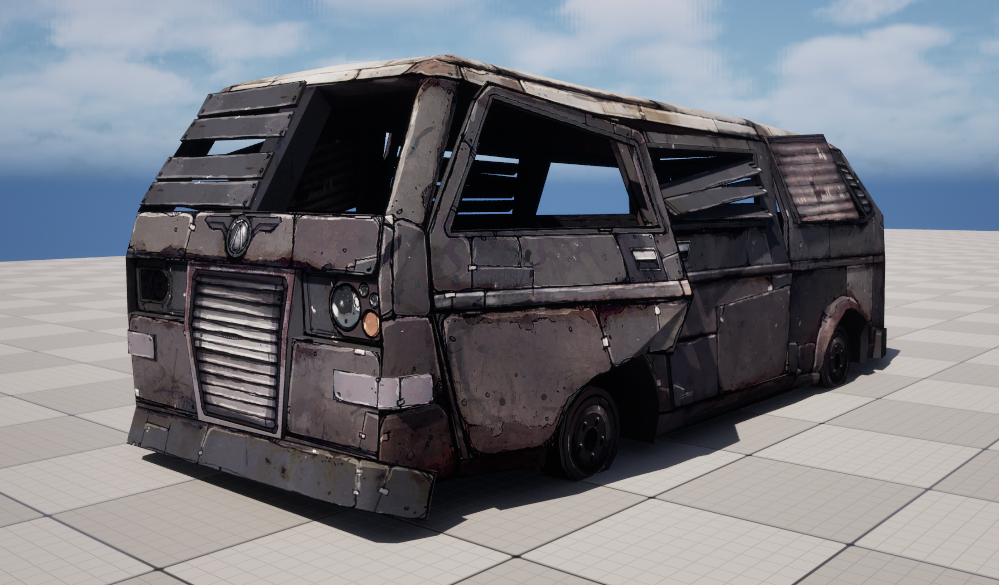
It comes with a 2048 diffuse map and a second packed mask texture. The size might seem large for 2012 but given that it was standard practice to give things like this a unique UV layout, it's not that bad.
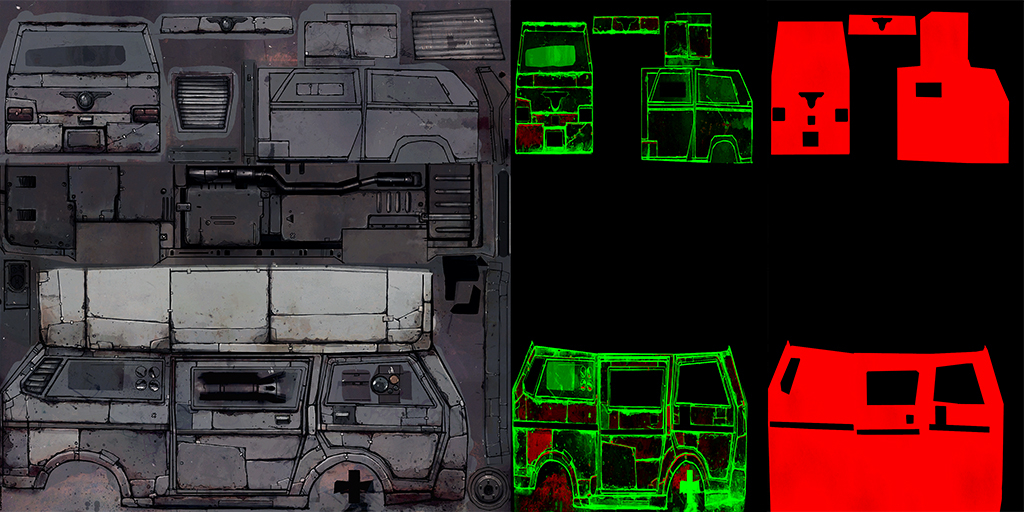
I knew right off the bat that the masks had something to do with tinting. The diffuse is fairly neutral and I swear I remembered seeing colored props in the game. But the mask map is weird looking, it doesn't match the diffuse layout exactly. It's squished on the U axis. It actually fits two masks side-by-side in the 0 to 1 space!
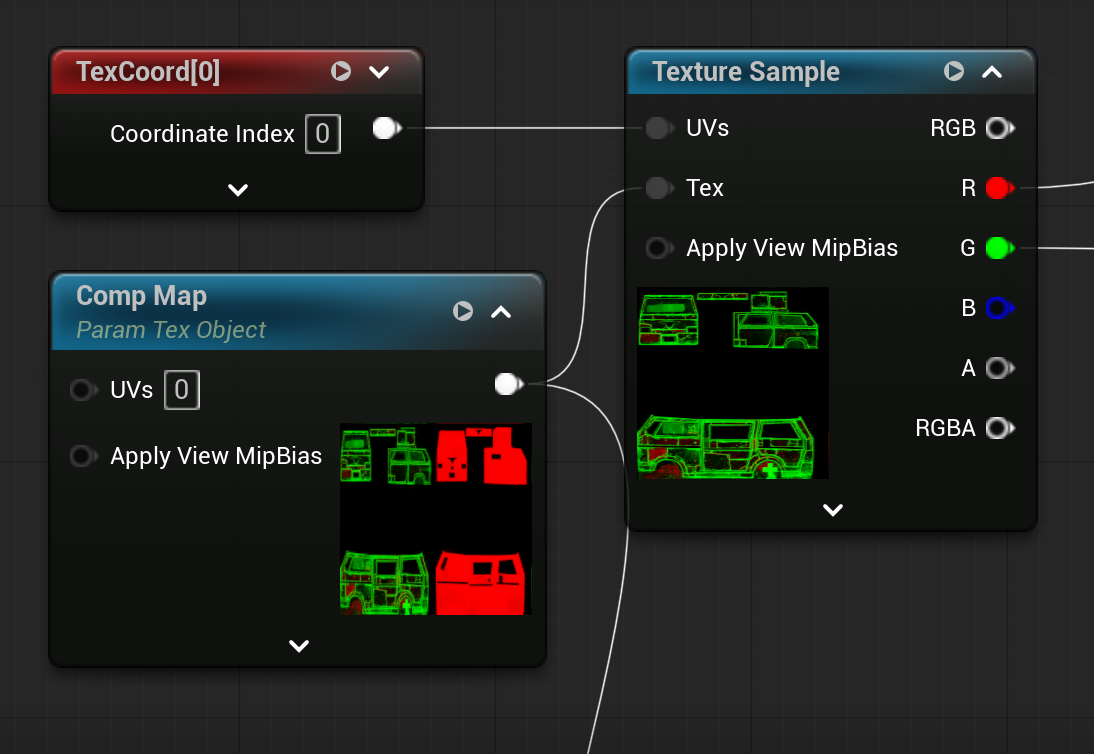
To fix this I just tiled the U coords by 0.5 instead of 1 using the TextureCoordinates node (param text object is for the MM, ignore).
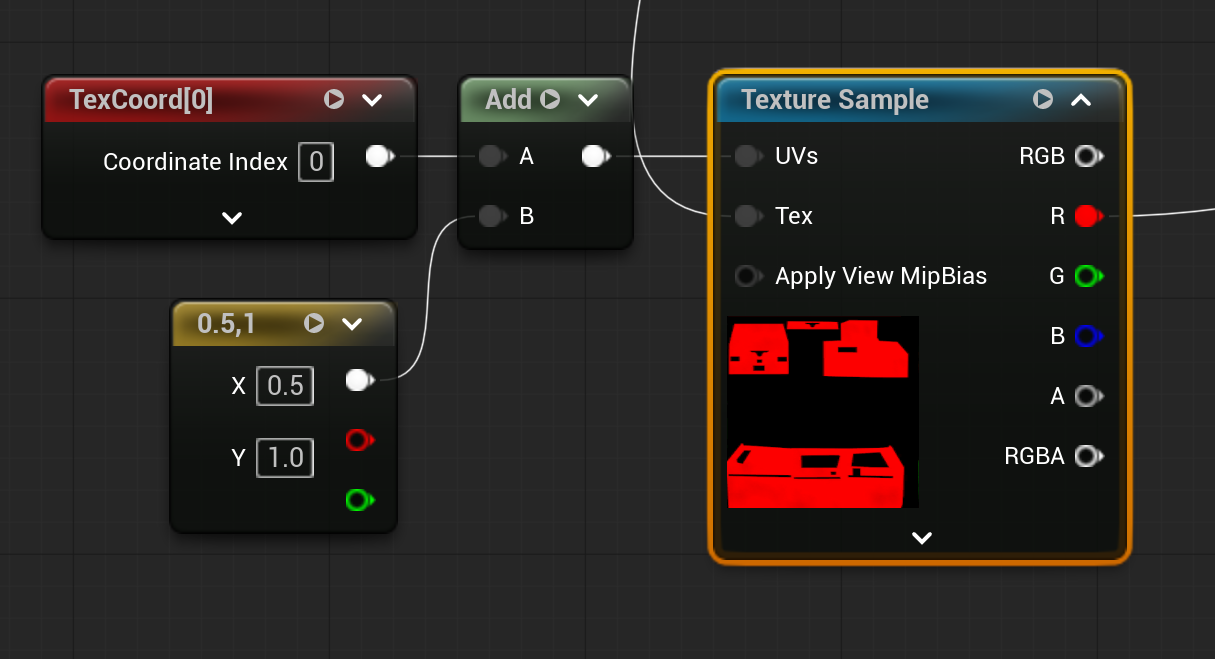
To get the right side mask I did the same U tiling at 0.5 but also panned the space 0.5. Now the question is what is each mask for?
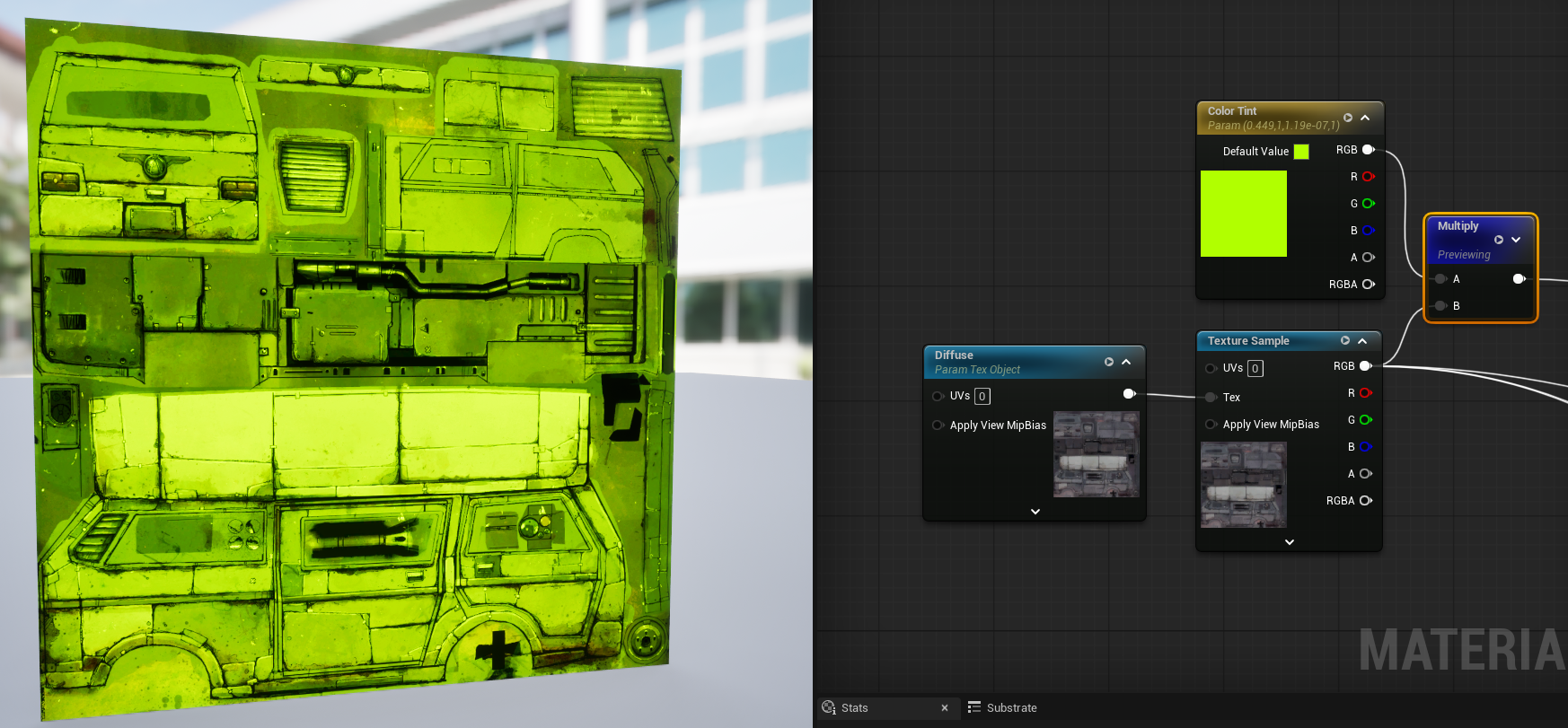
First I set up a lazy tint. By lazy I mean it doesn't respect the underlying texture's luminosity values, it's just a brute force multiply. If I weren't just dicking around I would use a better method. I chose a heavily saturated yellow-green to make it easier to see.
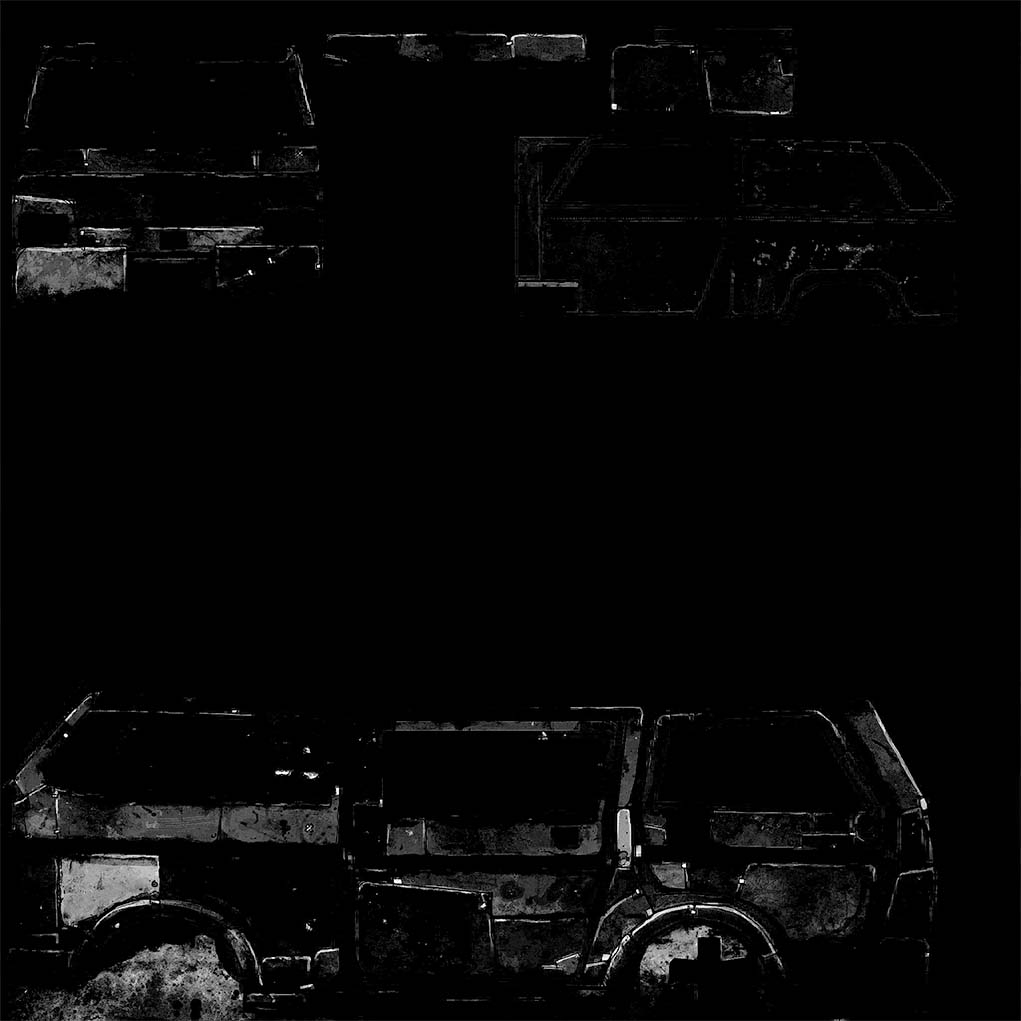
The left mask of our original squished mask texture has a red and green channel. If I only look at the red, it looks like a paint wear mask to me. So this lets some of the underlying texture show through in places where the paint (tinted texture) has worn away.
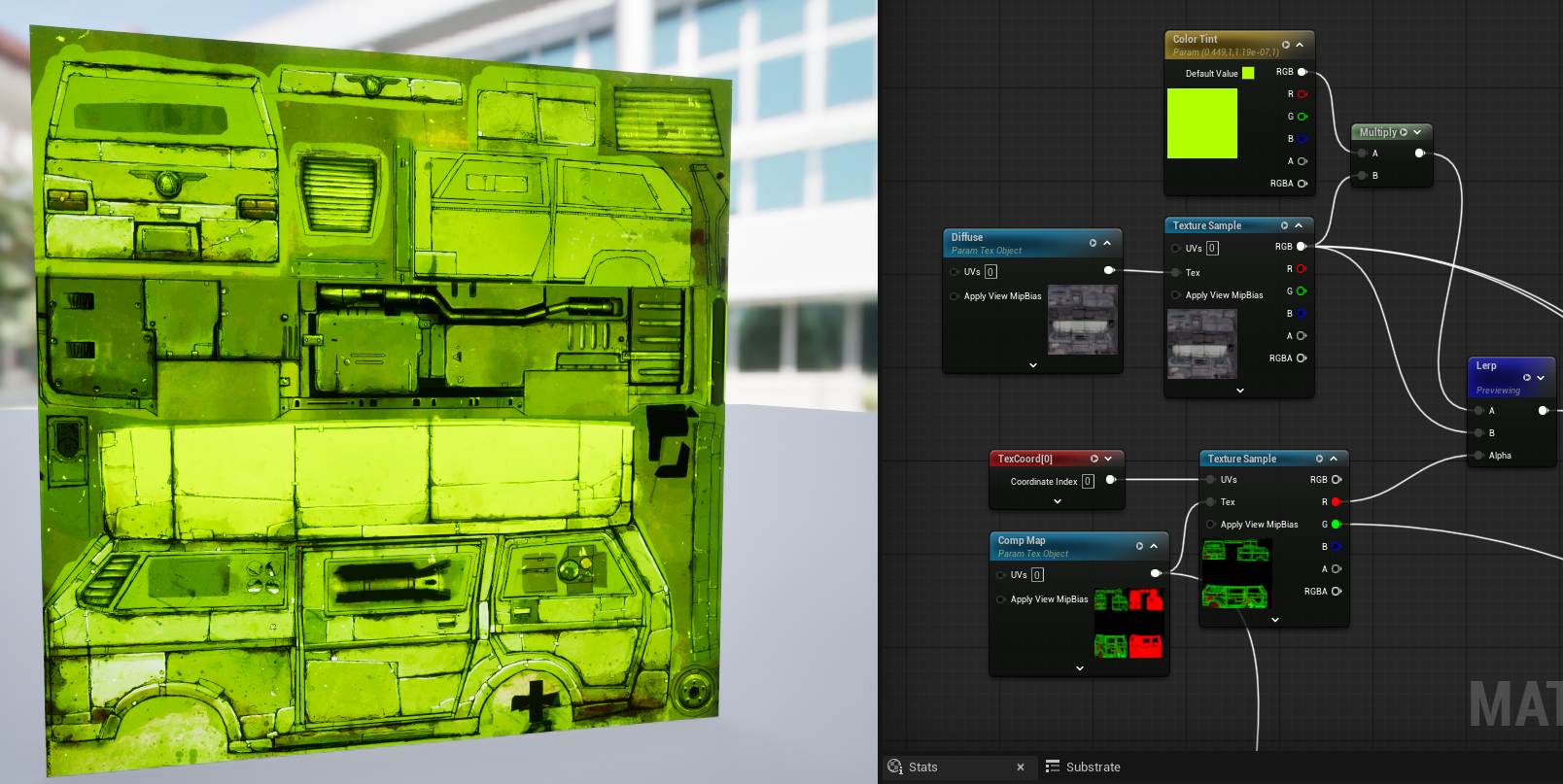
This is the result, it lets some of the underlying texture come through on certain panels, and especially the highlight edges.
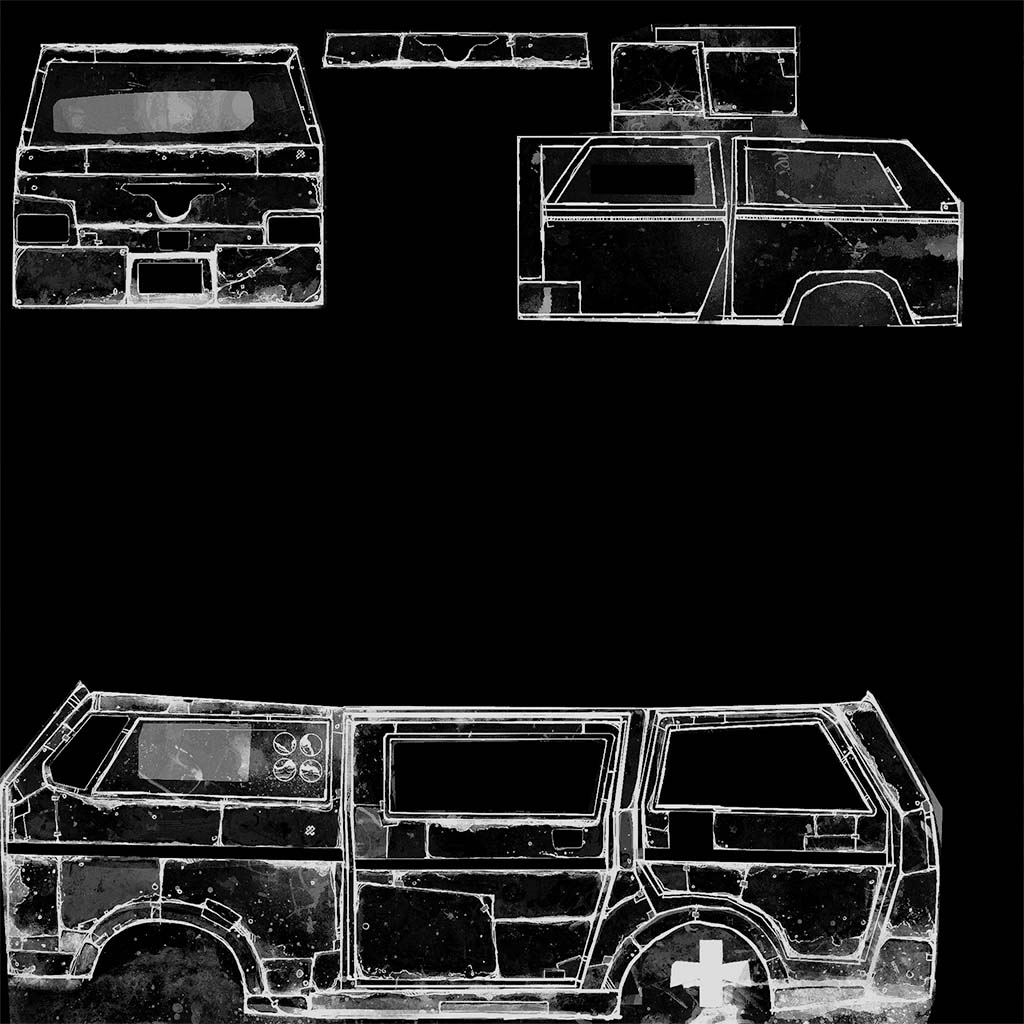
Now if I look at the green channel, this almost looks like an AO mask. This seems more like a grime/rust/dirt mask, which should let the grunge in the underlying texture show through the tint, making it seem more natural.
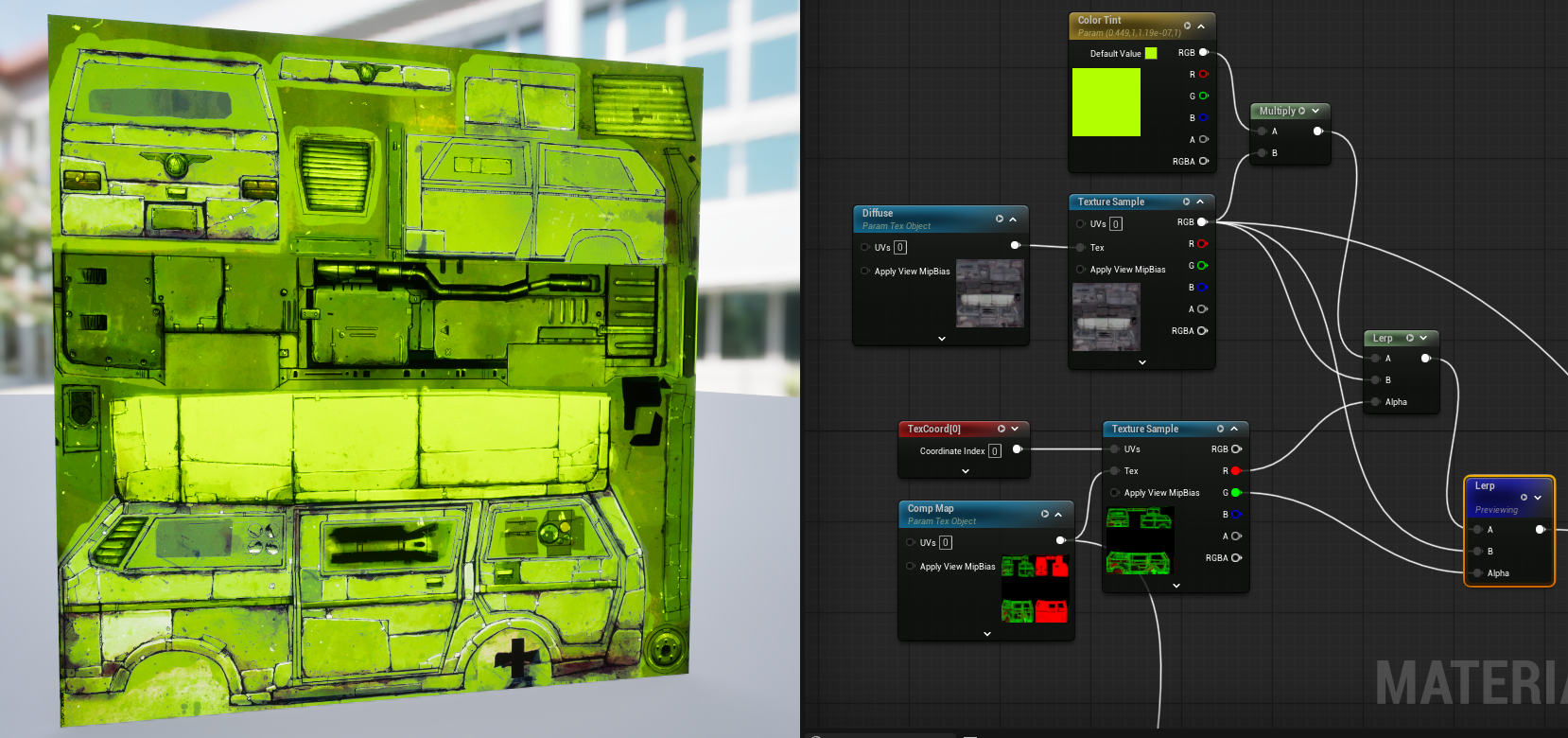
It seems to do just that. So now the tinted texture has some variation in opacity and has dirt/grime. There is one last aspect missing and that is the tent still covers everything. It's on the tail lights, it's on the grill, it's on the window trims.
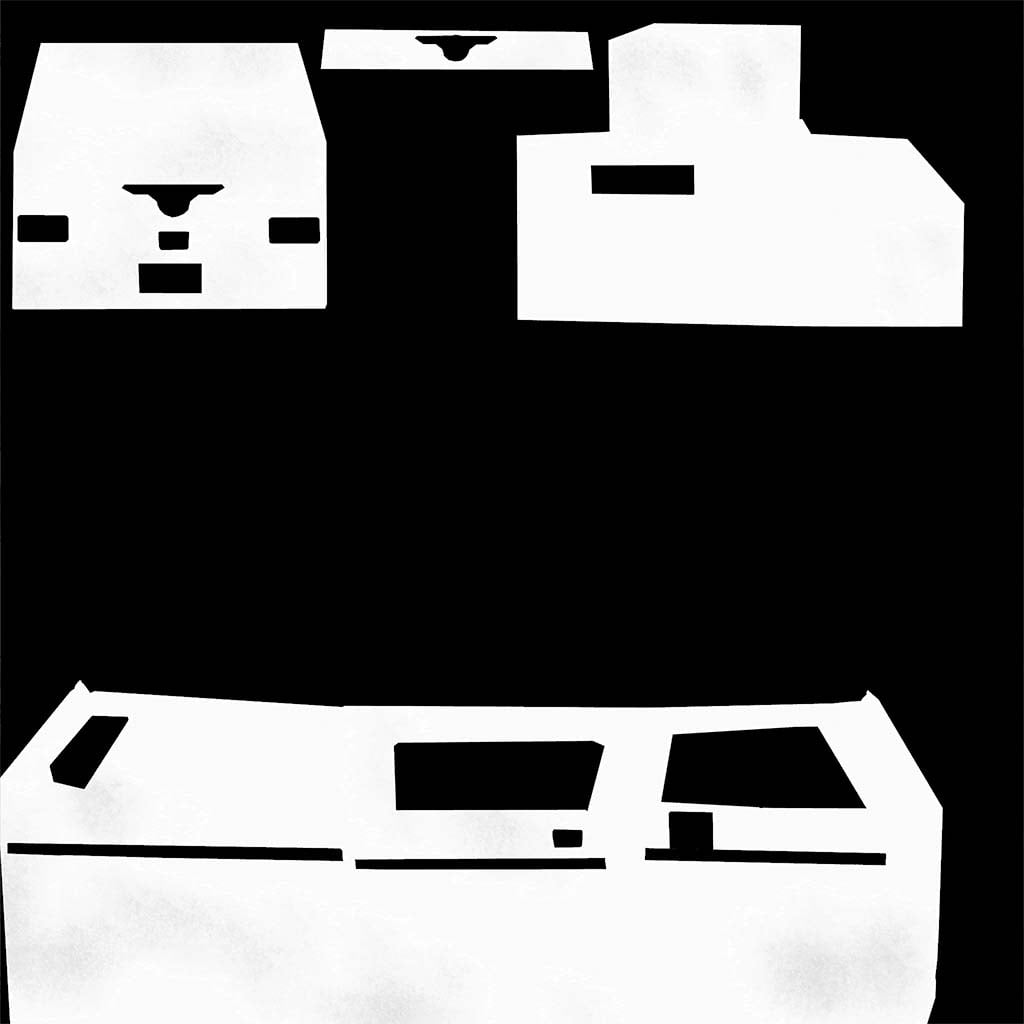
Which has to be what the right side of our original squished mask texture is for! This is to mask off the tinted areas from the rest of the vehicle and details.
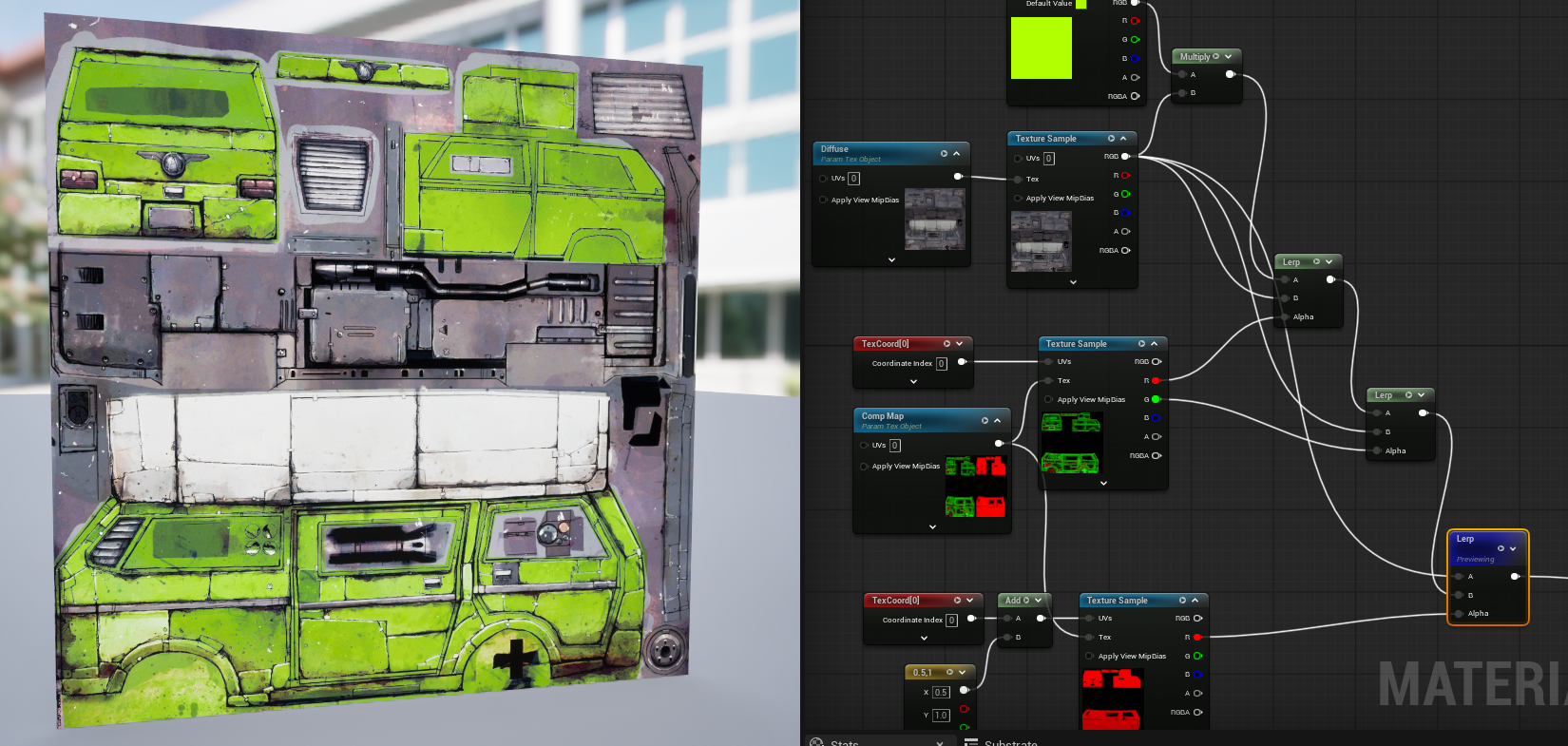
So now we have a tinted vehicle. The next step is to create some instances where the tint is a more reasonable saturation and luminosity.
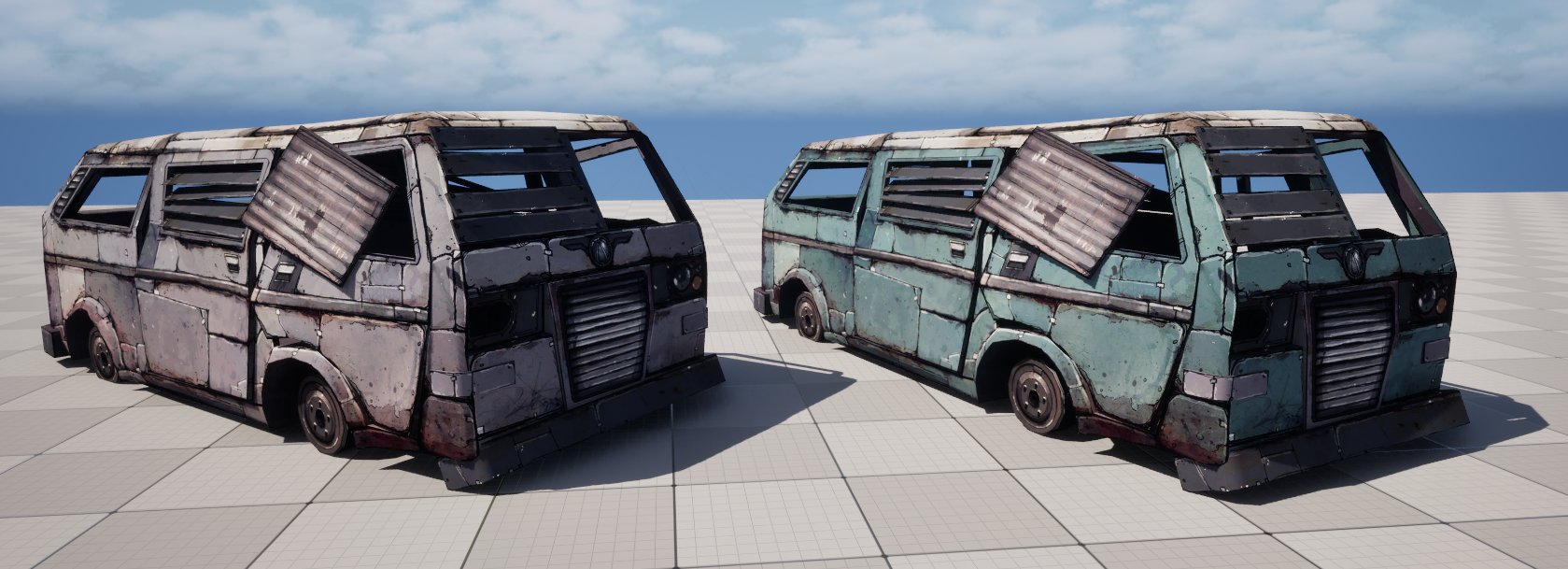
Now the prop can be tinted!
My initial thought was why didn't they just move the right side of the squished texture to the blue channel, making it unnecessary for the UV squishing. It could be that they reserved blue channel across all their textures for something. I didn't test it but it's also possible that a 2 channel 2048 texture is less memory than a 3 channel 2048 texture. So squishing the UVs could have saved some RAM. Neat trick!
Replies
2048² in 2012 really isn't bad at all, and makes total sense if you think about it a little.
They achieve loads of variation without extra vram usage, and the shader is probably as simple as yours, with not much overhead.
While 'hero prop' probably is a bad term, it is a prop that you can and will walk right up to, use for cover, so half it's height can and will easily cover the whole height of your screen. The side of the prop takes up about a third of the UV space height-wise.
Quick headmafs says if your 2012 resolution was 1080p, you'd have a pixel:texel ratio of 1080/(2048/2/3)=1:3.16
IDK what was considered 'normal' texel density in 2012, but that seems perfectly reasonable to me.
You're probably right on the last part about the blue channel. If they had needed the blue channel for something else, you'd find the blue channel occupied, and not black. They probably cut it entirely, and used a file format that can properly exclude that data, for an instant 33.3% reduction in file size.
While you can probably save on VRAM, IDK if you can load only two channels into a GPU's texture slot.
I would really appreciate if someone more knowledgeable about how GPUs handle textures could chime in on whether that's even possible.
This is all very interesting.
This also reminds me of how valve managed to get "practically infinite" variation in their zombies in L4D.
A good watch:
I managed to find this guide on how the textures are made:
https://steamcommunity.com/sharedfiles/filedetails/?id=1567031703
While the delivery leaves room for improvement, it gives you a good enough understanding of how they work.
https://developer.valvesoftware.com/wiki/Infected_(shader)
Basically there are 'gradient textures' with multiple gradient maps in specified areas, clamped within specific values.
The shader randomly picks a pixel within each gradient for each z spawned, and those pixels chosen either enable a specific prefabbed z variation, picks a texture variation, or tints skin/clothing.
The uv squishing will just be a way to have an atlas and still pack the textures with something that uses the uv0 channel layout - ambient occlusion or something I expect
Size wise, there are a few scenarios where 2 channels make sense but iirc it's usually more about quality then memory footprint (3channel bc1 is highly prone to crosstalk between channels)