Search
-
Re: [UE4][Finished] 18th century warship in the Caribbean Sea - Critique needed
 When I look at all of the images broadly, the lighting and color grading could use some work. Seems like everything is washed out, like there's not much contrast. Sort of like the images were taken with the flash on from the camera. Here's some good examples from google images, supposably from UE 5. shorturl.at/dinBG…
 -
Should I be raytracing or using displacement maps for portfolio pieces (gaming industry)
 I guess there are two ways I see of going about my portfolio pieces. I high/low poly using displacement/normal maps/ets on the low poly and show the poly count on the images of finished assets or I just keep it high poly and render out finished pieces off that using raytracing methodes since people are just looking at…
 -
Beginner FitBike Model
 Hello Everyone, i have been studying Maya for about 1-2 years now with alot of breaks inbetween and eventually dropping it but as of end of 2016 picked it up again and being serious about it now, i tried making this Fitbike bicycle with a few reference images of the bike itself, i would like alot of critique on this as i…
 -
Metal Slug 3D Art on SketchFab
 Hi guys, as you can see i love the metal slug games, so here are some models / stages I put on SketchFab recently. Warning, many images ahead XD model model Some BreakDown Images for the Tank And Some BreakDown for the Stage This was the inspiration, a ScreenShot directly from ingame Some Images from Marmoset ToolBag I…
 -
UV Snap Shot problem
I am trying to use UV snap shot in Maya to export an image of UV map. But for some reason, the snap shot area always remain 1:1 (X : Y) ratio. Here is the UV exported file... And this is the screen shot of UV editor. It doesn't matter what I change... UV range... entire range... or User defined (in this case, I use U -1 to… -
New to baking, could use some tips.
I am finally getting to baking in my learning process, only I've run into a weird problem. Whenever I bake an image, the properly-baked image appears on the model, but the actual rendered texture map does not have the baked detail. I've played around with it for the past hour, and haven't been able to get around this… -
[SOLVED] Zbrush - Brush pack missing alpha/not working

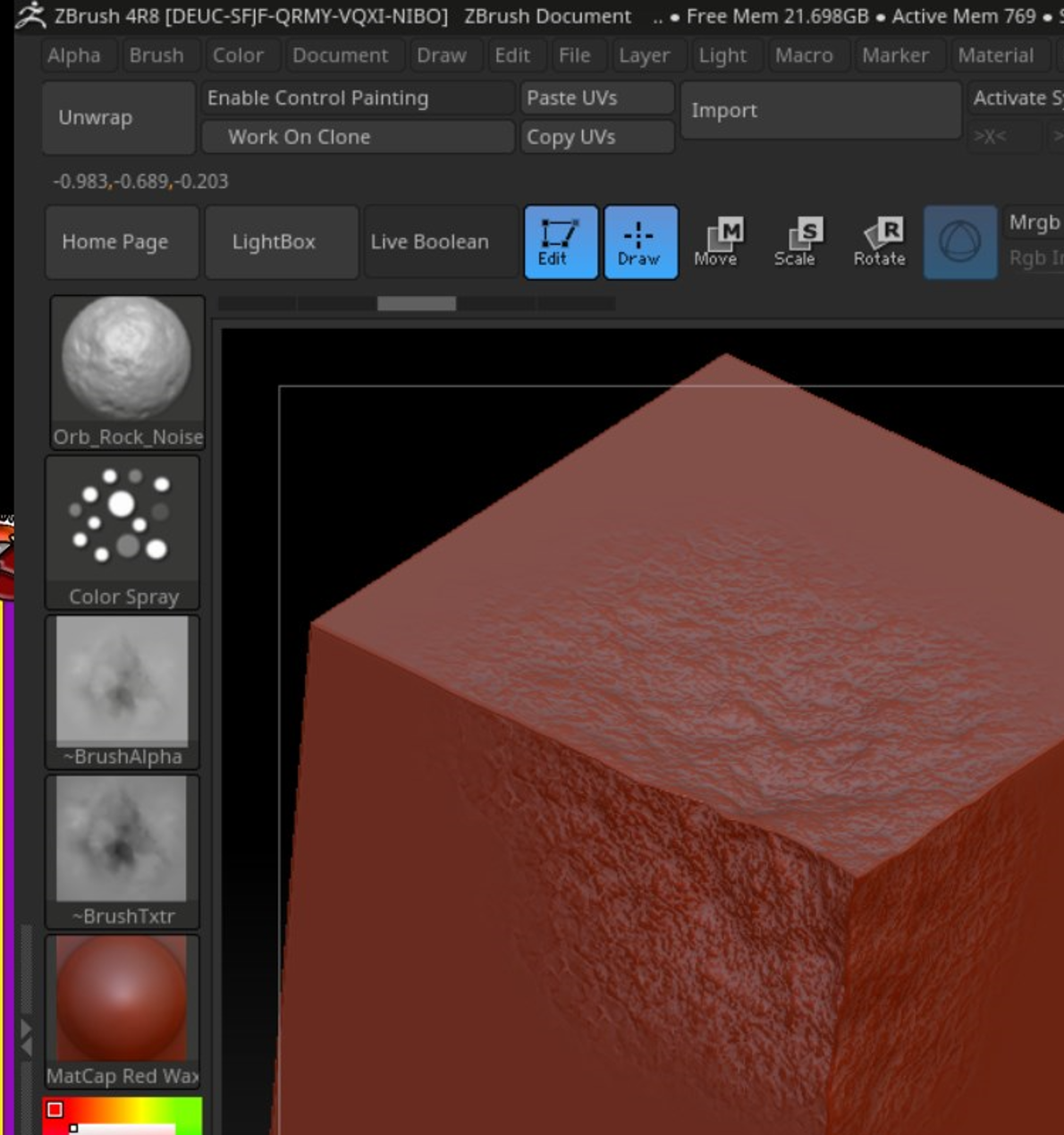 Hello, As an example, I've purchased the Orb_Brushpack (which works) and the JRO_Rock_brushes pack (which doesn't seem to work) I've downloaded the zip, extracted it in the following folder: C:\Program Files\Pixologic\ZBrush 4R8\ZBrushes The Orb pack works beautifully (as seen in the first image). But non of the alphas…
 -
Re: [UE4] Mountain Trip
 I think you may need to push your atmospheric perspective more on the mountains. Currently they look very close and far at the same time. You also have a nice focal point in the two images of the trail and cross. Make sure your other images have a clear focal point as well. The top image the focal is immediately that…
 -
Re: crits on my work
 A thing you could do to get even better feedback is to post images from more angles. I can not really see his back in the images you have posted, and the angle on the side view makes it hard to see the profile of him. Some closeups of high detail areas or areas that you are uncertain of could also help, I for one would…
 -
Re: ZBrush noob questions
Thanks! Ctrl+n worked like a charm. ZBrush's UI is kind of a pain, but I'm getting used to it. From everything you're saying, it sounds like I'll have to read up on dynamesh (not really sure what that's all about). Plenty of things to try. Oh, and the reason I like attachments is that as long as this post is here, so is…
>44217 results