Search
-
PLEASE HELP maya animation problem
 my curves pre infinite cycle and post infinte cycle works perfect in maya but as soon as I export to .DAE file those cycles don't work, the frames where the cycle is doing the work gets filled with some "planar" data and the animation is broke.......no matter how many times I fixed each time I export the cycle stop…
 -
Solution to alpha shadow problems in Maya.
 I just thought I should post this link for those of us who are having this problem especially when trying to render alpha planes like hair,tree leaves e.t.c: http://ant-online.co.uk/2011/05/18/removing-alpha-shadows-in-maya/ Very simple and I had this problem for a very long time before I found it.Hope it helps.
 -
Maya vs 3ds max for a tutorial

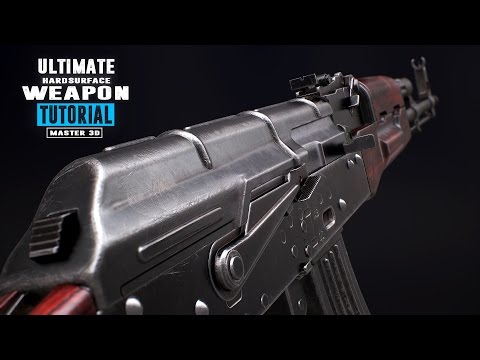 I plan on doing something small but focus on the details and textures. I found this tutorial: https://www.youtube.com/watch?v=9MYGCdf9VHs It looks good but I currently work in Maya and the tutorial use 3ds max. Do you think it should be a concern? Should I go for it or do you know better and cheaper tutorial? This one is…
 -
Maya objects have transparency problem
 Can someone help me out with this issue? Or do any of you know what is going on here, or now how to fix it? It makes modeling almost impossible to do. I appreciate any help any of you can give. I have Maya 2014. I also tried changing the renderer to viewport 2.0 and high quality, but still same problem. Thanks.
 -
Re: Maya 2016 camera distortion
 The effect you are looking for is basically simulating a fisheye lens and from my very brief search you can't do it in Maya's viewport. There do appear to be ways to do it in offline renderers, so I guess search for "fisheye camera in maya" and than may turn up some information.
 -
which fps game engine works best with maya?
 Does anyone have any opinions about which fps engine seamlessly integrates into a maya pipeline and workflow? I'm looking to make a city type level with buildings you can enter.
 -
Re: maya xgen Failed to import collection?
 that does not look like a maya project... have you created one..? File --> set Project File --> Project window --> Accept this should create in that location a lot of folders... your maya file should be in the scenes folder...
 -
Re: maya 8.5 toon shading problem
 I am sorry as this wot help you with your problem,- but I wanted to share this related tutorial: http://www.3dtotal.com/ffa/tutorials/maya/non_photo_realistic_shading/realistic_shading.asp that uses a interesting approach in toon shading with maya
 -
Maya to UDK - Velvet
 The illusive velvet. I am a noob. Plain and simple. For now at least :) I need help. I've been spinning my wheels all day with this project that's due Tuesday. I am building old western theater curtains. RED VELVET ones at that. [IMG][/img] I have the physical model created already ready to go in Maya. I'm just a bit…
 -
Maya precisision movement
 Hi guys i'm currently doing a job for a company and they require exact measurements in some parts of the models so that it works with their program. I'm talking at least 0.01 unit - 0.001 unit movements Right now it seams that maya's most precise movement is around .5 units Is there a way to move a little more precisely.…
>63175 results