Search
-
Maya Real Time Shader Tools - lcRTShaderTools.mel
 I've been developing a mel script to make it easier to create/assign/interact with hlsl and cgfx shaders in maya. Linking lights, changing light colors, making sure you have the correct .mll's loaded - providing an easier interface for managing lights. I made this originally for my fellow production artists at work - so…
 -
help with maya
 hey guys i just downloaded the 30-day trial of maya... woot go me getting with the program. well learning videos want to load in window media player and wont play cuz of the file format, i have quicktime but it wont load any ideas on whats going on?
 -
(MAYA)KTHolePuncher

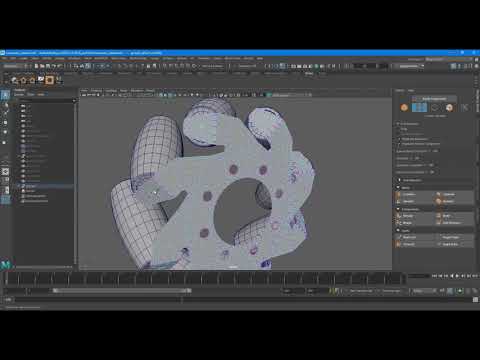 Wrote a script that saves time creating Holes in objects. Works on multiple component selections(Vertices and Faces) for Maya 2018 - 2020. https://www.youtube.com/watch?v=I913wBznX9A Available at Artstation storehttps://www.artstation.com/marketplace/p/KLV1/melktholepuncher Gumroad https://gumroad.com/l/nRvNV
 -
Maya 2016 bevel problem
 Hello, so what problem with bevel in maya 2016? Any chance to fix it somehow? The problem in "Autofit" attribute.
 -
Hotkey for Maya's harden edge
 I'm looking to give or create a hotkey for Maya's harden edge. Any help would be great.
 -
Maya geometry problem
 When I zoom out, the geometry disappears. Any ideas? Ok, now there is green geometry that is unrenderable and wont let me put materials on it. Also, how do you tile textures in maya?
 -
.gr2 Grannys in Maya
I'm trying to export a mesh as a .gr2 from Maya but can't find a plug-in that will do the trick. Is there anything special that needs to be done or am I just choosing bad plug-ins? -
Cloud Sim Maya

 Does anyone know how to create a cloud like this with Maya fluids? Found a ton of tutorials how to do perlin opacity on the fluid container, but it doesn't give you clean results such as this.
 -
Maya import problem

 I have a scene in Maya that has a character with a rig and a standard unreal engine skeleton. When I import a standard mannequin from unreal engine into a scene, I have this strange problem. Please tell me, how can I fix this?
 -
The Blocks: Body Mechanics Rigs // MAYA Overview
 The Blocks: Body Mechanics Rigs // Made Simple & FUN! // Get The Blocks for MAYA (https://www.gumroad.com/watchmeanimate)
>63169 results