Search
-
Re: Substance Designer Not reading/importing SVG files?
 I'm still stuck with the SVG Export from AI and imported into Substance Designer 5.5.2. I can see the SVG fill and outline into the Ressource panel, but i can't use it into my Graph as it not readable into it. Do someone have a precise workaround to load SVG path into SubDes from AI CC 2015.3.1 ?
 -
Re: Substance Painter- Mesh fill doesn't fill the entire mesh
 Check in the UV layout (of your 3D modeling software, not substance) if these edges are in contact with others that in the textured version are "white/grey". Sometimes are conected or in-contact. And if are using same base material... could happen this.
 -
Substance Designer: How do I view non square materials in 3D view?
 I'm making a tree bark material that needs to be 2048x4096. So far, I cannot find a way to view this material in the 3D view without it stretching. Is there a way to set the 3D object, in this case the rounded cylinder, to have non square uvs?
 -
Does substance painter have a basic fill tool, similar to the fill in mircosoft paint?
 not the UV polygon fill or the layer fill, or the partical/physical fill, just a normal fill.
 -
Moved to Alleg O' Rythmic, mic, mic, mic: Issue with I-ray in substance painter
 This discussion has been moved.
 -
Moved: Multiple UV Tile Normal Map seams on Character Model Substance Painter textures
This discussion has been moved. -
Substance Designer Bark Support

 Hello, I've checked through some of the existing threads and was able to get a start on some bark, but I'm a bit stuck trying to think of the best method to achieve some of the scraggly edging around the "plates" of bark in my ref. My current attempt is trying to create a few unique chunks and then use a tile sampler type…
 -
making AO,metalness,roughness,specular without substance painter?
 Hello, i have a hard surface 3d model made in zbrush, and i have color map, cavity map, normal map,displacement map. How can i make metalness map, roughness map, specular map, AO map ? is there any way to do it in photoshop? or maybe xnormal?
 -
Abandoned Dacha Environment - Modular Kit with interiors

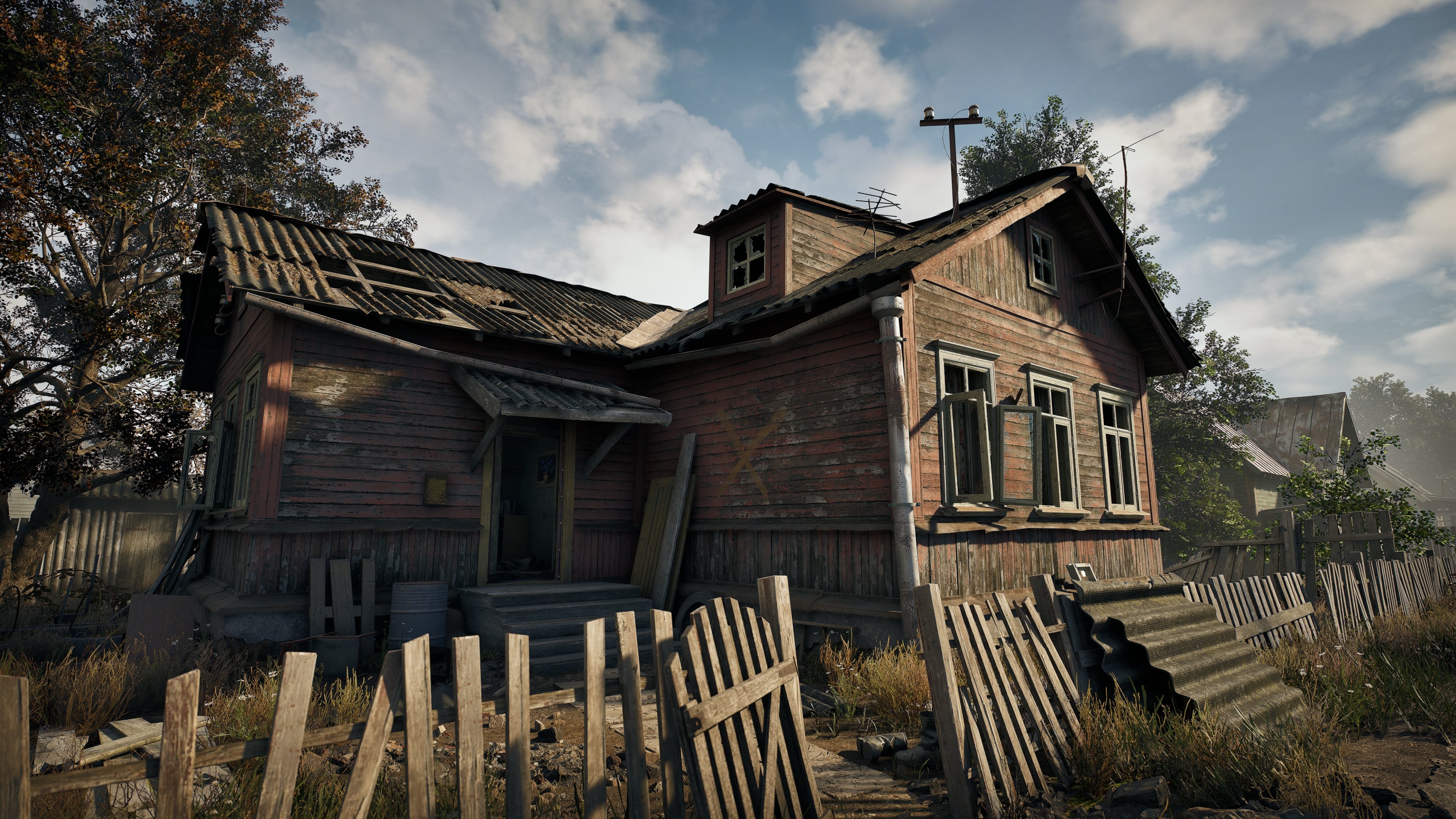 Hey everyone! I’m a Senior/Lead Environment Artist with about 7 years of industry experience. For the last 3.5 years, I've been heavily focused on building modular environment systems for a VR project. Anyone who's worked in VR knows the constant struggle between visual aesthetics and aggressive optimization (though to be…
 -
How to achieve solar crystal like shapes in substance designer

 Hey friendsI am working on a Solar Panel Material right now. This is my current WIP: I want to introduce a crystal like pattern, but have had no luck yet trying different setups. Any idea ? I have tried to start from a tile sampler looking like this:
>15015 results