Search
-
Request (bake color iD options)
 Hi! I've got some request about baking ID map. Please add options to bind individual color ID to material. There was situation when after baking maps in Toolbag and painting lowpoly in Substance I needed to back and split some parts of the model, modifying and assign new materials. After rebake new models HP to LP in…
 -
Is there a standard workflow for using anti/aliasing when baking masks?
 I'm trying to make a material which has a number of stones inlaid into a floor. I'm doing a diffuse bake to get different color values of all the components involved, and I'm keying the RGB values of these colors so as to create three masks. One of the channel masks is white for stone, black for floor. Another mask…
 -
Re: Baking Hair
 I have a few questions. What is your baking app? Is it hair/fur or geometry? Hair/fur modifiers don't bake unless you convert them to geometry which gets insanely difficult to deal with and loses it's material properties. Are you going use opacity? Baking is not going to capture each strand very well. You are better off…
 -
Baking out Diffuse maps (for quick selecting in Photoshop)
 Hey there guys!! So, I have recently been studying hardcore about everything texture creation (especially for environment art)... I was wondering, especially after watching the Eat3D tutorials "Old Pillar" and "Next-gen Texturing," how exactly he goes about getting that very useful flat color map that he brings into…
 -
Piano project
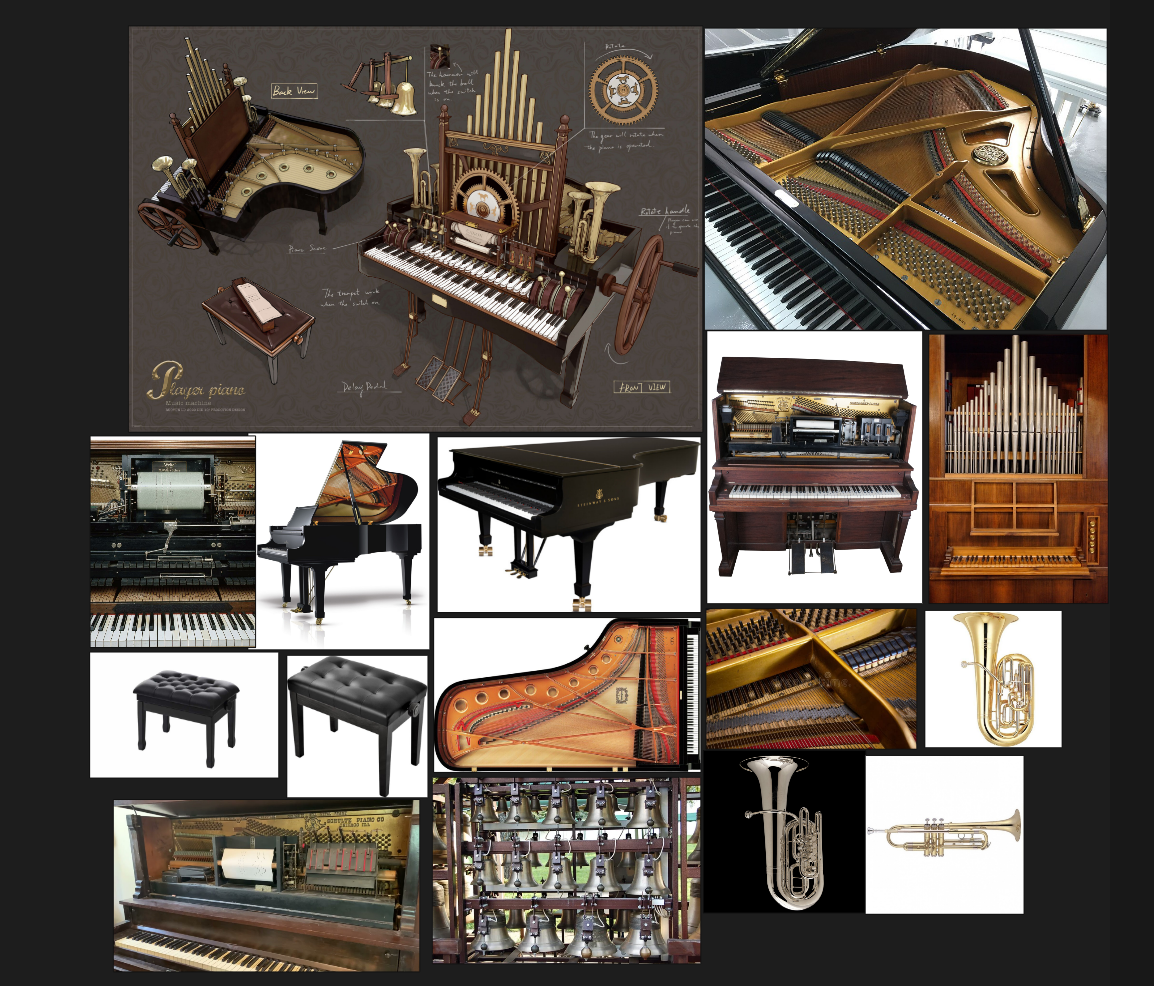 Hello everyone!!Let me introduce you to my new project: it involves recreating this concept of a piano combined with an organ.Over the past few weeks, I’ve done the blocking, mid-poly, high-poly and low-poly modelling, as well as the UV mapping and bake tests.I hope you like it!
 -
maya 2008: bake gradient into vert colour
 how do, I'm looking for some way to bake colour into verts along some geometry, with the colour gradiating as x increases. any ideas? first try baking using lights didn't really do the trick, any sides of the geom were overblown because they could be hit by all nearby light. I need it to be pretty much projected from z..…
 -
Re: Visible Normal Seams when Baking? How to fix that
 The entire low poly mesh is using hard edges and the normal artifacts appear around the perimeter of most faces. Bright normal map seams that follow existing edge geometry are generated by blending extreme pixel values from either side of a given edge. This type of normal map baking error is indicative of UV padding issues…
 -
Re: Tips for Cleanly Baking Continuous Overlapping Cloth?
 either mesh it together and bake as one piece. or bake in batches and sticht it together you have no chance to bake this as one overlapping piece without overlapping artifacts
 -
UV does not bake correctly? (Maya & Substance Painter)
 i Unwrapped my UV's and I have an issue to where the UV shell which i marked in the picture does not bake correctly, it bakes an incorrect part, could someone tell me why this is happening? Thanks.
 -
Re: Random collection of Shaders, Materials, and Workflow Improvements.

 So after a few months of learning python I have made something :) I built an auto baker using Pymel, Substance Bath Tools, and Substance Designer. You save your Maya file somewhere, and anything you place in the lowpoly, highpoly, and cage groups will automatically get baked with the folder structure and naming taken care…
>27503 results