Search
-
Re: Shuttle Altair

-
ZBrush panel loops
 I'm following some ZBrush tutorials on panel loops and everything I find seems to assume that I already have panel loops activated but I do not. I don't even seem to have the Edge Loop tab that so many tutorials reference. So how do I activate this?
 -
Re: [WIP] The Northman interior Environment - Cult

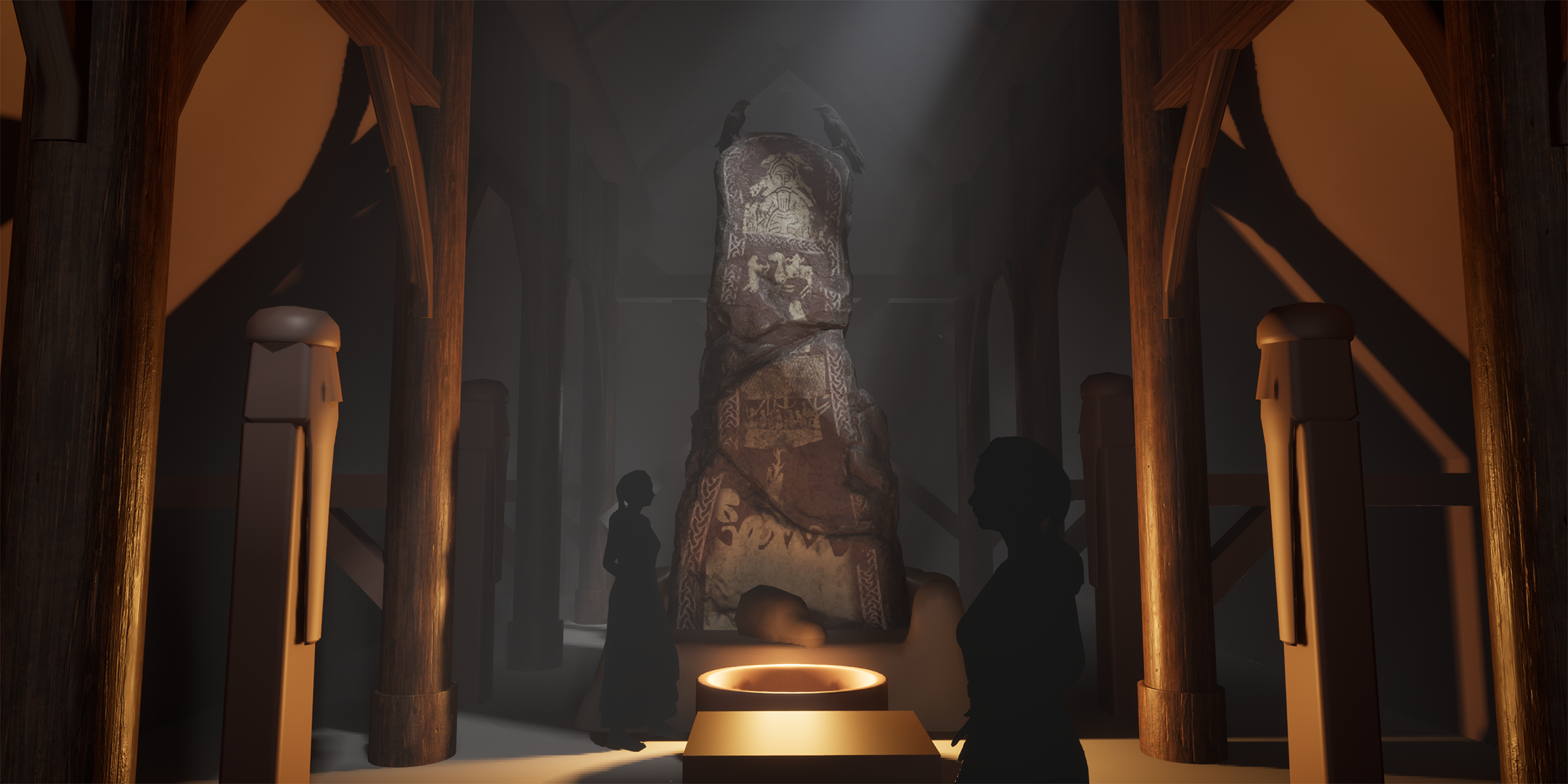 Back again with another update to this one. This time I've: - Pushed the lighting. I liked the godray shining onto the runestone to attract the eye a bit more and thought I could get some storytelling going there with the ravens having flown in to sit menacingly on our little runestone. - Moved around some pillars and…
 -
[Unpaid][Collab] Looking for a 3D artist to make a collab game with me.
Hii! I started trying to make a game on my own, but I'm really not good at 3D (I was used to doing simple things for The Sims 4, and that requires more skill than that). I will program and write the game, and you would do the art, but of course you could and should give your opinion on the direction of the story since we… -
Adjust loops Tool in Maya
 I am wondering if in Maya there is a "Adjust Loops" tool similar to 3ds Max. When you pick a loop and use the up and down arrows it pinches or expands the edges on either side of selected loop.
 -
Re: Maya - Quadraw - Loop issue

 It's an annoying quirk for sure. The multi cut and quad draw loop mode behave the same, and sometimes try to loop "inverted" to where you're actually hovering over. Generally it wants to create a closed loop whenever there's a crossroad as seen on your ear. One workaround is to prematurely stop the loop by creating an edge…
 -
Re: my face loops , crit ?
 looks pretty good overall, although i would try to avoid that pole right between the eyebrows. you could probably run the loop from the centre of the nose all the way up over the top of the head, and have a bit cleaner geometry in between the eyebrows there.
 -
(Zbrush) My Zmodeler technique for terminate loops!
 Hi!! After fighting for a couple of hours, I finally found a technique for terminate support loops in Zmodeler ( So instead of having 3 loops in a supporting edge, you have one). With this technique you have less edge loops going through your mesh, and doesn't distort the curved parts of your mesh. And it smooths…
 -
Re: [Solve] Support edge loop problem
 You would need to add edge loops on the curve before and after the area with pulling. It also looks like you could get away with using a separate piece of geometry for the inset area.
 -
[rev-share] Working game assets with mechanics and functionality
I am an experienced Unreal Engine developer and am looking for a art partner to collab on a game kit with working assets. You would make the models and PBRs and I program mechanics for them so they work and can be used game-ready. Also I would add further effects and adjustable parameters if required. Examples for such…
>108906 results