Search
-
humanskin shader
 the humanskin shader "use scattering" checkbox and scattering radius slider seem to do nothing at all. I feel that I must have missed something but I dont know what. Do I need a subsurface scattering subdermal map?
 -
experts on 3dsmax shaders?
 ive been having trouble trying to match this shader: does anyone have any ideas of how i can achieve a similar look?
 -
Re: [UDK] The Pit (Working Title)
 DT - Thanks man :D Eyo - No problem, glad to share things here and there. The floor will definitely have some of the vertex shading stuff i've been developing. Maybe i'll put together some advanced shaders for the pitt stuff as well. I tightened up the graphics on level 3. I havn't begun texturing yet, i save that for…
 -
Mesh edge blend sharing the same material?
 Hi! I'm trying to find a way to blend meshes that share the same material. I found this method, but I'm trying to avoid it because it seems like too much extra work https://cdnb.artstation.com/p/assets/images/images/011/332/037/original/raul-aparicio-skirtsample-anim.gif?1529020963 Is there a way to do it like this?…
 -
Designer Dota shader?
 It seems that once upon a time Designer had a Dota shader, I can't find a working link to a download of it. Has support for it dropped for it in Designer 5?
 -
Re: Yury Taran – Senior 3D Character Artist | Portfolio & WIPs

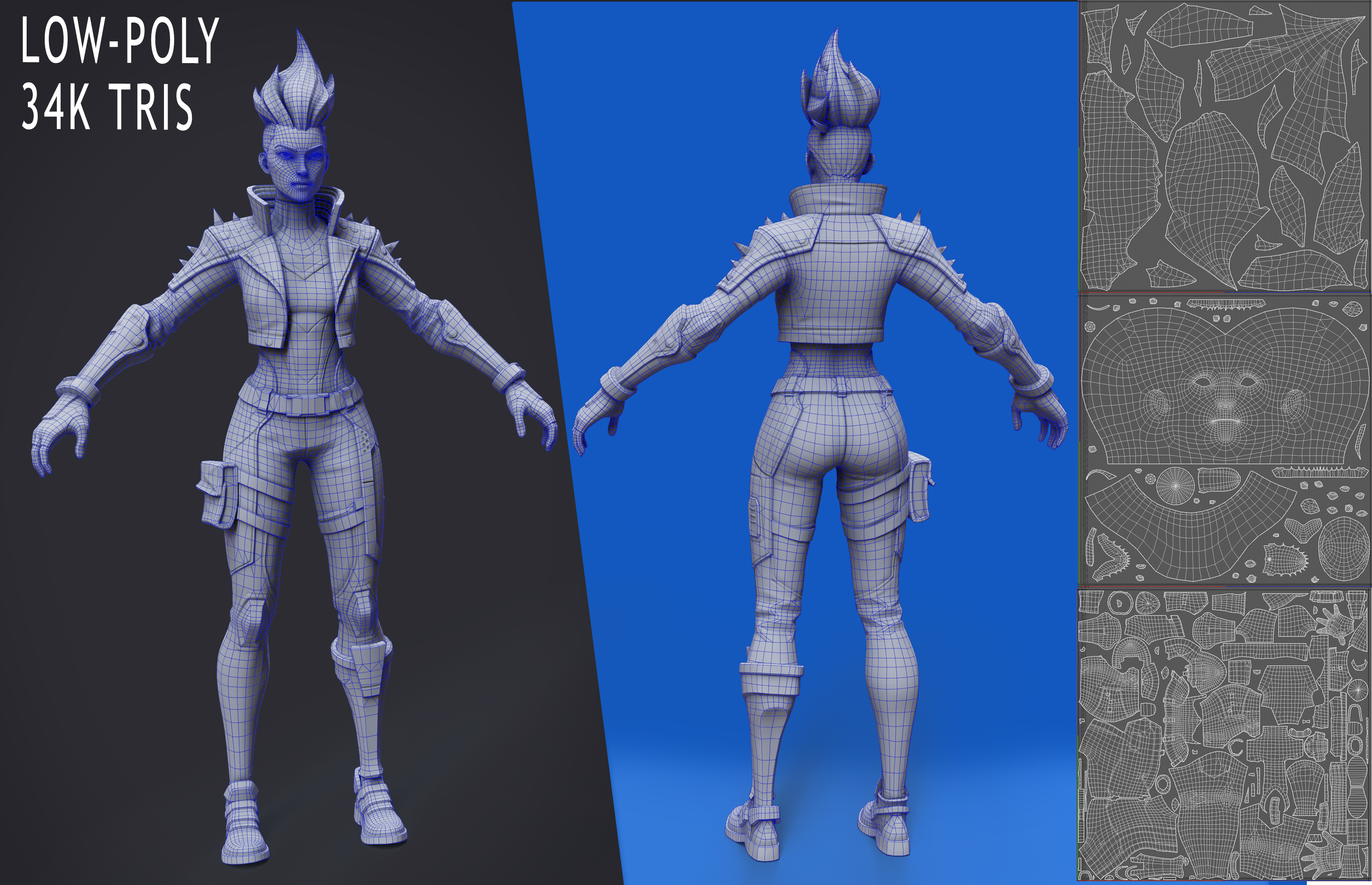 Sharing the technical stage of my stylized character (Fortnite-inspired style). • 34k tris • Game-ready low poly • Clean deformation-friendly topology • Optimized UVs • Bake completed The character is now ready for the texturing phase. Focused on maintaining strong silhouette and readable shapes while keeping the mesh…
 -
Answered: Issue with not seeing painted mask (Dynamask Full Shaded Mode) in Photoshop

 Hello everyone. The issue i'm experiencing is what I paint a mask using Dynamask, whatever I paint stays in Dynamask. I cannot see or edit the mask outside of it. If i create a custom mask in PS (without painting in Dynamask) it works fine. I can still go back and edit it no problem. I like using the Marquee tool to create…
 -
Re: Learning To Paint Digitally

 I think it's useful to see other people working --especially when you're insecure-- so you can have those moments like "oh, so this is how you got that image done? I can paint this objectively?" But in terms of experience you get almost nothing, you're just watching someone else work. The only time I noticed getting more…
 -
Slimy Shader problem
 Ive been trying to use different methods to recreate a shader that looks like the murky web stuff in this pic but was unsuccessful. Anyone know the methods or sites that would help?
 -
Re: My Textures Suck Character Texturing Crits
 Three very quick tips: 1 - think in terms of light, not in terms of color. Light dictates shapes. You can describe any shape just by describing its illumination, from spheres to knife-edged creases. The sharper the transition between light and dark, the sharper the edge. 2 - Don't use pure white or pure black except in the…
>56801 results