Search
-
Freeze Transform + Pivot Points
 So, I normally model all of my objects in a T pose. Recently, I have created a robot and needed the joints to line up with the pivot points of the connectors. In doing this the IK was not working as it should because it couldn't calculate properly without a bend. So, I unbound (removed all my weights) and manually rotated…
 -
Re: 3ds max: reset pivot rotation
 Well, I just tried these methods out and for some weird reason it isn't working for me right. Mop: on some objects when I click "affect pivot only" then "align to world" it actually moves the mesh! I'm not sure why this is, but these were meshes that I have already edited so I tried to just make a simple box and try it…
 -
[solved] Modo - Pivot / Center issue

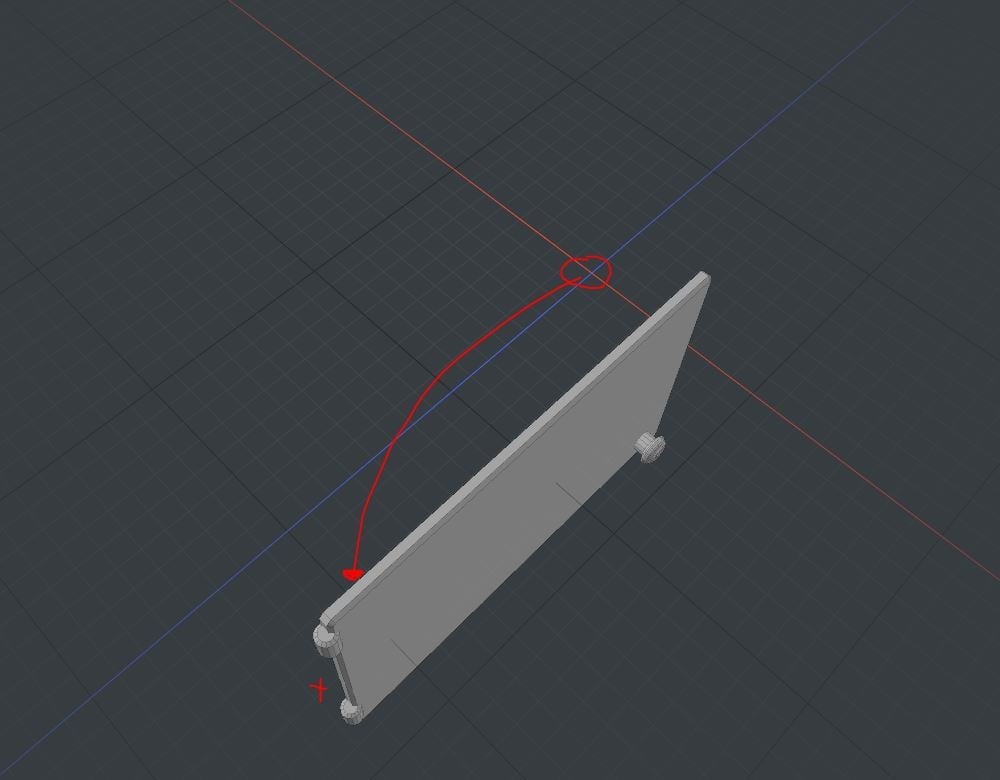 Dear polycount people, hope you are fine and i don't bother you with my tiny issue... but i am kind of frustrated now. I use Modo 11.03 Here you can see what i would like to do: What i tried so far: - moved the pivot in Modo and exported for test - moved the center point in Modo and exported for test - moved both in Modo…
 -
Re: align object pivot to original symmetry plane? (3DS Max)
 Thx Noors! I meanwhile stumbled upon the script you linked. Just this moment I was tinkering with deleting the symmetric half and capping the resulting hole. Then I used the script to place a working pivot on the resulting cap-plane which gives me a working pivot whose Z-axis is the symmetry planes normal. Sadly I could…
 -
[MaxScript] Sub-object pivot
 Heyo all, There may already be an easy way to do something like this but I made a maxscript for using on my brawl entry. Lemme know if you've got a better way though :) I've been working on a little sub-d stuff for the first time in a while in 3ds max and one thing that bugged me a lot was trying to set a temporary pivot…
 -
Re: 3ds max 2017 - Snapping pivot point and editPoly
 Indeed, English isn't my native language... My apologies about all the mistakes i can do :) By the way, sorry also for my lack of rigor... Here is the link where max's users are talking about the issue. I discovered the same method to override the problem (i use a primitive mesh instead of a duplication of my mesh) :…
 -
Re: How to center the pivot point in Marmoset Toolbag2?
 If you're using Toolbag 4 you can edit the the pivot by selecting the mesh and selecting the Translate tool. You'll see a checkbox for edit pivot mode and a center pivot button. You can press D while the Translate tool is active to toggle in and out of pivot editing mode too.
 -
[Maya 2015] Setting the pivot point of an object to one of its vertices
How do you set the pivot point for an object to be one of its vertices? I've been looking for an answer for this for an hour now and I can't find a thing. I know I need to use the custom pivot editing tool but I can only move the pivot in relation to the grid; I can't force the object's pivot point to be set from one of… -
[MEL] scriptJob for component pivot: how to?
Hi! I need to start some proc when the pivot position (object or component) is changed. I wrote a script for object pivot and it works as needed, but how to modify it for component pivot?scriptJob -runOnce true -attributeChange ($s+".rotatePivot") doSomething; -
[WIP] Titanfall Fanart, MCOR "Maurauder" Pilot Desmond

 Creating a character that will accompany the Legionnaire Titan fanart I am working on. Going to make adjustments to make this "Irish-American" or "Irish" on the design. Original concept by Poji Chow. Using the likeness of friend, Joe Coffey, for this guy's head. Going to see how far I can push this, especially with the…
>4226 results