Search
-
Seeking Advice on High Poly Circular Object
 Hey all, I'm a bit confused with creating the high poly of one of my objects - I'm getting a pinching effect on the circle due to the parts which protrude out of it. I've created a quick graphic to illustrate my problem. Any advice would be appreciated on fixing it. I've tried fixing it above like so, but it's still going…
 -
Baking Bug Issue Report: Persistent Stability Concerns with Marmoset Toolbag 5.02

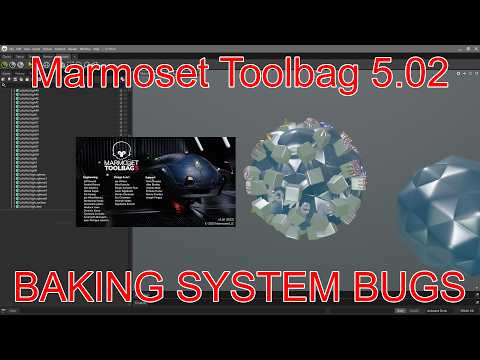 Original document: Bug Issue Report: Persistent Stability Concerns with Marmoset Toolbag YOUTUBE VIDEO (recommended to watch at x2.00 speed) https://youtu.be/tiz7MIinnIU The current baking workflow in Marmoset Toolbag, particularly regarding the Auto-Reload functionality, presents significant challenges that impact…
 -
how do you unwrap an object to a non square map grid??
 Hi, I want my object to use a 512x1024 map. How do i render that out?
 -
Re: Texture baking in object with multiple UVs with different projections
 Instead of having 1 object with 2 uv sets, make 2 objects with both of em having only one uv set. Than bake the colors of the one with the ramp to the one with the proper uv's.
 -
Softimage Render Problem - Object no longer showing up in render
Hello. For some reason in my scene, some of my objects are not showing up in the render. I checked the vis options and layer options and everything looks fine. http://imageshack.us/photo/my-images/694/renderproblem.jpg/ Please help! Cheers -
Re: Maxscript - Check if object convex?
 Ah, actually I have having the opposite problem. It always returns false. I had only tested concave objects previously. It seems to be a caching issue. Whatever was first returned per object the answer will remain until the max file is reloaded. (I tried gc, but it didn't work.) This is a terrible workaround, but it seems…
 -
Re: Painting object up in sky ?
Depth cues is really the most obvious answer. Repeating elements receding into the distance or converging parallel lines (like tall buildings), putting clouds between your flying object and the floor is another example. Also cast shadows from the object in the sky onto the floor. If this is just pre-viz for a game with a… -
References for creating 3D Environment props and objects
Hi everyone, So I'm curious, when you create props and other objects for 3D Environments, do you always use reference images while 3D modeling? I would think if it's an environment that doesn't really exist within our world, more like a fictional world, then we wouldn't be able to use reference images as much. Or am I… -
Maya: Texturing multiple objects from folder
 So I'm trying to create something like this in Maya using the Arnold Renderer filled in a simple room scene with around 80-100 of different picture images in a folder that has the same resolution. The material information would be the same but the only difference would be that the source image of the texture for each of…
 -
[3dsmax] Find objects in a scene using a particular texture map?
 Say u have a texture u used in a scene, is there a way u can search in the material ediror by entering the name of the texture say ''metal_478.tif' and 3dsmax will select or name the objects/materials using that texture?
>26394 results