Baking Bug Issue Report: Persistent Stability Concerns with Marmoset Toolbag 5.02

Bug Issue Report: Persistent Stability Concerns with Marmoset Toolbag
YOUTUBE VIDEO (recommended to watch at x2.00 speed)
 https://youtu.be/tiz7MIinnIU
The current baking workflow in Marmoset Toolbag, particularly regarding the Auto-Reload functionality, presents significant challenges that impact production efficiency. As Marmoset Toolbag is a critical component of many AAA art pipelines, these technical inconsistencies result in notable workflow interruptions and downstream production delays.
I will do my best to describe, step by step, how these bugs occur and how they are reproducible.
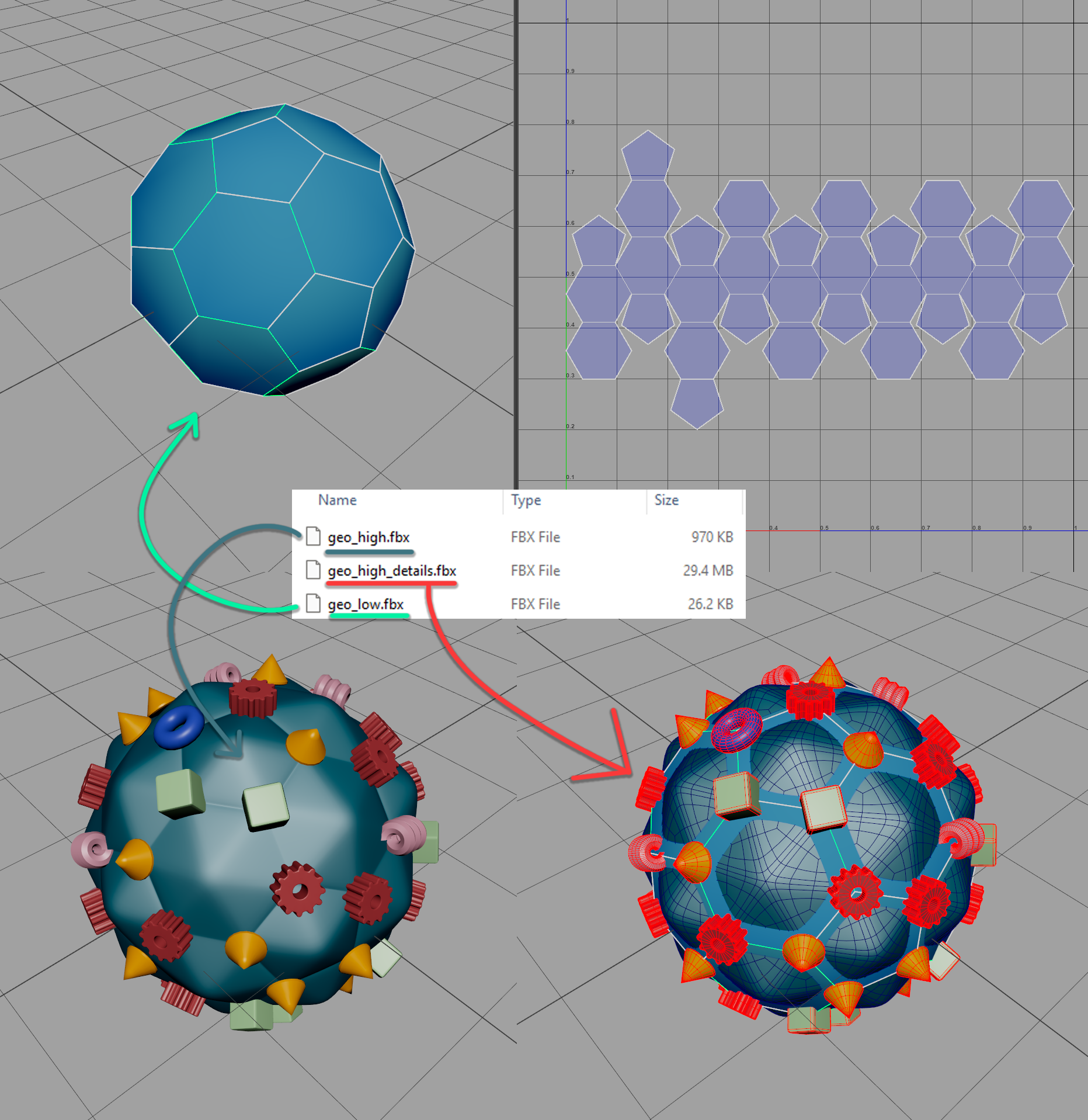
Example Project: Soccer-Ball geometry with multiple Highpoly objects and files.
Standard football Primitive paired with a ‘surface’-HP with faceted faces plus a ‘details’-HP with some random primitives scattered at the vertices of the football.
Start up Marmoset
Create new Bake Project
Quick Loader > Load
From the Windows File explorer select all 3 files - OK
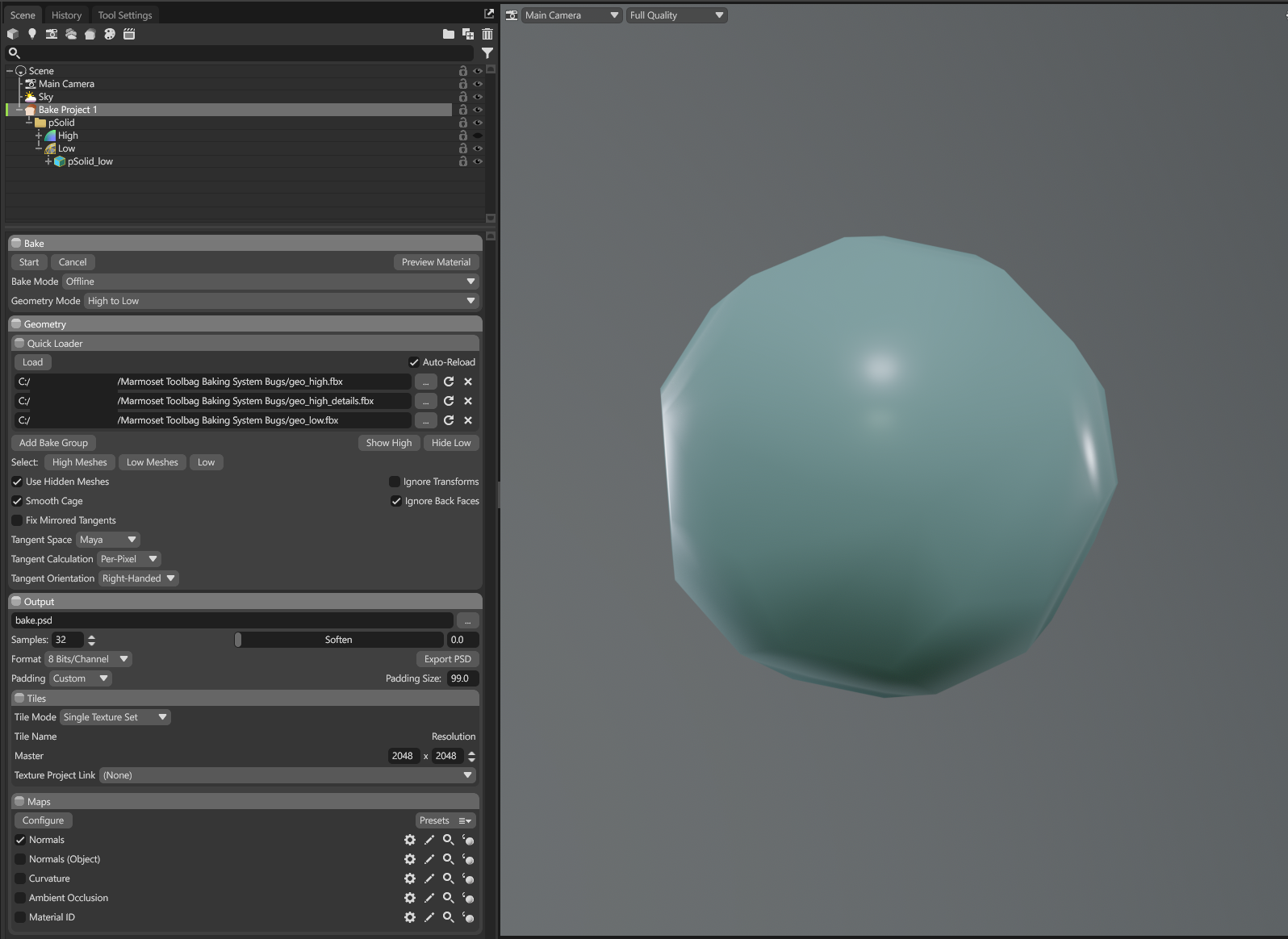
Looks correct. Have a look at the Bake Project settings to confirm nothing fishy is going on.
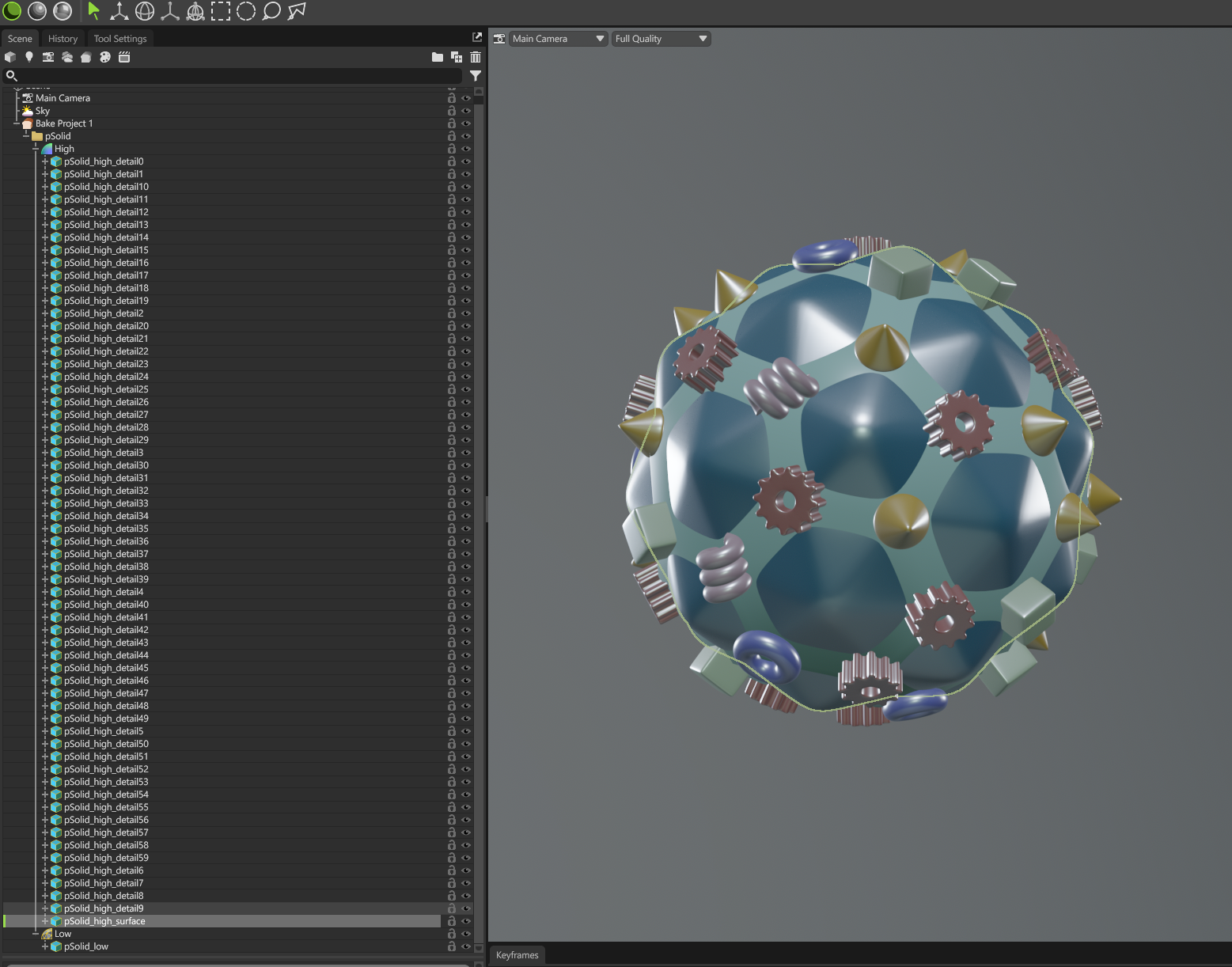
Making Highpolies visible and inspecting the Scene Outliner.
Bake - Start (Normal & Material Albedo)
Preview Materia
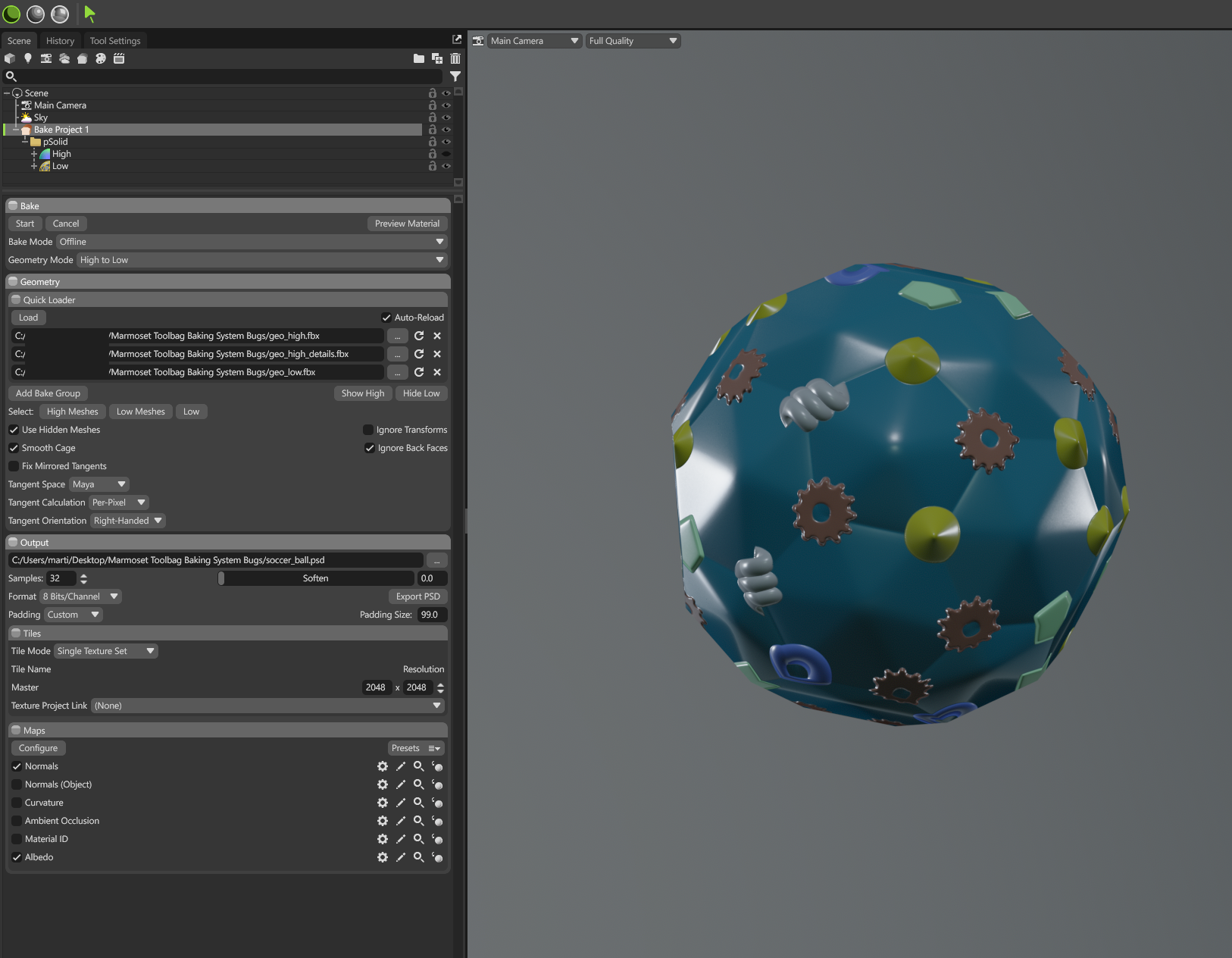
Good, so far so good. Everything as expected.
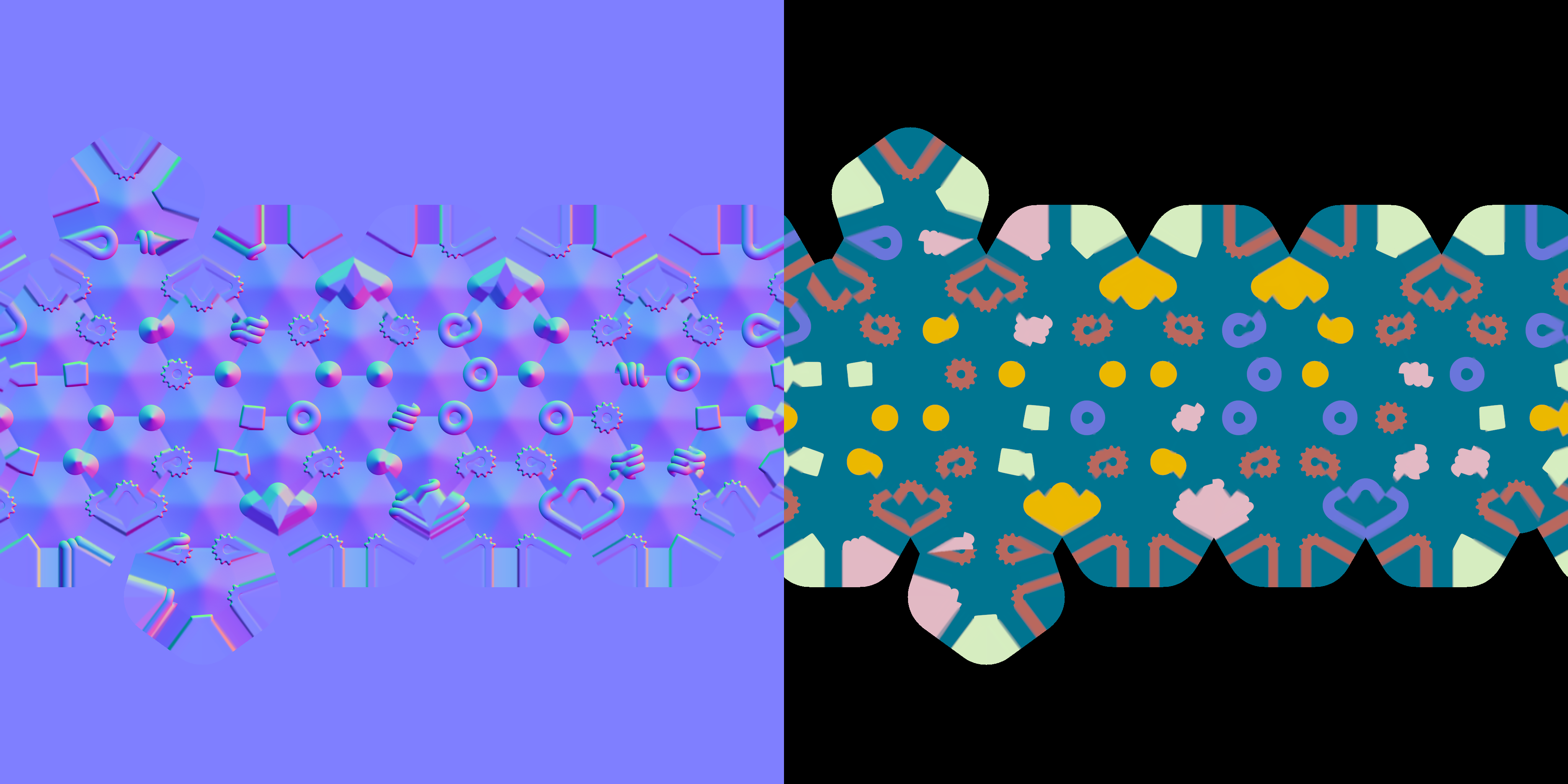
Baked maps look like this:
Now let's modify the Highpoly back in Maya.
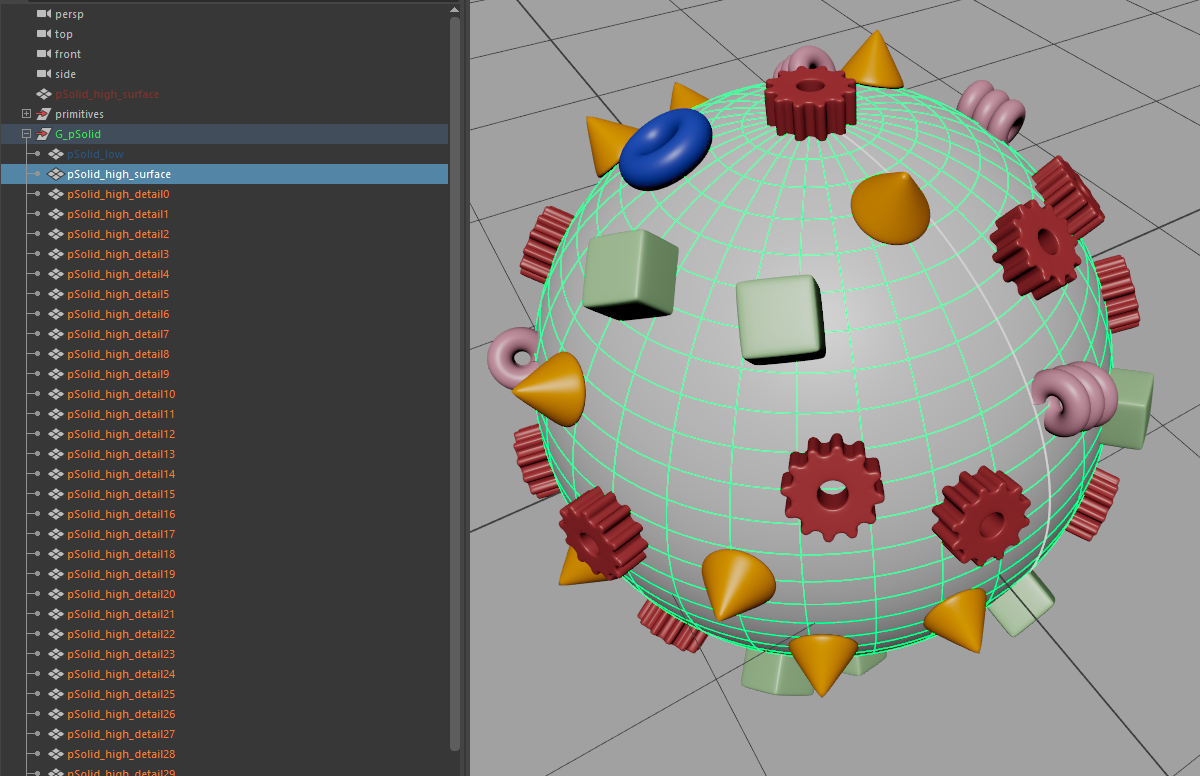
Export .fbx to the same file “geo_high.fbx”
Go Back to Marmoset.
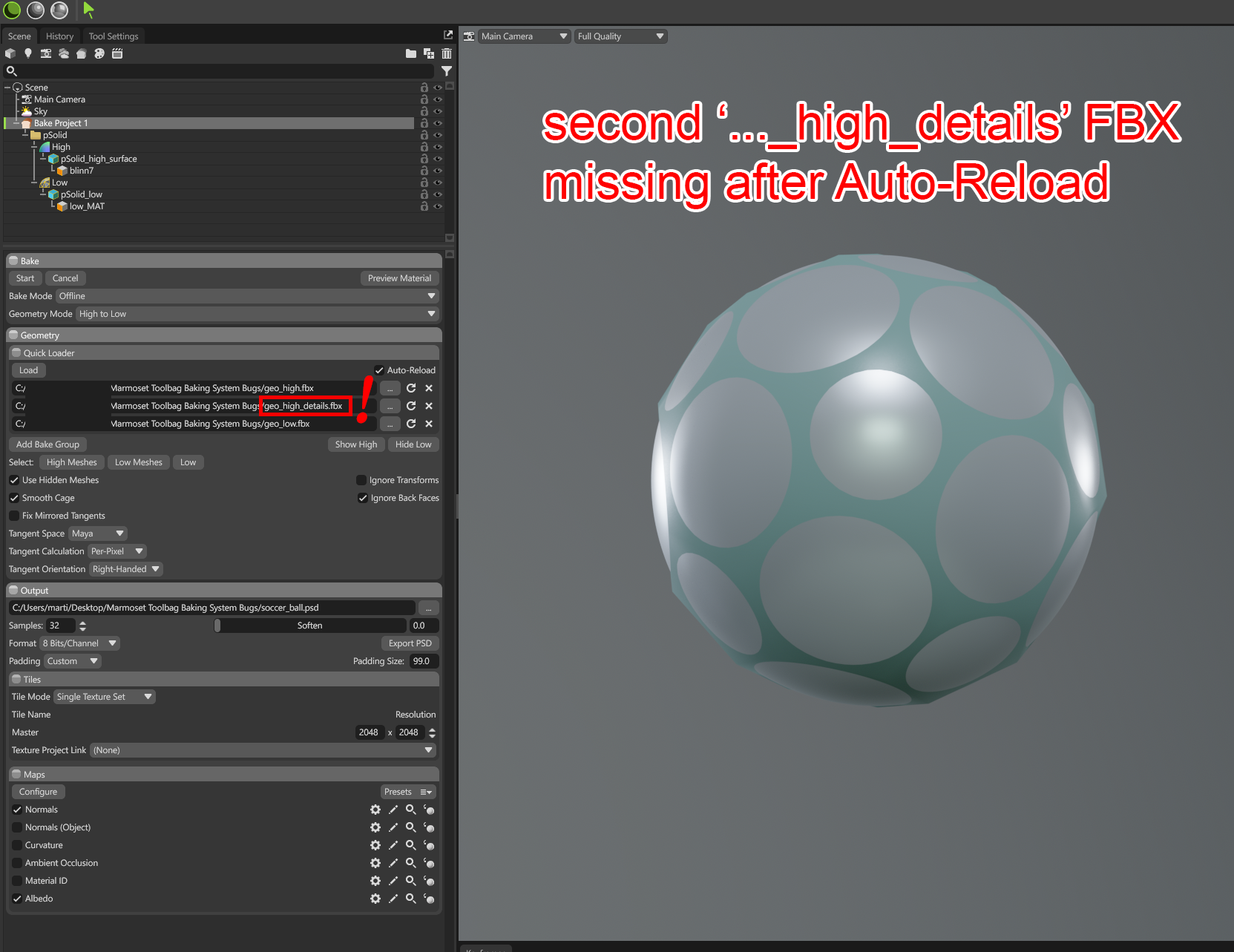
Suddenly the geometry of the “geo_high_details.fbx” is dumped in Marmoset.
The file still remains as an active entry of the Quick Loader list, despite not being present.
The baked maps look like this now:
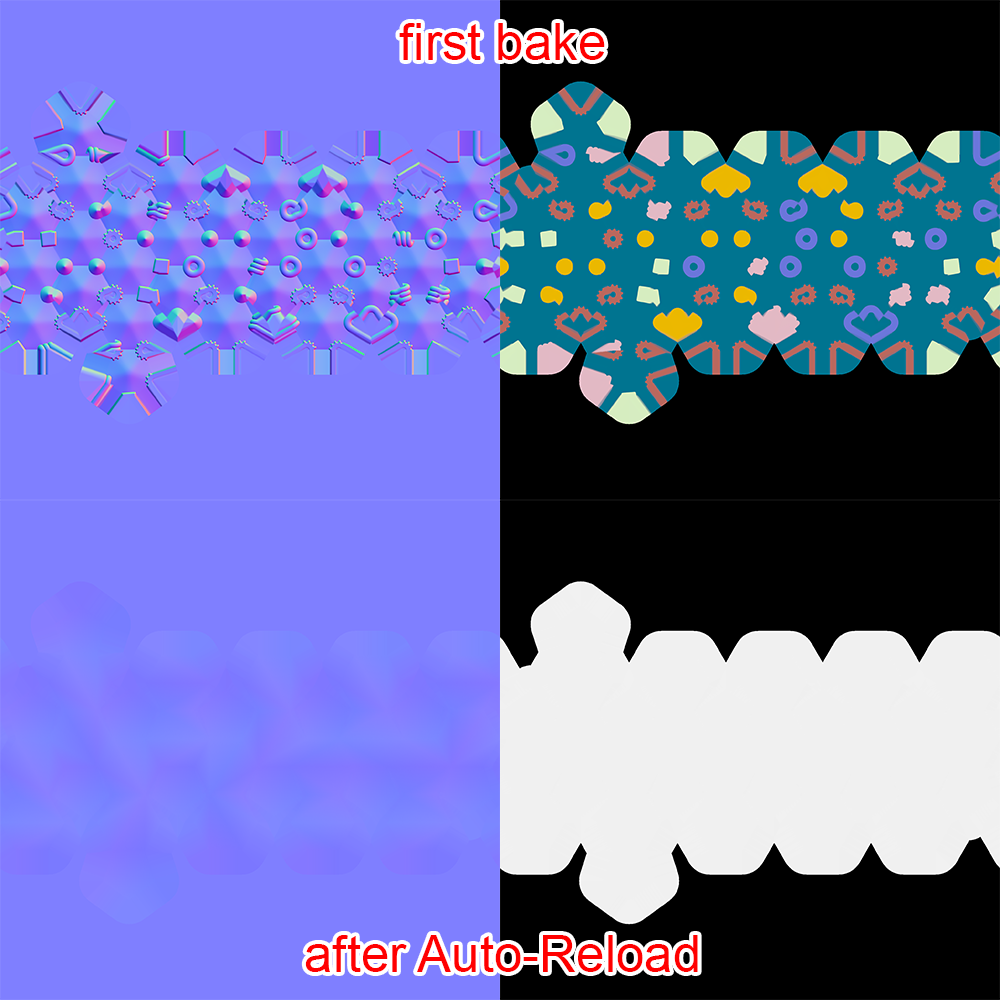
Lets click on the reload circle-arrow right next to it in the UI.
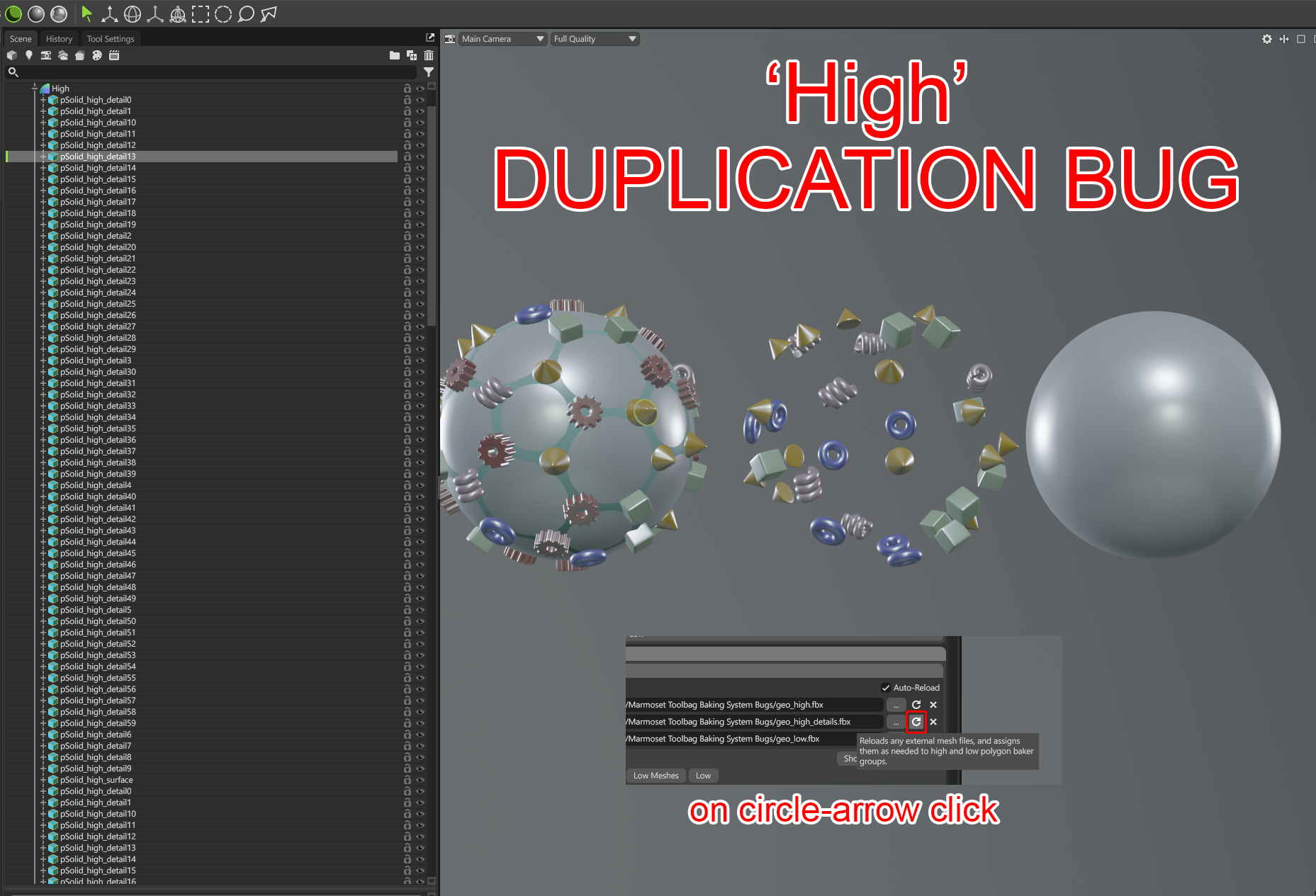
If you click once too many times on the reload circle (or in my experience also at random):
The meshes get duplicated, even though the files remain the same in the Quick-Loader list.
Lets reset/fix the Baking Project - Baking Groups (by clicking on the X and then load the HP files again)
Lets also change the details-HP to have a new distinct bake.
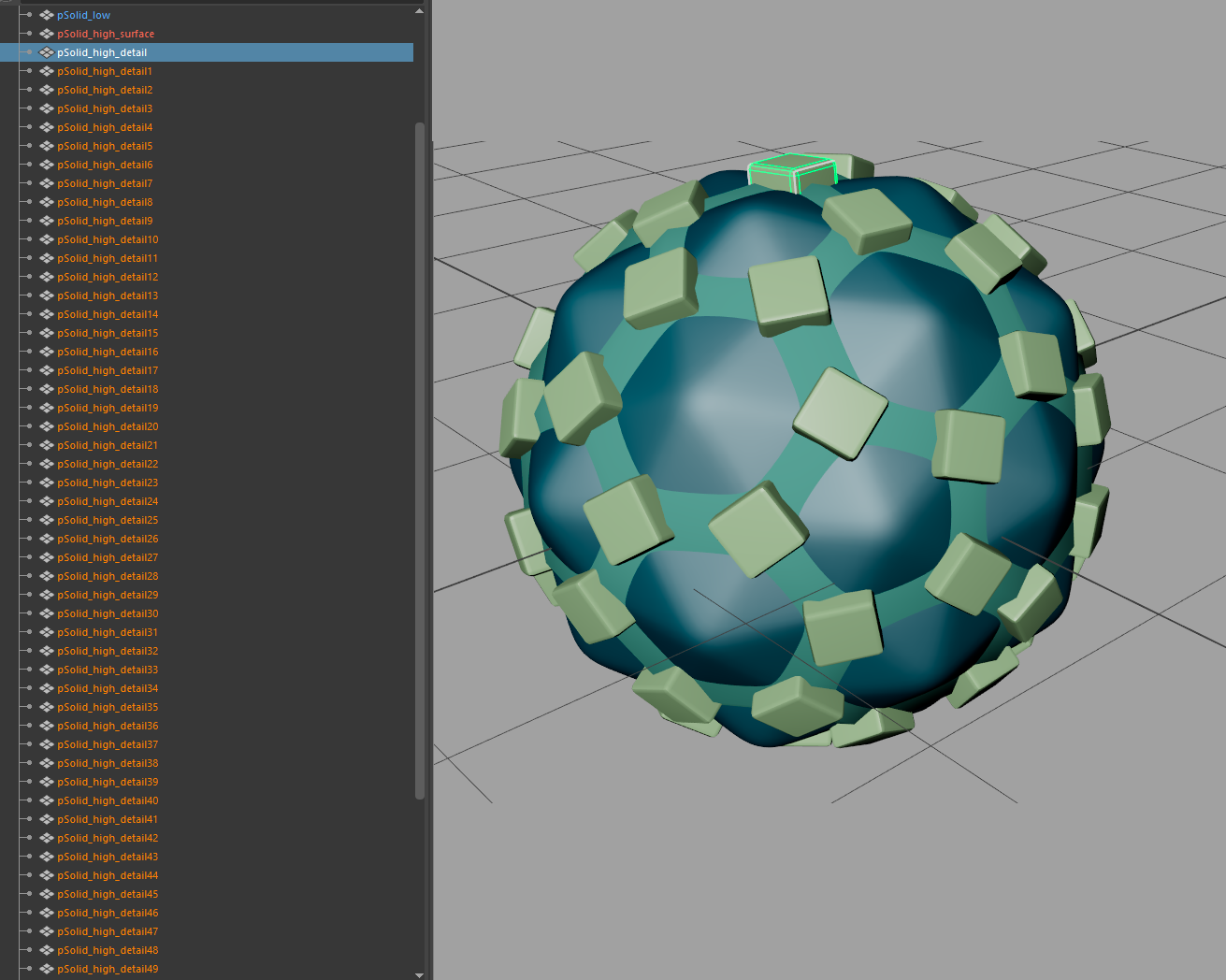
This baked fine again in Marmoset after manually reloading the HP files.
(no image from Marmoset, just a regular bake with the green cubes on top of the surface geo)
Lets now change all files in one go.
Lowpoly mesh got its UV rotated by 90°
Modify both HP files:
“geo_high.fbx” (surface-HP) and “geo_high_details.fbx” (random shapes) got modified in the number of meshes, added a Text-Mesh and modified the surface HP geometry a bit.
The added text and spheres belong to the “geo_high.fbx” and will be exported to that file.
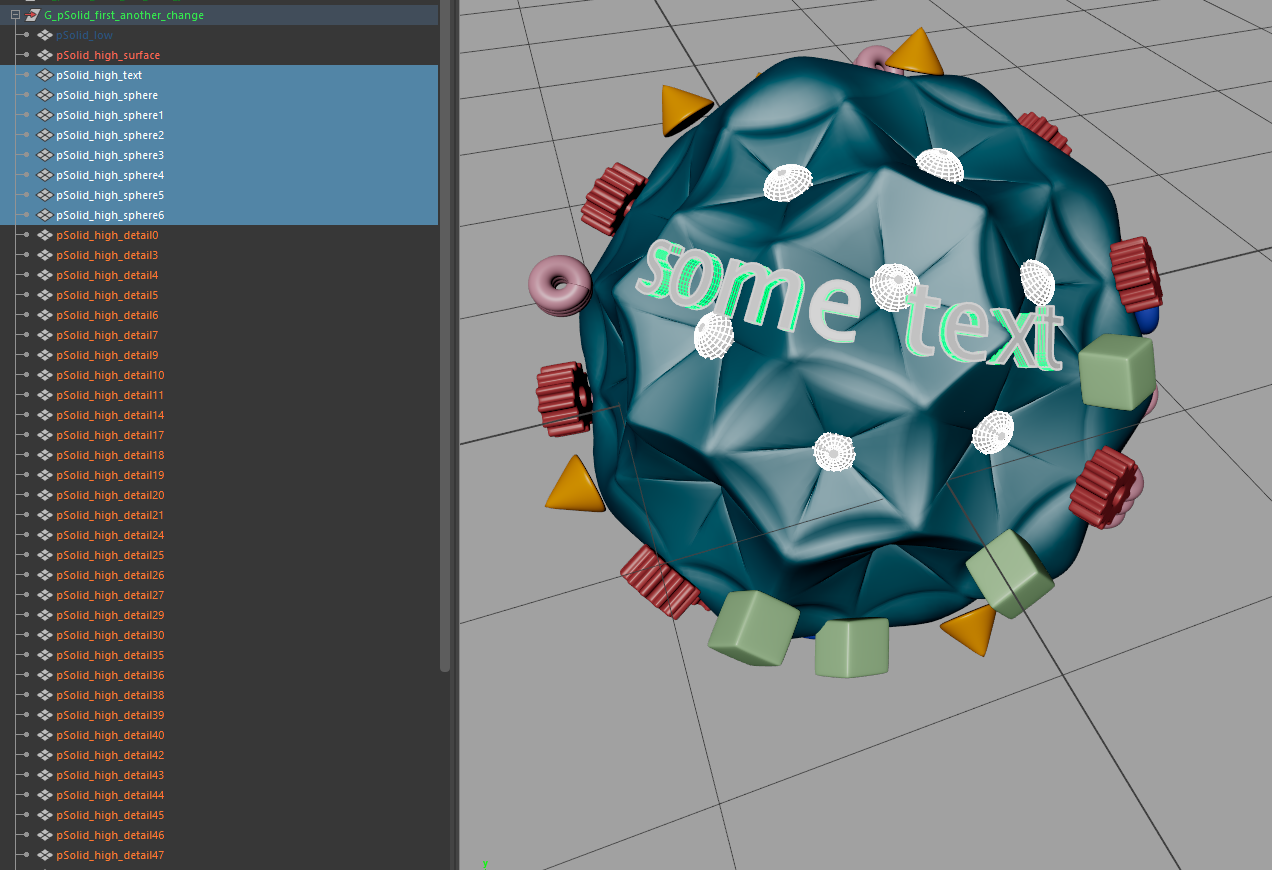
With all three files updated (freshly exported) lets go back to Marmoset and let the Auto-Reloader do its thing.
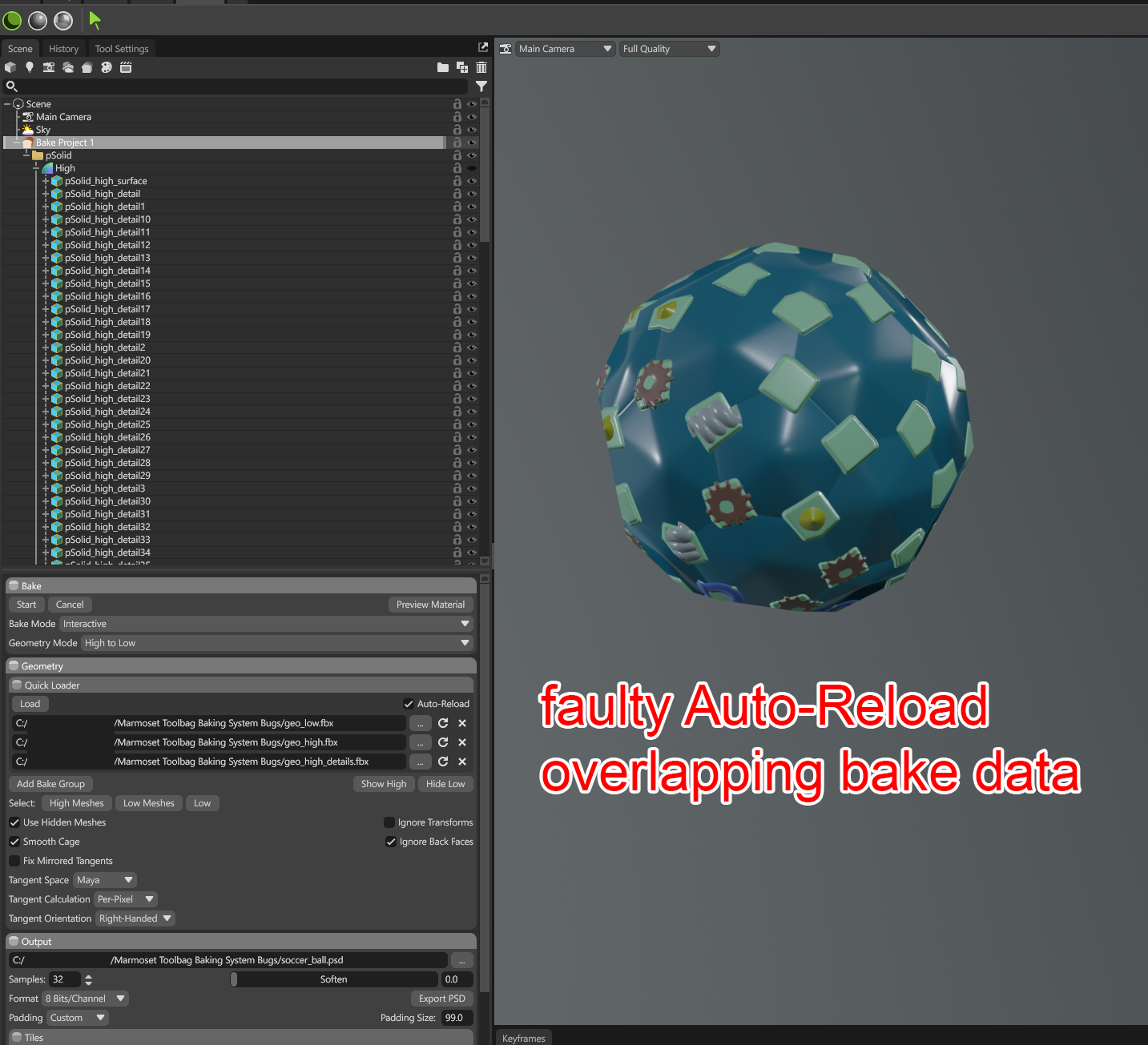
We get a seemingly random mixture of baked objects.
The changes from the ‘surface’ - with the text and spheres are not appearing in the bake.
And on top of that the green cubes remain in the baking ‘memory’ (still persist in the Baking-Groups) and get baked into the currently correct random shapes from the ‘details’-HP.
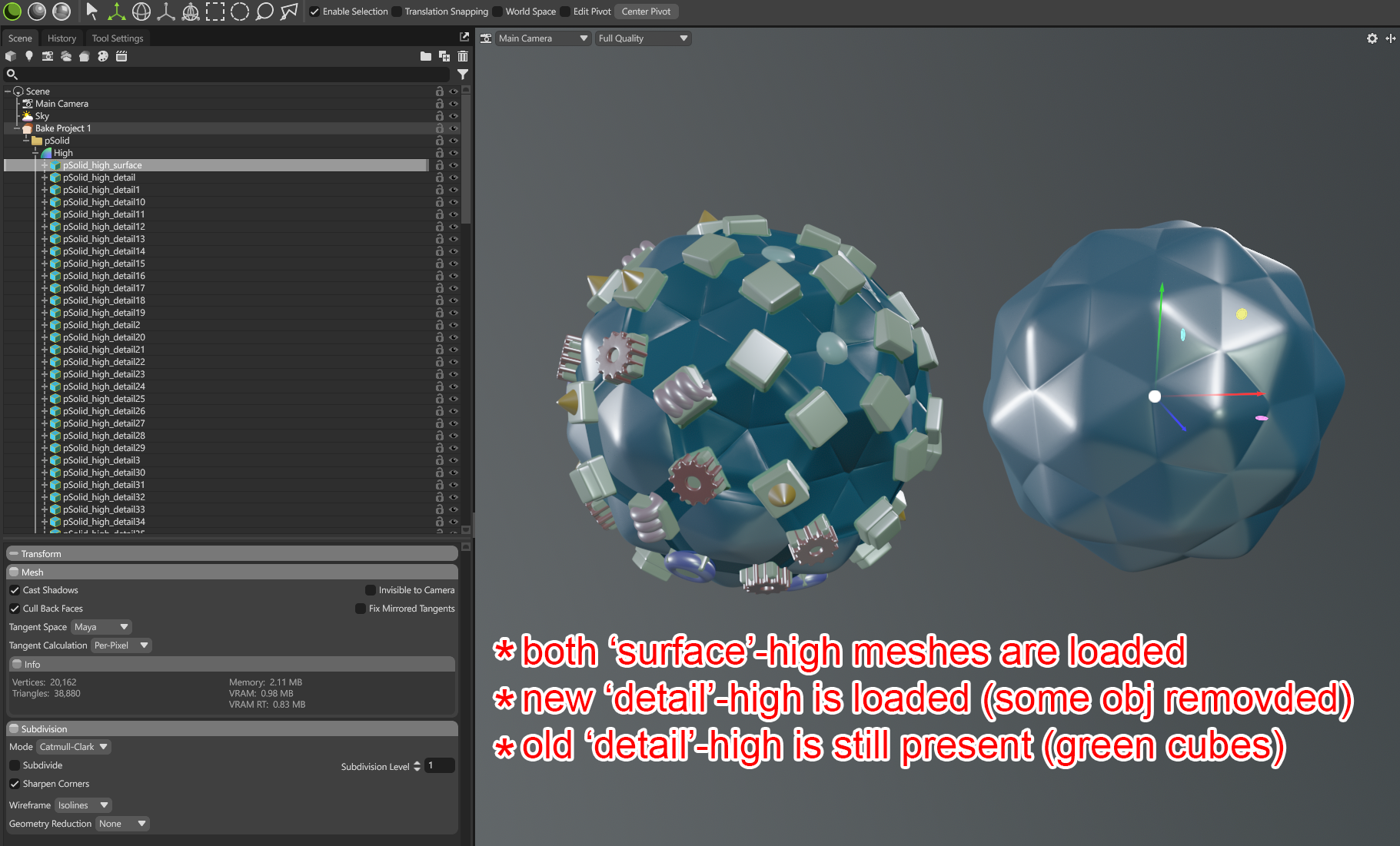
At closer inspection we can see the overlapping geometries that should not be present in the Baking Project at the same time.
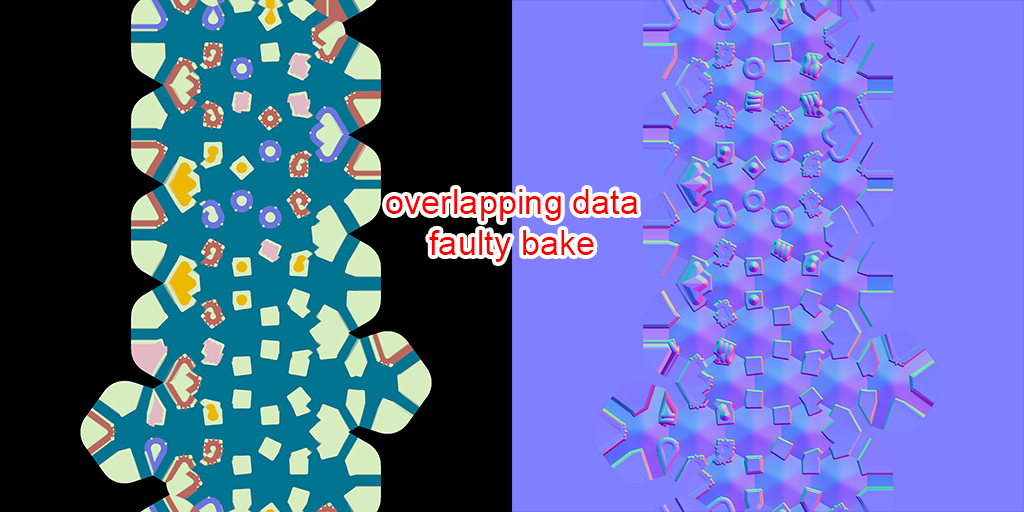
These are the final baked maps after the latest change and bake.
These recurring issues, ranging from unexpected software behavior to misaligned baked maps, have necessitated extensive troubleshooting and have resulted in considerable lost productivity. Given Marmoset Toolbag’s position as an industry-standard tool, addressing these stability concerns is vital to maintaining the reliability required for professional studio pipelines.
Report Date: 6 May 2026
Martin Hütter
martin.huetter95@gmail.com
https://www.artstation.com/pryor