Search
-
Re: Skeletal Mesh Hard edges and normals
 Just do what Camikaze said and if you need hard edges anywhere, bake them to a normal map.
 -
NDO Set No Edge Bevel or Tileable on multinormal?
I'm trying to modify my multinormal so it tiles. I'm not entirely sure how to even create a multinormal that tiles in the first place. I've only seen that option show up before creating a layer in the context menu. -
Zbrush - TrimDynamic on edges seems to be inconsistent with it's behavior.
 when I try to use the trim dynamic i'm getting this weird behavior. i just want it to be able to flatten out as i drag the brush. sometimes it works on some models and sometimes it doesn't. anyone have any idea on this?
 -
Re: RadCity: UE5 mid-poly assets
 Agree on the grass and would include a lot of the edges where buildings/objects meet the pavement or ground. Managing transitions helps a whole lot in selling an environment. Some grime decals or vertex painting in those areas will help tie everything together and add interest. Having some texture transitions around your…
 -
How to create quality torn edge alpha?
 Hello, yet again I require some help. I want to create an alpha for my opacity map that represents torn plastic / fabric like on this picture, but I have no idea how to do it. Please someone help me...
 -
Edge folw topology on videogame characters
Hail Polycounters! I am a 3d artist, mainly specialized in modeling and texturing props and environmets. Every now and then, though, I have to model some low-poly character... and the same old questions arise again... What's the best flow for the edgeloops on the chest and shoulders area? Is there any, instructional… -
UV edges showing thru in Height Map?
Just curious if anyone has come across this problem? Adjusted levels so the lines can be more seen... Happens with both scanline and MR. I've tried applying a 0% opacity to my low poly mesh, tried hiding the faces... No fix yet... -
Re: [Finished] Weapon Art - McMillan CS5 (Sniper)
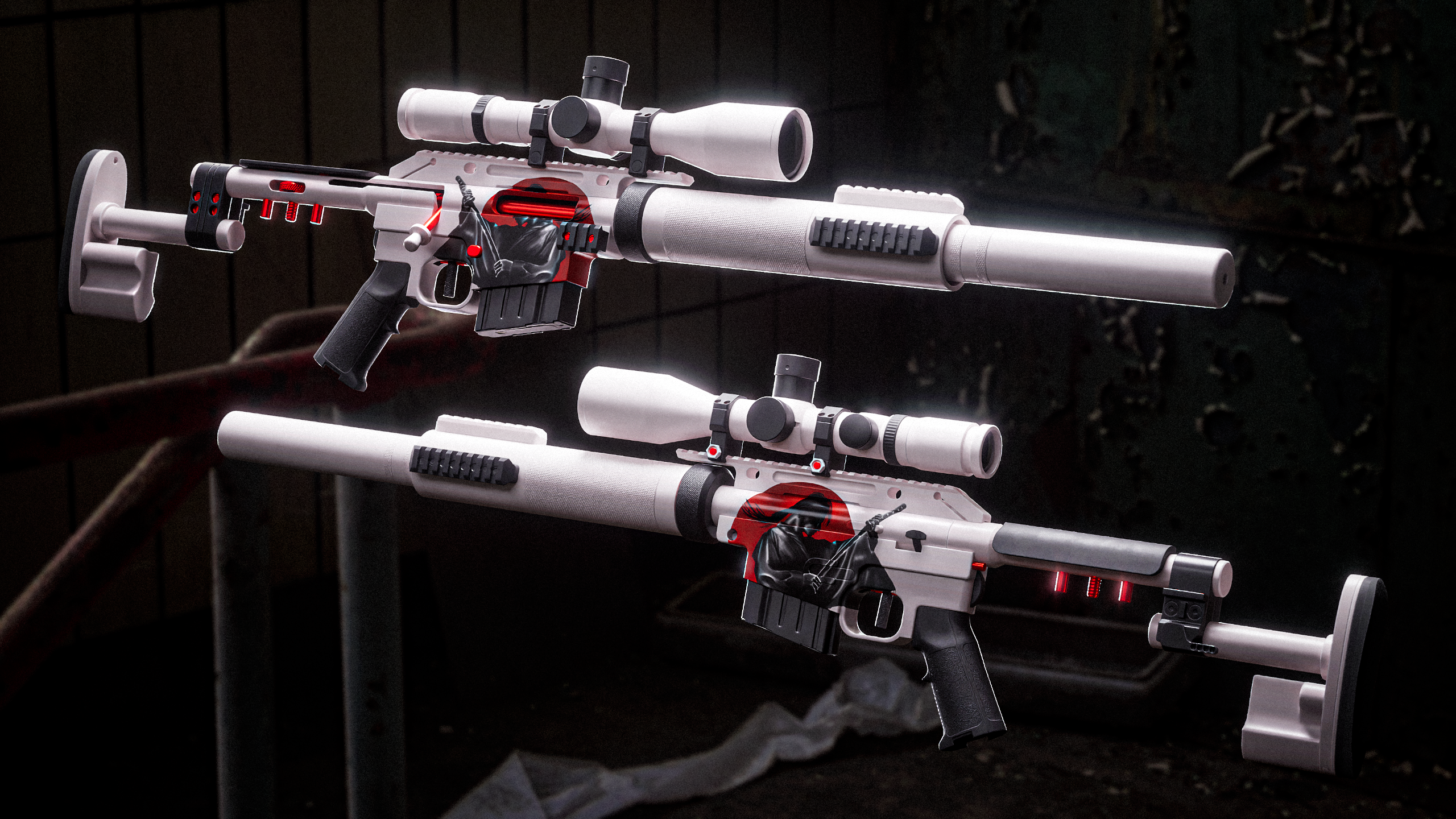 I have started designing the skin for the gun, made an additional texture pass and tested some renders of how the final images can look like: Ronin artwork made by a friend of mine, I just projected it on to the side of the gun. I am basing the colors and rest of the design on this artwork. In the image above of the gun…
 -
Re: Mirrors Edge Low Poly
 Ahh I loved mirrors edge, you've captured the feel brilliantly! As there's already been a lot of great crits I won't bother repeating those but I hope you get round to the skydome for it next so the next set of shots have a background! :)
 -
Solved: Covering up the UV edge in DDO?

 Hey, I'm new to Ddo, I'm used to Mudbox where I just paint over to hide the seam of the UV cut. But in Ddo I don't understand how to do that since it works differently. I read on this forum that there was a Seam Terminator to blur it out or something but I can't find it. thanks
>24976 results