Search
-
Re: [MAYA]Modeling/Texturing QuickTips

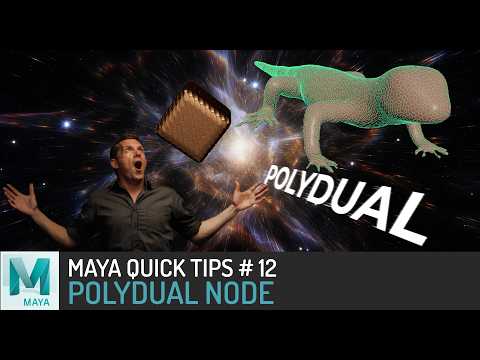 Maya QuickTip #12 PolyDual https://youtu.be/me8MiYQAfRQ
 -
Zbrush Quicktips & Tutorials from Harford - Bullet holes
 After the great feedback I got on my free tracker knife tutorial series I decided to continue posting more youtube videos exploring some of my techniques in a variety of software. Aimed at beginner to intermediate artists and hopefully some advanced ones can pick up a thing or two as well. I will keep this thread…
 -
Re: Maya 2025: How to make a rectangles long side parallel to another objects edge?

 I find a very simple solution from this video #3DQuickTips 010 - Maya - Power of Snaps, at around 00:15:17. Which is essentially selecting 2 points from the object you want to make parallel to another object, also select two other point to the object you want to refer to, then go to: - click on the "modify" main menu -…
 -
Re: FREE - JJ OBJ Toolkit for Maya
 Hi, Exciting news! JJ OBJ Toolkit has a first update released. New UI, new functions and other tweaks. To update download new zip file, overwrite your old script and you are good to go. Free Download - https://gum.co/jj_obj_toolkit or https://flippednormals.com/downloads/jj-obj-toolkit-for-maya/ref/janjinda/ Check a quick…
 -
Re: 3DS Max 2013: How to wrap splines around objects
 Graphite tools, wrap splines [ame=" https://www.youtube.com/watch?v=wvlj18mJnyI"]3d Studio Max Graphite Tools: Character Art QuickTip 1 - YouTube[/ame]
 -
Re: Making pixel art in photoshop
 Yep :) For some reason there is a lot of misunderstanding out there about the image size options, and the meaning of "dpi" in general. Maybe there should be some sort help popup or quicktip showing up the first time someone opens the dialog ... Oh well. Now you know :)
 -
Re: A new modeling tool released
 Is there a paint select that I'm missing? I'm just trying this out for the first time, admittedly hoping to replace Silo with it eventually. My expected behaviour is that clicking outside of the model engages the box/lasso/etc.-select, but clicking on a component (edge/face/vert) directly and dragging should just add any…
 -
Re: G56 concept assault rifle + accompanying video series
 Aside from the useful selection tools, I would highly recommend optimize. It allows you to collapse edges and target weld verts in one tool. [ame=" https://www.youtube.com/watch?v=fwkJcnD5bAY"]3DSMax - QuickTips # 2 - Optimize vs Target Weld - YouTube[/ame] By the way, where the hell is the delete and remove hotkeys? Like…
 -
How to make clean transparent textures in Blender
 [SOLVED] If you want to get fully transparent textures use this http://bencrowder.net/art/blender-quicktips/transparent-textures/ Or more comprehensive methods like this http://www.katsbits.com/tutorials/blender/scene-view-alpha-transparency.php# Hey everyone, I'm just a newbie trying to figure out a simple problem I've…
 -
Polycount Recap | April 2017

 What Are You Working On? _adamturnbull AlecMoody Alex8700 Antone_m Bedrock Ben716 Benkeeling Bill Lumbergh Chaouch Chillydog3D cmc444 model Cordero danipanteez DsculptStudio Eddy Shin ErikNilsson garriola83 Generic_Human jarsef joarwho katzeimsack KurtPoly LoganFeliciano lotet luis_omar model Mafubash Manhwa Marco Splash…
11 results