Search
-
3dsMax - How to remove interior edges of a selected polygon group while keeping borders intact?

 How to remove interior edges of a selected polygon group while keeping borders intact in 3dsMax? I can do it by a single command in Modo but couldn't find any tools or scripts that does it in 3dsMax.
 -
Dither Edges for a path Spline UE4

 I've been looking into Spline paths for the project I am working on, where we're trying to work out how to add cart tracks or similar features to the landscape around the level/world. I saw this live talk here @ 17.07: https://youtu.be/oRfVFh_6OyA?t=17m7s Where the designer has exactly what we'd be after. However he talks…
 -
Re: change colors of edges and verts in maya UV editor?
displayColor -active polyEdge 1; Using this command while swapping the one out for any number between 1 and 31 will change the colour of both selected edges on your mesh, and in your UV editor. Dont know how to do it for unselected edges. you could make a python shelf button with this codeimport maya.cmds as cmds i =… -
making hard edges in 3ds max for exporting to mudbox
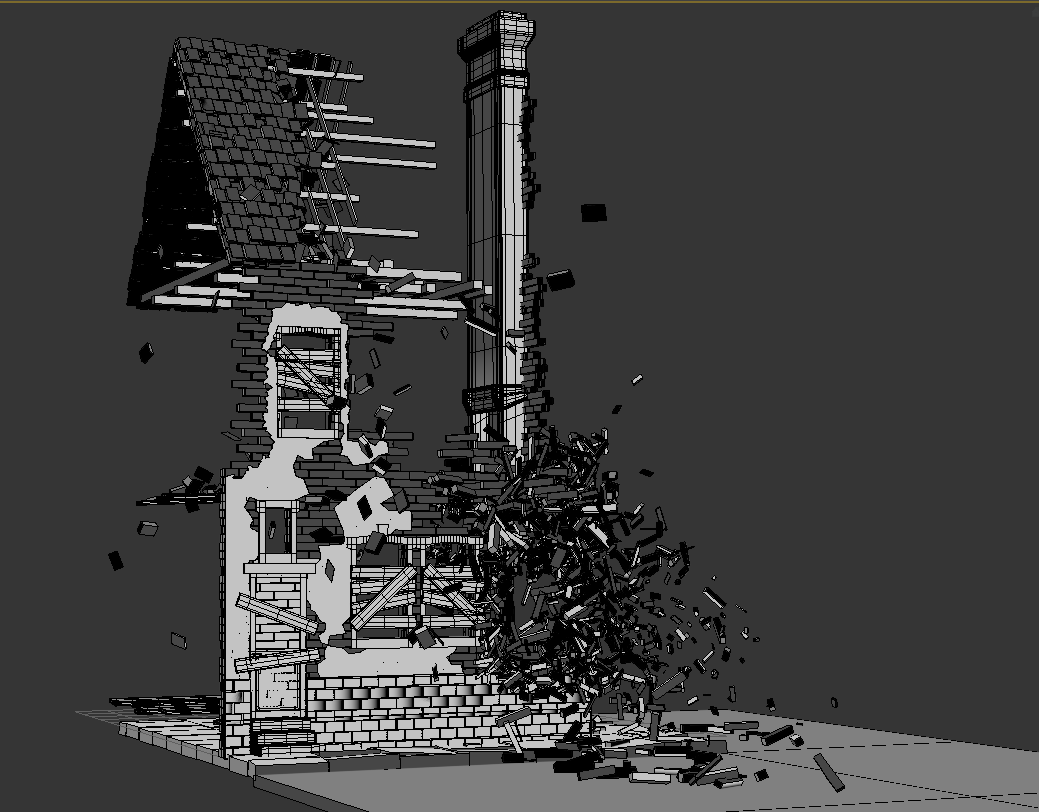 I recently made a really complex model of a destroyed wwii house using the rayfire plugin, so every brick is a standalone box, and i now need to export it to mudbox. The issue is swift loops are not possible because it would take weeks to add them to every box, and if i try to select all edges and chamfer them the…
 -
Zbrush Base Mesh Question - Hard edge and organic together
 Hey guys, Got a quick question for you all; how would you go about making the base mesh for an astronaut-type character in this sort of style: I'm not sure whether to make a very simply base mesh in Max and just sculpt everything, or make the hard edged stuff such as the helmet ring in Max and import them onto a simple…
 -
Can't bake normals without seams along polygon edges
 I've been having this problem for like a year now, and I've not seen anyone else who does. When I go to bake a normal map on an organic shape, it'll end up with harsh seams along certain polygon edges, like this: There's only one smoothing group on the mesh, and there aren't any disconnected verts--the lowpoly looks pretty…
 -
Re: FGO Minamoto no Raikou - Real-time Character
 well, I can think of two big things to comment on; 1. does the katana have distal taper? Many 3D artists model swords as if they were cut from a flat sheet of metal; you want distal taper. 2. Is the cross-section of the katana grip oval or perfectly round? You want an oval cross-section for edge alignment. other than that…
 -
Re: Weird edges when using decimated model as high poly for baking
 Yes It's possible, but the problem is that Zbrush doesn't display interpolated shading at all, only hard edges (as if all faces were split, or as if all edges were set to hard). Meaning that the visual result in Zbrush will be misleading if any of your later steps display the model as smooth shaded. The first thing you'll…
 -
How do I stop photoshop from applying layer effects at the edge of my texture.
 Hey so I see that this is possible in nDO2 by ticking a box, but how do I keep Photoshop from doing this, for example I have applied bevel/emboss to a brick pattern, but at the edges of my texture it creates a seam. Is there any way around this?
 -
Re: Max: edge extrusion not following along Move gizmo's axis
 Yeah - this works really strange when you are in local mode. Essentially the border SO is just a collection of edges and for some reasons Max has no idea how to find the average of all those edge's local axis. When there is the cap, it simply uses the caps normal. It works better in View reference coordinate system though…
>27968 results