Search
-
Re: [WIP] The Northman interior Environment - Cult

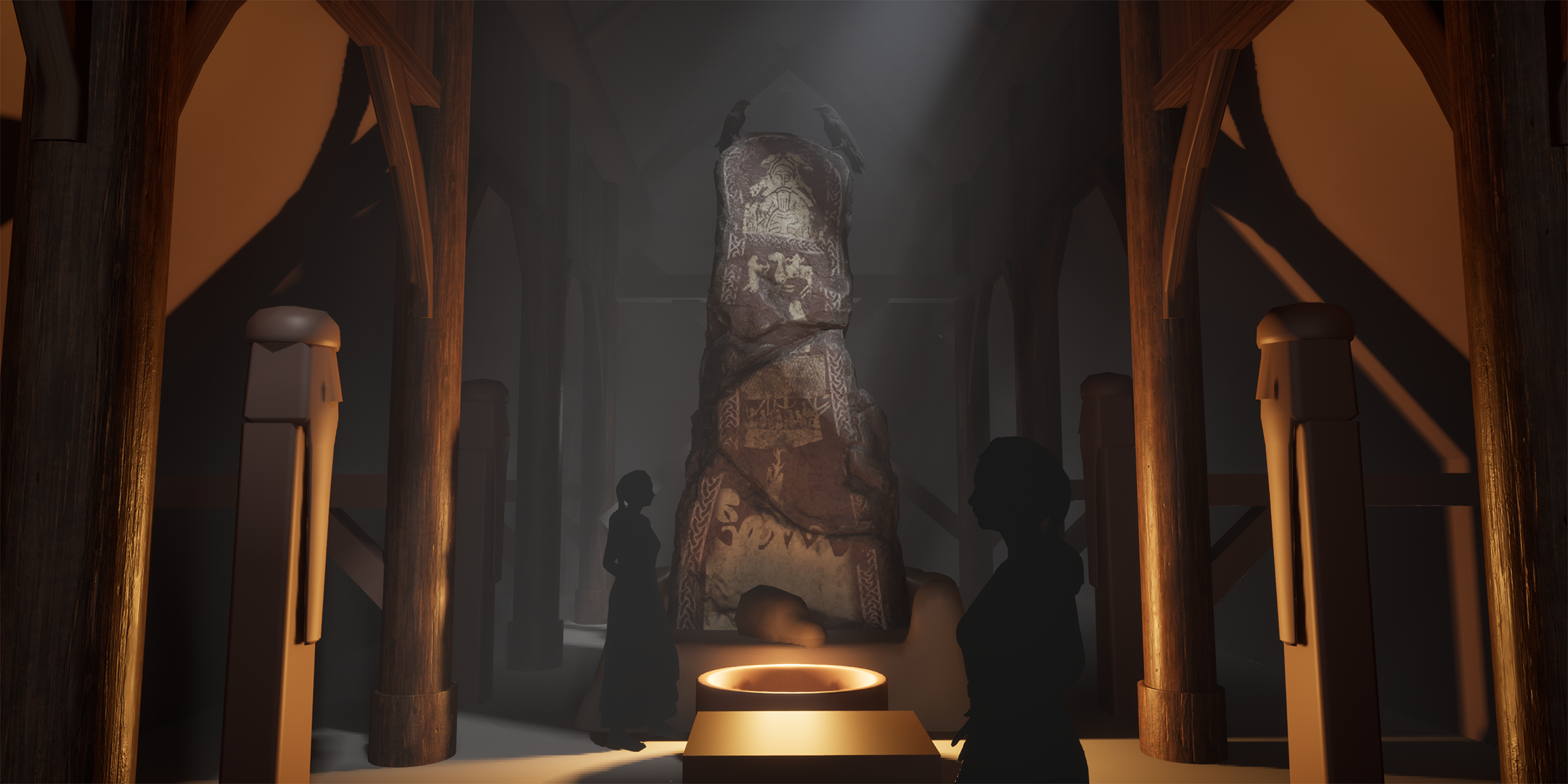 Back again with another update to this one. This time I've: - Pushed the lighting. I liked the godray shining onto the runestone to attract the eye a bit more and thought I could get some storytelling going there with the ravens having flown in to sit menacingly on our little runestone. - Moved around some pillars and…
 -
Gems rendering
 Greetings ! This is my first post here, so I want to say thanks for supporting this forum and hope for community assistance. I want to introduce my gems rendering application, containing 2265 different gems design and rendering parameters selection: https://gemview.yesbird.online/ . You can download designs in OBJ or…
 -
Re: 3ds max to substance painter work flow.
 Hi, SP imports both obj and FBX - what program did you create the chess piece in? Can you export from it as FBX and give that a try? Do you get an error in the SP log tab when you try to import the obj - or what exactly happens?
 -
Re: [MAYA] Hard edges on UV seams when baking normal map.
 you can also try to decimate it to a higher polycount. but all the artifacts you have in your high, you will have in your low how are you exporting? obj? fbx? i usually use obj and no problem with even the densest stuff - my bakefiles usually are like 6GB thanks to the highpoly meshes
 -
Re: WebGL
 I just found this model viewer, it uses .obj for the mesh and .jpg for the texture. Simple stuff like this where you can export with little hassle is cool. Download is equal in size to a static screenshot of the model.…
 -
Re: Bodypaint
 That whole CS3 obj support is a huge let down. It's meant for marketing type people so they can view their packaging in 3D. Or people who don't have access to a 3D app. It works just about as good as Max/Maya does as far as assigning a material to an obj. No 3D projection painting involved.
 -
Re: [FINISHED] Playstation 1 - Real time asset - Game ready
 i used the cleanup feature in maya and it doesn't show any problems , i might dive deep in cleaning and checking manually later otherwise i'd have to remodel it from scratch i will try obj next for sure, but i'm given to understand that .obj is not the best of solutions to import in painter
 -
Re: Diffuse Map Issue
 You're best using FBX as a format, not OBJ. OBJ doesn't store any material information, that's stored in a separate MTL file that I don't think Unity imports. Import your textured into Unity first and then import your model and it should pick up and apply most of the textures correctly.
 -
polyToSubdiv Failed
 I can't convert a polygonal mesh to a subdivision surface due to an error which the polyToSubdiv failed. I read it has to do with nodes for the mesh being tangled, and the solution is to export the object as an OBJ then import the mesh. I've done just those steps and the error continues; any other solutions whereas also, I…
 -
ZBrush - 3D Coat - Retopo multiple meshes
 I couldn't find a thread for this. I'm exporting multiple obj's from Zbrush and I'd like to retopo in 3D Coat. They export as individual obj's (files) but is there a way to export as 1 file, but keep the meshes separate like Zbrush does with sub tools? What is the basic workflow for Zbrush and 3D coat retopo? I appreciate…
>28981 results