Search
-
Re: Snoop Likeness Feedback
 Started making the hair from scratch with haircards . 3 days in . Still lots to do :D :D
 -
PBR Export Issue

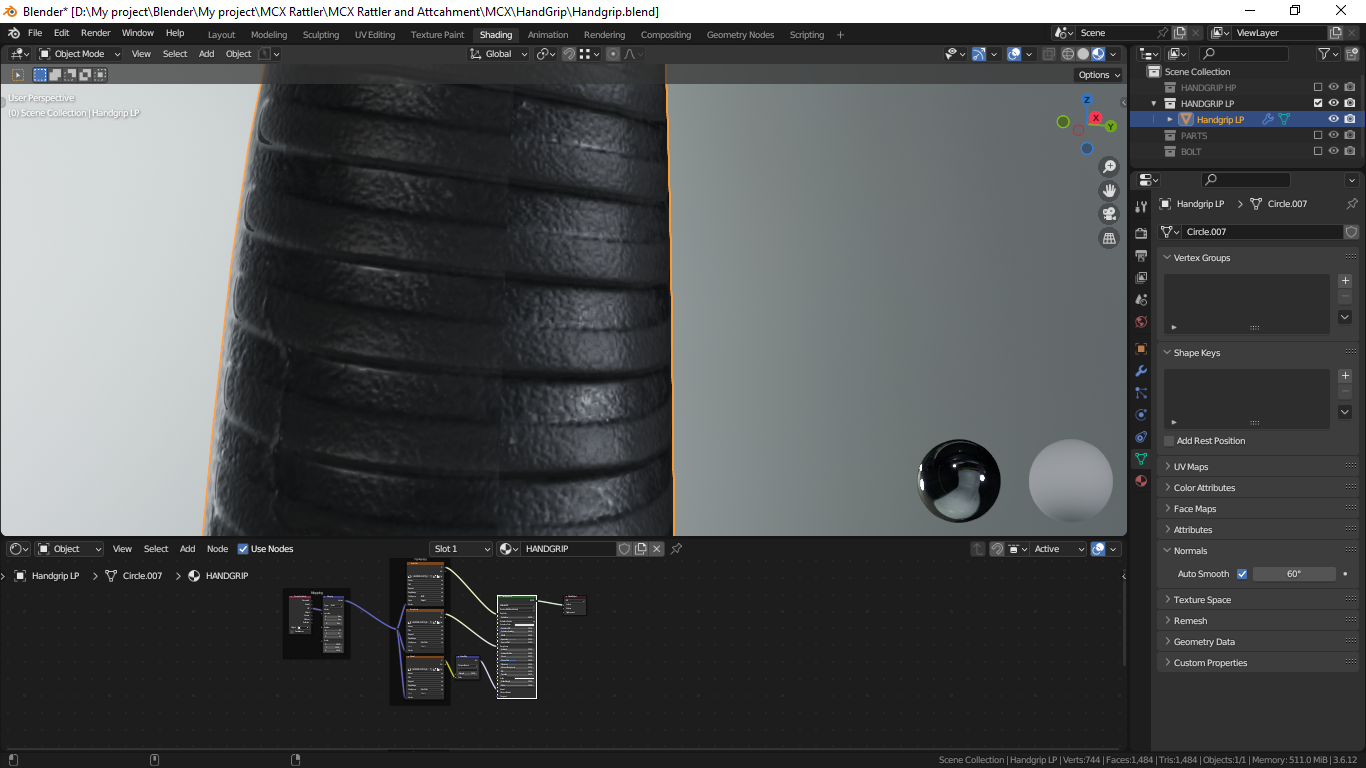 Hi everyone, does anyone here know why this could happen? When I texturing in Substance Painter everything is fine, but when I export PBR to Blender, why does this happen? The seam is ruining the shading. But in substance everything is fine. This is the Substance Painter setting when I want to export to Blender.
 -
How to recreate One Piece anime-style shading & glow (Paint Tool SAI 2 + After Effects)?
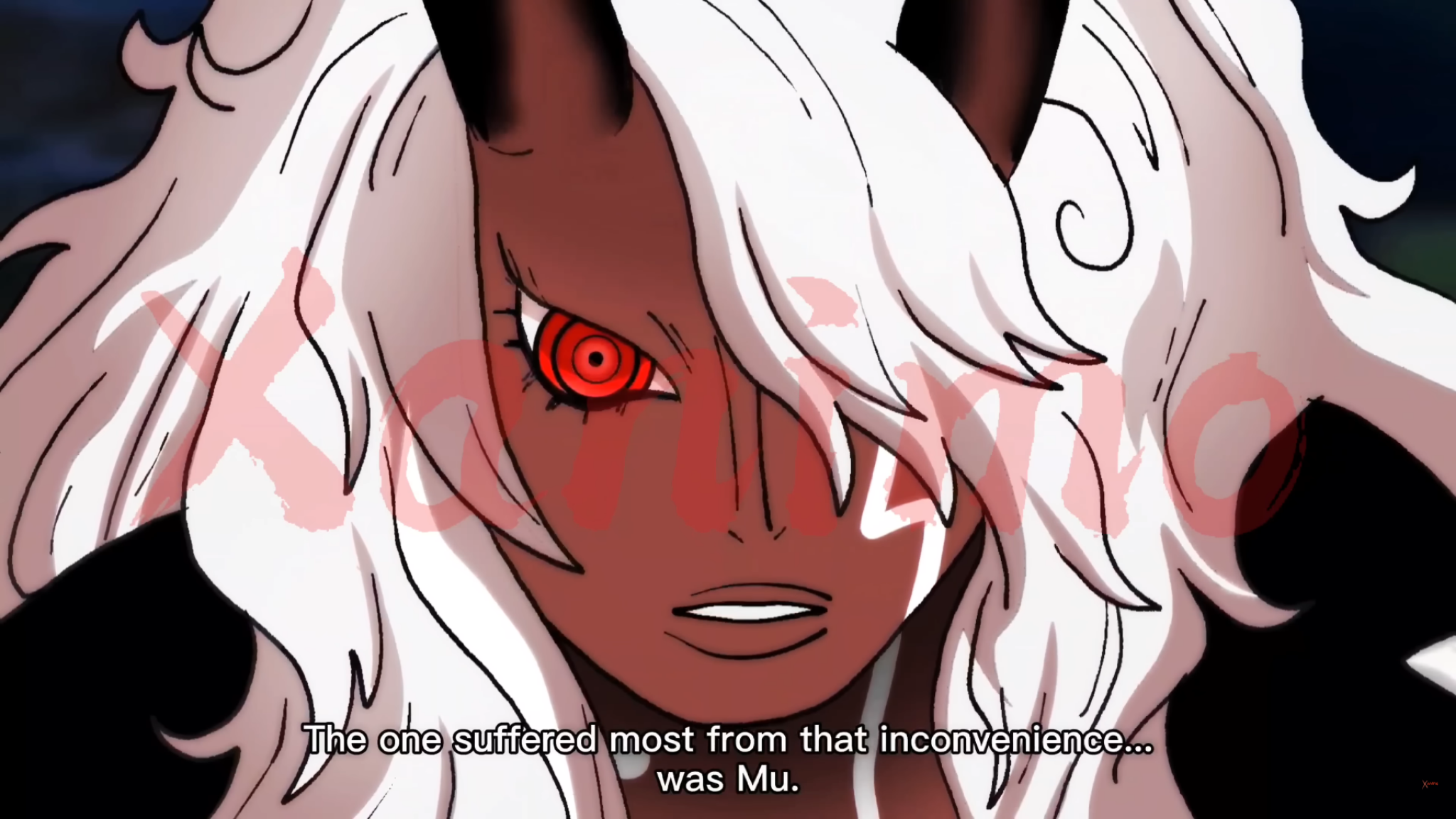 Hi everyone, I’m trying to recreate this kind of anime coloring/shading style from One Piece (image attached). What I’m specifically trying to achieve: * Strong cel shading with soft transitions in some areas (like the face and hair) * Intense glow/red eye effect * Clean but dynamic highlights in hair (not overly…
 -
Struggling with edge/rim highlight control in Toolbag (hard surface)
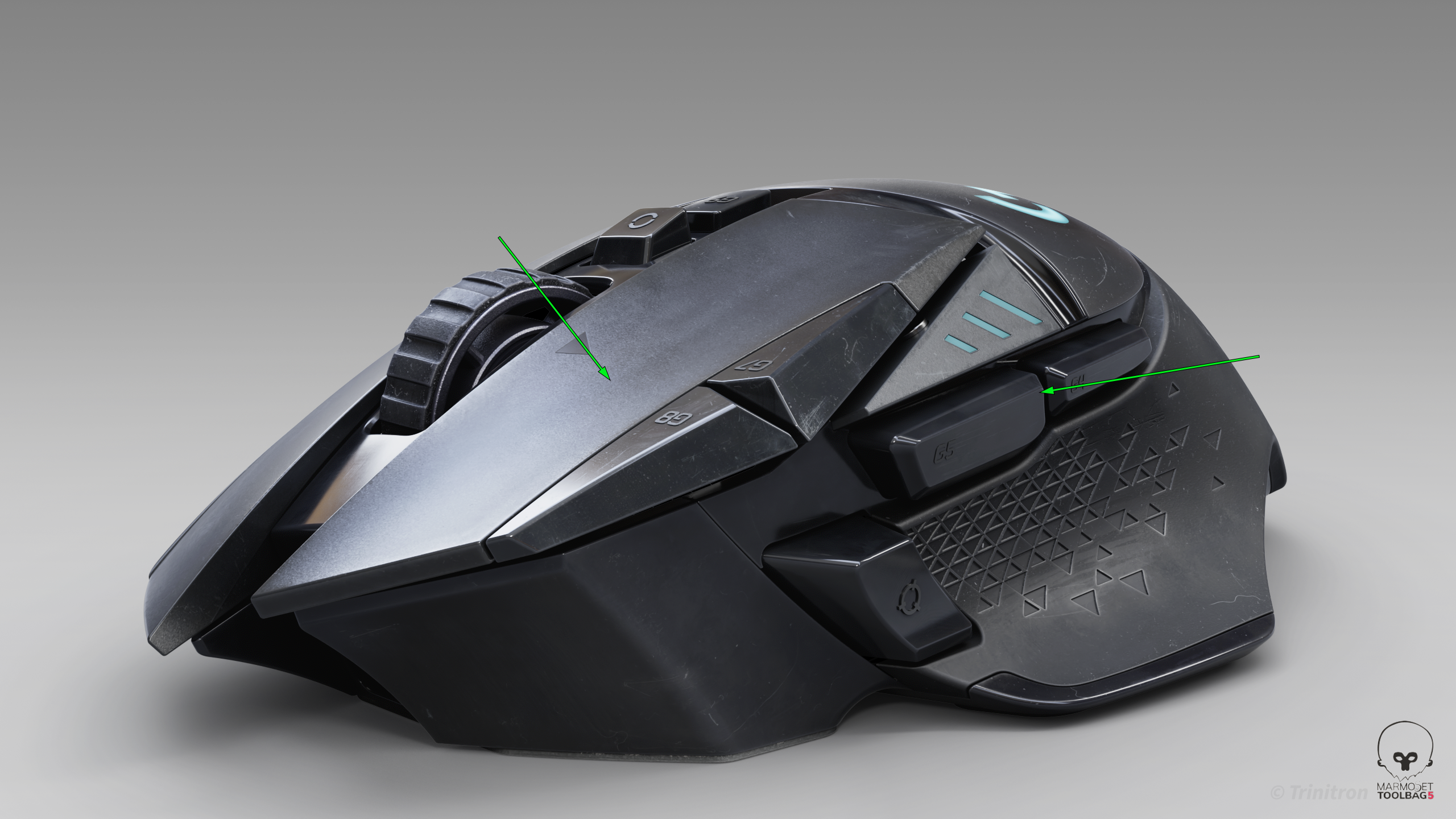 I’ve been trying to get cleaner highlight flow on this model, but I keep running into issues where the highlights feel muddy or break abruptly — especially on larger surfaces and edges. I’m working in Toolbag using HDRI + a few lights. From a modeling standpoint the surfaces should be clean, but the highlight flow still…
 -
Re: Marvelous Designer. Some noob questions...
 I'm sorry for this misunderstanding, I'm not accusing you of anything :D I just naturally assumed that "hold to select multiple objects" means a selection rectangle... like... in literally every other piece of software on planet earth.
 -
Re: Washing Machine Part
 Here is a workflow which will be sufficient for your needs and much simpler: 1 - model out the major shape without holes in it, as a sub-d cage. <32 vertices should suffice. 2 - model out cylinders for the holes. 8 - boolean the subdivided meshes, possibly with a chamfer along the boolean seam. Mesh feedback: Manually…
 -
3D Artist/Modeller [Maya] - Looking for work to build up my portfolio

 Student following Media Design specialized in 3D Artwork and Game Design, looking for collaborative work opportunities to build up my portfolio and skills. I have experience in Autodesk Maya, Adobe Illustrator, Photoshop, Substance Painter and Clip Studio Paint. FULL PORTFOLIO: https://cara.app/scvoid/portfolio/all…
 -
dsa

-
Re: The Bi-Monthly Environment Art Challenge | January - February (100)
 @Tom_Axler The time frame is there to provide that structure that can be useful when simply trying to overcome the choice paralysis of where to start that's so easy to get into. In the end though, reaching the finish line is the most important part and I'm grateful that both you and @LeonDreiling kept at it. Just finishing…
 -
Re: [WIP] Lisbon Street - Unreal Engine 5
 Hi @d1ver Thank you for your feedback. It is very constructive and I really appreciate that you've gone through the extra mile measuring my lighting values and matching it up with really useful examples. I'll definitely take your advise and try to adjust my scene and will keep that in mind for future project as well. In…
>159294 results