Struggling with edge/rim highlight control in Toolbag (hard surface)

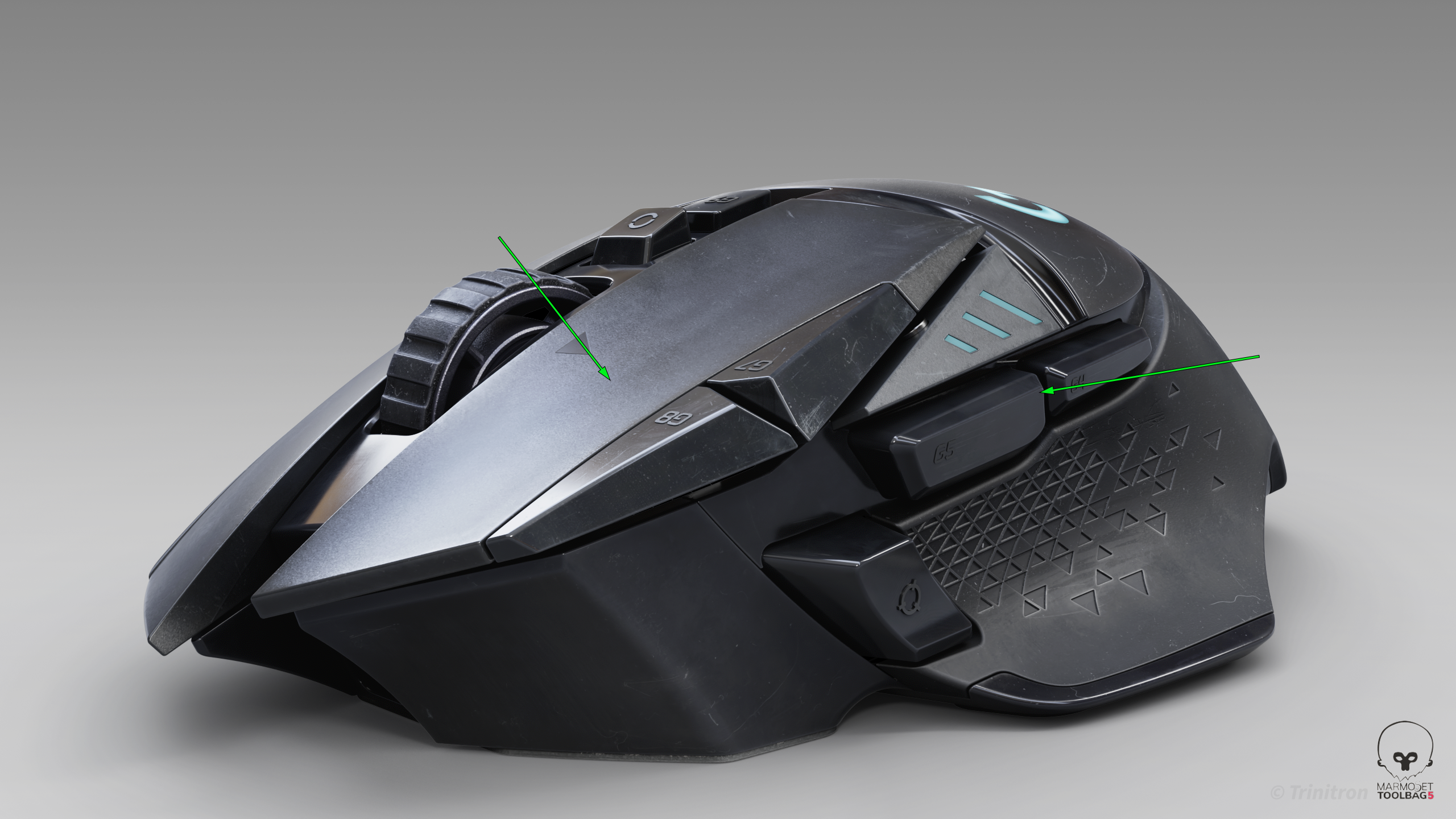
I’ve been trying to get cleaner highlight flow on this model, but I keep running into issues where the highlights feel muddy or break abruptly — especially on larger surfaces and edges.
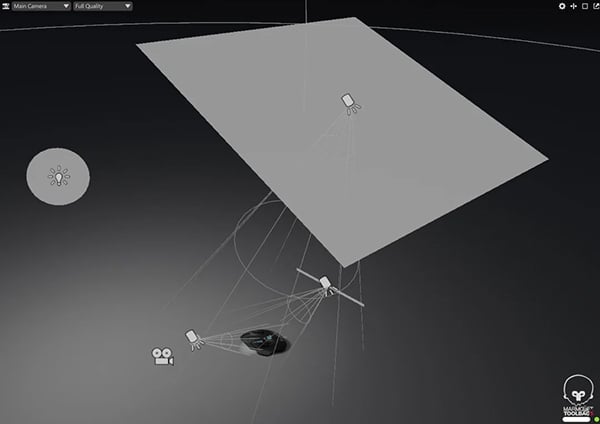
I’m working in Toolbag using HDRI + a few lights.
From a modeling standpoint the surfaces should be clean, but the highlight flow still feels off in certain areas, which makes me think it might be more related to lighting or setup.
One thing I’m specifically struggling with is controlling edge highlights — for example on the side buttons (marked in the image).
I want to get a nice, clean rim highlight to define the form, but I often end up either lighting the whole surface, or getting a broken / incomplete highlight.
I’ve mostly been using area lights, but I’m not sure if my approach is correct.
Curious how you guys approach this — especially when trying to get controlled highlights on specific edges without over-lighting everything.
Replies