Search
-
Re: [3DSMAX] Something similar to Blender Mesh-machine Offset Cut?
 That fits. Conversion between smoothing groups and not smoothing groups is kind of not possible (face boundaries vs vertices) For the OP - when you Boolean in max (maybe proboolean) it generates an edge selection where the objects intersect. I've used that to generate fillets/clean up/ make welds etc in the past
 -
Re: Pastatore's Workshop ...
-
Re: Blender Weighted Normals
Arby based on your screen you have "smooth by angle" modifier that makes beveled edges sharp. Then you use face weighting that keeps those sharp edges . So you need either set the smooth angle bigger and set few sharp edges manually if necessary or uncheck "keep sharp" in Face weighting and keep every edge beveled -
commission open for vrchat avatar
 Hello, I’m BlakeSmith, a professional VRChat avatar creator with over three years of experience in designing and developing high-quality custom avatars. Turnaround time typically ranges from a few days to several weeks, depending on the complexity of the project. I prioritize clear and consistent communication throughout…
 -
Re: Why you should double edge loops in sub-d
 Exactly the same reason I do double edge loops when proxy-modelling in Maya using smooth -preview. But I don't do it on a compulsory basis. After all there are times when you want long smoothed edges instead of a very small smoth.
 -
[ZBRUSHCORE] Merge two objects
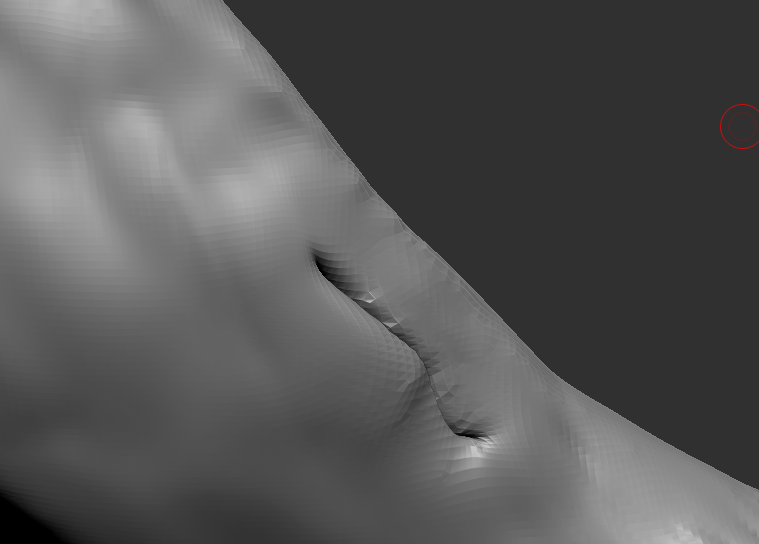 Dear polycount people, i could not find any solution to my problem, so i hope you are able to help me out. I started with dynamesh and finished my first steps there, went over to subD and polished it. Then i noticed this issue ( maybe caused by backface drawing on a thin object) I have an issue with my mesh as you can see…
 -
Re: Treasure chest - How to bake correctly normal and ambient occlusion maps
 hmmm... I'm gonna have to disagree with you there on the good and bad thing. The problem with using a lot of smothing groops like that is you aliasing is going to really show in engine. Yes, there are some odd curves on the non smoothing group version, but those can be fixed by manually editing the normals on your final.…
 -
Re: Cinema 4d tips and tricks thread
 As promised above, this post is my tips about Cinema 4D's "Normal Tag"... In Cinema 4D, Vertex Normals (and thus, the 'smooth-shading' aspect of mesh objects) are normally generated and maintained by the "Phong Tag". The Phong Tag has options for setting a "Phong Angle" (smoothing angle) as well as an option to honor phong…
 -
Re: Low poly baking issues (NEW)

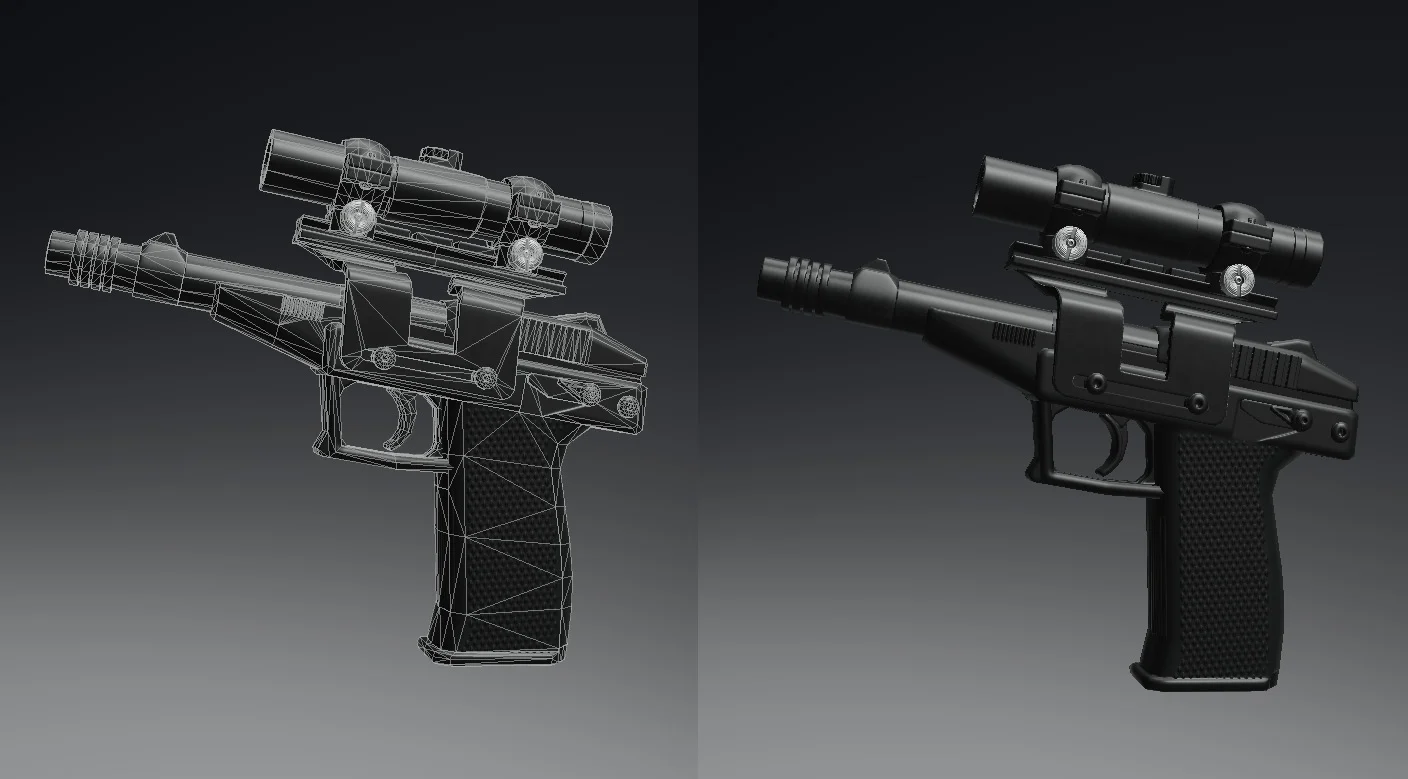 Thank so much , really appreciate your time! I should clarify, * The reason it's faceted (not smoothed) in the Blender file is because I was only focusing on trying to find out where/why the stray verts are coming from. Before i noticed the problem, I had been Smoothing and Triangulating it all for export as .fbx file. My…
 -
Re: Just Swords - SpeedMetalSF
It's two different approaches. You could sculpt on the smoothed version of a subdivision modeling mesh, but that's then locked at the highest subdivision you ended up using, and, like you noticed, that's quite high indeed in order to be able to sculpt freely and not run into problems (although you should still work from…
>17084 results