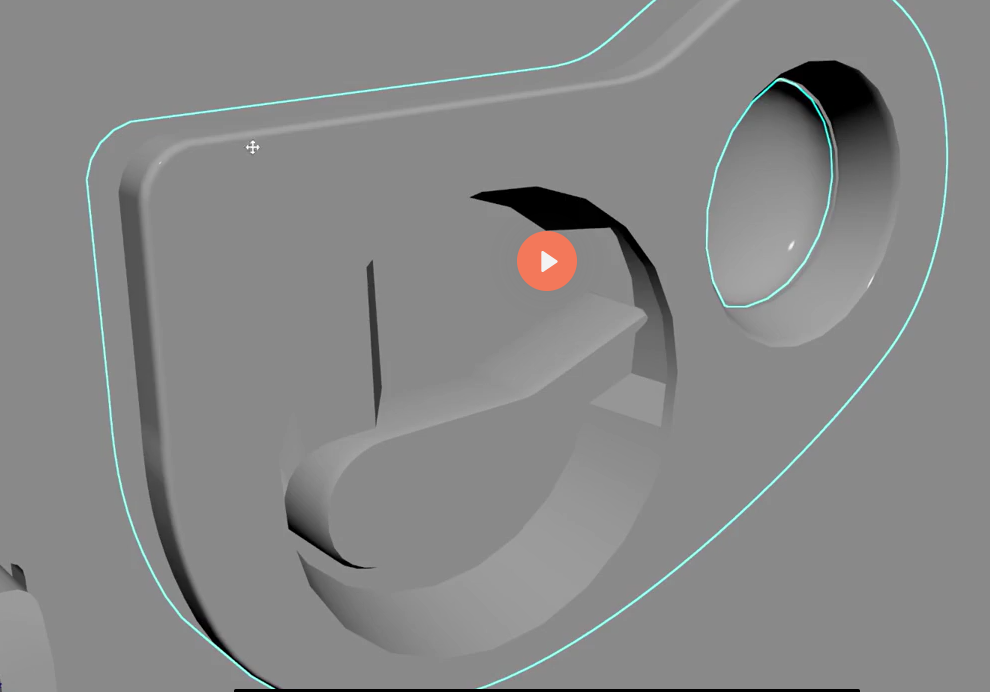
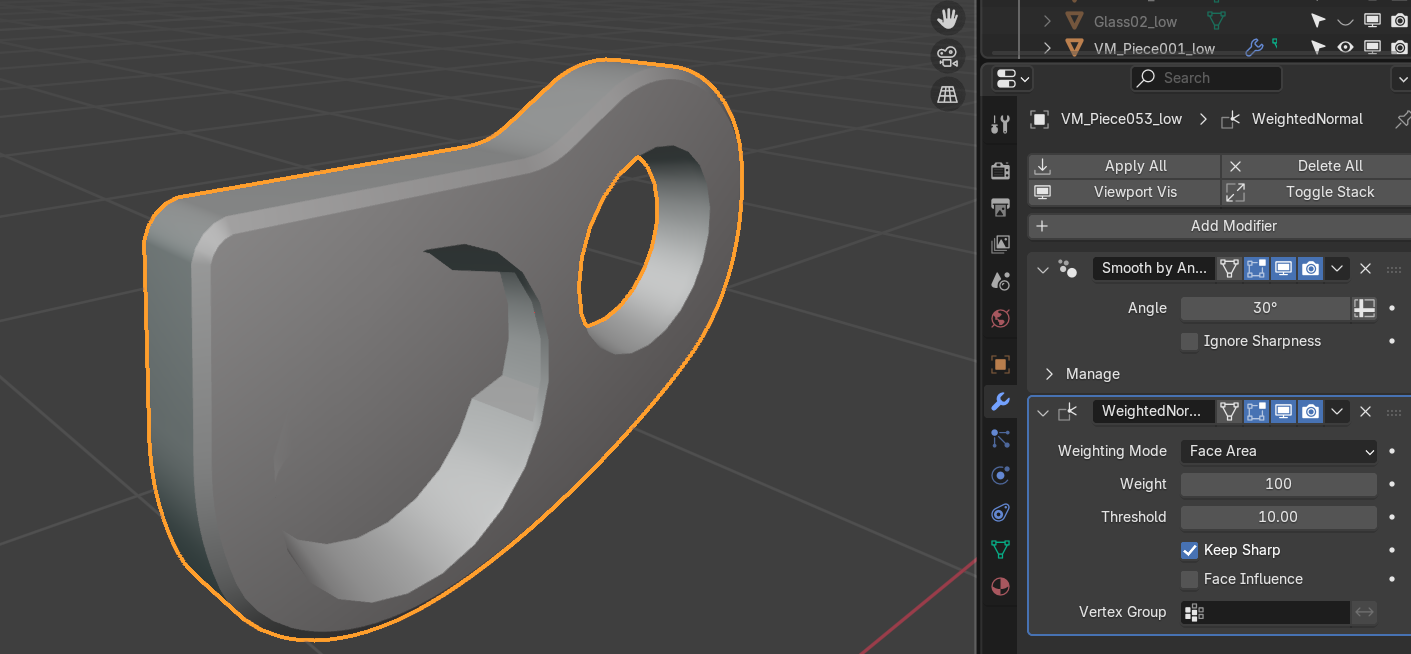
Arby based on your screen you have "smooth by angle" modifier that makes beveled edges sharp. Then you use face weighting that keeps those sharp edges . So you need either set the smooth angle bigger and set few sharp edges manually if necessary or uncheck "keep sharp" in Face weighting and keep every edge beveled
tried both things, tried angles, 45, 60, 90, 180 and everything else, but nothing
This may depend also on the used topology.. also on the reference there seems to be a smaller blend/round/fillet than the shown wider (angular ) bevel/chamfer (depending in which app you are more familiar with).. so the left one has no weighted normals (almost no difference; at least with these options) and i tried the bevel only on "the edge" (a vertex group; on the right; also using older blender 3.6 version with autosmooth not a modifier):
Also it might be interesting to have a link for that tutorial.. if it is not a payed one..
Hi! It looks like some modifiers were carelessly applied to this mesh before, or it was exported from somewhere, so it has some issues at the moment: - your beveled edge is not only marked as Sharp, it's actually ripped - you can see this in Edit Mode if you try to select and move a vertex there. You'd need to select all geometry that defines the edge and Merge by Distance to merge the vertices. (though, I don't see this problem on the screenshots above, so I guess it happened sometime after) - also, you have some Custom Normals data written on the geometry. It's in Object Data Properties > Geometry Data > Clear Custom Normals Data. Taking care of these problems should fix the beveled edge at least. Aside from that, I'm not sure how much the Weighted Normals mod is capable of.
Replies
You need to share your scene, so that people can have a look rather than attempting a guess.
It's up to you to use the file sharing method you prefer.
Also it might be interesting to have a link for that tutorial.. if it is not a payed one..
It looks like some modifiers were carelessly applied to this mesh before, or it was exported from somewhere, so it has some issues at the moment:
- your beveled edge is not only marked as Sharp, it's actually ripped - you can see this in Edit Mode if you try to select and move a vertex there. You'd need to select all geometry that defines the edge and Merge by Distance to merge the vertices. (though, I don't see this problem on the screenshots above, so I guess it happened sometime after)
- also, you have some Custom Normals data written on the geometry. It's in Object Data Properties > Geometry Data > Clear Custom Normals Data.
Taking care of these problems should fix the beveled edge at least. Aside from that, I'm not sure how much the Weighted Normals mod is capable of.