Search
-
[Maya] Component mode transformations doesn't work
 So this just happened: Maya got a fatal error and crashed and after I restarted the program I got this wierd problem. Whenever I select components and try to transform them the transformation applies to the whole object and not just the selected components, just as if I was working in object mode. If I select two vertices…
 -
Transforming Ka-50
For a university project I have been tasked with creating a transformer of some kind. This has to be a vehicle that is able to transform into robot. At the end of this I want a fully textured and game ready character which works in engine. I'll be using this thread to document my progress and hopefully get some feedback… -
Transformer
I want to make a impressive portfolio piece in the future, I was thinking about making a transformer. My guess is that I would model the vehicle I want to use and then work from there, so in this case the Lambo Reventon. Would I then design the robot using parts from the car, but add other parts to connect them all… -
High to Low Poly - Transfer Maps issue
 Hi everyone! I hope someone out there may know how to solve this! I'm facing an issue while trying to bake a high poly to a low poly in Maya 2020.2. I tried to use the Transfer Maps and output a Normal Map, but everytime I bake the UVs seams and the edges become visible on the low poly - screenshot attached. Both my high…
 -
Max: getting finer or broader control when using the transform gizmo?
 Say you're trying to scale something using the gizmo, but as you drag one of the axes, the smallest transform it allows you to make is too big for your needs. Is there any way to shrink the transformation amount so you can get finer control when drag-manipulating the gizmo? (Also, is there a way to get broader control…
 -
Re: Transforming Animation
 Like blinKX10 said, its a little slow and it would definitely benefit from transforming mid-action. He also seems to transform from the center of the screen, meaning that when he was a truck he would have been floating in mid-air. Here's one I did a while ago, as you can see the transformation happens at the quickest point…
 -
Transformation 2D offset function?
 I've created a pixel processor following the video provided by Allegorithmic, and I am working on trying to offset a transformation 2d to match the offset of the pixel processor So I'm trying to grab the X and Y of the grid position of the selection (Of the processor) and offset the transformation based on that Which...…
 -
Re: Maya Transfer Map diffculties (or, do I really need to break this mesh up?)
 I gotcha, so it was an issue of the transformation having not been frozen at the time of transference. I'll double check my individual pieces to see if any of them got tinkered with during all my tweaks and combinations/separations to get the asset to explode properly (only the move transforms should be active in the…
 -
Re: (Solved) [Blender] Why does Blender insists on adding object transform as vertex position?

 Enough with the complaining, here is a modified version of the built-in OBJ export script, with this option added: The added "Include Object Transform" will allow you to export OBJ with or without current object transform. In particular, it will ignore the "world matrix" of currently selected model. So for example, if you…
 -
Re: Learning Blender and Texturing

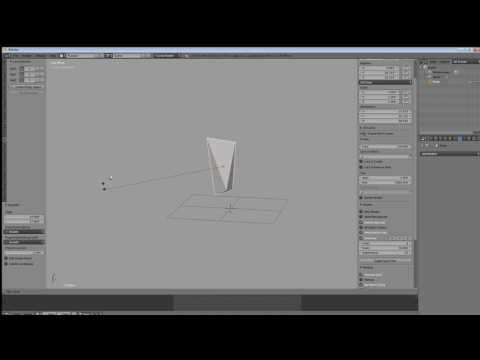 The one concept you need to learn regarding move/rotate/scale transformations in Blender isn't so much the way to reassign the hotkeys. It's the fact that by tapping the key assigned to the desired transform, then moving the mouse around, and then tapping the key assigned to confirm, one can work without even using any…
>9297 results