Search
-
P O L Y C O U N T - H A C K E D
 ~ Not really. Some awesome shit happened instead. Congrats to the homeboy, Ryan 'Aftermath' Hawkins! Next week to be starting at TimegateStudios as a super badass environment artist. Thanks for running all these awesome competitions over the years (especially for setting up Polycount Brawl). Now get to fucking work.
 -
Maya 2015: After changing axis from Y to Z Up, tumble tool doesn't work properly.
 Hi, so for Unreal 4, I changed the axis of 'up' in Maya preferences to be Z. Now, whenever I use the tumble tool (Alt +LMB (Drag L/R)) it acts as if i'm doing Drag Up/Down. It's working on the wrong axis. No settings in the Tumble Tool Settings seem to help. Any suggestions? Cheers
 -
Star Wars: Y-Wing

 Hey polycounters. This is a personal project that has been kicking around for 5 years or so now. We all have them don't we. Start a model and then just loose focus or interest. It was supposed to be a me getting the old ways out of my system. Doing the texturing by hand via Photoshop. Creating the Normal map/Specular…
 -
W h y ?
There are many things in the world that make absolutely zero sense. Especially human behaviour. I mean, take spammers. They do everything to circumvent your spam protection and gather your email address no matter how much you encrypt it, yet in the end, what do they expect to gain from it? Is someone who takes so many… -
[Maya] Move/Rotate mesh components non-destructible-y?

 TLDR: Any way in Maya (or, if not, Max) to have some kind of volumes modifying mesh components, so that I could replace the mesh later if needed with another very similar one, yet have these volume changes instantly applied? --- Full story: The status quo: The general workflow is that the client sends his highpolies with…
 -
Alpha Maps with Mental Ray, Y U NO work?
I'm in the process of texturing a creature in Maya 2011 and I'm encountering an issue with alpha mapping that has me stumped. I don't know the program very well to begin with, and I've done a fair amount of research on this particular problem, but it has yet to be resolved and has become a frustrating roadblock for me.… -
Blender and Snapping ( Trim / Borders etc )

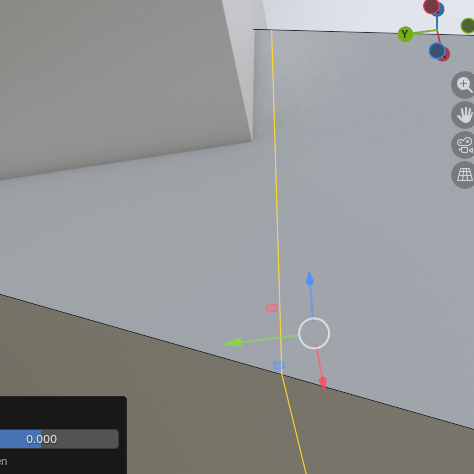 Don't know if there's a way to slide things to match an axis if you have an off angle edge? For example, I want to align this loop on a sloping section to the y-axis of the perpendicular box, however it snaps a few units off. Am using the following snap controls This is for a project where I'm taking old BSP level geometry…
 -
Re: PBR Export Issue
 Hi! I would make sure the normal map is OpenGl and the texture sampler in Blender is set to non-color. If the normal map is DirectX, you could also flip the y-channel in the shader in Blender.
 -
Re: Can you bake and texture in 1024x2048?
 To flip individual channels, hit the lil cogs icon next to "Normals" in your last screenshot. Y should be green unless you're mistaken. Please be patient while I practice my gas lighting effects. As for the idea itself of using non-square textures generally, TIL it's no longer a bad idea to do as long as you stick with…
 -
Werid issue with Marmoset to Substance Painter with the normals
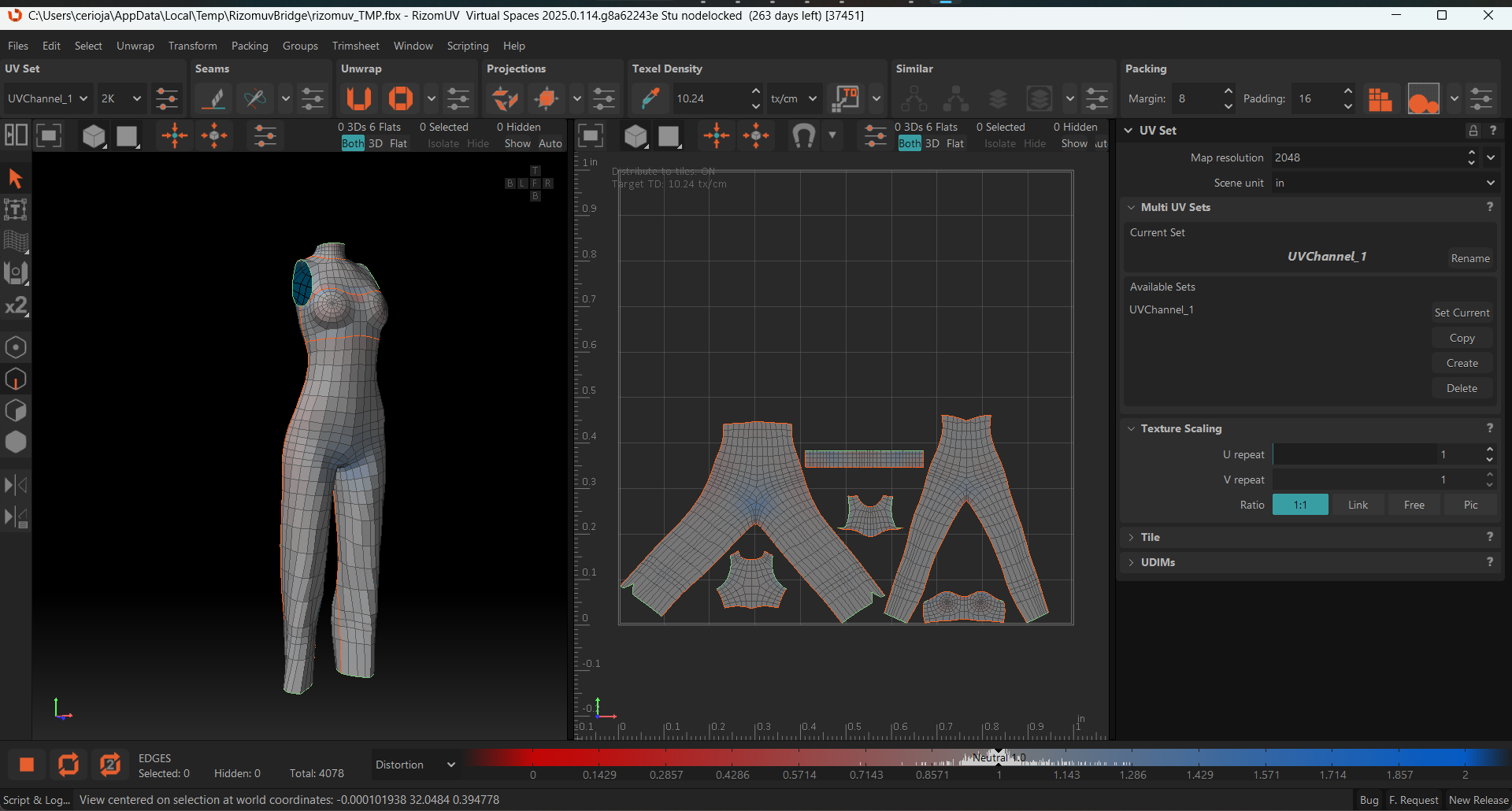 Hi everyone, I’m currently working on a 3D model for a class and I’ve run into some confusing normal map issues. I’m baking in Marmoset Toolbag 5 and texturing in Substance Painter, with Unreal Engine 5 as the target engine. The Issue: When I import my Marmoset-baked normal maps into Unreal, they look perfect (DirectX…
>147154 results