Werid issue with Marmoset to Substance Painter with the normals

Hi everyone,
I’m currently working on a 3D model for a class and I’ve run into some confusing normal map issues. I’m baking in Marmoset Toolbag 5 and texturing in Substance Painter, with Unreal Engine 5 as the target engine.
The Issue: When I import my Marmoset-baked normal maps into Unreal, they look perfect (DirectX format, no seam issues). However, when I bring the same mesh and normal maps into Substance Painter, I get visible UV seams, regardless of whether I flip the Y-channel or not.
My Workflow & Observations:
Baking: Marmoset Toolbag 5 (DirectX).
Software: 3ds Max -> Marmoset -> Substance Painter.
I’ve verified that my UVs padding is set to 16px.
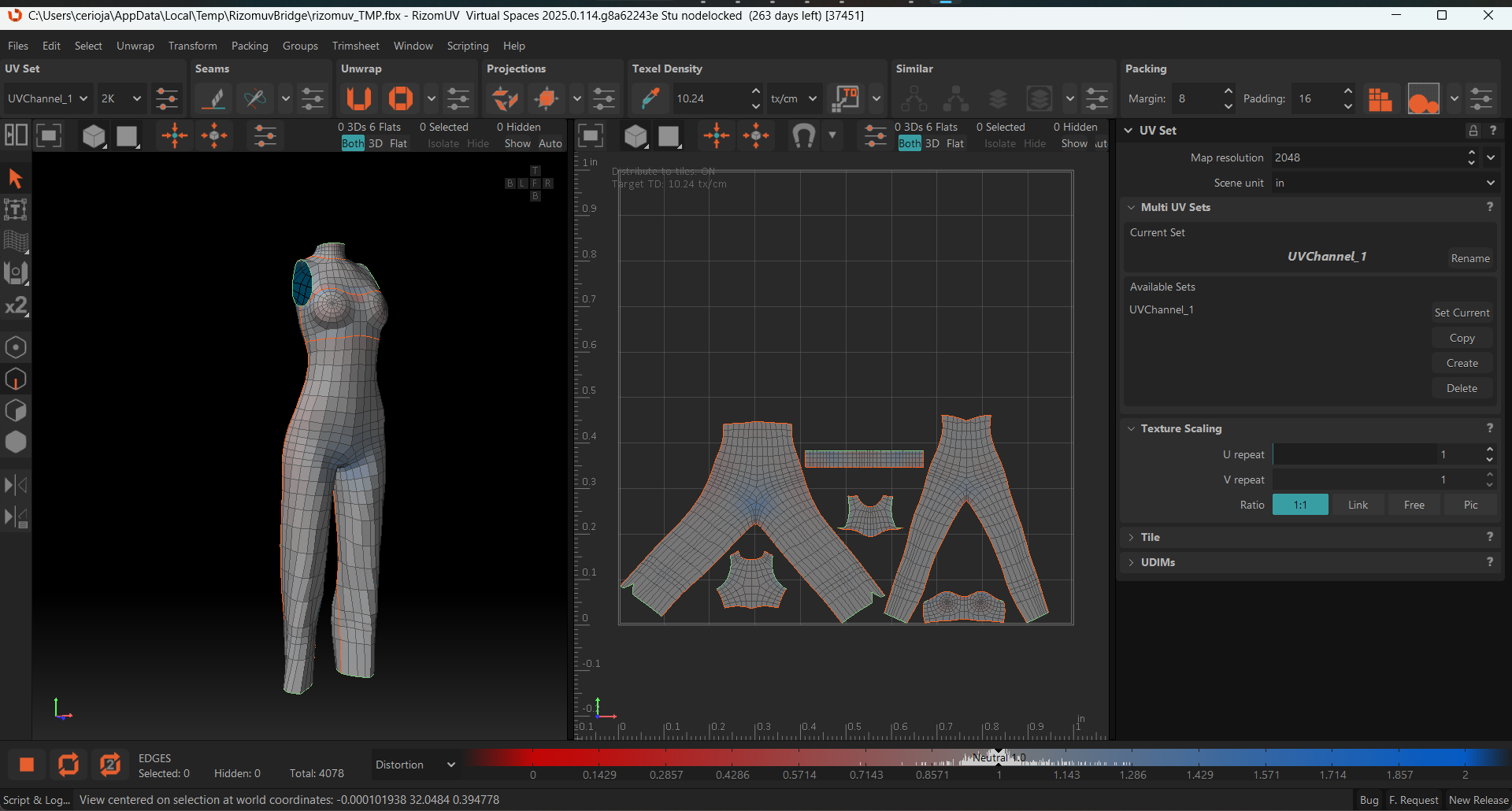
I noticed that the seams appear specifically when moving between these software environments, even though the mesh looks correct in the viewport with a flat material.
Question: Has anyone experienced this mismatch in tangent space interpretation between Marmoset and Substance Painter? Are there specific export settings from 3ds Max or import settings in Substance that I should be double-checking to ensure the tangent space remains consistent?
Any advice on best practices for this specific pipeline would be greatly appreciated.
Thanks!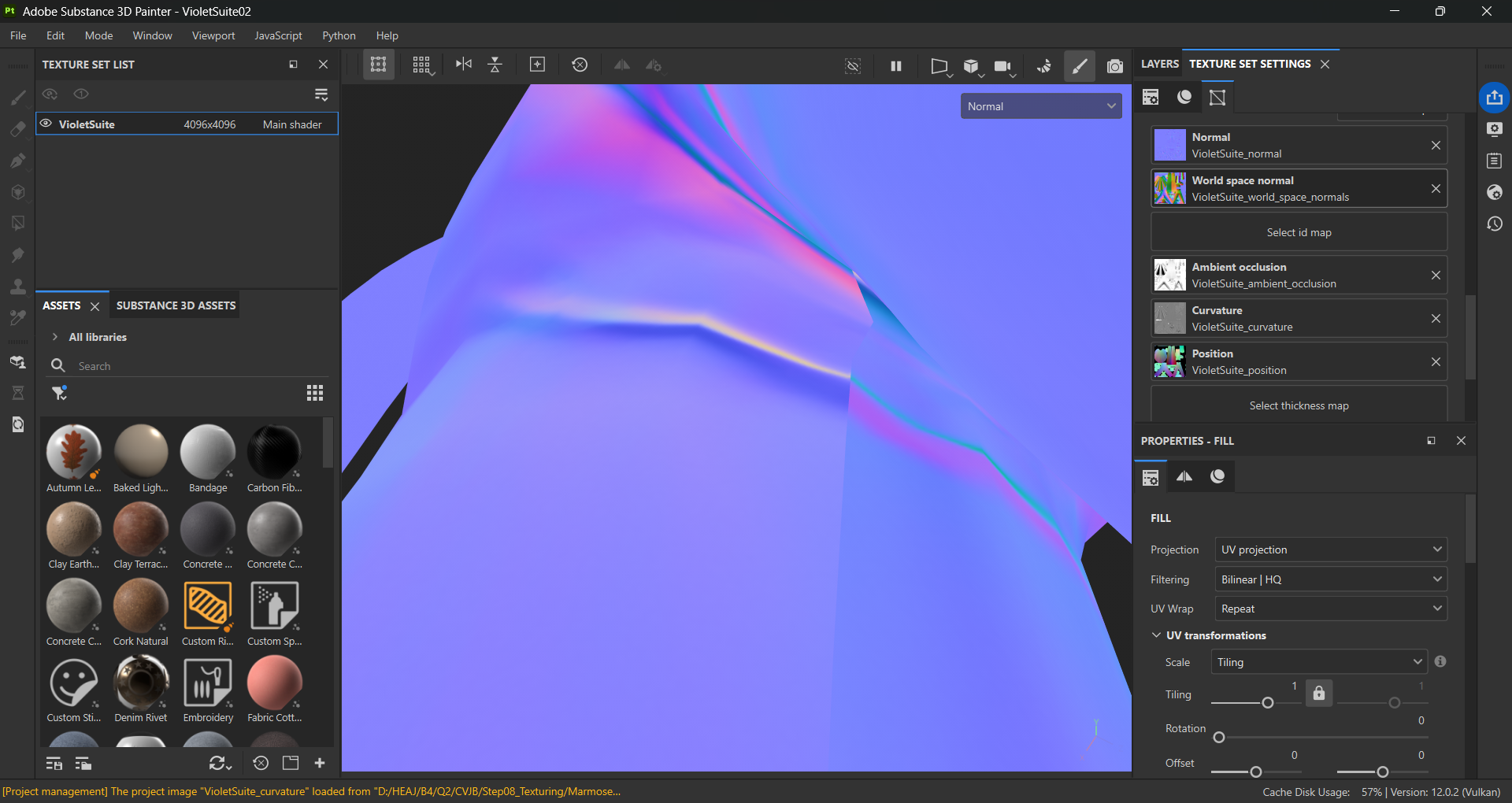 de marmoset à substance painter.
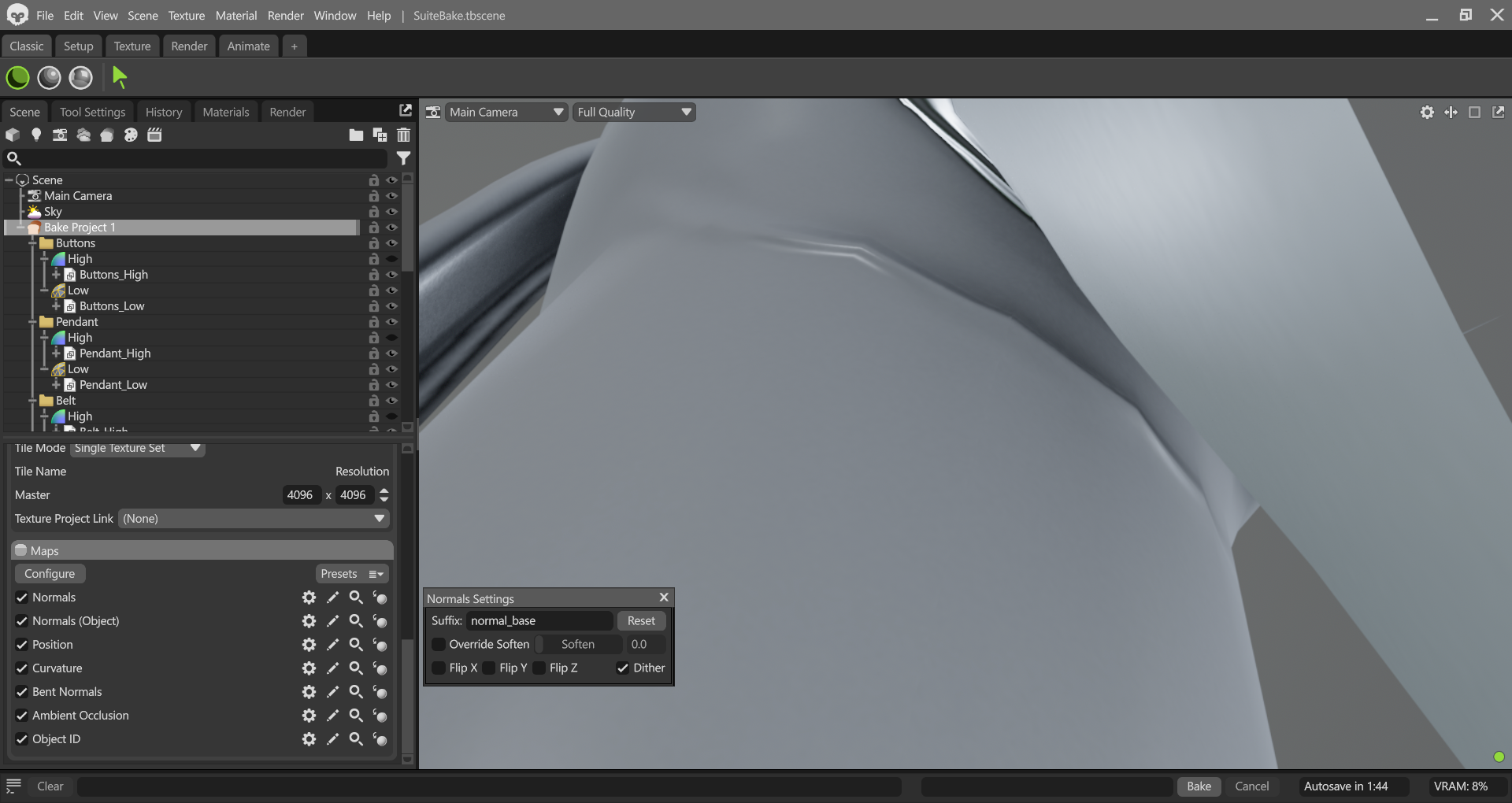
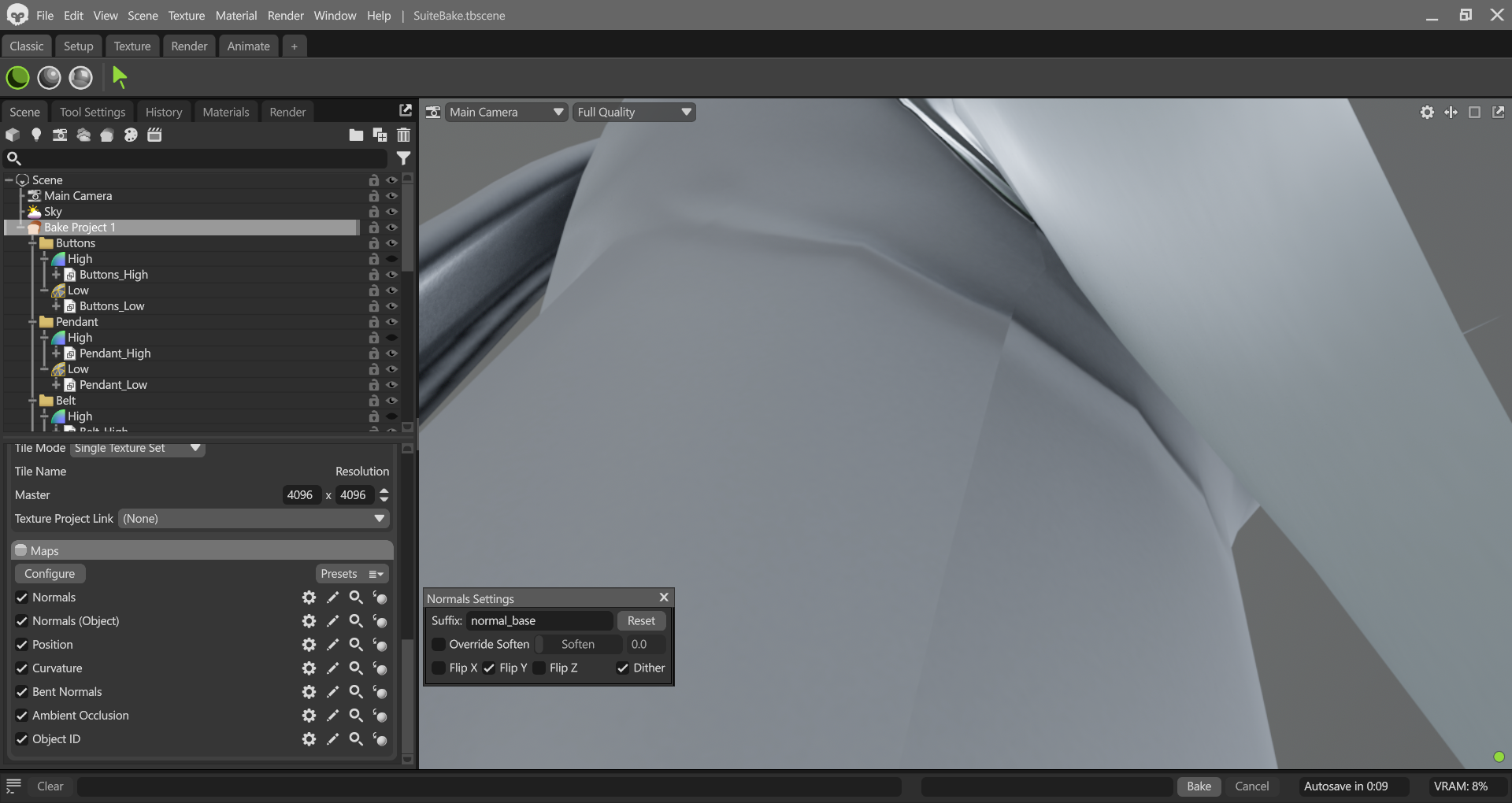
Replies
Also why is there a world-space normal map in Painter?
Edit: I don't see a shading seam in Painter, maybe you forgot to attach that screenshot?
I do see the normal map alone in Painter, and there is a color difference along the UV seam, but this is a necessary thing with UV seams when the two sides are oriented differently in UV space. We have an illustration of why this is necessary, here in our wiki: http://wiki.polycount.com/wiki/Normal_Map_Technical_Details#UV_Coordinates
To clarify:
I am using 16-bit depth normal maps, exported in PSD format.
Regarding the World Space Normal map: I do use it as an input for a specific diffuse plugin to improve my texturing workflow.
About the seams: I definitely understand that a color shift at the UV borders is mathematically expected due to orientation. However, the issue I'm facing is a visible shading seam in the viewport. When I look at the model with the final material applied, the seam is clearly visible, almost as if the normal map information is slightly offset or disconnected at the UV border, causing a broken highlight.