Search
-
XNormal Normal map issues!

 Hey guys, I've been using XNormal for a while now but I am running into a problem with my maps. I've uploaded the normal map in questions, and I am aware that my UV unwrapping is a little dodgy but still I can't work out why the maps are producing this strange error. It seems to affect where two faces are close to each…
 -
How to bake normals onto hair cards with Xnormal?

 Hey all, I'm newb at this. Please be patient with me :'( :'( :'( I'm following this tutorial on making polygon hair: https://www.3dartistonline.com/news/2015/04/how-do-i-create-real-time-hair-for-games/ I'm stuck on step 12, once I've got the UV islands for the hair model done, I've exported it as OBJ to zbrush, and used…
 -
Re: man...i gotta xnormal/max RTT normal question.....
 I rendered our DomWar2 creature normals out of XNormal mainly because it was just so much more straightforward - didn't need a control cage or anything, just tweak a few numbers for ray distance, and I got a bunch of nice, clean normals very quickly. There were a couple of trouble spots (like where the toes were very close…
 -
xnormal normal map generation problem
Hi All I`m trying to convert an hifi amp object in xnormal and i cant seem to get decent results. I`ve uploaded 3 images. The first is done in xnormal without a cage, and its missing details like the logo and head phone jacks. The second image is with a cage i created. That has those missing details but the inserts where… -
Re: Problem with DDX DDY normals breaking lighting when used for opacity masking
 Using Fresnel does not cause the issue, but also doesn't give me the desired result. I want to remove cards that face the camera, but as the normals of the tree have been edited the fresnel will only detect the edges of the tree (similar to fresnel on a sphere), so that method won't work with the vertex nromal information…
 -
[Solved][Xnormal - bake setting] how to bake normal for 2 legs ?
 ok guys.. after I used distance caculator tool the normal map goes correct now ------ Hi , I am going to created legs model and I get a result like this , seems that those 2 legs also bake for each other in marmoset dose any know how to bake normal in this situation? thank you !!!!!!!
 -
[xNormal] Artefacts on a baked normal map
 Hello, I'm currently working on a small piece that I create for fun. It's a suppressor. I created High and Low on Maya, and then, I generated a cage with the Transfer Maps window. In xNormal, I import my meshes and I click "Bake". I precise that the models have the same coordinates in the 3D space. I moved the Low for the…
 -
XNormal, 2 colors of normal map
 I've tried searching for this but I must be using the wrong terms, I have this normal map. Why is one the typical "purple" color and the other is orange? How can I change this? Does it matter? Thanks!
 -
Re: low poly vert normals impact on normal map baking with cage in XNormal

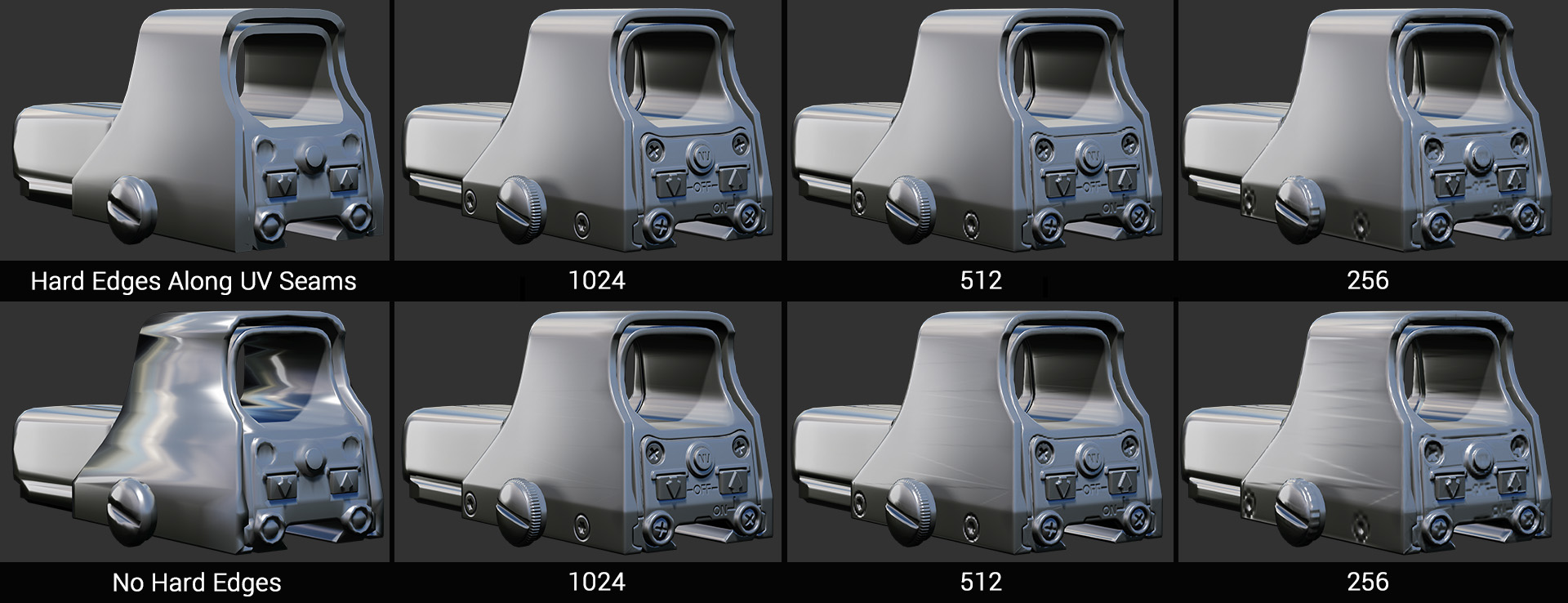 Wrong, they matter, just not as much as in a non-synced workflow, where massaging your mesh normals can be very important. Also wrong. This works in certain cases (mostly when you have very dense meshes without extreme normal direction changes), but there are benefits to paying attention to mesh normals with a synced…
 -
xNormal Normal Map problem
 hey guys, im getting this kinds of problem on my normal map. i dont remember what things i pressed, but i tried to change it back to the ones before but i can't. i keep trying out drifferent option cobinations but still cant get it to look like the ones before. how do i do it? Attachment not found.
>37648 results