Search
-
Looking for Efficient Method for Creating Face Variations Without Disrupting Rig
 Hello, I am working on a project that requires a large number of variations of different characters, especially variations of different face types/facial features. It is essential that modifying character variations is not time-consuming. Of course, I am familiar with changing the model through sculpting, but the problem…
 -
Re: 3ds max select and delite overlapping faces
 that's not either, that's both/all :) as I said getting the overlapping faces is the easy bit deciding which to delete not so much ! think i'd also start by adding a planar map in a suitable direction on an unused map channel first..... and even that might produce spurious results, for example using the uvw map overlapping…
 -
Re: What expressions to scan for F.A.C.S.-based production face rig?
 Oh yeah those are awesome references. Especially the ones that have an animated gif and not just the start and end pose. An animation is always useful. But I'm looking for a set of full facial expressions that I can scan that capture most or all of the action units. I've seen someone make a whole face rig from just two…
 -
[UE4][VR] An Open World Race Game
 LAST UPDATE : You can play the game for free by going to our facebook page and click on "play this game" on the banner. I might share another link if people don't want to use facebook. Of course this is fully VR compatible, so if you have an Oculus Rift have fun ! Here is a little gameplay video : [ame]…
 -
Face study
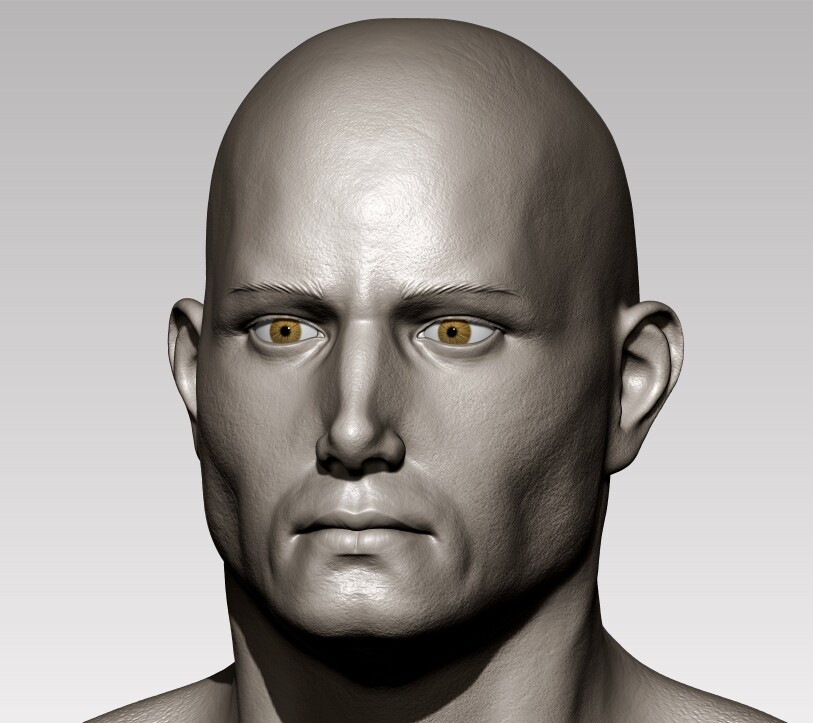 I completed some face sculpts I wanted to share. Please don't hesitate to comment and critique .
 -
Face Variations ?
 So I been making characters. But each character I made, it seems they from the same videogame, same character, same face and same body, I just make different costumes to equip on them. When I actually should be making different characters. So the face/head is top priority right now. To create uniqueness to each face.…
 -
Re: Unable to remove faceting
 Odd! I re-read your post and you mentioned switching to smooth preview and you still get faceting. Generally, everything in the smooth preview should be smooth with no obvious pinching or dark patches. If this is happening then it's a problem with the geometry of the model more than it is with the edge normals. Select your…
 -
Selecting Faces in MilkShape3D...
It doesn't work like I need it to. The only way that it kind of works, is if I have Select -> Face -> By Vertex checked, then I can select a vertex and it will select ALL the adjoining faces. I need to select individual faces just like in the other viewports. Here is a pic of me selecting a vertex to get a face: As you can… -
MEL - selecting faces by material
 Hello, I am trying to figure out how to build an array with faces that have a particular material assigned to it. I have found bit of info here and there, and this is what i came up with. string $matchingFaces[]; //this will be used later to select facesConvertSelectionToFaces; // just select all the faces of the…
 -
Flipped UVW faces Oh My...
Hello Poycount. OK, Sorry Newb here, but i've been trying to figure this out by myself to no avail. I started my first full model in Max as a simple crate tutorial from Youtube. I followed it basically move for move and when i was all proud of myself and got it all uv unwrapped to bake, i found out i had dozens of flipped…
>40169 results