Search
-
Why such ugly normals?
 Tried my best to UV map this handle and check for any over lapping uv's and im still getting errors with random color blotches
 -
Re: Texturing Feedback (agm rattler v2 35-640 thermal scope 35mm)

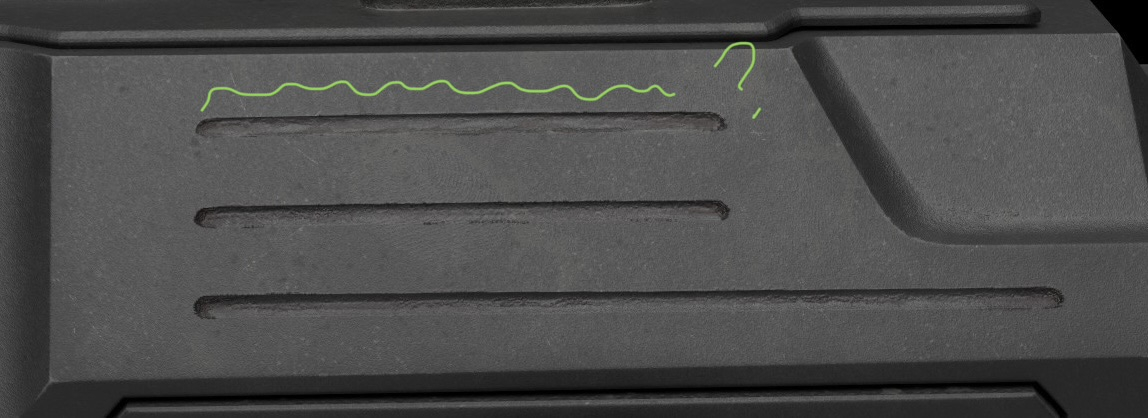 Looking good so far. Why so jagged in these grooves? The eyepiece seems chunky in silhouette compared to the detail level of the rest.
 -
To the artists who have achieved this
 To the artists who have achieved this. I've been learning Blender on my own for almost two years through paid and free tutorials. This past year, I've landed my first two paid 3D jobs: one related to architecture and the other to music—a 3D object with a real-world shot in a music video. I feel like I'm halfway there,…
 -
why does this vehicle look meh?

-
Re: How to recreate One Piece anime-style shading & glow (Paint Tool SAI 2 + After Effects)?

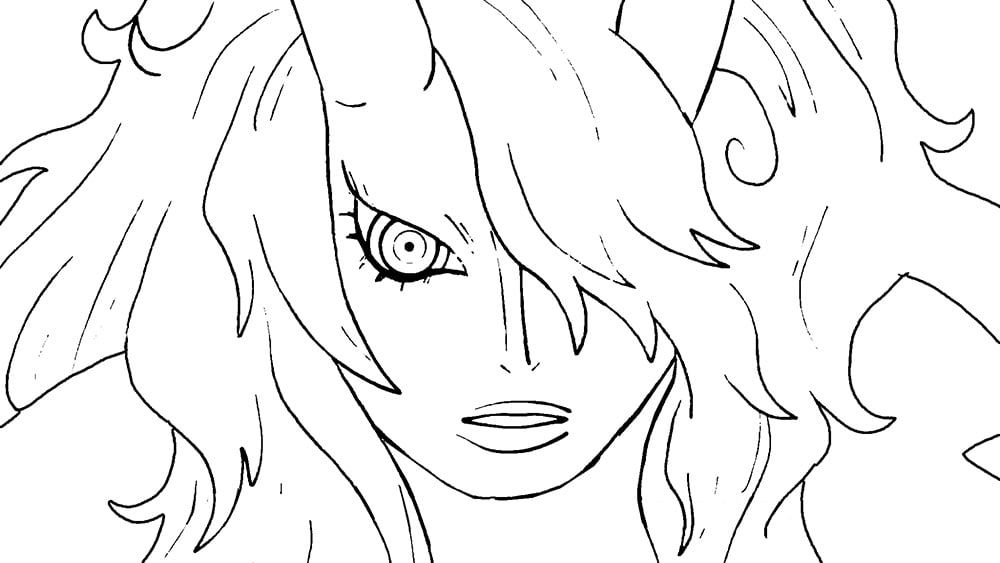 I think you've already got a good understanding of how this kind of anime post-processing works based on your initial post (a faint blurring on a duplicate of the lines layer, some glow effects on the flats, some color correction, and so on). But, attempting to recreate it on your own lines and flats loosely based on a ref…
 -
SOS why is my skinning ass
 I copied my weights from the basemesh and modified it using the hammer weights and smooth weights tool I've looked into the paint weights too but still can't get it right
 -
Why aren't my normals displaying correctly? [3dsmax] [marmoset 3] [substance 2.5] [unreal 4]

 Find yourself asking that age old question: 'Why aren't my normals displaying correctly?' Spent some time today working through Marmoset 3, Substance 2.5 and Unreal 4 seeing whats different between each program when it comes to displaying normals baked in 3dsmax. I've collated some information and images below for the…
 -
why no light reflect on item?
http://image.ohozaa.com/view2/ygljYlq1ZpPd39jp :poly127: i do everything as guide :poly127: **** sry for my eng me not expert ***** -
Transparent in Maya, Why?
I checked: the object transparency is off and so are the x-ray options under "shader" in the viewport. Also, the normals are correct. I'm trying to model hair and it's impossible to make sure there's no clipping with this transparency. It looks like this: Please help. This is so unbelievably frustrating. -
Why CG Sucks (Except It Doesn't)
 [ame] https://www.youtube.com/watch?v=bL6hp8BKB24[/ame]
>52912 results