Search
-
Problem with target welding vertices - 3dsMax
 I tried to target weld some vertices; on one side they work but not on the other, instead of actually welding the vertices it looks like they're being separated. After doing that, I can't further target weld the "rogue" vertices. Attachment not found.
 -
Is there a way to isolate a row of vertices in Maya 2017?

 I tried selecting a row of vertices and pressing ctrl + 1 but it also included the vertices it's connected with that creates the face. I'm wondering if there's a way to isolate just those specific vertices that I selected?
 -
Looking for an easier way to move vertices around
I have started learning high poly modelling and I am running into a modelling issue which I think that there must be a easier en better way to get around to. I hope that somebody can give me a tip for this. Here we go... Often I have a poly that is at a "weird angle" and this poly I want to add some new edges to. Here is… -
Re: Putting UV-coordinated vertices on a plane in Blender
Making a new model from scratch isn't the best idea because then I won't have the UV data, which means it won't be compatible with, say, custom skins. I'm not really gonna do any posing until I have the vertices all straightened out. Recently I tried going with the "Save UV Face Layout" to have an image. Problem is, it… -
Blender Python (2.79): Index Vertices Based on Their Bone?

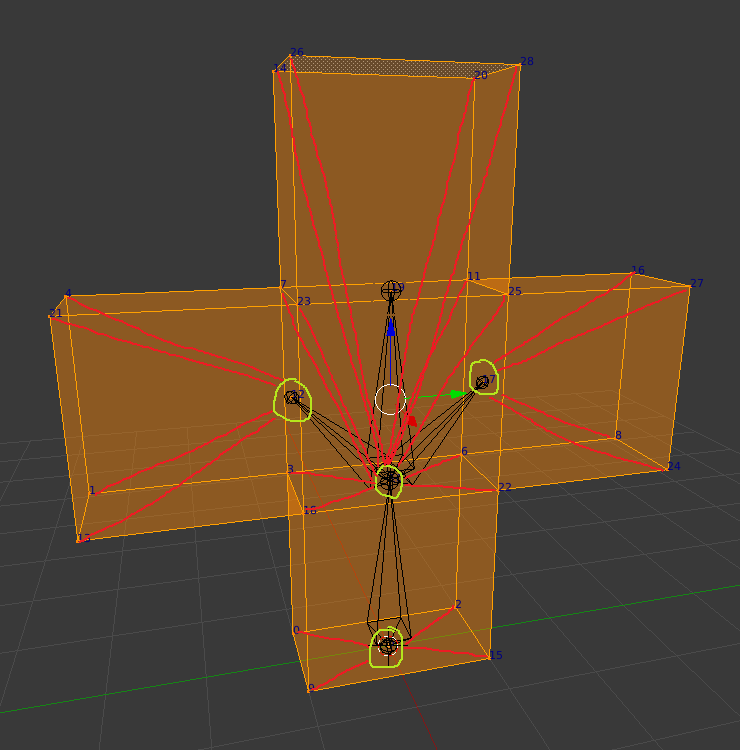 Hello, everyone. I'm writing a Blender Python script for exporting custom models to an old video game engine's model format. This is something that I've been struggling with for awhile now. So, I have a test model that has been rigged. However, I need to change the vertex indices. Unfortunately, Blender has no option for…
 -
Vertices stay on after leaving vertex mode
 Hey, EDIT: Solved myself. Object properties and disable vertex ticks! I would be thankful if someone could help me with the following problem: On the left is the problematic object and on the right is a test cube without active vertices. I have tried following: 1. Turn off vertices in the modify tab under selection 2.…
 -
[Maya] How can I delete useless vertices
 Every time i use shatter effect in Maya it breaks the object into pieces and leaves after it a lot of unneeded vertices which are useless and don't give a shape to the model. And every time I need to manually delete this vertices to achieve the result in the right. Is there any tool or technique to get rid of that vertices…
 -
Is there a way to connect multiple sets of vertices together at once?
 I'm creating a road profile from a spline and need to connect the vertices at each curve. There are tons of curves in the model and it takes forever to connect them one by one. Is there a better way to connect all vertices in a curve at once? When I select all vertices in a curve and hit connect they don't connect cleanly.…
 -
Maya. Evenly distribute vertices along an edge.

 I googled this, and all I found is an old script that wasn't updated for a while and doesn't work on newer versions of maya. Basically, what I want is to take this piece, for example: And evenly distribute vertices along the edge. This is just an example to show what I mean. I'll later export this one in zbrush and convert…
 -
Maya questions: fillets, merge vertices
Hello everyone, I'm doing a somewhat high polycount model to get comfortable with Maya's workflow, shown here. I have a couple of questions. [*]Is there a way to put a radius on an edge in Polygon mode? In essence, I am trying to do in Polygon mode what the fillet command does in Nurbs mode. I thought I saw a MEL script…
>7632 results