Search
-
Re: Maya 2009 crashing when trying to "average normals" on high poly mesh...
 Average Normals will do just what it says... it will try to average all the vertex normals within a certain tolerance (like if one is close to the direction of another, it'll average their directions so they both point the same way). Most of the time it's not what you want, it's only useful in certain specific cases (like…
 -
Blender to Substance : Baking Issues

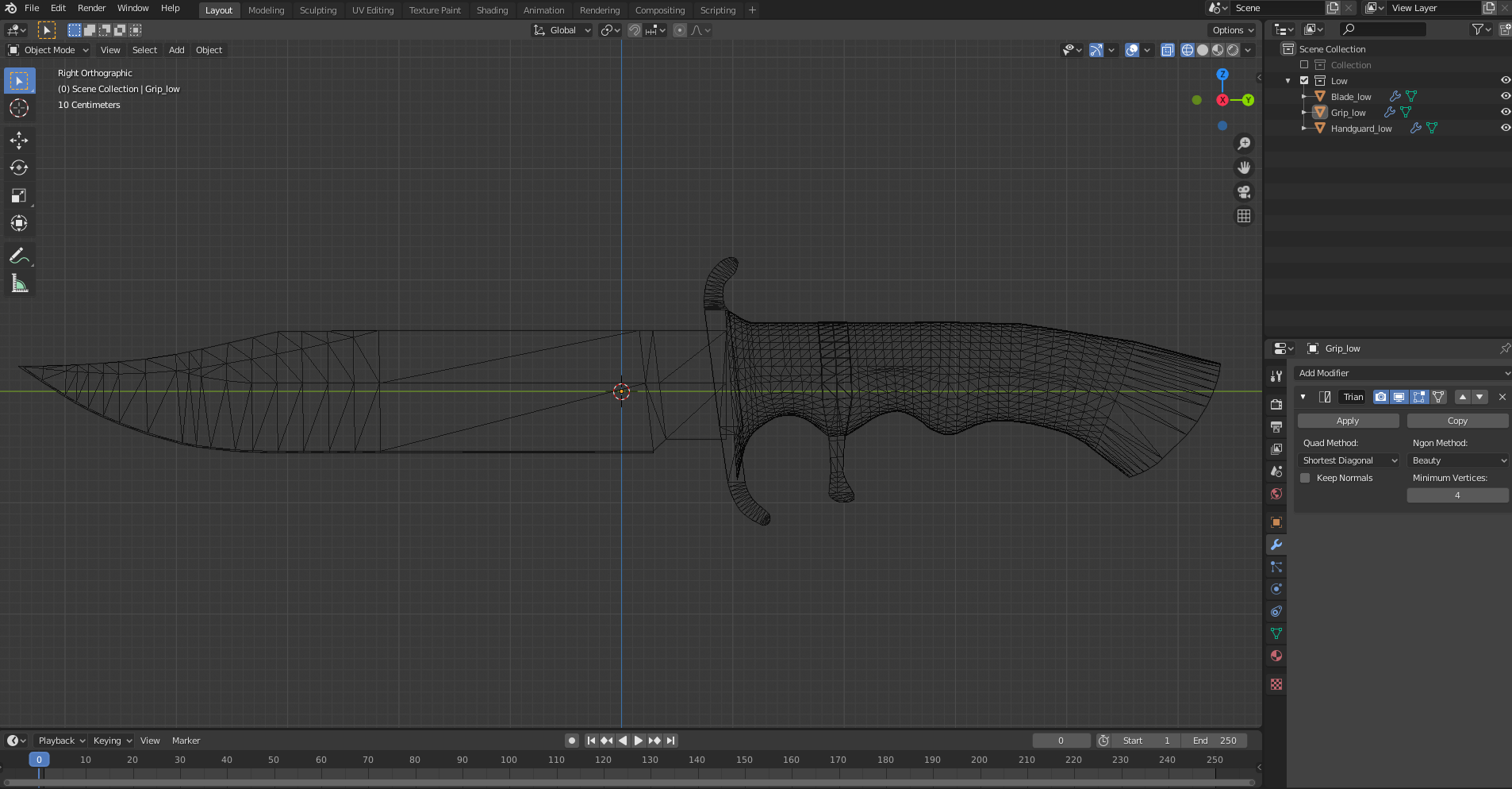 Hi guys, I need some help for my Substance Baker: I did a low and a high Poly Model of a Bowie Knife in Blender and wanted to bake the details from my high to my low poly within Substance Painter. But every bake it creates some weird edges (seams or extreme ugly edges); i tried it with a all-smooth lp model and i tried it…
 -
Manually editing cages (Maya 2009)
 I recently posted some issues I had with baking normal maps and figured out how to use (I know, sad) and edit cages within Maya 2009. How much freedom is there in editing a cage, though? Is it okay to start adding edge loops and adjusting them to really get picky with where you want your rays to search? I saw you can…
 -
I havent been sculpting for long maby a year or less. However i got a few questions.

 im trying to find my Art style so im creating my own "base mesh" for style that will work as a model before my paint goes on. i know i like very sharp edges it feels alot easier to paint my sculpt if most of the lines are already there. However its not as crispy as i would want, and i think its very time taking to Polish…
 -
Re: The Bi-Monthly Environment Art Challenge | November - December (81)

 @Eich this looks really nice! Only comment I've got is that your model has lots of redundant vertices. I marked some of them but it seems to me there are a lot of double edges along the legs? Was there a reason I'm not aware of that you left these on? The rule of thumb is any vertex that doesn't contribute to the…
 -
Re: Requesting a Portfolio Review -- 3D Weapon & Prop Work
 Hey, Don't have much time so I do it short Youre on a good path but its the typical issues everyone has, the only thing unusual is the topology is sometimes not closed but you run some unneccessary loops all around instead of closing to a triangle Otherwise: - You need to continue and just do more things - Remember to…
 -
Normal map export issue
 Hi there! this problem is driving me crazy and i need some help to fix it. When i export the maps to another software and apply the normals it shows every UV seam. I have tried painting over the edges of uv on the normal map; make the uv edges hard edge in maya; exported the model with different settings; exported normals…
 -
Re: [FINISHED] Playstation 1 - Real time asset - Game ready
 Yes I am exporting them, at least i think i do, since i make sur I check "smoothing groups" option in the fbx export window and also the rest of the model looks fine with hard and soft edges exactly as they are in maya. I tried cleaning the model a bit and unlocking normals then i selected all edges and turned them into…
 -
Re: Sketchbook: Rockstar6
 I did some UDK shader experimentation with the style from the game Mirror's Edge in mind. I tested the materials Indoor as well as Outdoor. All colors can be tweaked with just one texture e.g. with a greyscale concrete texture I can create a red/green/blue one with the same shadersetup. I might do a scene based on this…
 -
Re: is there a melscript for Maya for auto subdividing edgeloops?
 The tool you are asking for is the Offset Edge Loop (Found under Edit Mesh). It generates a loop to either side, relative or absolute, and allows you to adjust the offset value in the Channel Box/Attribute Editor. However it may not fill in or auto-complete through ngons and triangles, sort of like how you would expect the…
>27984 results