Search
-
Re: Maya 2016 and ShaderFX issues
 GlowingPotato> Glad that helped you :) Ignore my previous question... Forgot that the Texture Map node was a group as any. If you enable advanced mode and look for yourself you can see that the "ConvertToLinearSpace" = x^2.2. At least in Maya 2015 which I have at home. I've got 2016 at work.
 -
Re: Zbrush UV Master Issue
 mmmm your export settings might be off in zbrush. "Do you have Mrg (Merge UV Coordinates) enabled in the Export panel?" -dustin brown or import into your modeling package and then export from there. check this thread out, maybe it's the same problem http://www.polycount.com/forum/showthread.php?t=114412
 -
Re: Polystein Kit for MODO

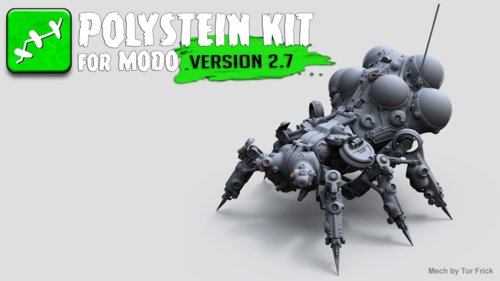 Polystein Kit | Version 2.7 Free Update New to version 2.7 of the Polystein Kit is the Polystein Paint options. These options enable interactive placement, scale and rotation of the preset before the auto-stitching occurs. https://www.pixelfondue.com/blog/2017/7/23/polystein-kit-version-27-free-update
 -
3DS Max - Align Pivot to another object's pivot
 Hey guys. I'm looking for a simple script or hotkey that will allow me to center the pivot of an object to another object's pivot. Something that will perform the following actions: * Enable Affect Pivot Only * Quick Align * Select object to align pivot to * Disable Affect Pivot Only I haven't been able to find anything.…
 -
Need help with : Point cloud to Unity + Oculus dk2
 Hi there. I need some advice from all the technical artist around here. I have a photographic point cloud (.pts) file. ''My client asks me if I could turn this file into a VR enabled tour.'' I don't know what to answer. Anyone here have experience with Point cloud data?
 -
ZBrush Artifacts and Symmetry
 I'll start off with a 100% symmetrical model, enable Dynamesh, sculpt a little bit and use Auto Re-Sym, it creates small artifacts in the mesh and the symmetry goes down to about 99.8%. This is with or without masking half of the model as well. Local Symmetry is on, not sure if that helps or changes much with Auto Re-Sym.…
 -
Viewport Grabber
 I downloaded a script called Tools-GrabViewport, can't remember who by. basically it's the default viewport grabber but let's to save the images at a resolution you wish. Well I have enabled realtime shadows and AO in the viewport, but for some reason this screws the script up and makes it all pixelated, any way around…
 -
Re: 3ds Max 2018 - Need new DirectX Shader
 @Toku in fact you can probably just go with a really simple shader like a blinn, with showinviewport enabled. And a normal bump node inside bump [do not forget to invert your nmap in Y if required inside the normal bump node]. and you're good to go the Oni [monster of my profile] is a screengrab from viewport.
 -
Re: Autodesk 2014 What's New?
 Not that I know of.But I have watched the demos made with it and they pretty impressive.Commercial games seem to go for udk most of the time. Well,I have used the texture paint feature and got good results.There is an addon that comes with Blender called Texture layer manager.It enables u to create layers easily with…
 -
Re: Reflections in translucent material
 I'll have to do some digging, I defnitely know this is an issue other people have add and part of the problem is with the engine, but I think there are work around. Try looking around on the official forums and answerhub if you haven't checked already. Are your scalability settings at Epic? Double check to make sure SSR…
>6563 results