Search
-
[3DSMAX] Slow Material slate editor (5-10+ seconds of unresponsive max)
 With each change to a material there is a significant pause sometimes 10 sec. Even changing a color is slow. The scene has many objects and hiding them improves performance a bit, but it still lags a lot. There are no real complex shaders and no textures in the scene. I use Vray. In an empty /simple scene there are no…
 -
Re: Struggle to model a cut cylinder!!!

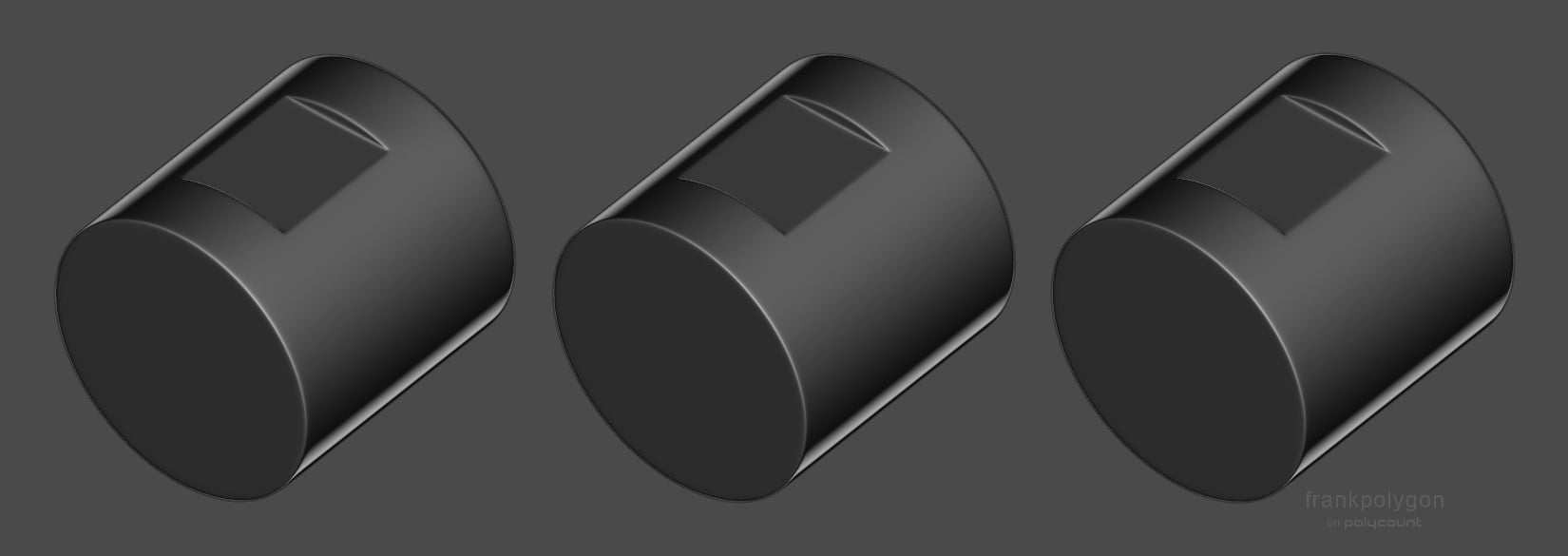 Lots of good advice so far. It's probably worth using all this feedback to create a few samples then compare the results, from a typical player's point of view, to see what works and what doesn't. Though it's also worth asking: How sharp is sharp enough and how good is good enough? As an example: Here's three cylinders…
 -
Blender : low viewport performance
 first off, i'am back online i was moving from dortmund to wolfsburg (germany) for my new job as virtual media developer :) (thx polycount) now to my problem i bought myself a new workstation last year and this is bothering me for quite some time now blenders viewport seems to get really slow if you are working on something…
 -
Re: [WIP] Vintage Hand Drill
 Thank you! Yes, i will fix UVs after creating the low poly.
 -
AO baker suddenly slow?
 About a few weeks ago the AO baker suddenly became super slow. I used to be able to bake 4096x4096 textures with 512 rays in like 10 minutes, but now it takes like 2 hours. anybody notice anything similar? the settings im using is match by mesh name unified normals on occluder distance 0.00001-0.1 relative to bounding box…
 -
Answered: Quixel 3DO painter slow performance
I'm having trouble with the painter, when selecting a brush the tool becomes extremely slow, it takes forever to just select a brush. I have a 980ti and a i7 6700K so i don't think the hardware is the issue. The problem is even worse when dragging the brush categories -
3dsMax viewport very slow sometimes, help
 hey anyone know what cause slow viewport when working on hp models, like 1mil sometimes it movies fast and sometime it take like 10 sec to just rotate it its really annoying :( im using max 2013 what would be the best setting for speed?
 -
Slow frame rate question
Hi, I'm rendering out a simple character turntable with 200 frames at 24fps. If I play the 24fps turntable in Maya, its very fast and I want it to be much slower. If I set it to 120fps I get a nice gradual turntable but at the cost of 2000 frames to be rendered. :/ Never done an animation/turntable before so was wondering… -
3dsmax Render to texture window very slow to open
 hi my 3dsmax Render to texture window seems very slow to open, I tried it multiple times changed some setting the result still same.. anyone know what happen? thanx in advance :)
 -
Maya high quality rendering is slow with 4096s.
 I'm having some trouble around the office working with 4096 maps. One 4096 is fine, add a second 4096 and it's hella slow. Is there anything I'm doing wrong? It's just crazy to me how maya can't handle more than a few texture maps in HQR. Using Maya 2011 x64.
>68832 results