Search
-
Advanced Skeleton -- Softmod cluster control axis gets weird after parent joints translate?

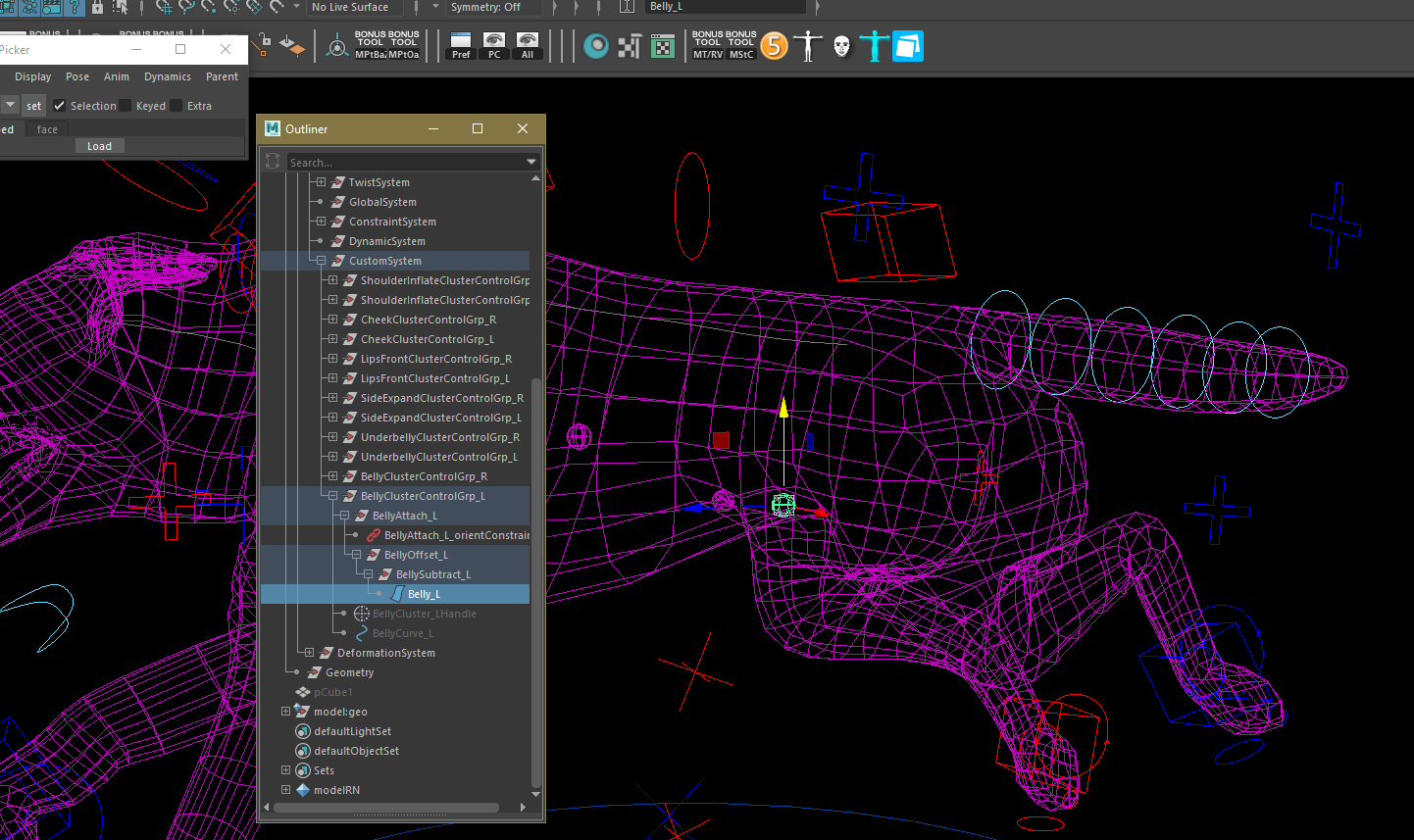 Hello, I am using the latest version of advanced skeleton in maya 2018. I am using a modified version of the cat demo rig. The only modifications I've made are on the feet and face, and the addition of softmod cluster controls which I use for correction/volume loss. The selected softmod cluster control's behavior becomes…
 -
Re: Exporting out Armature/Bones
 - Export a skeletal mesh model as FBX from your application of choice. - Check that it opens up fine in FBXReview. FBXReview is the official tool provided by Autodesk to do exactly what it says : reviewing FBX models. - Import this skeletal mesh into UE, leaving everything as default. These are all the steps you need to…
 -
Re: Maya animation transfer
 Character sets and Trax wont help. With HumanIK you can pretty good transfer animations between diferent biped skeletons. As it comes to custom rigs, what I do is to create a skeleton that matches all the controls of your rig (duplicate the rigged one), constrain your controls to this skeleton, and then transfer your…
 -
Maya to UE4 Skeletal Mesh Character with LODs, missing UVs after importing in UE4
 I have Maya LT 2018.3 and Unreal Engine 4.19. I have a skeletal mesh character with a base mesh and 4 LOD. They are all skinned to same skeleton and control rig. I exported using FBX 2016/2017 inside of Game Exporter in Maya LT. When I import to UE4, I checked "Import LODs" and the base mesh looks great with the material…
 -
Robot skeleton
-
Export Skeletal Mesh from UDK (Question)
So here's the question: How can I export a skeletal mesh (one that is cooked) from UDK into a usable file for 3ds max 2012? The reason I want to do this is because I'm in a group project in a level design class (and I'm relatively new to UDK) and the professor wants 2 custom mesh's in our level whether it be vehicles,… -
Skeleton Warriors

 Hi, Some time ago I made these characters for Flying Wild Hog. Unfortunately second one was stopped on high poly. Models were made based on concepts by Maciej Birkenmayer.
 -
Exo Skeleton Soldier.
 Hi all, been working on this character. Would like to know what people think. Thanks. Reference by Vadim ~slipgatecentral: Model-WIP:
 -
Exo-skeleton Drill
This is for my modeling class. At the moment I'm just blocking it out, but I'm definitely open to any critique, or pointers or whatever. Reference: Current Progress:

>3497 results