Search
-
Garrus Vakarian - Mass Effect

 So during my free time in the past few months I've been working on my own design for Garrus from the Mass Effect series. I'm just 2/3rds of the way done with him. I've just finished texturing his torso piece. If all goes well, this material can be applied to the rest of his hard-surface armor with minimal effort. Sculpted…
 -
Re: Sketchbook: sacboi

 Dave Prowse A Tribute To mark the passing of the man behind the mask. Born 1935 - Died 2020 Vale
 -
mark zhang concept art and sketches

 Hi all, I am Mark Zhang, a concept designer. Here are some of my works and exercises... all critiques are appreciated . :) :)
 -
Re: BlendColors node in Maya doesn't support V-RayMtl?

 hmmm... so VRayBlendMtl seems to work, however it also masking out the shading (masking out the reflection) In this image you can see the Sclera and Cornea, with the iris area being black (as a guide which will be masked out to be transparent) which is over the iris geo. Here is a render using the VRay Blend Material: If…
 -
Mark of Chaos trailer
 ...or, Why doesn't Digic Pictures just make a Warhammer movie. Warhammer Mark of Chaos Trailer (on YouTube) Theres probably a higher rez version of it somewhere, but YouTube was the quickest. The texturing and rendering in this is absolutly incredible. As is the direction, I got goosebumps when the Chaos warriors start…
 -
Likeness Practice Mark Hamill

 Hey all, I've been attempting a likeness of Mark Hamill and would love to hear your feedback on what I can do to improve it and get as close to the actor as possible. Thank you in advance :)
 -
MASH Project 01 : Cube
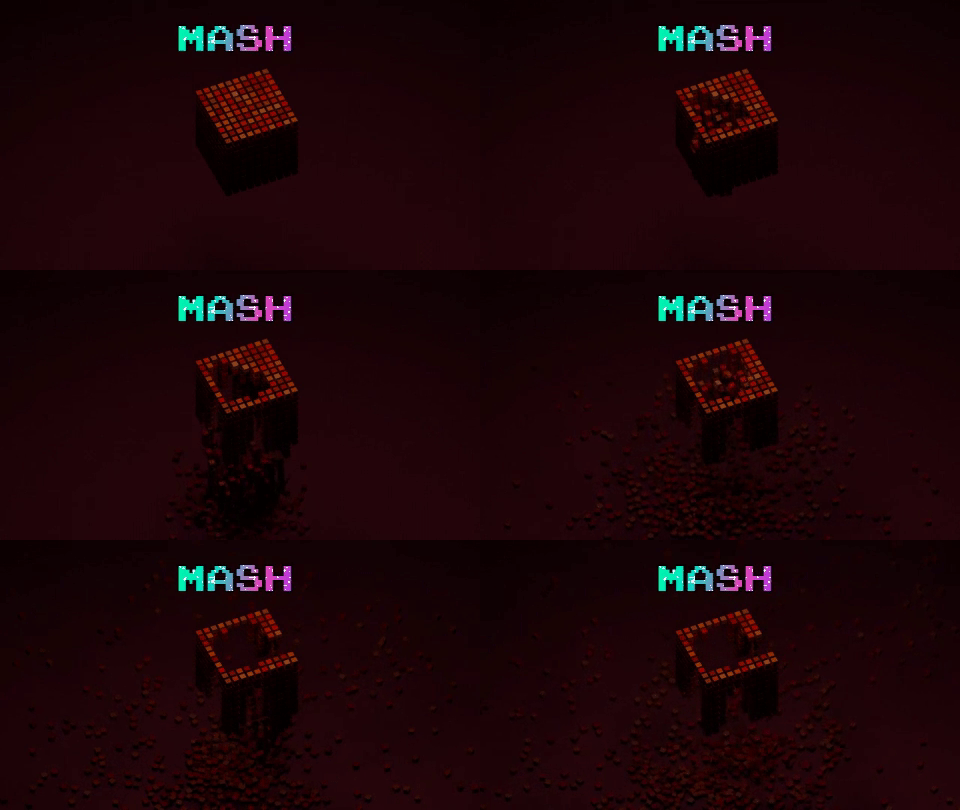 I really like to use MASH in Maya because its really easy and efficient. I hope you like it and give feedback. Thank you :smile: My blog post : https://gadsby.me/mash01/ https://vimeo.com/237703141
 -
Retrogasm 2018 - Mark of Kri - Rau Fanart

 For Retrogasm contest my entry is Rau from Mark of Kri:
 -
Re: Dismal Mountains
 You can also just copy-paste a layer directly into a mask, without the need for selecting color range. Start with doing a select all on your AO layer and copy it, then hide that layer and create a new empty mask on the diff blend. If you hold ALT and click the mask icon, you'll enter the mask itself and can paste right…
 -
Star Citizen assets workflow questions
Hi, I am fairly new to realtime/game asset creation, although I have lots of experience as a 3D generalist for past 9 years (offline rendering). I am trying to find a streamlined workflow that would allow me to effectively produce high quality assets for UE4 as fast as possible, meaning more procedural and less manual…
>40561 results