Best Of
Re: Tech Artist - What are you working on: FOREVER Edition!
Hi all, I'm working on using a Python port of the Clipper Lib (by Angus Johnson) to clip Maya curves and use the result for extrusion (in this case to simulate semi-random bricks):

PS: long time lurker, first post here ;D ... hey, how come my gif doesn't show/play "inline" but I need to click on it?!
EDIT: Oh... I just had to upload it as image 😅
 azrafe7
Re: WIP - Maz 537
My thread is kind of dead,so I've decided to give it a bump.I've worked a lot on the model and I've updated the results on Sketchfab constantly,it's taking shape slower that I tought but I will get there eventually.The thing is it has a lot of parts,and even if they are simple shapes like bolts,cilinders,etc. it still takes a lot to retopo them manually.Anyway,I will repost the Sketchfab link,even if it's just a post above 😁
 andreygheorghe
Re: What Are You Working On? (3D) 2022
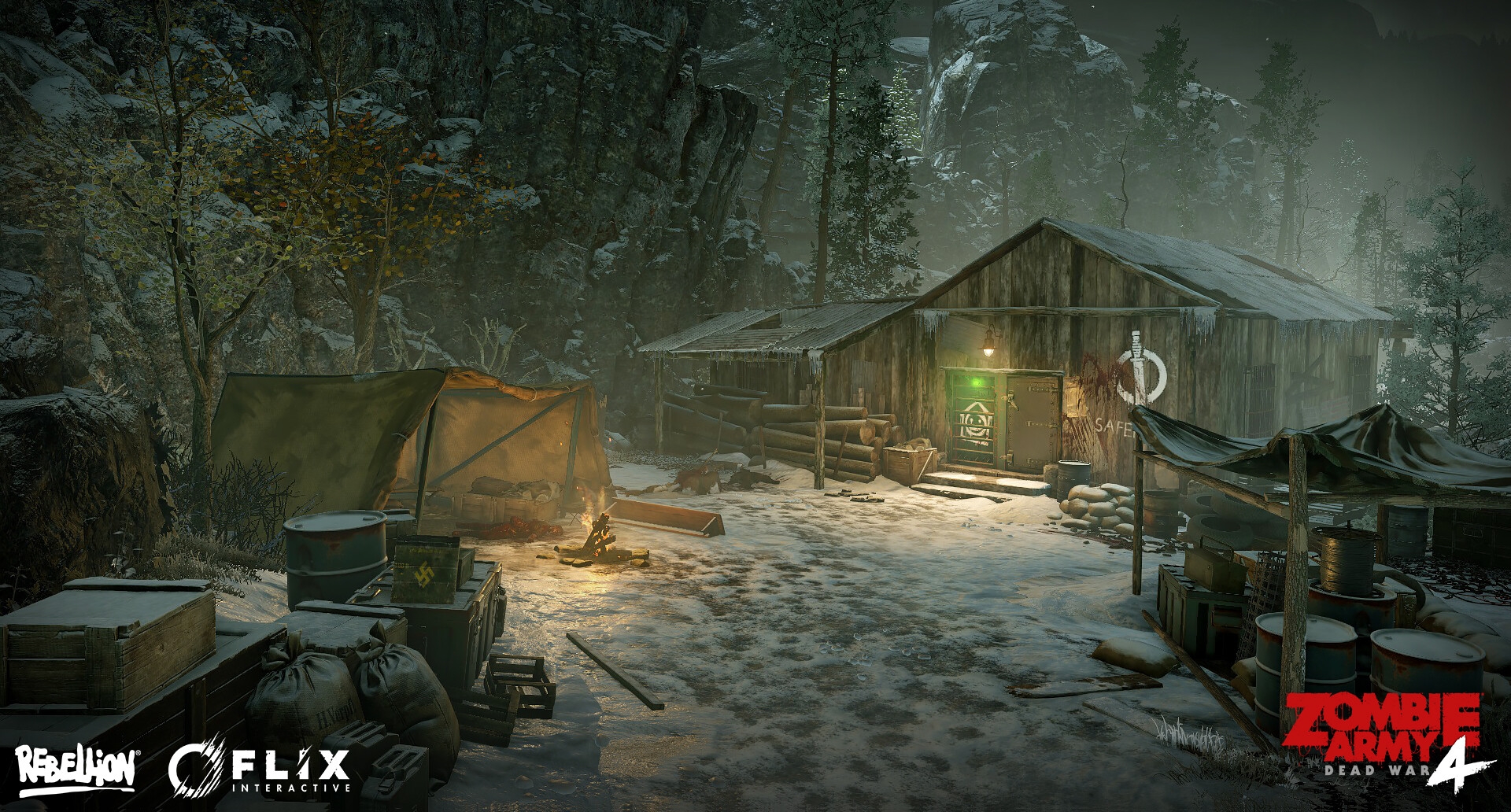
One of my environments I made for Zombie Army 4 which I just got round to adding to my artstation! 😄
 HannahDickson3D
Re: What Are You Working On? (3D) 2022
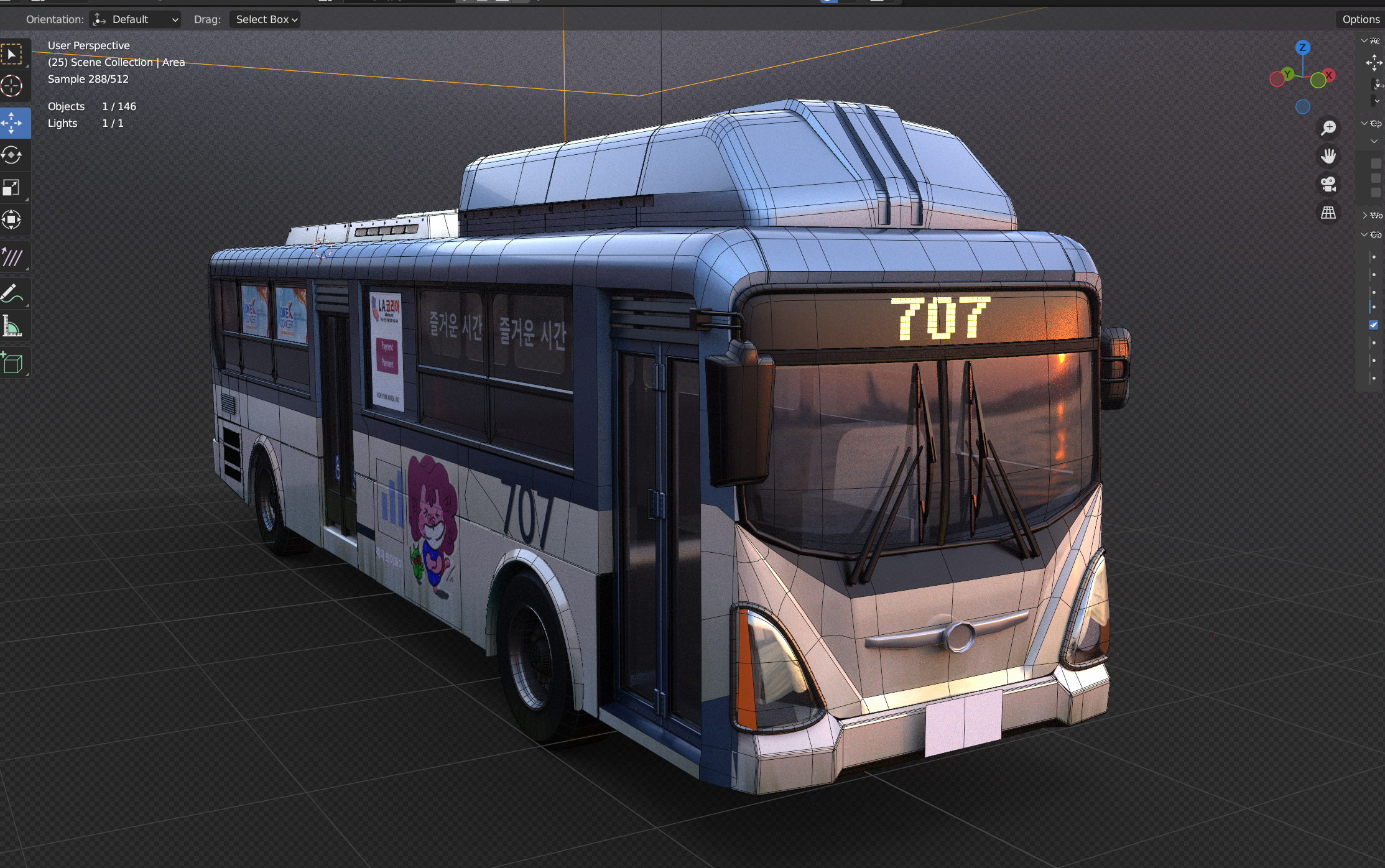
update on the refinement , started using booleans in certain areas
no subd apart from the few bits and pieces
 Ruz
Ruz
Re: AI Art, Good or Bad? A (hopefully) nuanced take on the subject.
Hmm, looks like theft to me.

 Eric Chadwick
Re: How The F*#% Do I Model This? - Reply for help with specific shapes - (Post attempt before asking)
@naman Looks like the subdivision artifacts are caused by a combination of issues. The curvature at the bottom of the guard is deformed by the intersecting shape and the extraneous loops that run across the intersection are pinching in the corners.
Similar to the previous examples: both of these issues can be resolved by using the existing geometry in the curve as support and terminating the extraneous support loops with a triangular quad, n-gon or triangles.

Another option would be to increase the number of segments in the curved section. Which would provide a path for each of the support loops on the intersecting shape but would also make the base mesh too dense to edit efficiently. These results aren't much better than the previous topology strategy. So, all of the added geometry doesn't really make sense on something so small.

Most smoothing artifacts on curved surfaces can be resolved with the same basic subdivision modeling strategies: line up the segments in the adjacent shapes, use the existing geometry of the curve as support loops for the base of the shape intersection, and either join the support loops from the shape intersection into existing segments on the curve or terminate unneeded support loops between the edges at the base of the shape intersection.
 FrankPolygon
Re: AI Art, Good or Bad? A (hopefully) nuanced take on the subject.
Right, why commission an artist? In fact, why not accept commissions in their stead?
When a market is saturated it loses its value and profitability.
People who are artistic actually don't need to use the software to make something meaningful. In fact, creating art is a form of meditation, it's how they become artistic and develop creative skills. Art comes from time. Using a software like this prevents them from improving.
The black community and their artists are doing fine without AI. They've a deep cultural art history and a supportive base who love it. Their community have many talented artists to champion and inspire others from within it.
 killnpc
Re: How to make Rainbow Color Reflection? Please Help

it's dotproduct of a view/camera and a pixel normal vectors ( Fresnel gradient) remapped to some special cube map texture or a gradient . pretty sure should be doable in SPainter too but i never tried. In Blender viewport it's simple like this .
gnoop
Re: What Are You Working On? (3D) 2022

just finish my env💙 https://www.artstation.com/omar8-bit
 omar_sami
Re: AI Art, Good or Bad? A (hopefully) nuanced take on the subject.
Hehe :D
A new report from the trenches. One new microtrend amongst AI Bros seems to be "Niji Journey", a generator trained on anime/east asian images more specifically. Here is a tutorial page on how to use it, directly from "AItuts". The wording is clear as day.
https://aituts.com/how-to-use-niji-journey/

The more I read about this, the more I feel sad about ... the users themselves. This really is consumerism/instant gratification taken to the next level.
 pior
pior