Best Of
Re: How The F*#% Do I Model This? - Reply for help with specific shapes - (Post attempt before asking)
The only trick I have for models like that is use so much geo that the width of the bevel at the intersections is the same as the spacing of the edges around the pillars. It's never going to be perfectly clean, and you could delete some of the edge loops after modeling out the intersection. If I just needed a clean high poly and simple low poly I'd just use sculpting software. Only for subdiv or nanite would I worry about modeling it super cleanly, but even with nanite you can get aware with using sculpting geo.
 ZacD
ZacD
1 ·
Re: How The F*#% Do I Model This? - Reply for help with specific shapes - (Post attempt before asking)

I'm not a 3D modelling expert by any means, but I believe the key here is to model the whole thing with a not so dense mesh. I've spent a little time with it and started with a 12-sided cylinder. That way, you have better control over the intersecting parts. I recorded a time-lapse, so maybe it'll help you in some way. It's not perfect or finished at all—there are some triangles here and there, and overall it would need more time (which I don't have), but hopefully the point is clear:
 https://youtu.be/0RkImxRA3Rg?si=SGzmB5d9Tm4TmGvd
 lighthouse3d
2 ·
Re: [Finished] The Road Grandma
Nice work! No wireframes though? Any statistics to share, like poly count, texture sizes, etc.?
 Eric Chadwick
1 ·
how to mimic DOOM 3 Style ?
hello guys , i need you advices and opinions about creating environement similar to Doom 3 , i want to mimic the architecture and the textures ...
and the most hard part is how to create a playable space , that makes sens... you know what i mean :shifty:
thank you !
and the most hard part is how to create a playable space , that makes sens... you know what i mean :shifty:
thank you !
 hypnos
1 ·
Re: [Game Art] Modular Kits related Issues
So the wood panel is something you want to sculpt (not the rest of the wall).You want to sculpt the bent corner with some detail and probably some other surface detail into the panel. but not have the ends be affected by either dynamesh or subdiv shrinking, you want the final geometry to be clean so it snaps up in engine. You only need the game mesh to snap in engine, so it matters less how accurate the high if to snapping.
Assuming you don't care about the sculpted details tiling from end to end on the bent panel, one thing you can do is extend the high poly mesh at the sides to give you some extra area to avoid issues with ray misses at those ends, adding something extra there for the bake is essential really anyway, be it another copy of it self tiled one grid over or just adding some extra geo on the high poly to help> otherwise your bake might have some goofy pixels if the high poly just ends exactly there.
I'd personally be tempted to sculpt the panel flat, If I were to bother sculpting it, tile sculpt it properly. For specific detail on the bent corner> I'd spend time developing a decal sheet for mesh decals and have a strip on that decal sheet that I use for some corner dmg. It appears to be such a minor detail I wouldn't complicate things just for that tbh. Spend the dev time elsewhere in the scene and not over complicate a little bent corner where you have a whole modular tile set to worry about.
Another way might be like what I did here> all the wooden parts on these modular tile pieces I did as a trim sheet in substance designer and just poly modeled over that as a section and built the whole tile set out of that. The corner is just the big panel terminating into a sliver as a panel, so I basically didn't even address it as it looked ok (and I was trying to shave time anywhere possible so some things are scuffed)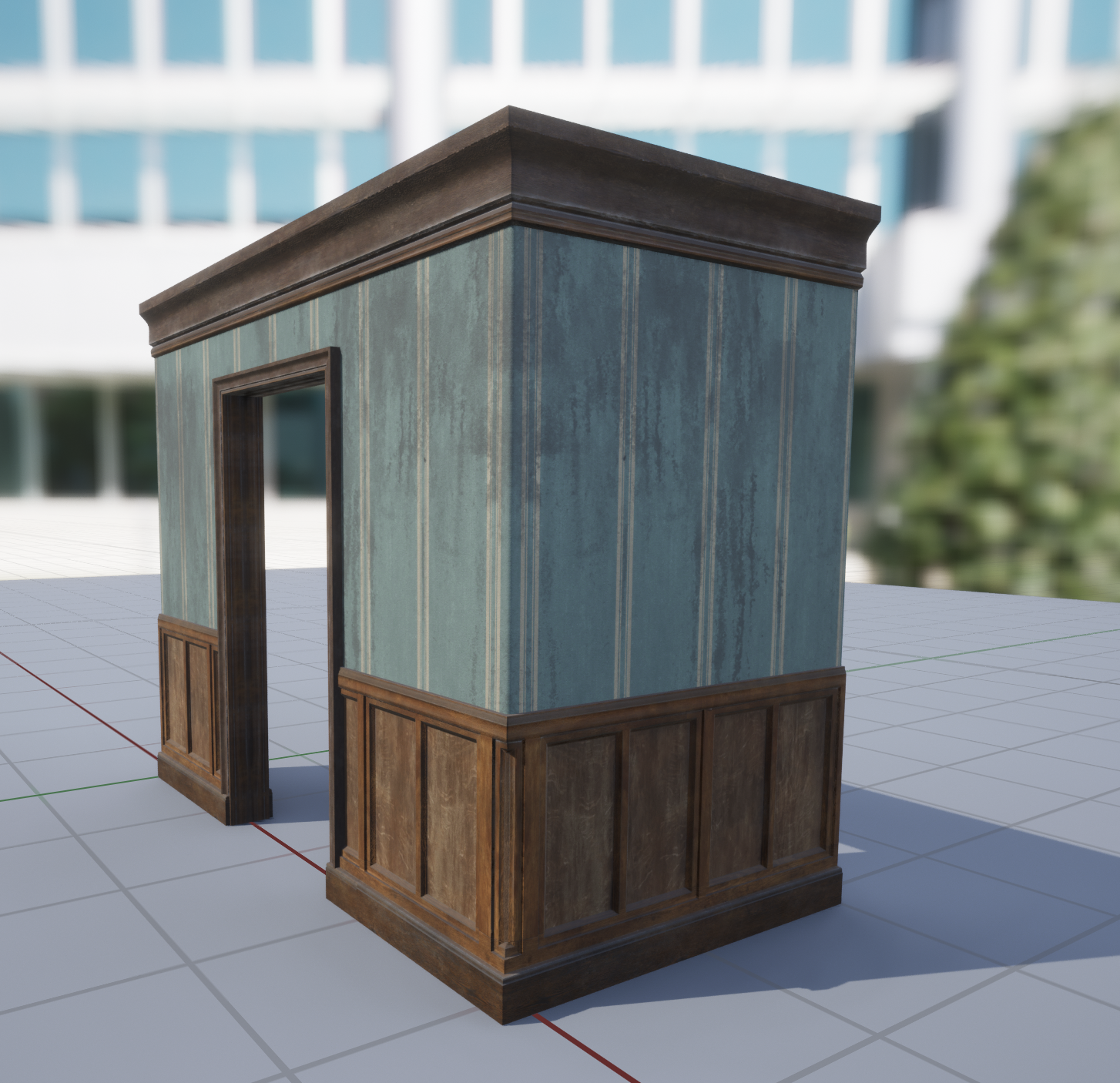
Assuming you don't care about the sculpted details tiling from end to end on the bent panel, one thing you can do is extend the high poly mesh at the sides to give you some extra area to avoid issues with ray misses at those ends, adding something extra there for the bake is essential really anyway, be it another copy of it self tiled one grid over or just adding some extra geo on the high poly to help> otherwise your bake might have some goofy pixels if the high poly just ends exactly there.
I'd personally be tempted to sculpt the panel flat, If I were to bother sculpting it, tile sculpt it properly. For specific detail on the bent corner> I'd spend time developing a decal sheet for mesh decals and have a strip on that decal sheet that I use for some corner dmg. It appears to be such a minor detail I wouldn't complicate things just for that tbh. Spend the dev time elsewhere in the scene and not over complicate a little bent corner where you have a whole modular tile set to worry about.
Another way might be like what I did here> all the wooden parts on these modular tile pieces I did as a trim sheet in substance designer and just poly modeled over that as a section and built the whole tile set out of that. The corner is just the big panel terminating into a sliver as a panel, so I basically didn't even address it as it looked ok (and I was trying to shave time anywhere possible so some things are scuffed)
Ghogiel
1 ·
Re: Building a GPU powered painting program.
Having this specific target (= a software that a splash art illustrator could use to fully replace Photoshop) is definitely interesting. You've obviously thought this through already but here are some thoughts :
- First off I think the canvas control really would have to as close as possible to that of PS, or allowing enough tweaking to closely reproduce the PS input scheme (which itself has a few redundancies between newer hardware accelerated canvas behavior/inputs, and legacy inputs). Spacebar pan, scrubby zoom (ctrl+spacebar), Hand tool, ctrl+-, Alt for color picking, a held kew for rotation ... and perhaps many more I am forgetting. New/better concepts could be introduced too of course but I think seemingly simple things like making sure that the diagonal input for canvas zoom can be tweaked to behave just as expected by the user (as opposed to working in reverse, or cancelling itself out in some cases) is certainly no small task especially since users may come from different software. But perhaps you've already built this !
- As for PS image editing features I suppose you'll need all the basics : reliable implementation of Selection, Transform and Liquify ; support for layers, layer groups and blending modes ; effects like Outer glow, Cast shadow ; and so on. And probably PSD import and export. Basically recreating Photopea/Affinity image editing features ... which sounds like another huge task.
- That said I suppose that code for legacy image processing effects like Gaussian Blur, noise, pixelate and many more is widely available.
- Perhaps a more narrow goal could be to focus purely on raw painting, blending modes, selection and transform, and layers support - with layer effects being a lesser priority ?
-----
Personally I feel like the biggest issue with digital painting is the way tablet display devices like iPads and Cintiqs still can't reproduce the precision of regular drawing tools, forcing the user to zoom into the picture in the most unnatural way (hence constantly loosing sight of composition and perspective), but that's a problem that current hardware just can't solve as it comes from the limitations of pen tracking and display tech. Besides using non-display tablets, having a scanner or webcam ready at all times to acquire paper sketches is really the only way to work around this limitation and I often wish for a more integrated way to leverage this hybrid workflow - like being able to import/acquire scan or webcam data directly from within the painting app. But at the end of the day that's just a minor QOL detail as capturing from a webcam or scanner app is just an alt-tab away.
I also find myself wishing that painting apps were able to behave more like Pureref and Inkscape, in the sense of being an infinite canvas where one can freely compose many objects into, non-destructively.
I also find myself wishing that painting apps were able to behave more like Pureref and Inkscape, in the sense of being an infinite canvas where one can freely compose many objects into, non-destructively.
 pior
pior
1 ·
Re: Sketchbook: Tim Smith
And whilst I'm at it - here are the renders of a 3D head scan exercise I did during a mentorship:

 DustyShinigami
2 ·
Re: Sketchbook: Tim Smith
I should probably update this and post all the arm anatomy exercises I've done following a course. I still have a few left to do.
The first is just a muscle blockout using individual meshes to make up the muscles, whilst overlayed on skeleton arms:

This one is based the Bridgeman arm:

I think this one was from a chain-link blockout:

Realistic arms:
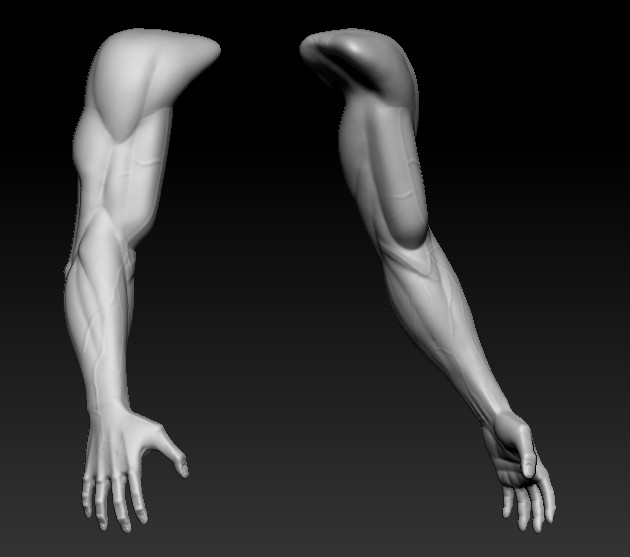
Planar arms:

Hulk/muscular arms:


Female arms:


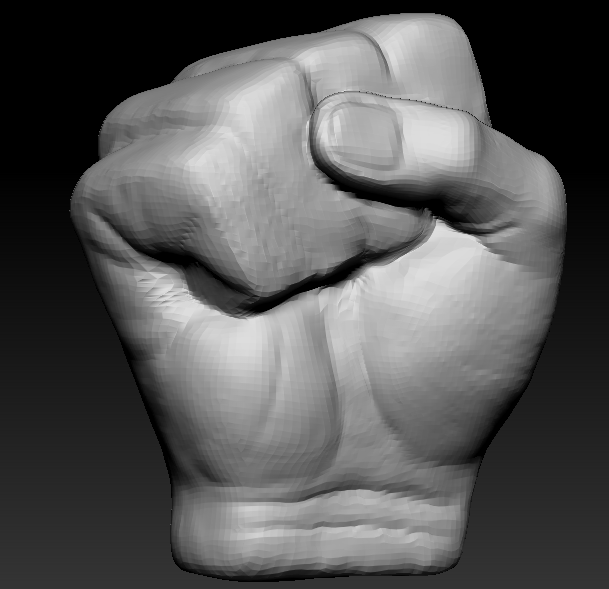
And the latest - a fist:



The first is just a muscle blockout using individual meshes to make up the muscles, whilst overlayed on skeleton arms:
This one is based the Bridgeman arm:
I think this one was from a chain-link blockout:
Realistic arms:
Planar arms:
Hulk/muscular arms:
Female arms:
And the latest - a fist:
DustyShinigami
2 ·
Re: Sketchbook: Zetheros
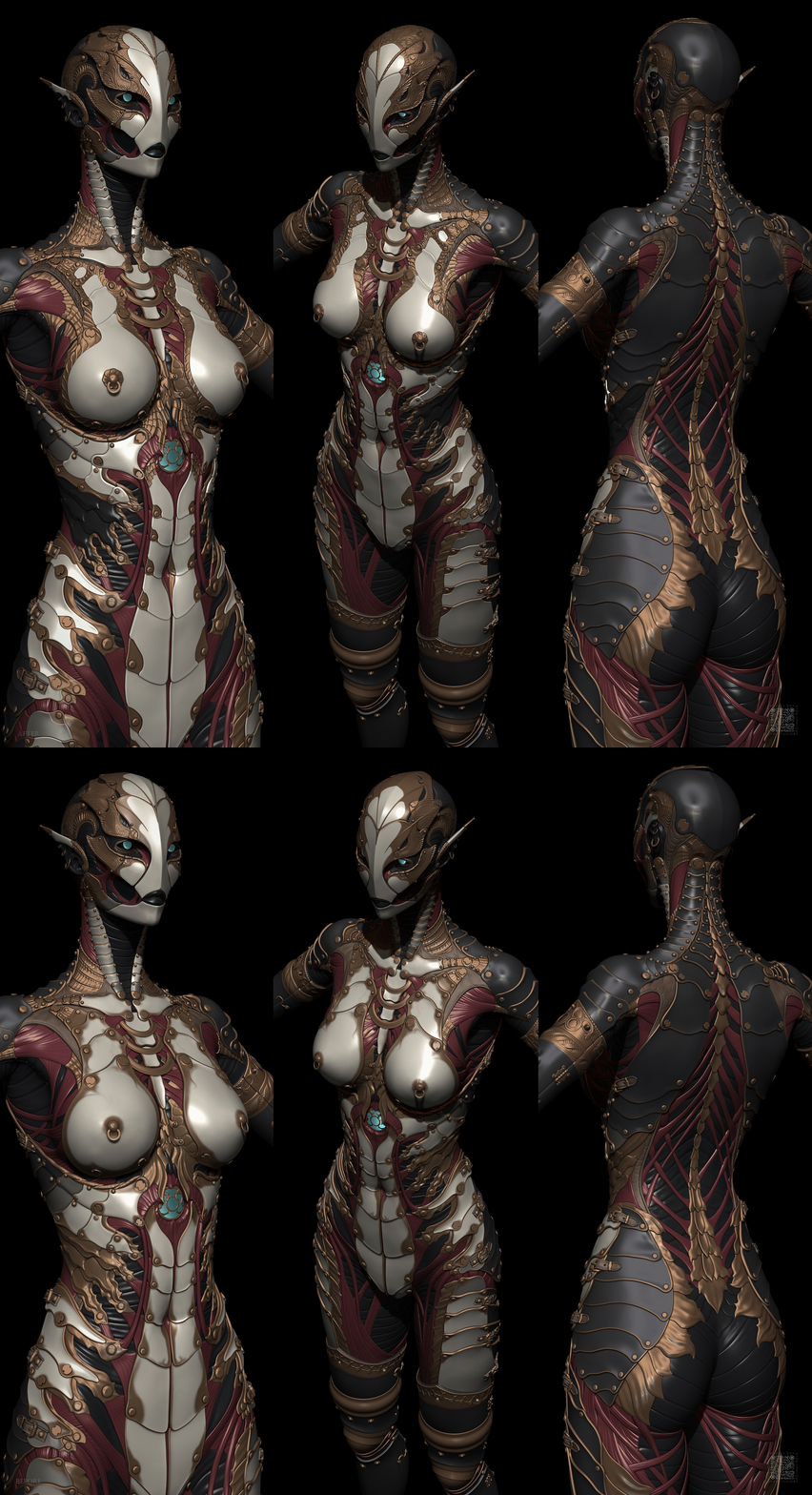
Got sick because I went outside to touch grass. Managed to get a bit done but once again, not as much as I'd like.
Have a great week!
Have a great week!
 zetheros
8 ·
Re: Gina (critique welcome)
@Firebert, thank you 
@pxgeek, well, it's "stock" in a sense that it's built with Blender's Geometry Nodes modifiers (a node-based system for procedural geometry).
I have a set of simple modifiers for generating hair from splines for baking texture (there are some hair modifier assets that come with Blender, but I can never get around to study them).
...and another modifier for generating the haircards (and now pre-defined hairclamps) on a spline - with this the resolution of the resulting haircard is based on spline's resolution, while its shape is sampled from an unwrapped "uv source" mesh.
The current version is messy though, because I was building it up as I went:

@pxgeek, well, it's "stock" in a sense that it's built with Blender's Geometry Nodes modifiers (a node-based system for procedural geometry).
I have a set of simple modifiers for generating hair from splines for baking texture (there are some hair modifier assets that come with Blender, but I can never get around to study them).
...and another modifier for generating the haircards (and now pre-defined hairclamps) on a spline - with this the resolution of the resulting haircard is based on spline's resolution, while its shape is sampled from an unwrapped "uv source" mesh.
The current version is messy though, because I was building it up as I went:
 stray
stray
2 ·