Best Of
Re: The Bi-Monthly Environment Art Challenge | March - April (101)
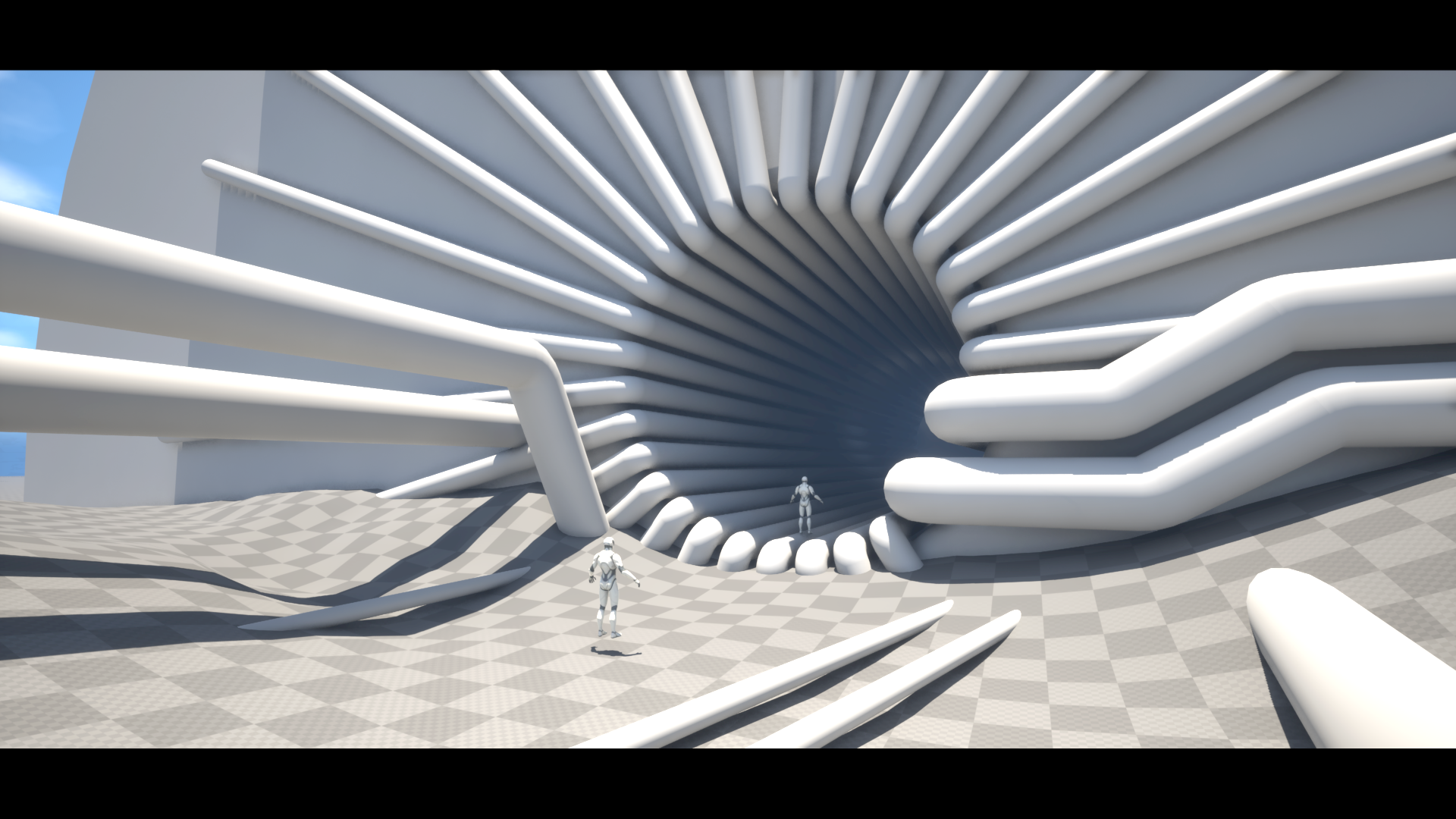
Decided to give this a go, begun blocking out the shapes and trying to find the camera angle. It was quite difficult to get it to somewhat match the reference, for now it will work. Next up some rocks and more detailed pipes.
 Azlios
5 ·
Re: The Bi-Monthly Environment Art Challenge | March - April (101)
Here's my first update!
Originally I was planning on trying one of the props, but since this stylised scene is made of simple repetitive shapes and textures I decided I could bash it out pretty quickly. So far I've blocked out the scene using Maya and Unreal Engine, and added some base materials and lighting. It was challenging to get all of the values correct, some of them are still a little off but hopefully I can fix most of this with post processing.
Next steps are to create some tileables, set up my master material so I can get some vertex painting in for the ground, then create a decal sheet for all of the stains and colour variation. Decal sheet will include normal decals for edge wear/cracks, leaks and stains and seams for the wall panels.
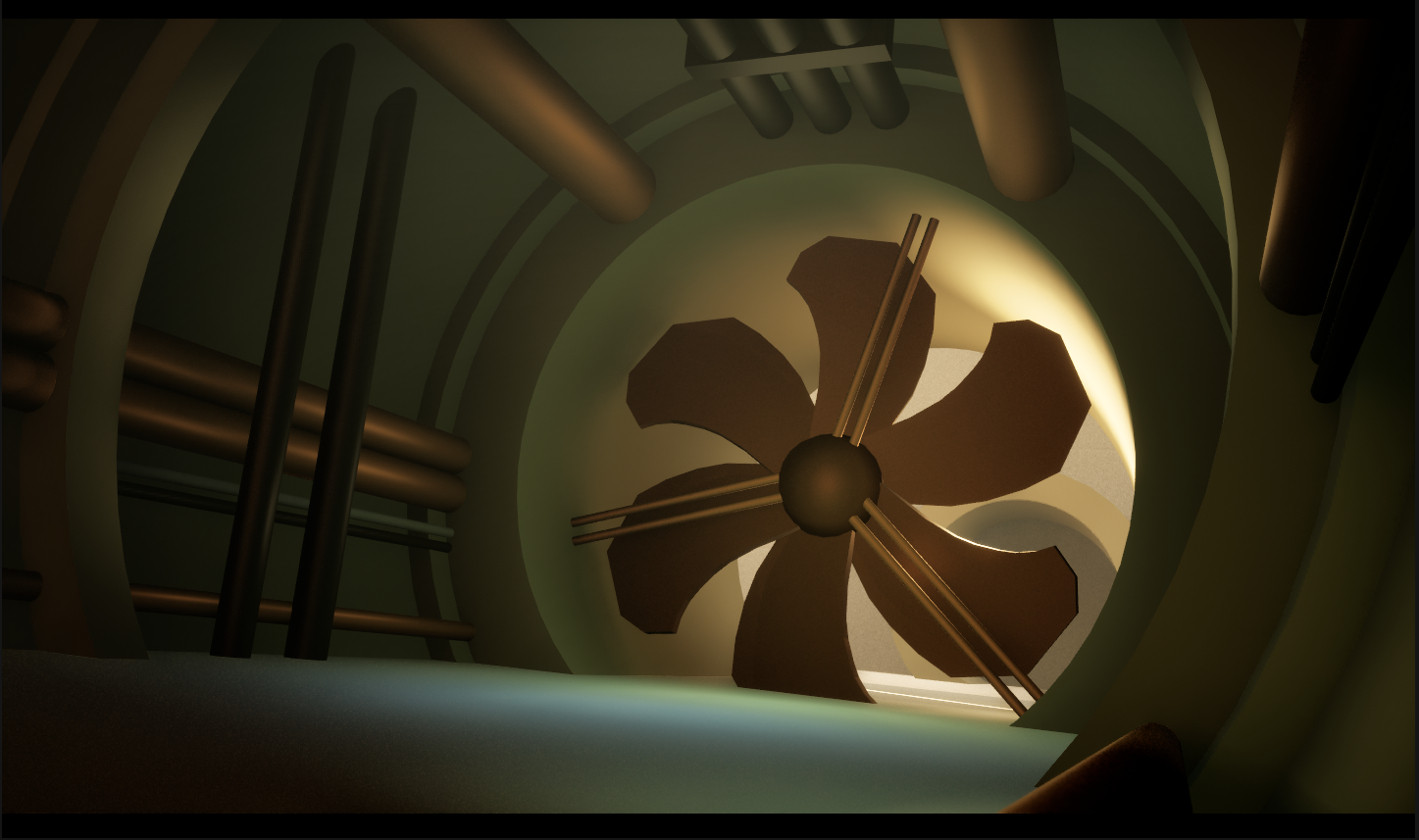
Originally I was planning on trying one of the props, but since this stylised scene is made of simple repetitive shapes and textures I decided I could bash it out pretty quickly. So far I've blocked out the scene using Maya and Unreal Engine, and added some base materials and lighting. It was challenging to get all of the values correct, some of them are still a little off but hopefully I can fix most of this with post processing.
Next steps are to create some tileables, set up my master material so I can get some vertex painting in for the ground, then create a decal sheet for all of the stains and colour variation. Decal sheet will include normal decals for edge wear/cracks, leaks and stains and seams for the wall panels.
 kit3clarke
4 ·
Re: RadCity: UE5 mid-poly assets
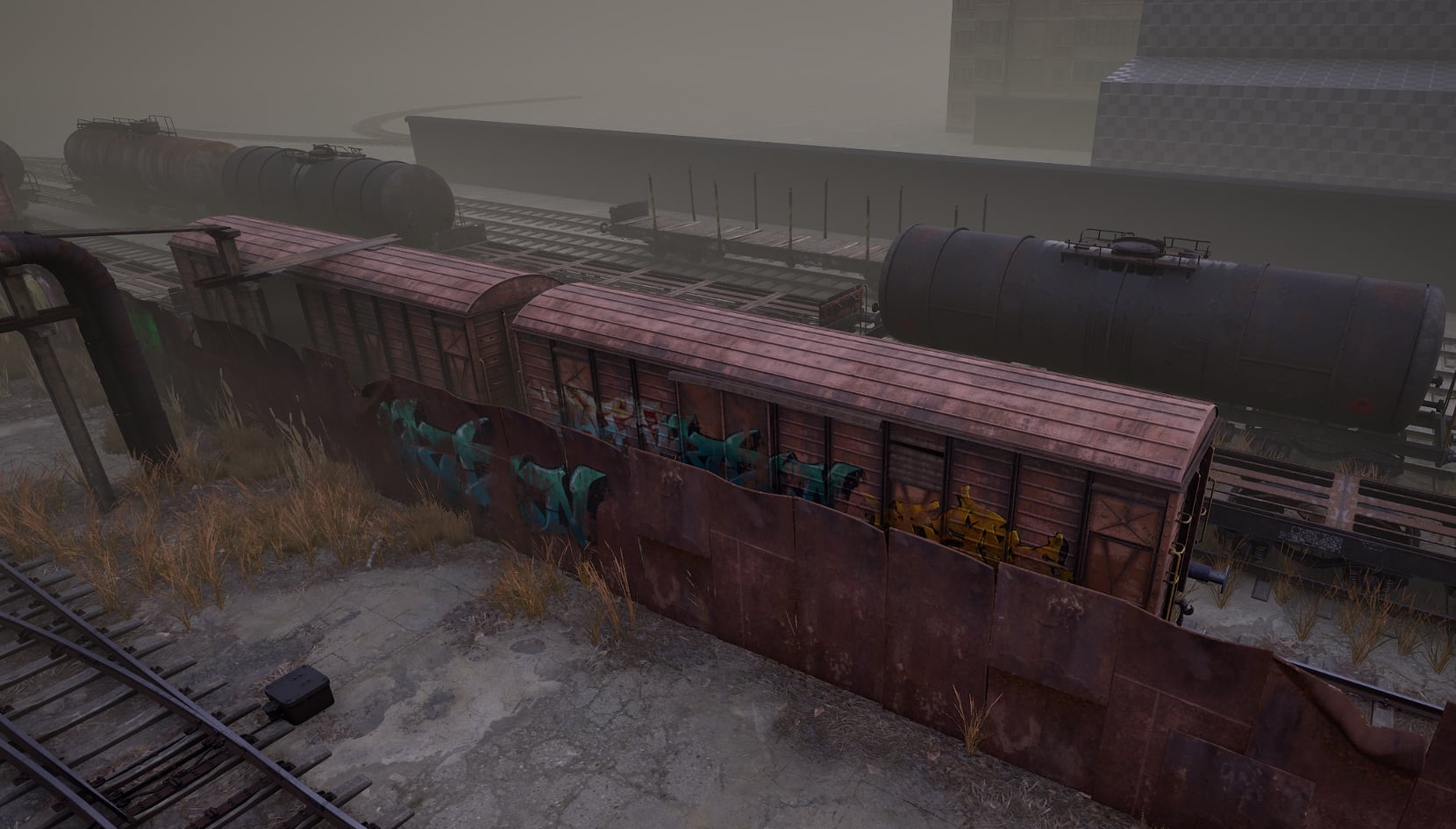
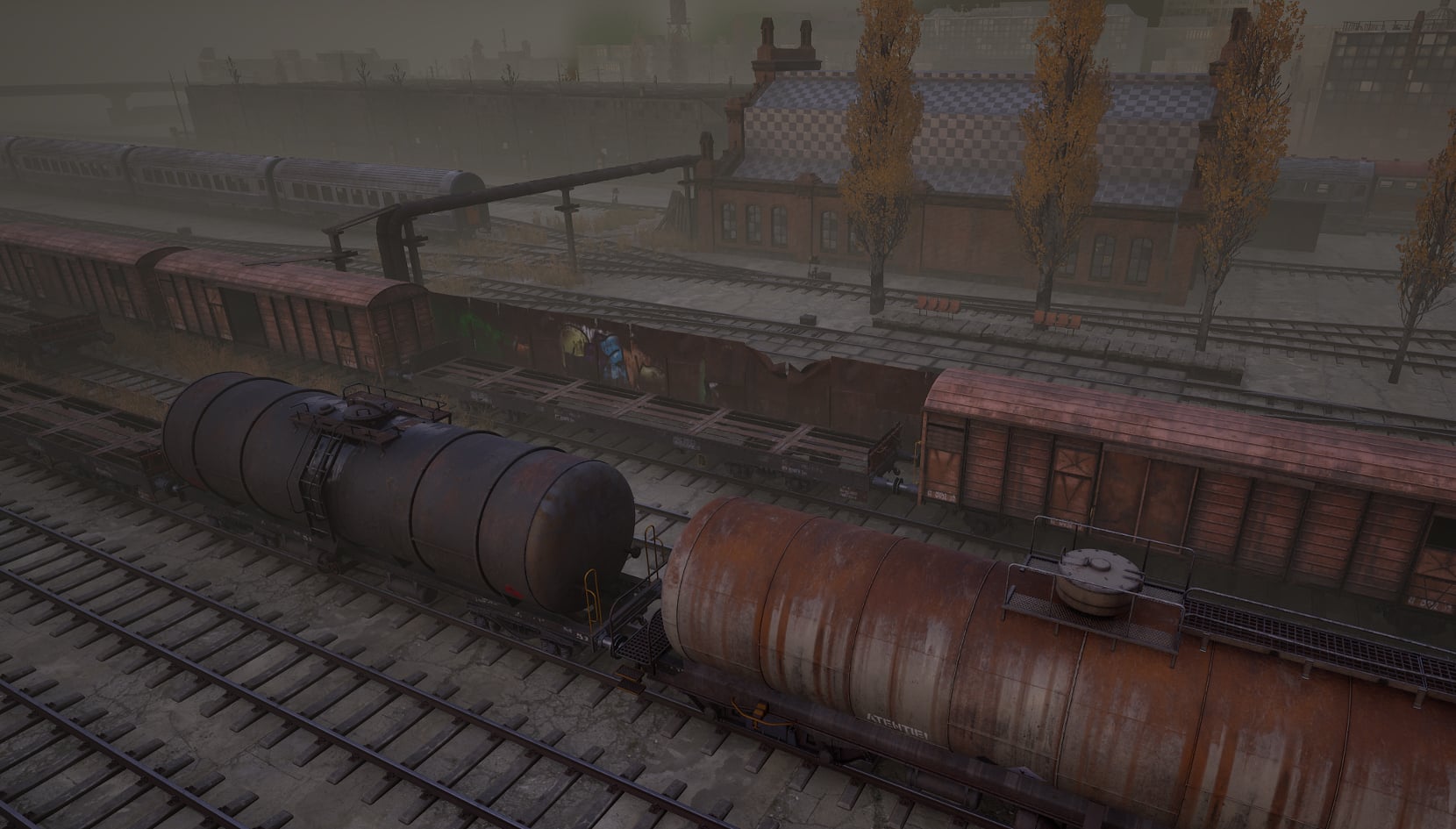
@aumramaram you mean like an ambient cubemap? there's only one skylight (+lumen) for now for all the daytime lighting, i'm trying to get a bleak look (sort of like in The Road)
this week I wrapped up more cargo train wagons for the train triage area in the map:
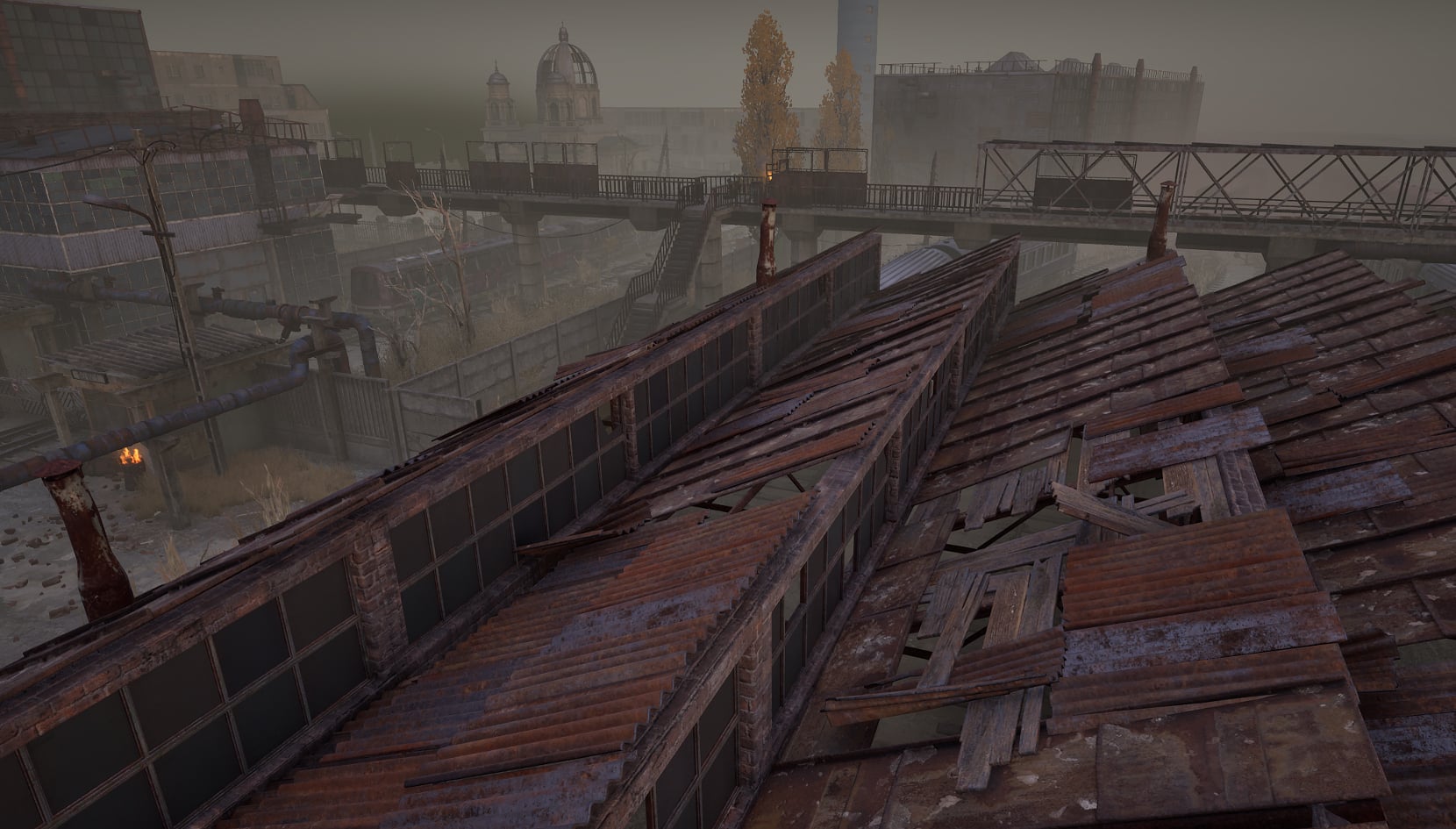
made a roof kit to be used on most roofs:
and now working on game buildings, the railyard (the main hub in the game for missions) :
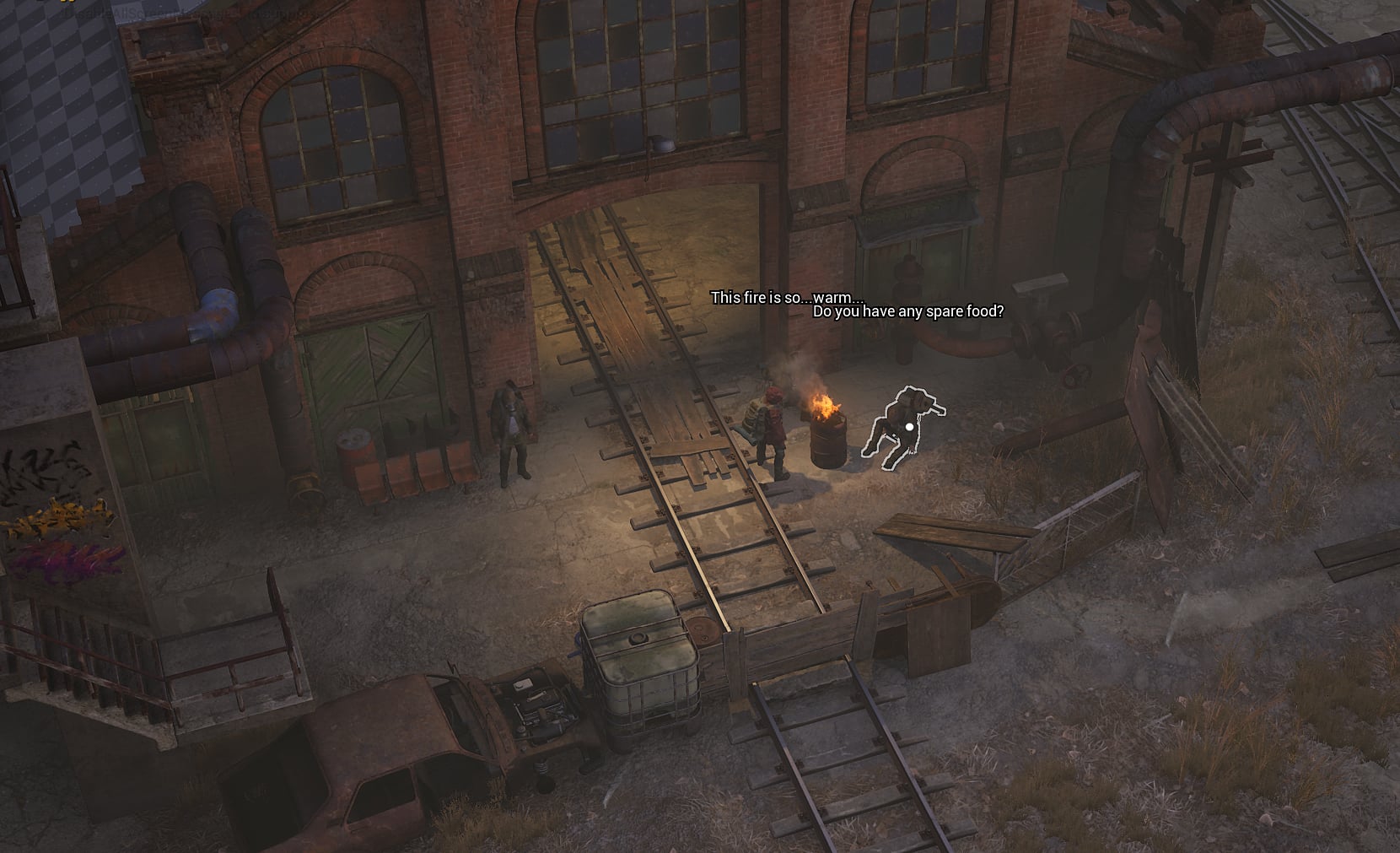
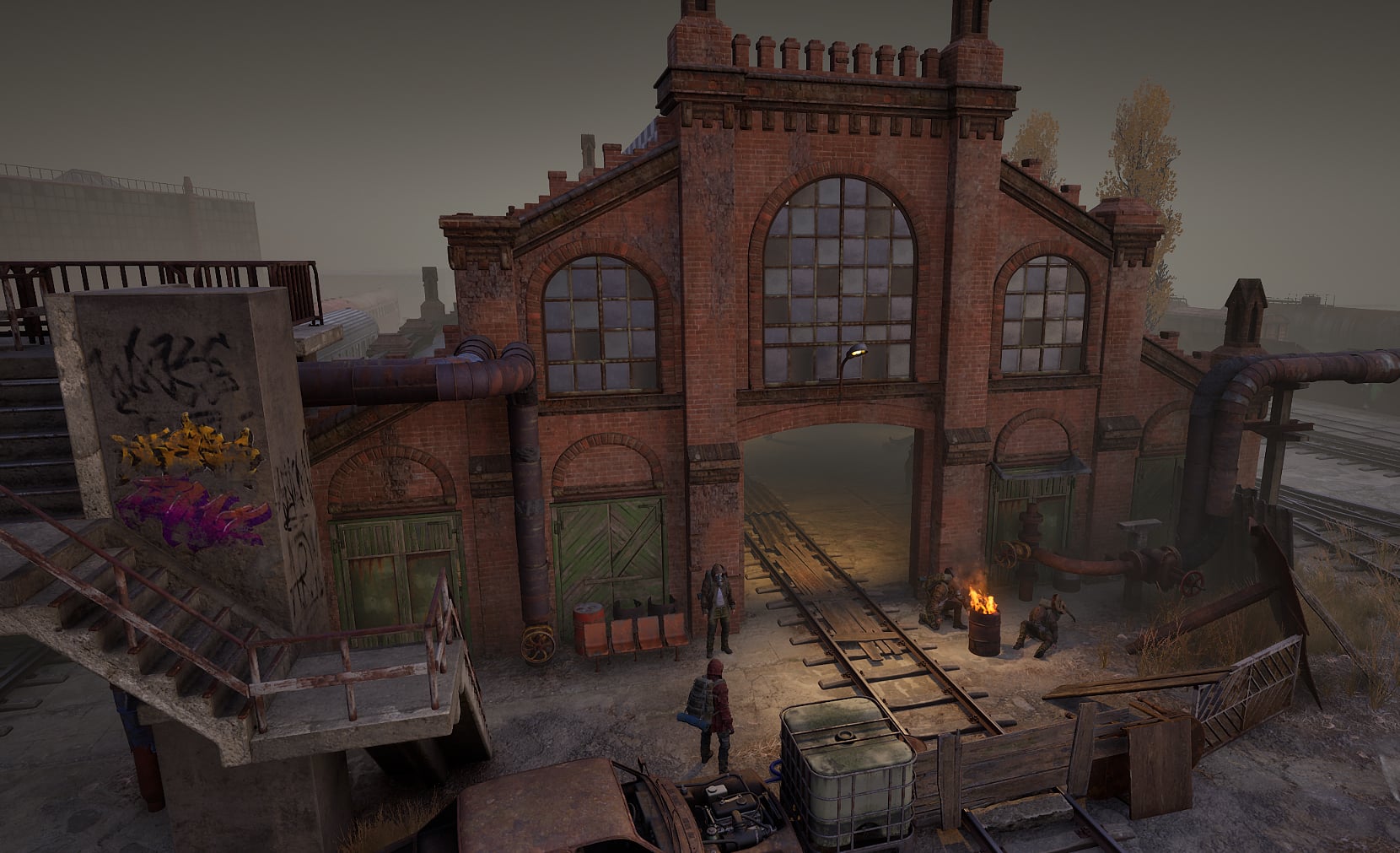
npcs are placeholders from fab for now until I get the time to make them
 huffer
3 ·
Re: How to model hard classic victorian couch
Welcome to Polycount!
A good way to learn how to model complex shapes is to give it a try, and post your attempt, like Fabi_G suggested. Then people are more likely to suggest ideas how to improve what you have. For example see How The F*#% Do I Model This? - Reply for help with specific shapes - (Post attempt before asking)
Polyhaven has a few similar chairs. They show only the lowpoly versions with baked textures, but examining them might give you some ideas.
https://polyhaven.com/a/ArmChair_01
@FrankPolygon has some amazing resources on modeling softgoods https://polycount.com/discussion/comment/2783158/#Comment_2783158 but many of the core subdivision modeling principles can also be applied for things like the wood scrollwork.
A good way to learn how to model complex shapes is to give it a try, and post your attempt, like Fabi_G suggested. Then people are more likely to suggest ideas how to improve what you have. For example see How The F*#% Do I Model This? - Reply for help with specific shapes - (Post attempt before asking)
Polyhaven has a few similar chairs. They show only the lowpoly versions with baked textures, but examining them might give you some ideas.
https://polyhaven.com/a/ArmChair_01
@FrankPolygon has some amazing resources on modeling softgoods https://polycount.com/discussion/comment/2783158/#Comment_2783158 but many of the core subdivision modeling principles can also be applied for things like the wood scrollwork.
 Eric Chadwick
3 ·
Re: RadCity: UE5 mid-poly assets
@jstins nice! I think a lot depends on game's viewpoint, since mine is top-down there is so much you can get away with and a lot that just doesn't matter at all.
For all the hard surface stuff I did the end result is pretty much identical to what I'd achieve with baking, except silhouettes hold up better with all the chamfers and extra details. If it's a first person asset I think a zbrush sculpt (but not quite millions of triangles) pass over them would be cool with dents, welds and others that will hold up better as geo not as texture details

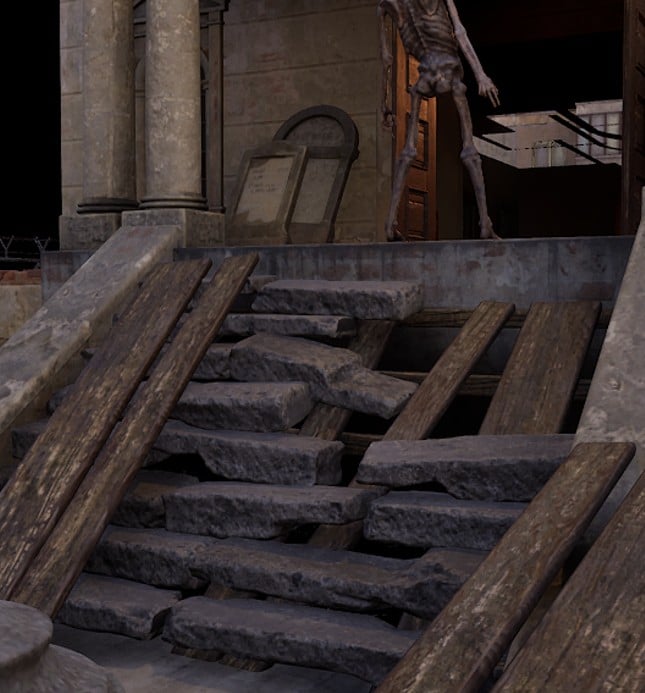
I tried different methods for more organic objects, either zbrush sculpts but decimated so I can unwrap and texture them easily, like the bricks debris and concrete panels here (very fast but messy):

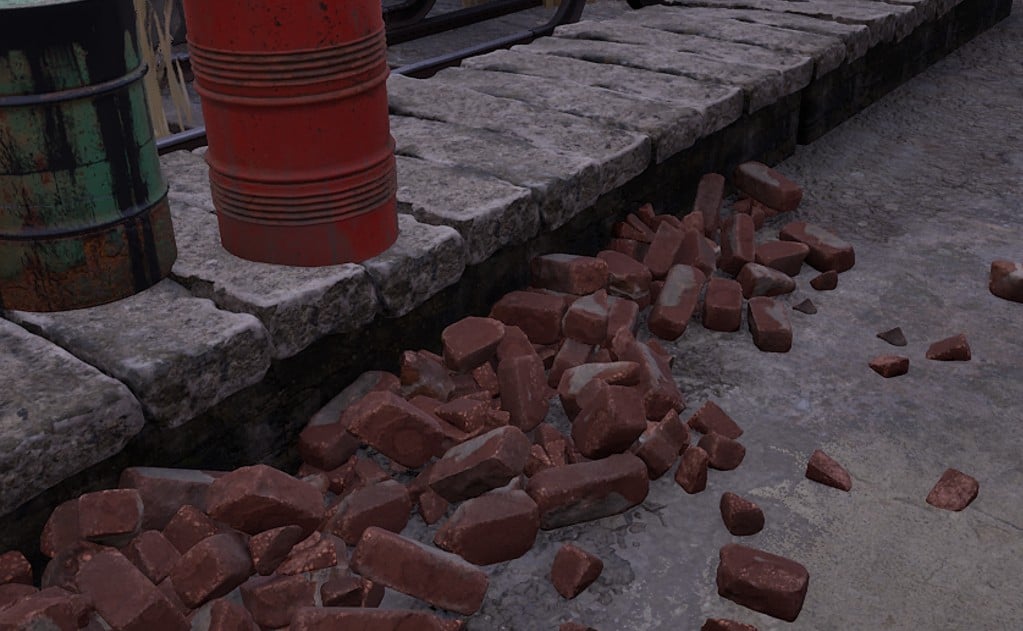
but for others I just did the normal workflow, retopo, and bake, (because baked curvature and AO detail was better). in my case I'm not sure it matters
 huffer
3 ·
Re: Shuttle Altair
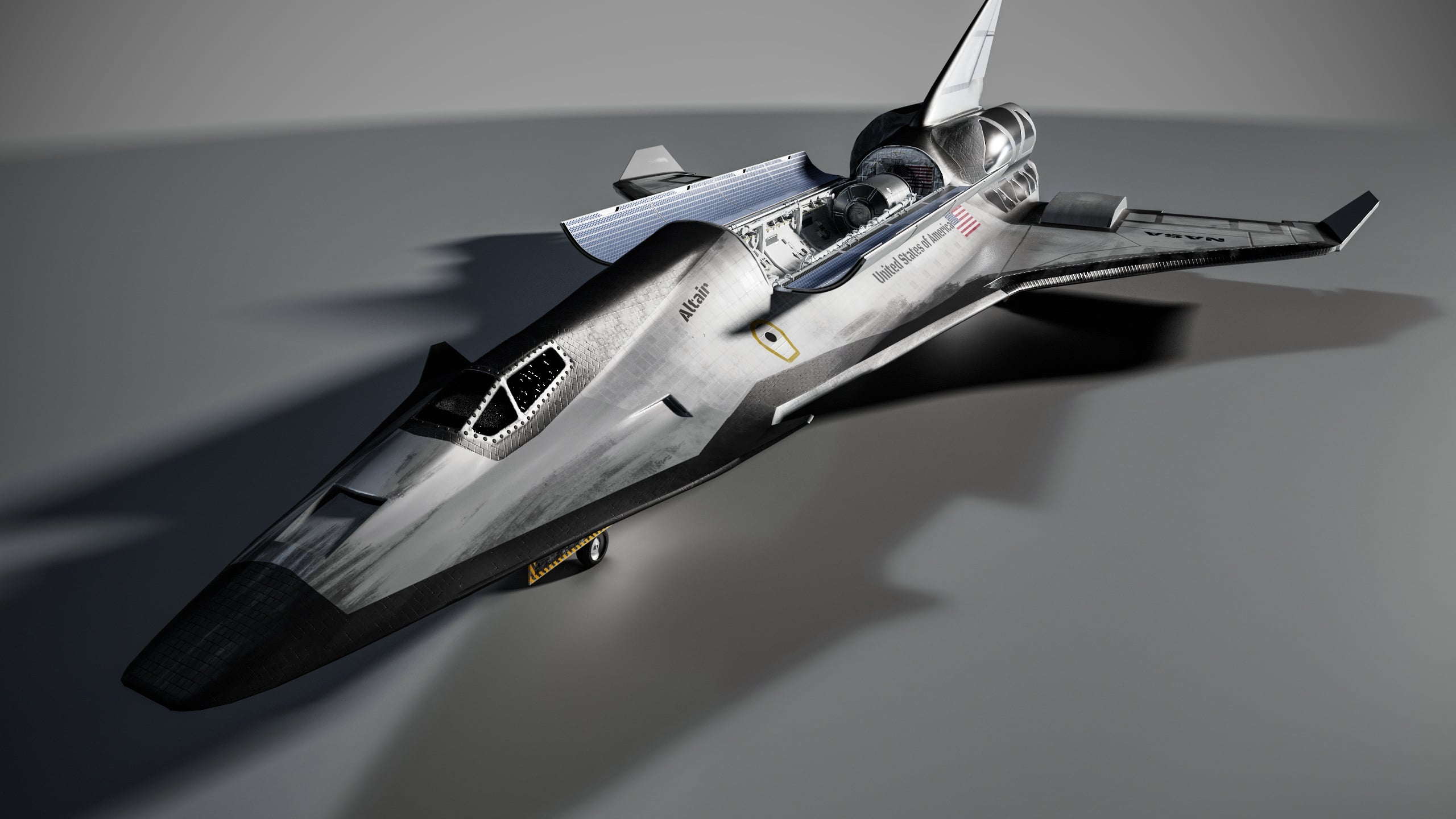
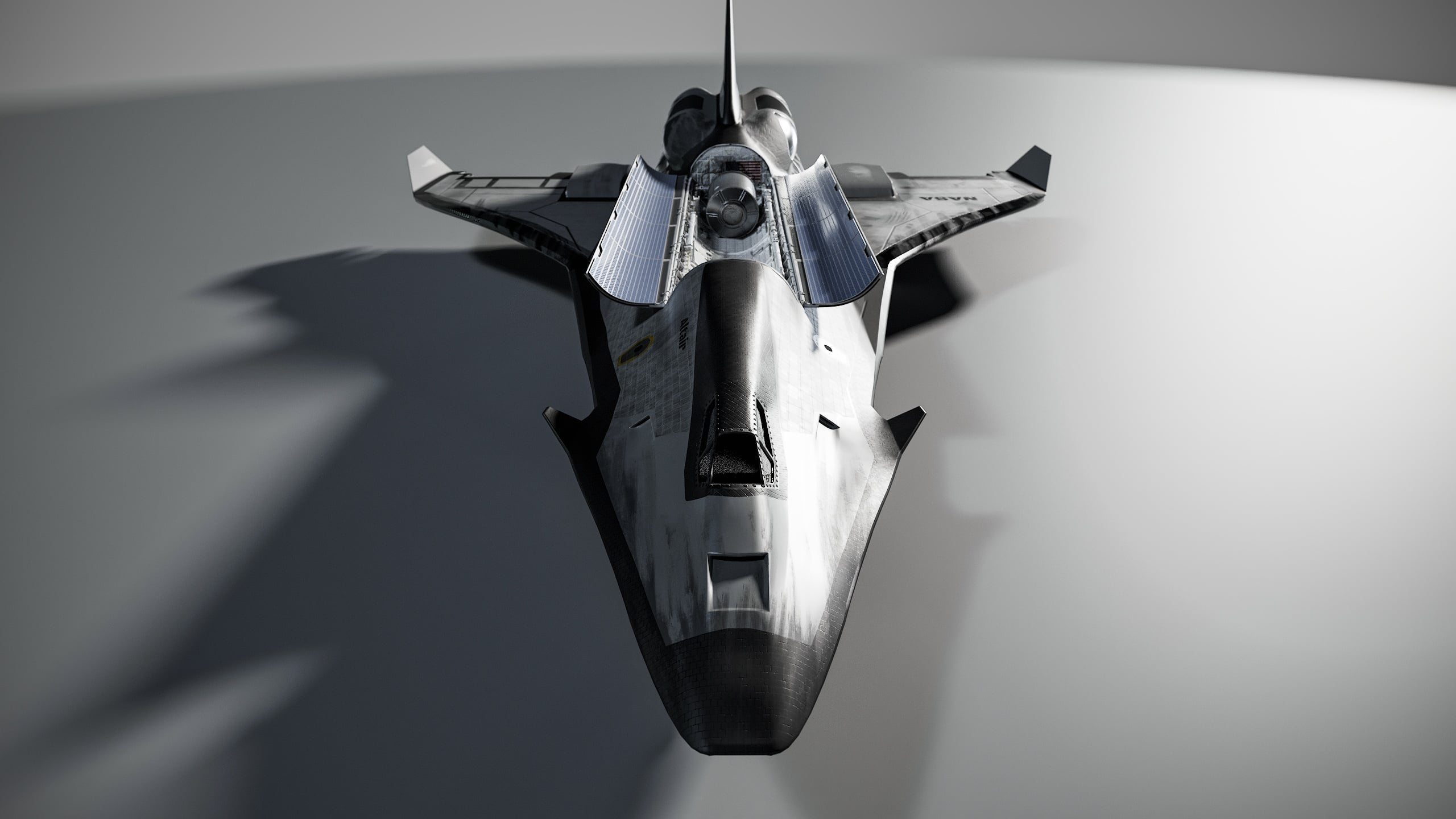
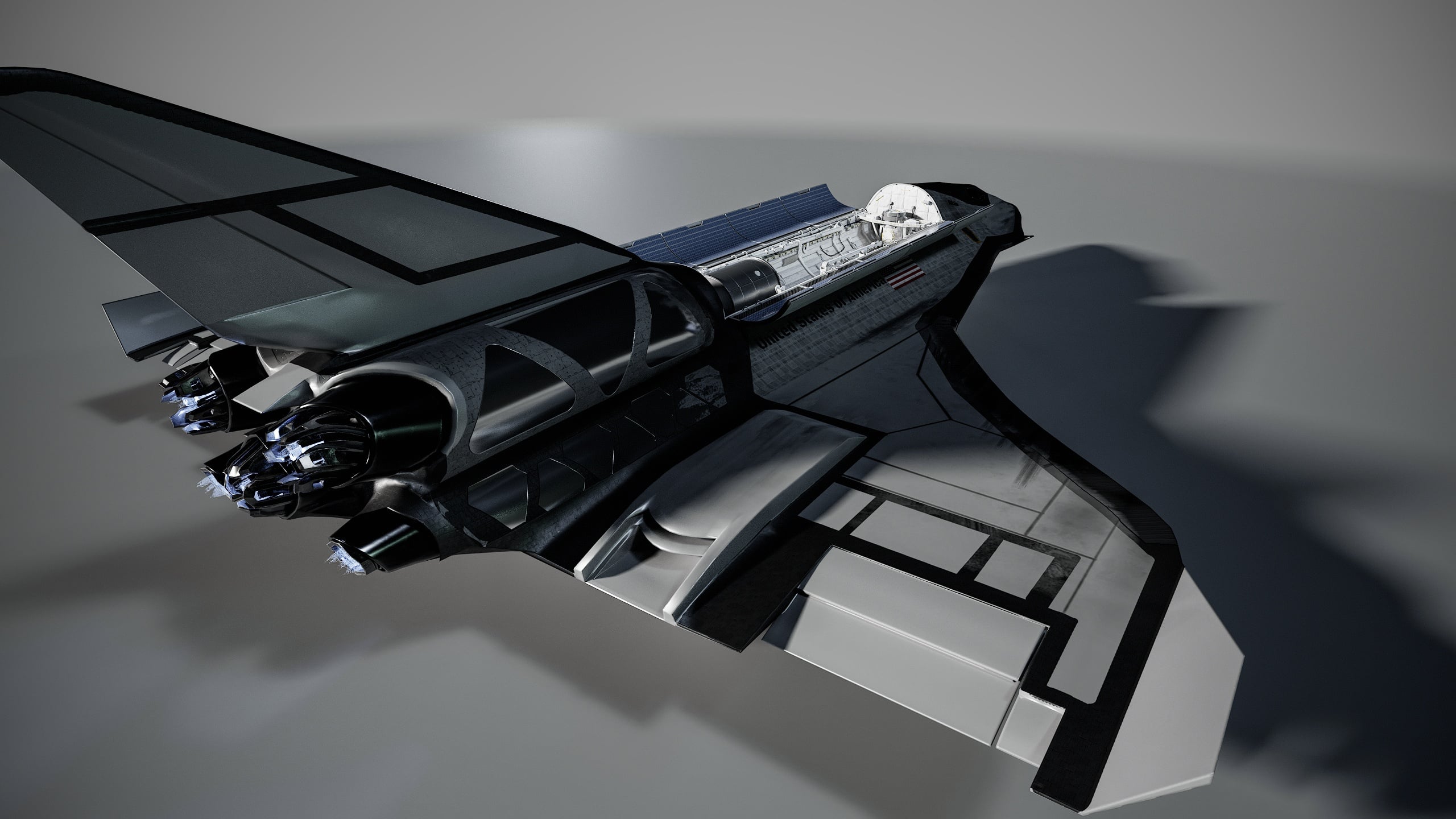
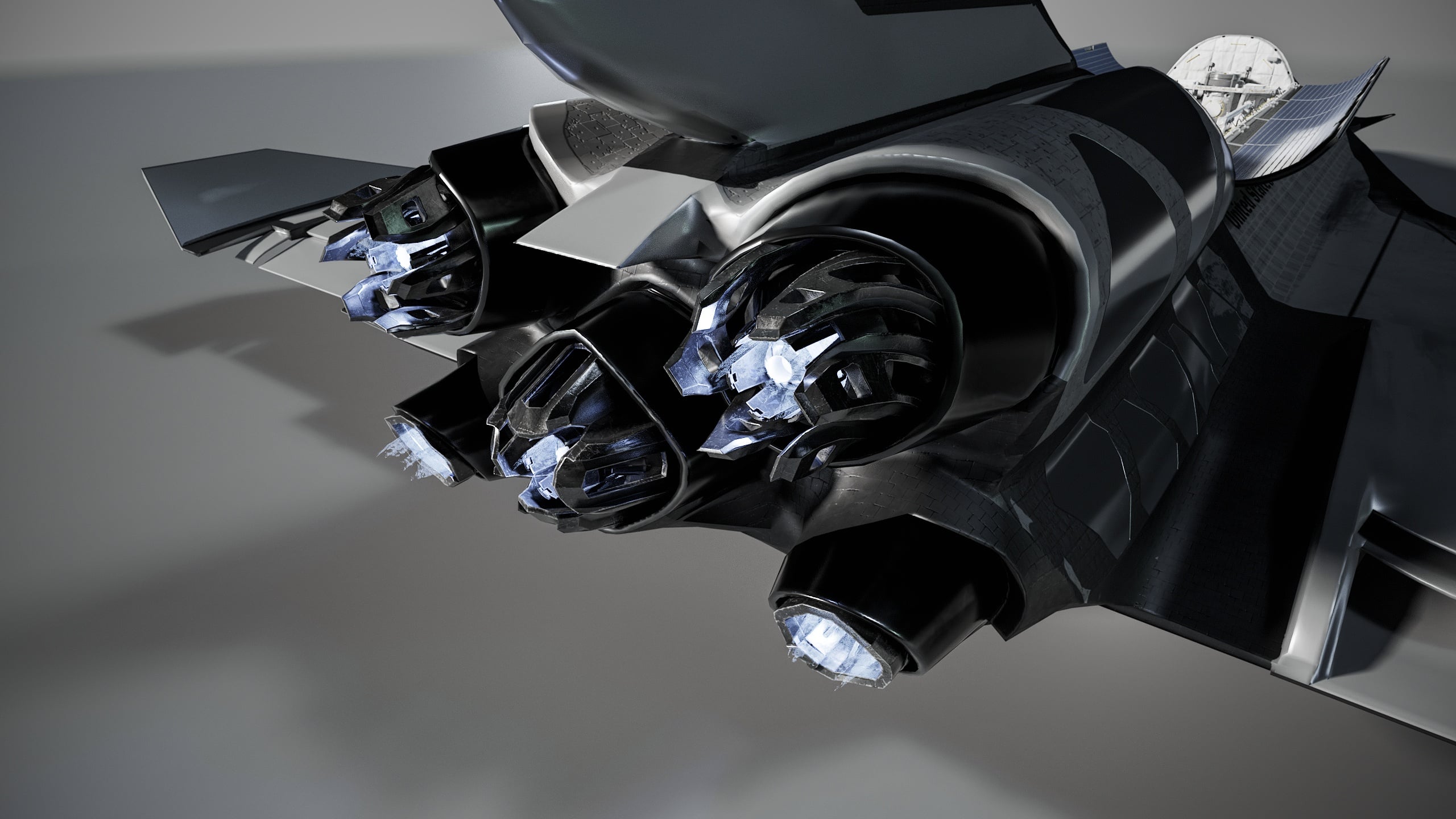
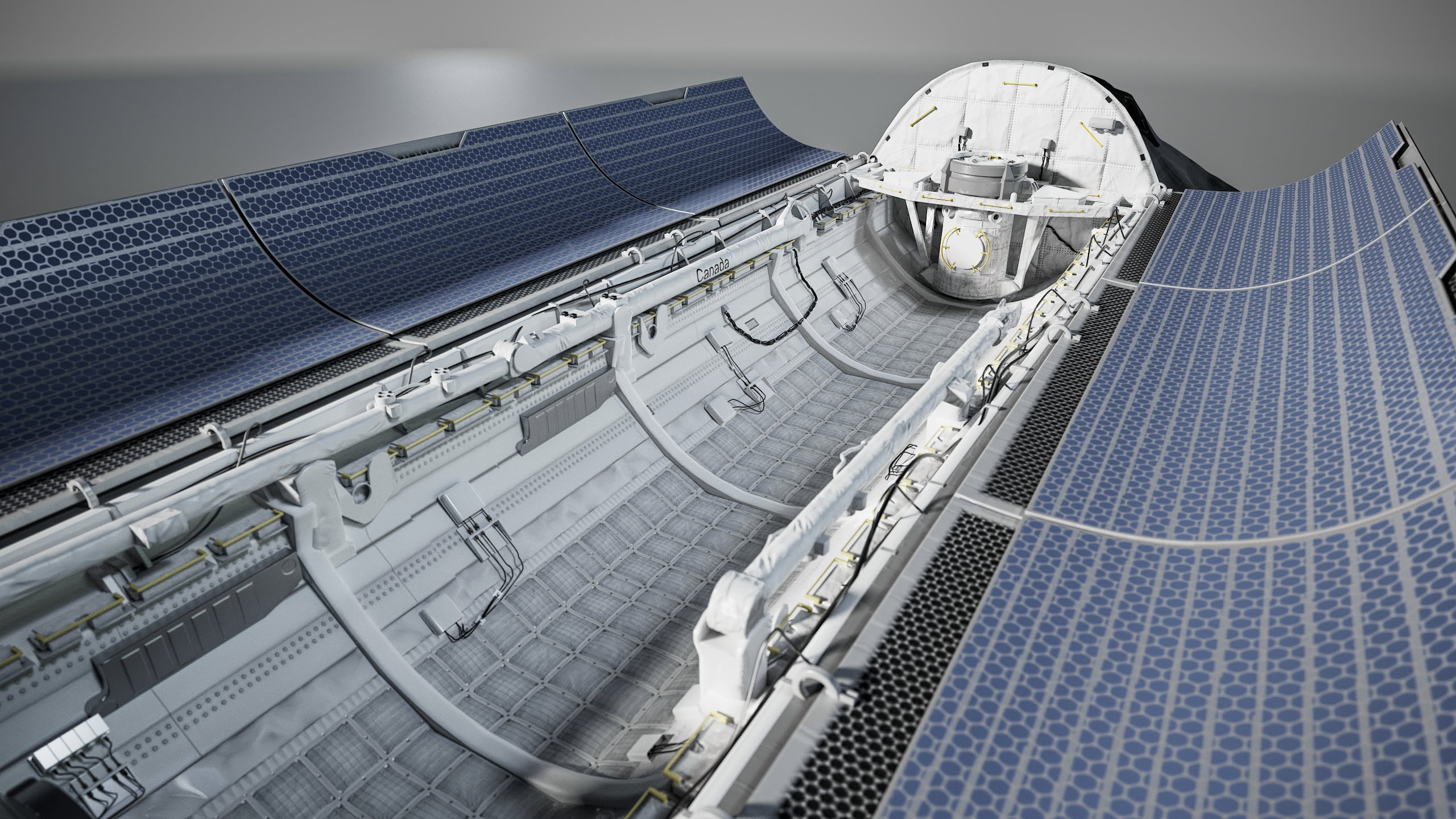
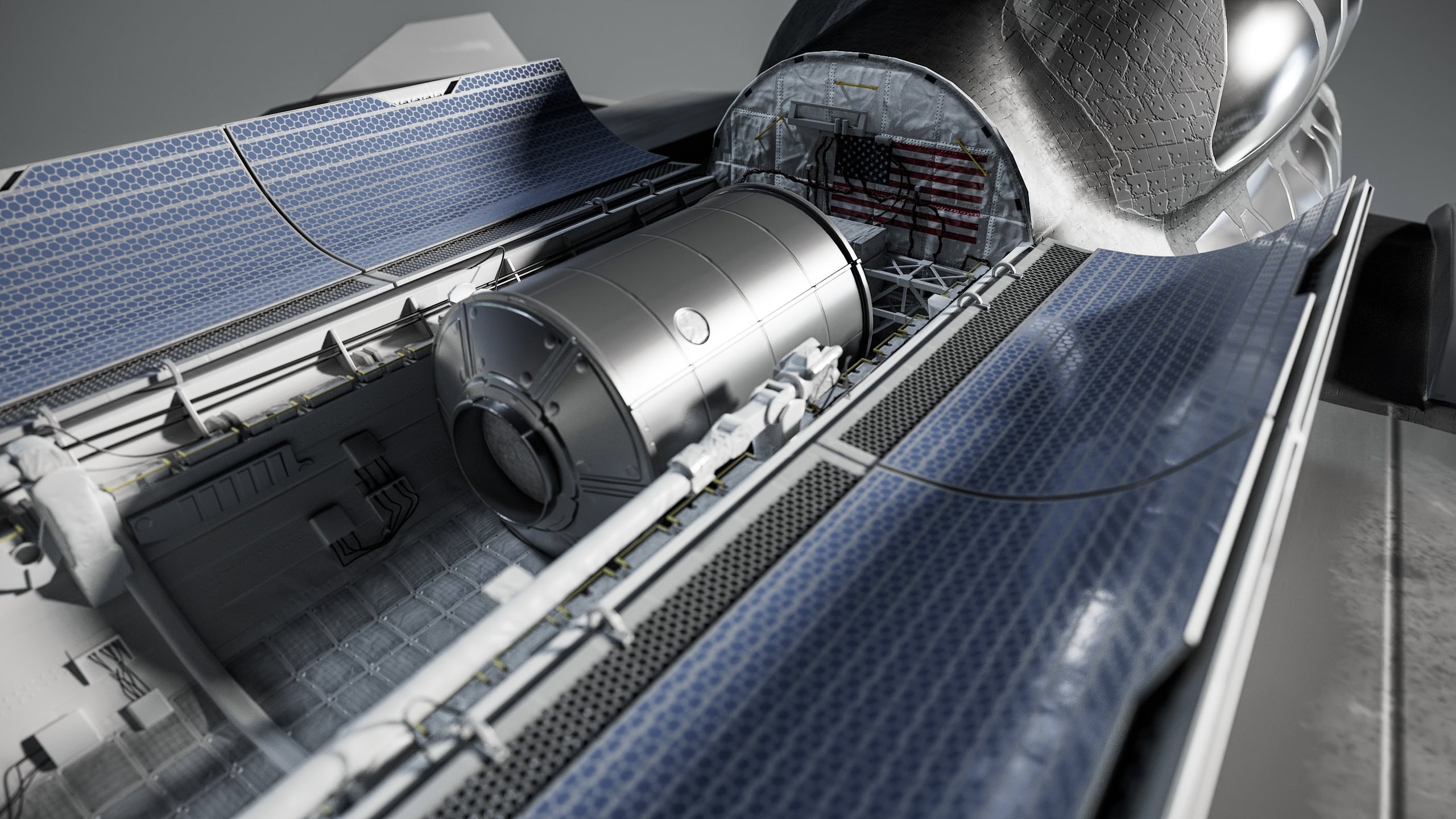
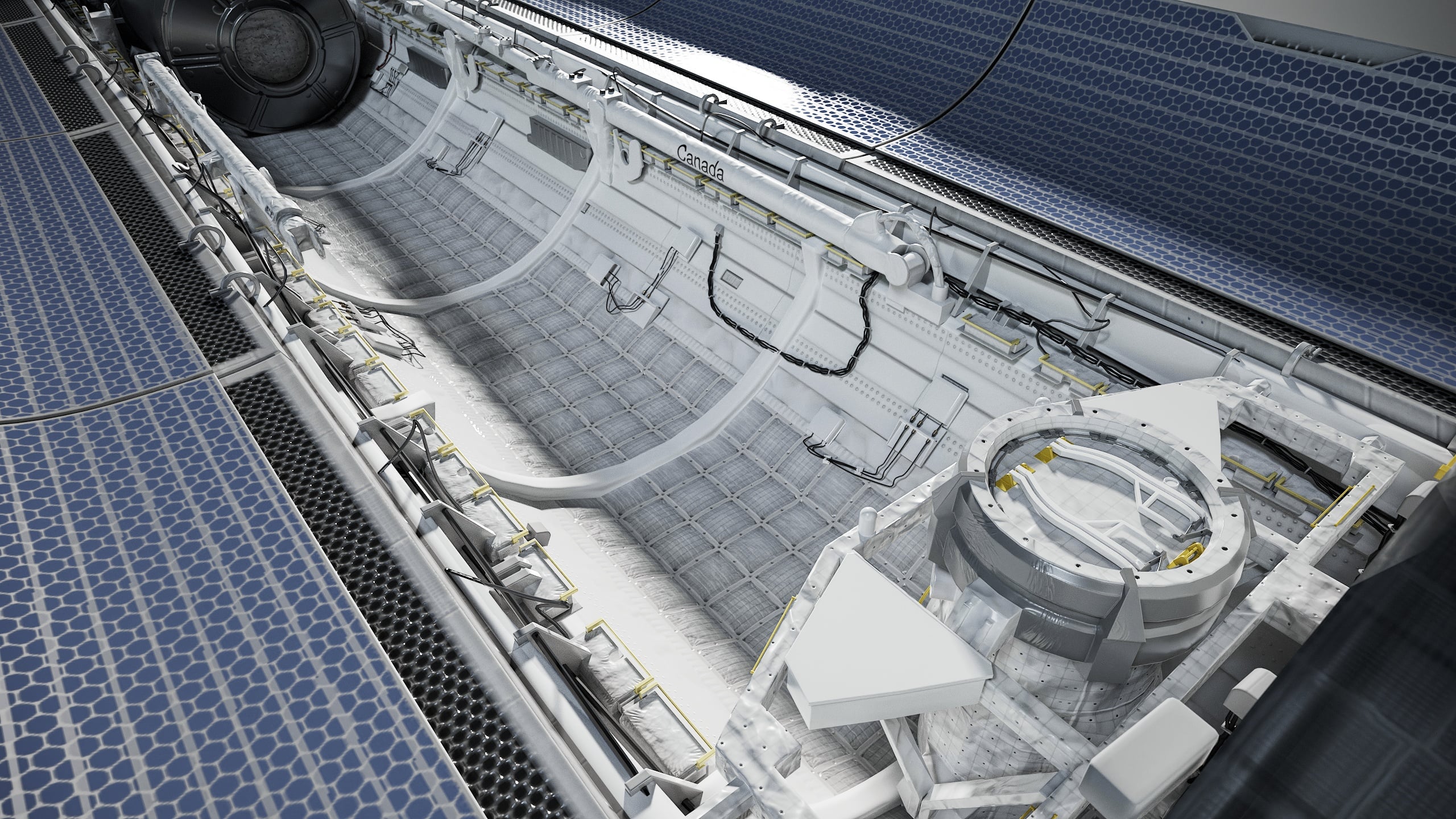
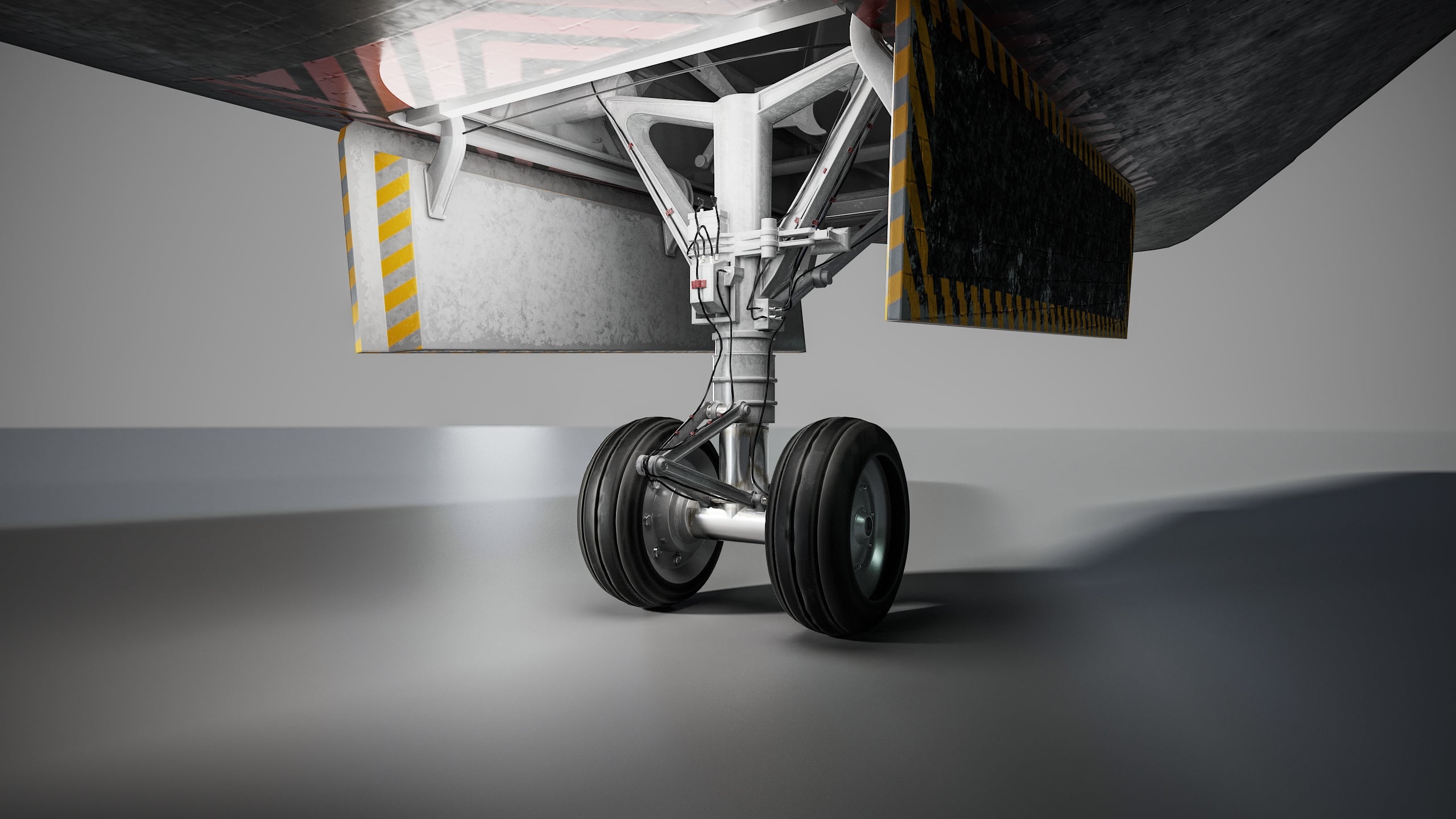
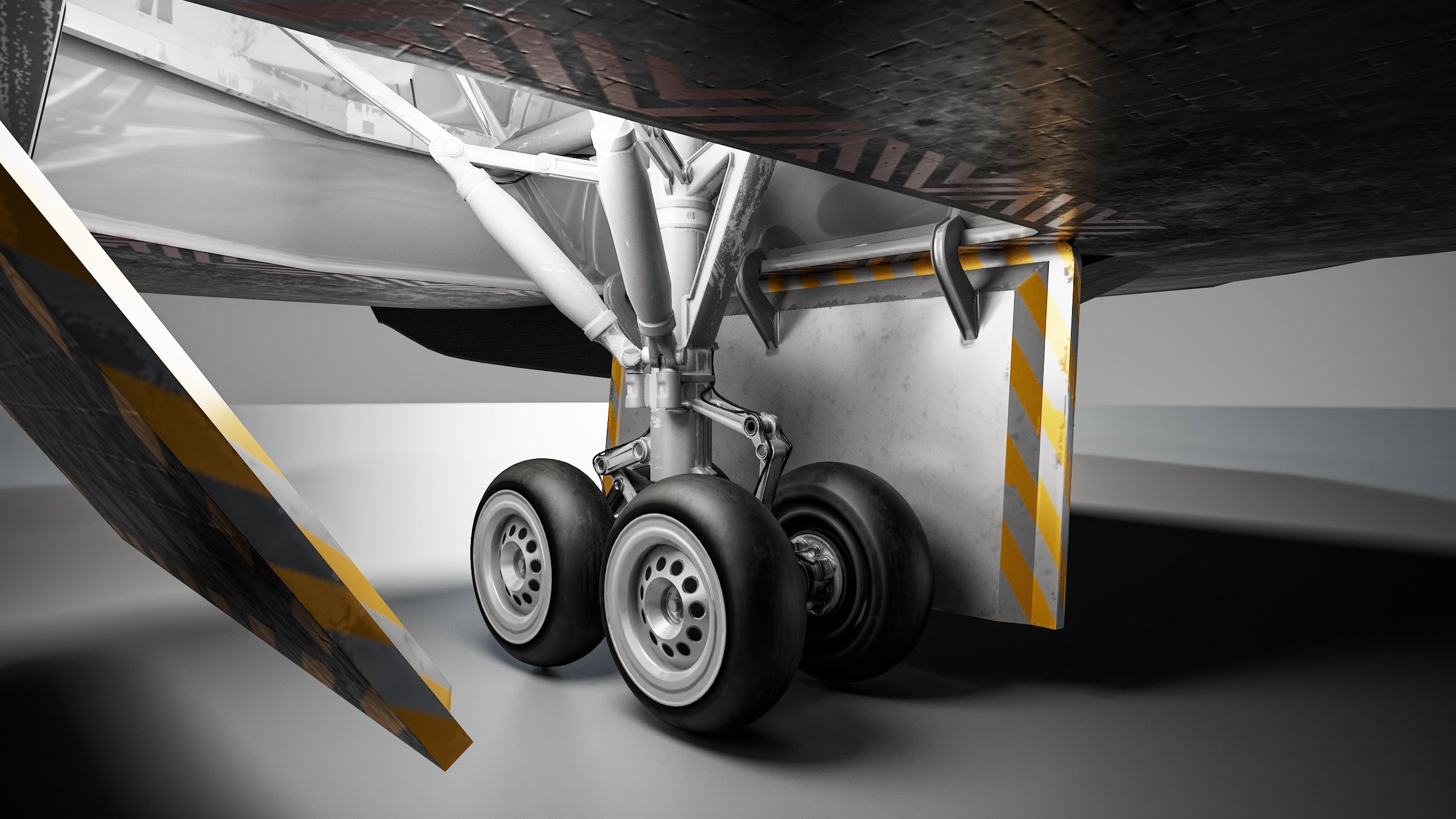
Update: Calling it done! Just have to adjust a few things with the textures and presentation. Now I just need to rig it for practice, then unreal engine scenes!
Edit: Uploaded better renders.
 AtomicArmy
4 ·
Re: Sketchbook: Zetheros
my weekly tribute to the 🥵🔥 AI slop machine 🔥🥵 Puttin' in dat elbow grease so that uncle Jensen will be proud of me and DLSS5 wont suck 💪😤✨ I'll protect u from those toxic gaemers Jensen 🫶🌈🦄
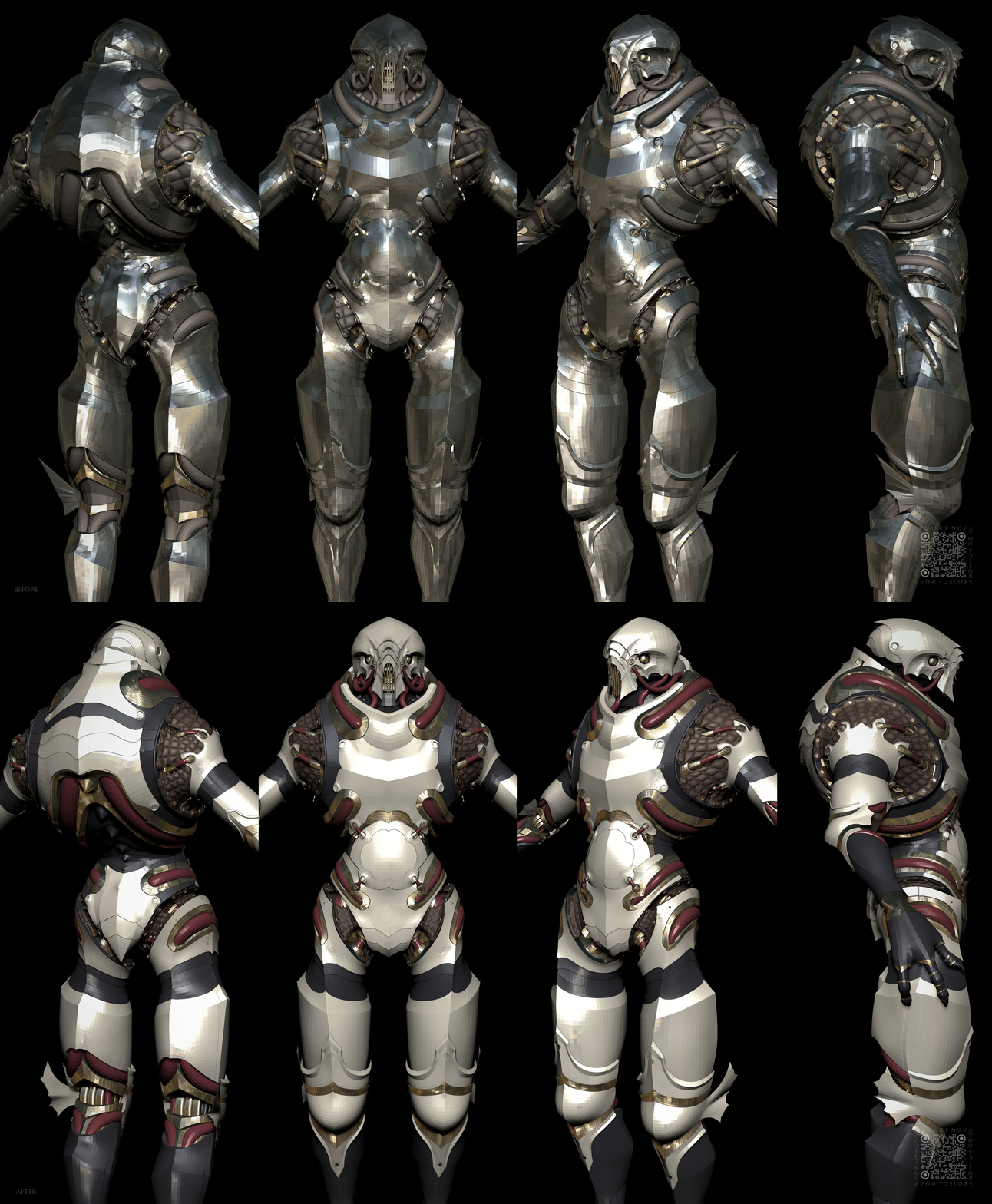
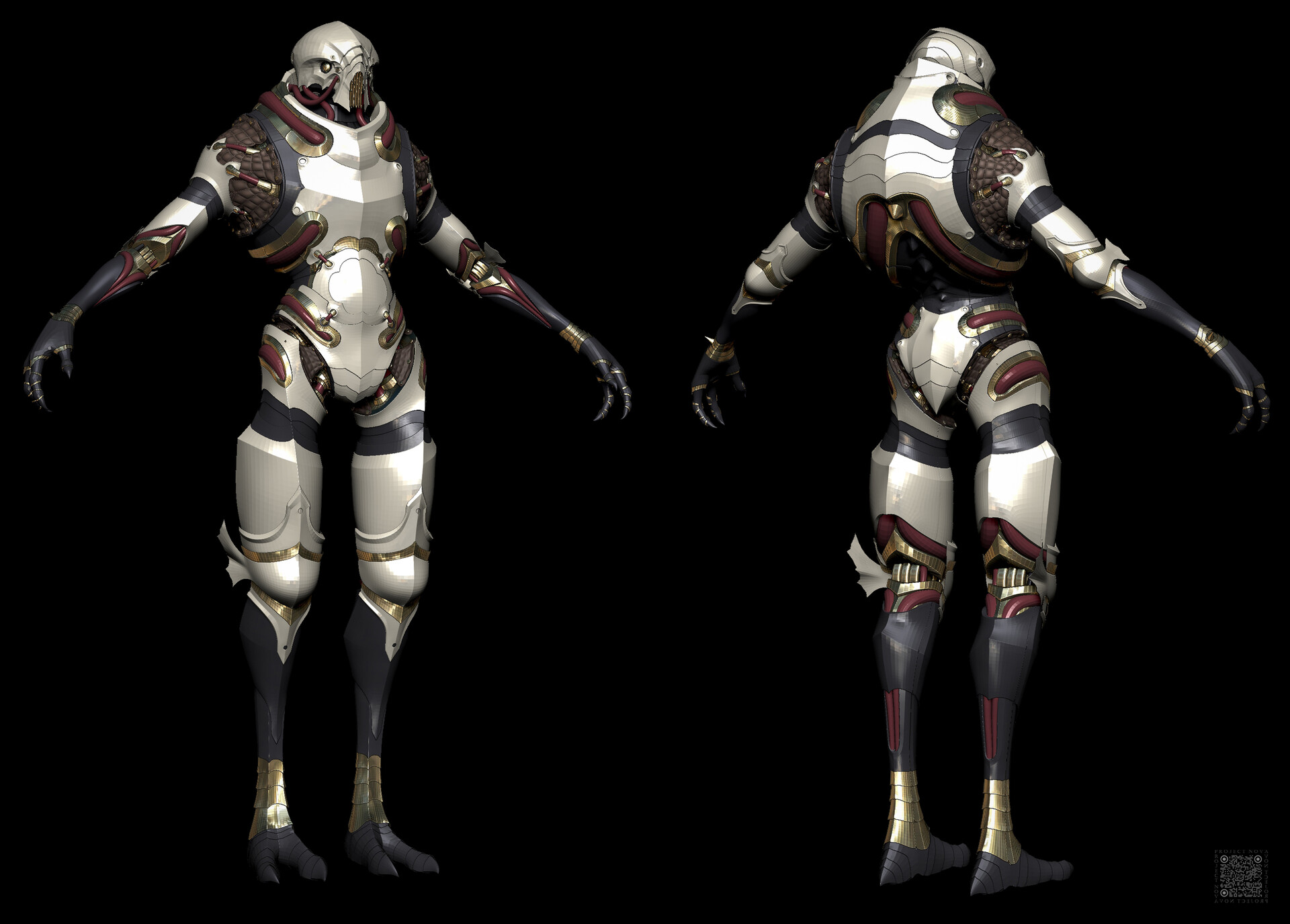
Temporarily giving the iron automatons the bronze automaton colour palette in order to distinguish sections of detail and to establish regions for player customizable modular materials. Fused cranial plates.
Have a great week!
Temporarily giving the iron automatons the bronze automaton colour palette in order to distinguish sections of detail and to establish regions for player customizable modular materials. Fused cranial plates.
Have a great week!
 zetheros
4 ·
Re: How The F*#% Do I Model This? - Reply for help with specific shapes - (Post attempt before asking)
2300511685 Overall it looks like you're already on the right track. It really just depends on what the model is for.
If it's for games: the brake has a very rough surface finish and it's a very small part that's typically further away from the player's main point of view. So the current high poly is more than passable since it's unlikely that any small smoothing artifacts would be visible on the final in-game model and textures.
It's also worth mentioning that the current support loops look a bit tight and, depending on the textel density, it may be necessary to loosen up those support loops a bit. That way the edge highlight is wide enough to be clearly visible at different view distances and will bake cleanly.
It's also worth mentioning that the current support loops look a bit tight and, depending on the textel density, it may be necessary to loosen up those support loops a bit. That way the edge highlight is wide enough to be clearly visible at different view distances and will bake cleanly.
As far as the topology itself is concerned: sometimes less is more. Simplifying the base mesh and reducing or removing a couple of those redundant double loop paths would make the modeling a bit easier and potentially resolve a few of those subtle pinching artifacts where the topology bunches up on the round over at the front of the brake.
For a lot hard surface game art projects, it's generally fine to leave a
few triangles or n-gons in well supported areas, provided the rest of
the base mesh is fairly well organized and the final topology layout
subdivides cleanly. If there's no visible smoothing errors and the
surface quality is acceptable for the intended use case then there
really isn't much of a point to spending a lot of time manually moving stuff
around just for the sake of having an aesthetically pleasing wire frame.
There's a lot of different ways to approach modeling this. So there's no single right way to do it. Though it's probably best to focus on creating accurate shapes first, while also matching the segments in the intersecting cylinders during the initial block out. Once that's done, solve any major topology routing issues before adding the support loops used to sharpen the shapes when subdivision is applied.
Here's an example of what that shape first approach could look like, using a streamlined parametric primitive and modifier based modeling workflow for the block out.
Start by defining the profile of the larger shape using a spin modifier then create the boolean object for the intersecting sloped cut out and generate the rounded fillet using a bevel / chamfer modifier. Adjust the number of segments in both shapes until the edges are roughly aligned then create the inner profile using the same process.
In this example the larger shape has 32 segments and the smaller one has 16. The number of segments will vary depending on the shapes and size of the intersecting rounded corner. Since all of the segments in the curves are generated by modifiers it's easy to adjust the density of each shape and find what ratio provides the best balance between accuracy and editability.
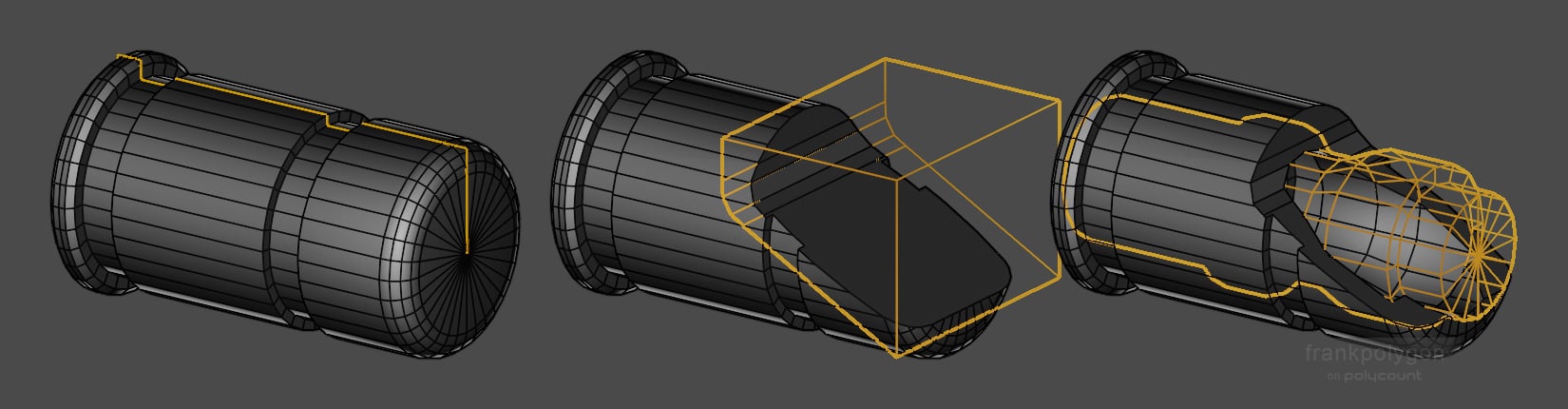
After everything is aligned it's just some basic cleanup operations, like edge dissolve, join through, and snap merge, to simplify the mesh so there's enough room for the support loop paths.
The shape first approach and segment matching during the block out means a lot of the basic loop flow is already defined by the existing geometry in the shapes. So there's minimal cleanup required and the rest of the support loops can be added automatically using a bevel / chamfer modifier controlled by angle or edge and vertex weights. (Shown highlighted.)
Here's what the final base mesh looks like with all the modifiers turned off, wire frame subdivision preview with the modifiers turned on, and the shaded subdivision preview. Note how many of the triangles left in the base mesh resolve to quads once the support loops are added. Most of the triangles and E poles are constrained to the flat areas or between the inner and outer support loops. Which helps prevents unwanted surface deformation.
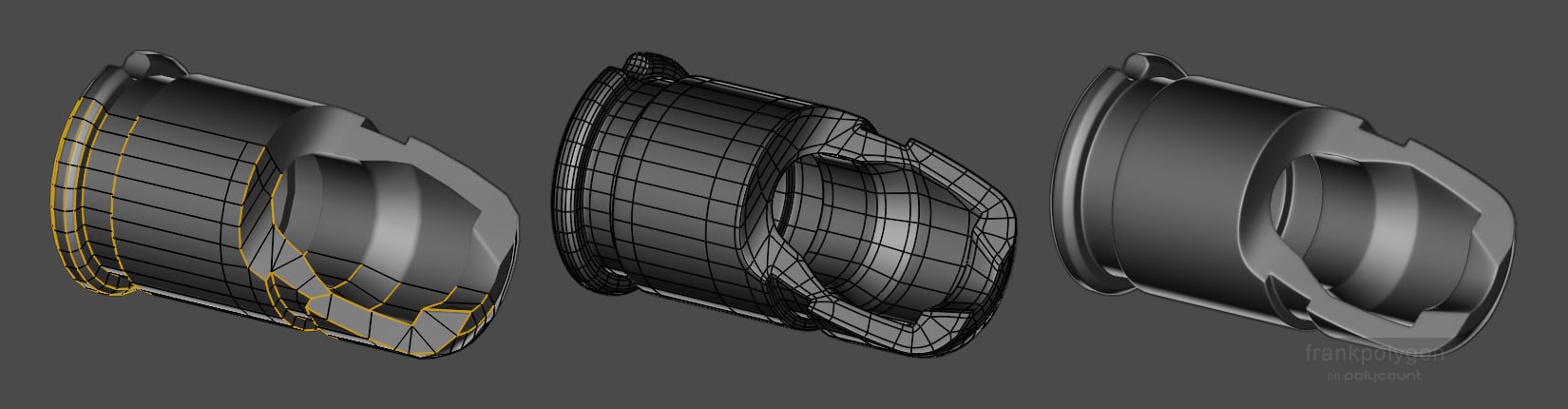
Efficient subdivision modeling is all about making tradeoffs between accuracy, editability, and surface quality.
Increasing the number of segments in a curved surface can be helpful when joining a series of complex curves and does tend to increase surface quality but it also increases the complexity of the mesh. Which makes it hard to edit.
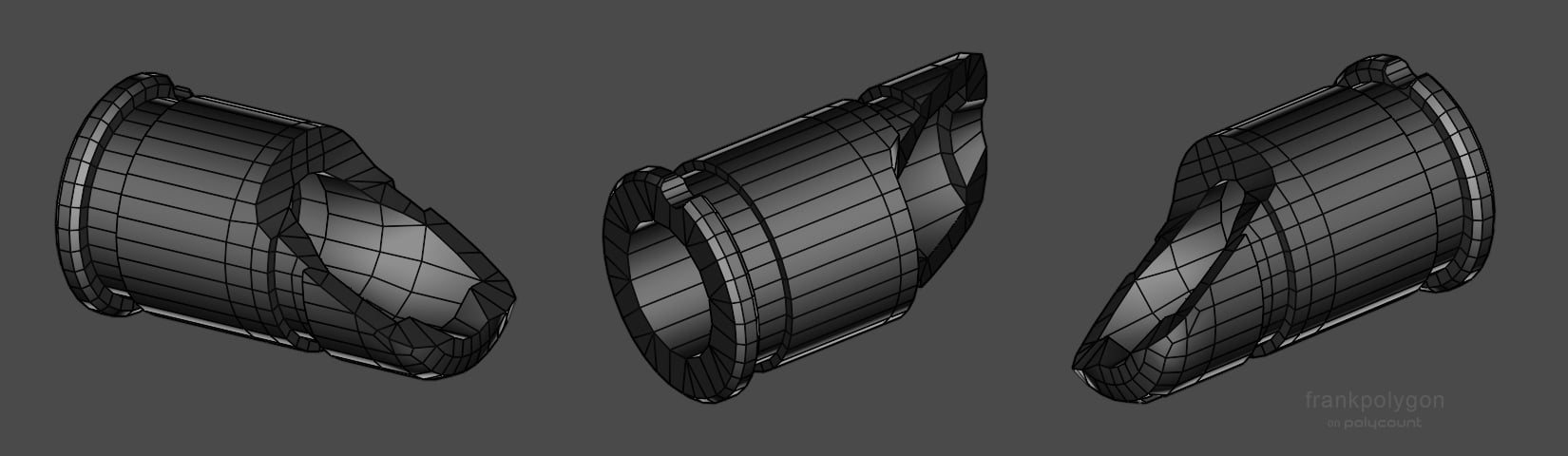
So for small parts like this, which have complex shape intersections but are further away from the player's camera and have heavy micro texture details in the normal map, it's often a good idea to aim for the minimum amount of geometry required to cleanly hold the shapes.
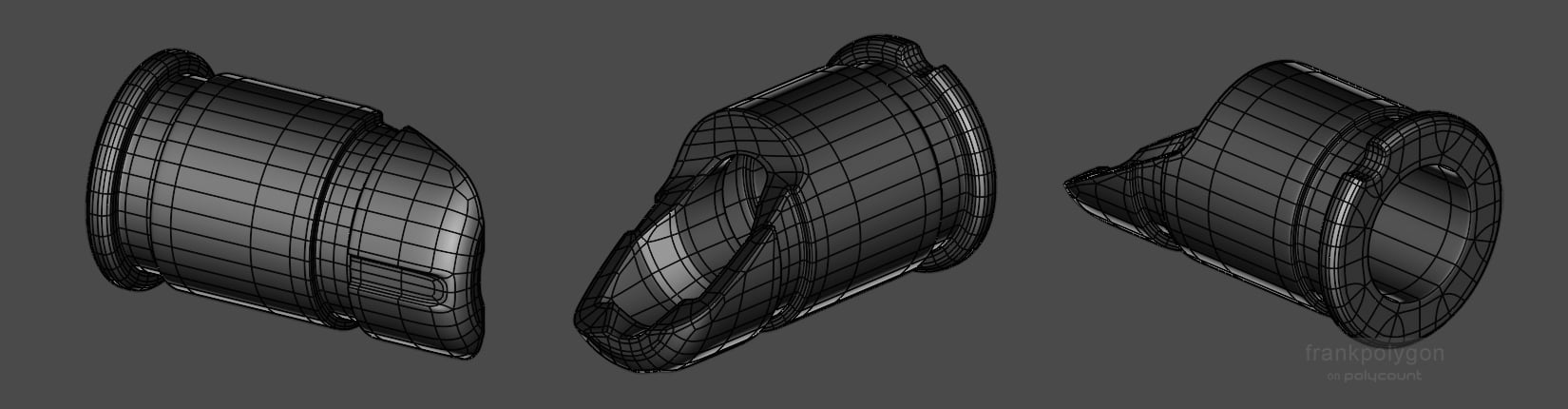
Anything more tends to quickly hit a point where there's diminishing returns and that soaks up time that could be put to better use elsewhere.
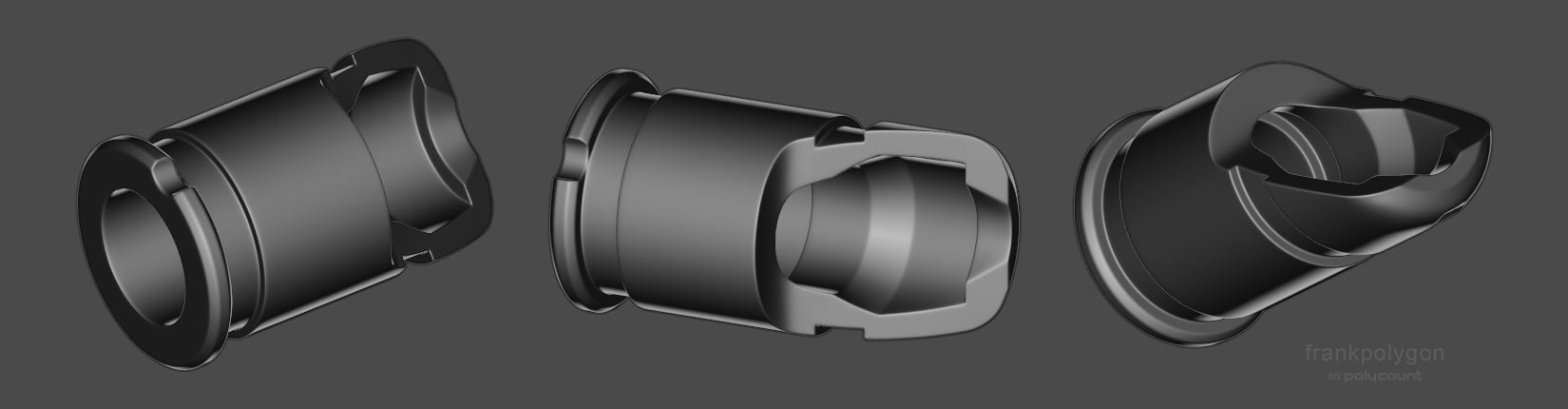
Recap: simplify the base mesh using a shape first approach that focuses
on matching the segments of the intersecting cylinders during the block
out. Keep things relatively simple, let the shapes define the basic loop paths, and automate or streamline the process of adding the final support loops.
Here's some links to additional write-ups that cover segment matching on complex shapes and topology flow on intersecting cylinders:
https://polycount.com/discussion/comment/2805950/#Comment_2805950FrankPolygon
3 ·
Re: PIXEL ART
Just found this forum. Here are a few animations I did inspired by Warhammer 40k. They were inspired by some of the work I saw by another member of the forum.


ereimer24
4 ·