Search
-
Need some help selecting the right Wacom Drawing tablet
 Greetings! I am looking into buying a new drawing tablet for my PC. The old one I used was from Trust and recently stopped working. I am looking into buying a drawing tablet from Wacom. I have been looking at the Wacom Intuos Pro series and is a bit thorn between buying the medium or large one. I've done some calculations…
 -
Re: Blender Mega Thread
 Hi!, I’m currently jumping to blender and I have some (or a lot of) gaps in my knowledge of blender so maybe this is something stupid. In blender I can use G or the move tool with gizmo. If I use the G I need to constraint via short cut the axis/plane or work on screen space. With gizmo I must select the vertex and use the…
 -
Graphics Card Selection - Better to have More MHz or VRAM (Running Quixel Suite/3D Artist Workflow)
Hi, Im looking to upgrade my Graphics Card to a - nVidia Geforce GTX 1060 version, either the EVGA GTX 1060 3GB Super Clocked (1607MHz - Base Clock) & (1835MHz - Boost Clock) or the EVGA GTX 1060 6GB Fatory Specs (1506MHz - Base Clock) & (1708MHz - Boost Clock) -So the question is whether its better to have more MHz or… -
transform gizmo in photoshop 27.2?
I have been not very interested in Photoshop for a while and now see it got a mesh deform of a sort where you can add vertical or horizontal loops . Once you add a loop it makes its vertexes selected with a small thin frame. Is there any oprtion to not only move/translate those selected vertexes but also rotate those… -
Re: Daves Maya Qstns- (another one of "those"threads)
 *Append Poly is your Maya connect. Now that they've got the loop and ring stuff in there you shouldn't need MJ Poly Tools at all. Probably *I'm fairly sure you're stuck with Maya's navigation. You'll get used to it pretty quickly, its not that different. *I haven't used silo, but you can highlight different kinds of…
 -
Quadify Ultra — ML-Routed Retopology for Blender 5.0 | Tool Release

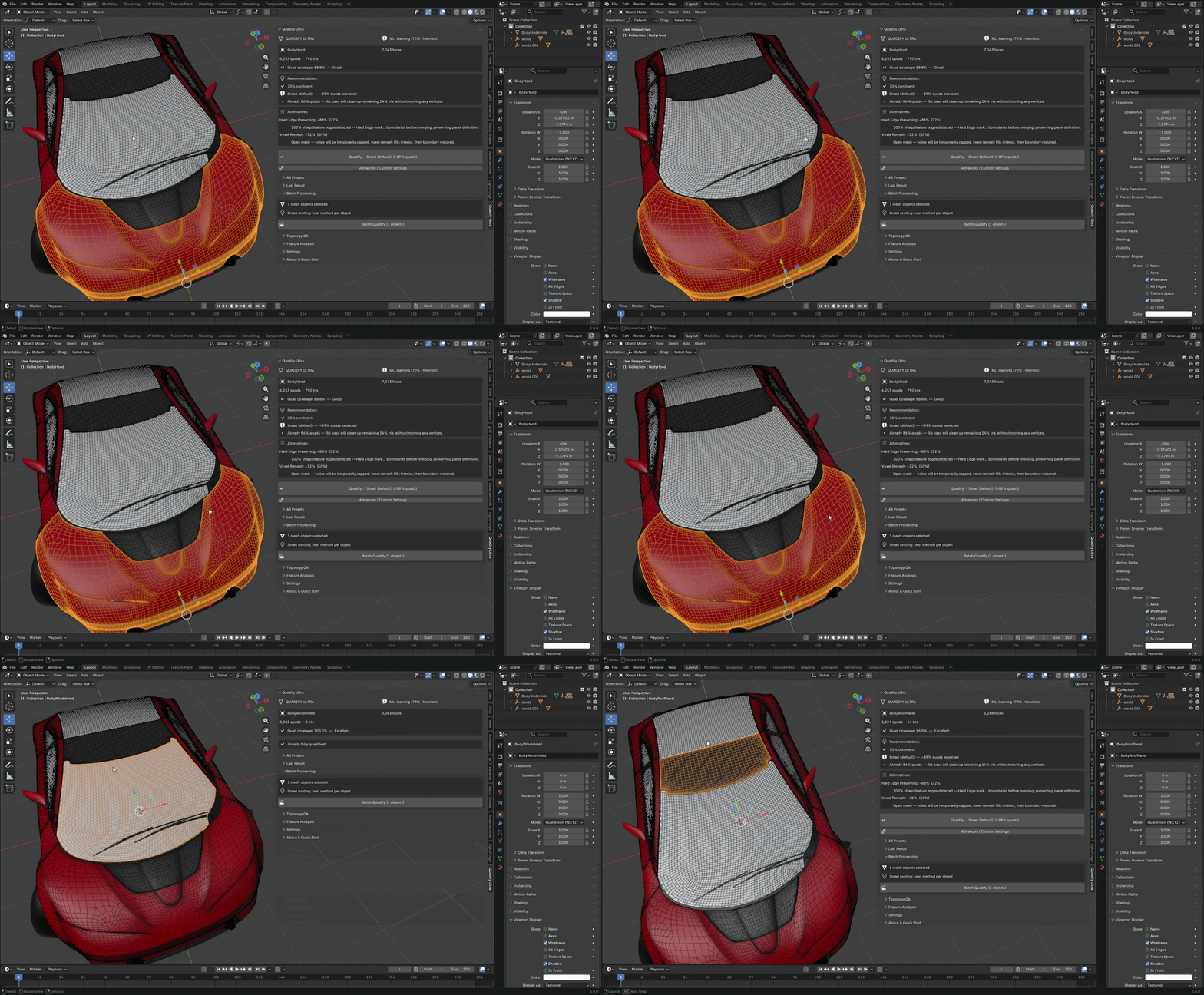 Hey Polycount, Releasing Quadify Ultra today, and wanted to share it here since this community has always been where serious topology conversation happens. https://youtu.be/1_7xRSyeLUc What it is Quadify Ultra is a retopology addon for Blender 5.0 with an ML routing engine. You select a mesh, hit Ctrl+Shift+Q, and it…
 -
Re: Creating a smooth-edged deboss area without making an inset first?

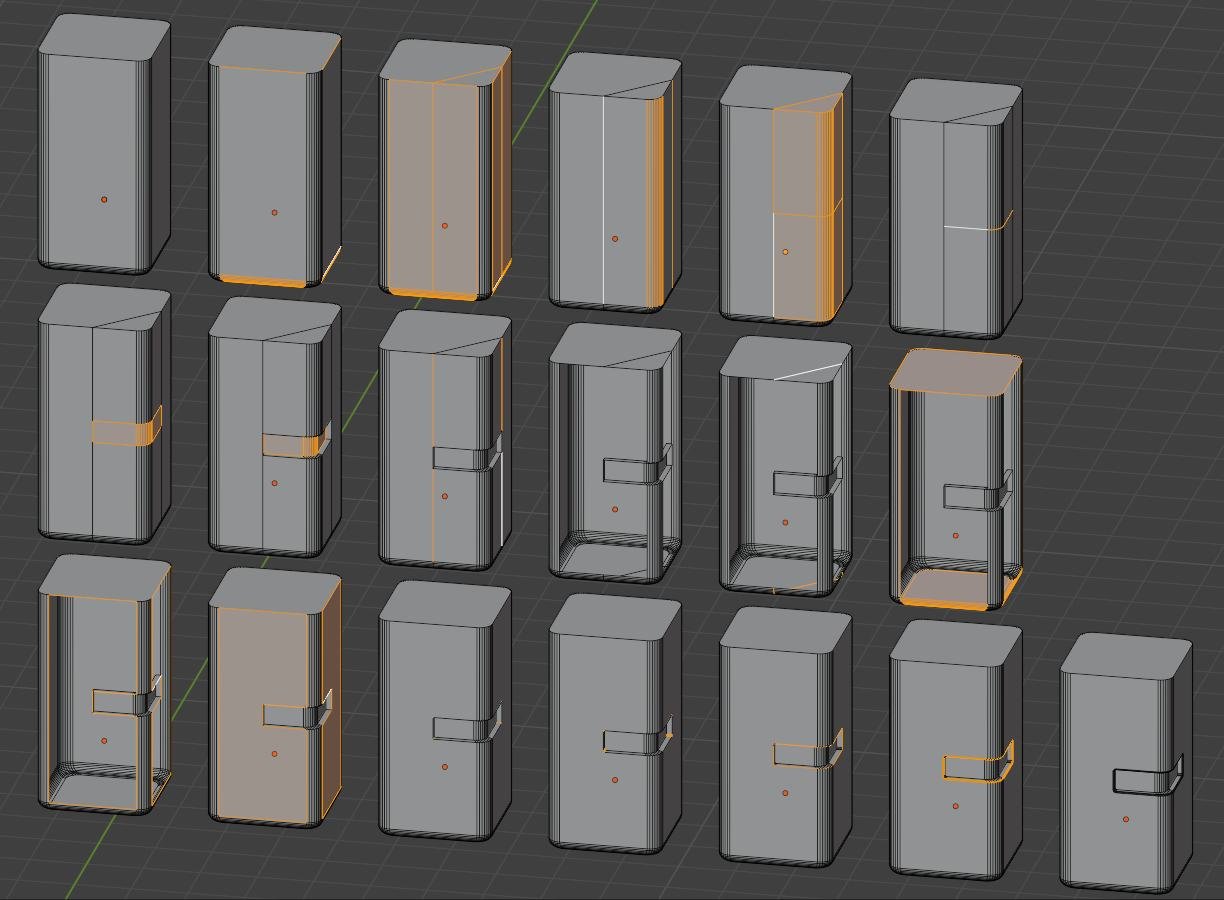 Maybe it's easier to make this inset first and "repair" this later... also depending on the tool.. here in blender: I start with the partly chamfered cuboid (like asked in the other thread).. So because the top and bottom are n-gons a loop/ring select (i always mix the names for the directions up :sweat_smile: ) a…
 -
Looking for a way to edit Vertex Normals with falloff or soft selection in Maya LT... or Substance!

 So I'm looking for a workflow to use on countless terrain meshes that meet up and create seams, show in an idealized/simplified version here: I knew it probably wouldn't work, but I tried anyways: Gives this result, which is indeed removing the seam, but of course creates two new seams that are softer but of course worse…
 -
Baking Bug Issue Report: Persistent Stability Concerns with Marmoset Toolbag 5.02

 Original document: Bug Issue Report: Persistent Stability Concerns with Marmoset Toolbag YOUTUBE VIDEO (recommended to watch at x2.00 speed) https://youtu.be/tiz7MIinnIU The current baking workflow in Marmoset Toolbag, particularly regarding the Auto-Reload functionality, presents significant challenges that impact…
 -
Re: XSI questions
 i = paint select edges (no selecty the back face) u = paint select faces (no selecty the back face) extruding along normal is the same as moving a face on long its local axis. Set the axis of your manipulator to local. On the side panel thing under s t r stuffs. Or if you right click with translation turned on in the…
>15386 results