Search
-
Re: Back/Forth Mousebutton in 3DSMax?
 assign the function or macro a shortcut in max. Assign that key combo to a mouse button.
 -
Re: Apocalyptic Corn Field Environment
 Cool assignment haha. Beats the run of the mill "make a fruit bowl" assignments.
 -
Re: Maxivz's Interactive Tools for Blender
 I can confirm @musashidan ' s problems with the Smart Delete (also set up at the X key heh) that it won't delete objects in Object mode, but I think I solved how to do this. Maxi's scripts that function in different modes, like for example QuickSelectionFace, upon being assigned a shortcut will normally be…
 -
Re: ifl files & maya
 From the Max help file, FWIW... [ QUOTE ] IFL Files An IFL (Image File List) file is an ASCII file that constructs an animation by listing single-frame bitmap files to be used for each rendered frame. When you assign an IFL file as a bitmap, rendering steps through each specified frame, resulting in an animated map. (In a…
 -
Re: [Max 8] Retaining selection between modifiers?
 ahh yes Material ID that would be another good way to handle it. I've been away from Max for a full week and already the lingo is leaking out of my brain hahaha. If you can't use mat id's or smoothing groups then the element option might work. Here's the nuts and bolts of how it goes. In Edit poly you can select the faces…
 -
Re: Personal Realization X Education + Options = HELP
 So youre saying that its going to be impossible for you to be self motivated enough to build your skills on your own and create a decent portfolio? If thats true, then i dont see guildhall helping a whole lot. True, you'll get lots of assignments to work on, but are you really going to put more effort into those…
 -
Re: Concept Assault Rifle for Fallout 3
 assign a new material and assign the ref texture to that and leave your default texture to grey.
 -
Re: [Technical Talk] - Max Plugins
 Hey, is there a way to assign "quick planar map" to a shortcut in 3ds max 2010? I looked around and I don't see it as an option to assign a shortcut to.
 -
Pedro's Super Smart Create for Blender

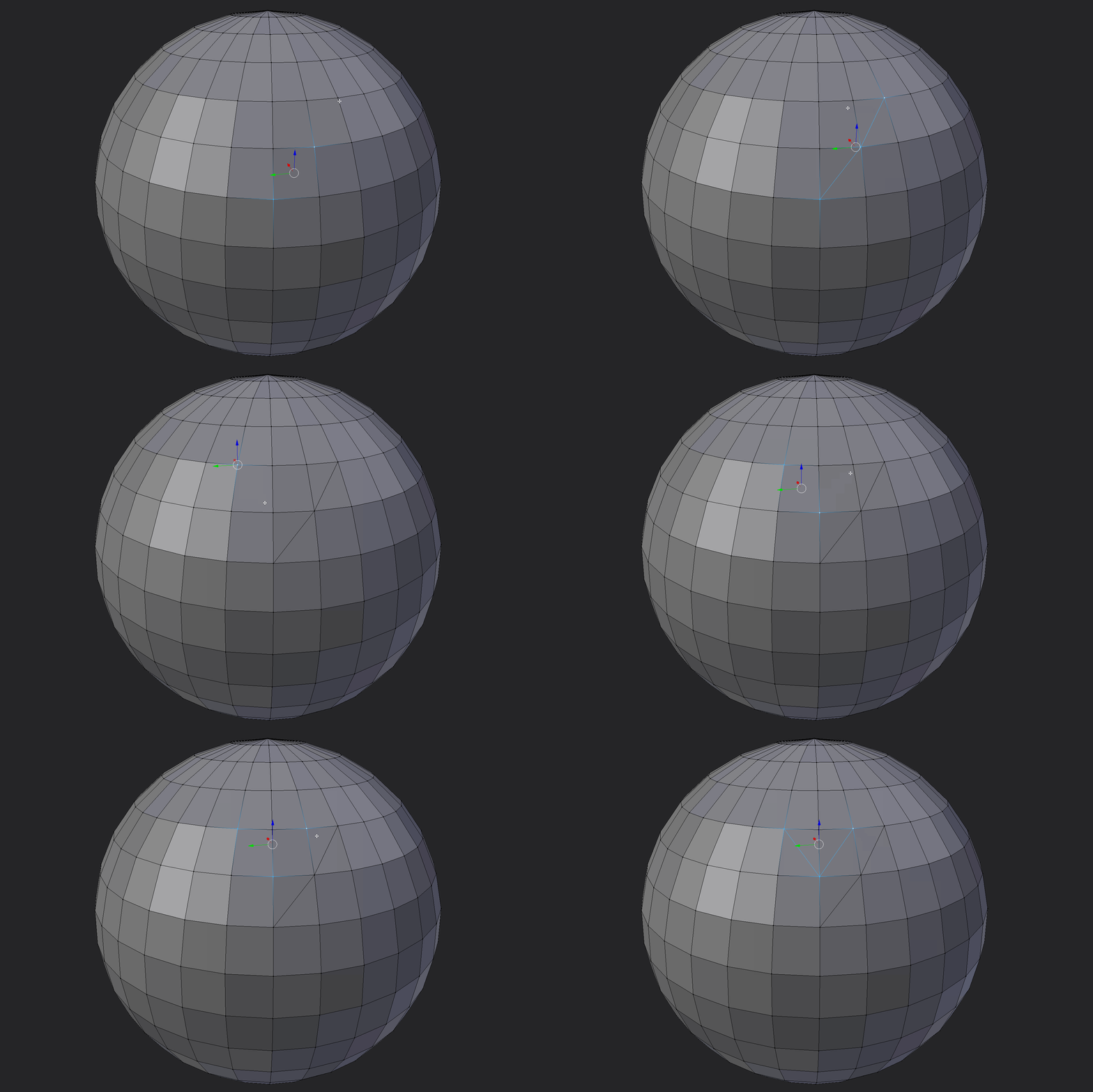 Hey Guys, I have been playing around with blender and some scripting lately. I decided to port Pedro's excellent super smart create script I am really new to Blender and my python coding skills are not the finest, so please if you find any better way to do stuff or if i'm making any stupid shit just let me know. Anyways,…
 -
Re: How to remove materials in maya after vertex color baking?
 It turns green because there is no material assigned to it. You should leave one material still assigned to the mesh and your engine generally should recognize the mat id's.
>6813 results