Search
-
UE4 Blueprint Editor Widgets Tutorial

 Hey all, Today I posted about the basics and a couple tricks you can use when it comes to utilizing the "Show 3D Widget" button on Vectors and Transforms. Any feedback on how I did the tutorial / something I might have missed is appreciated Hope it helps! https://www.youtube.com/watch?v=IS79tKyjdHc&t=11s
 -
The Crazy Goat
 Here's what I worked on for the past 4 days. I still got to pose him, maybe make a little scene for him. :) https://www.artstation.com/artwork/crazy-goat If you like it please press the like button and if you would like to see more of what I do click here : https://www.artstation.com/artist/terrell783
 -
new to 3ds max, interface question.
 I was watching gnomon tutorial and this guy has some pretty neat shortcut on the left side of his interface. The on with colors, materials, 100% 50% 25% render buttons and etc. Are those shortcuts available from max itself? How do I place them there? http://thegnomonworkshop.com/img/screengrabs/tjo02/tjo02a.jpg
 -
mirror joint orientation maya
 Is there a button for this in maya? Am i just missing it? Googling has been fruitless so far on how to do this. Besides, well this way... (copying and pasting all the rotation info sigh) If its not clear already, what i want to be able to do is mirror across the x the bone locations and essentially flip the characters…
 -
[Photoshop script] extend shortcuts with brushes
Hi, I've updated the BCM_ShortcutsUI so you can trigger selection of brushes when pressing a button or it's corresponding shortcut key. This way you can access very fast your favorite brush. you can watch a video about it here: [ame=" https://www.youtube.com/watch?v=EkQXvMXDdX4"]BCM_ExtSHUI brushes[/ame] -
[Finished] Blow Torch

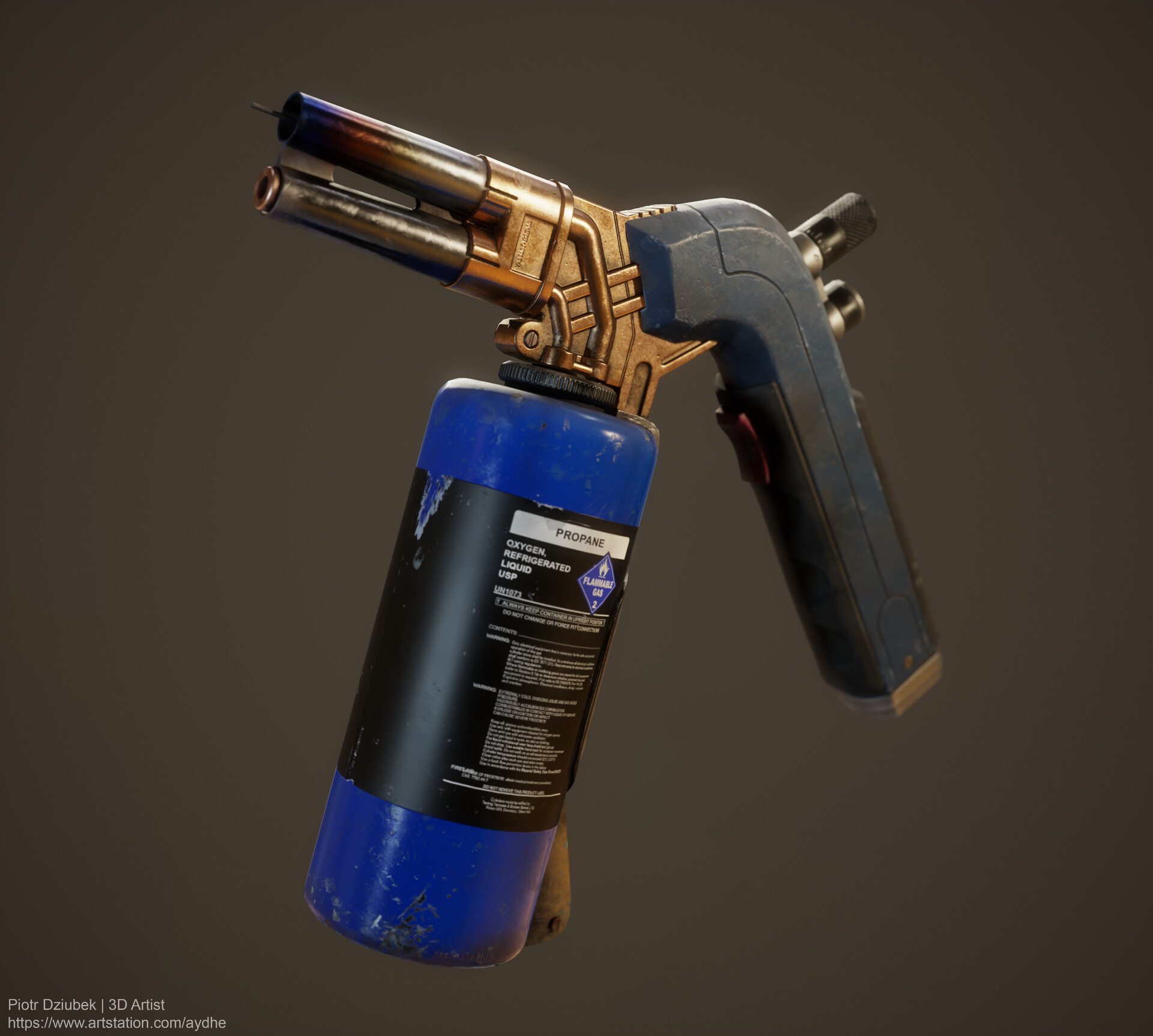 Hello Guys Would really appreciate some feedback on the most recent artwork. https://www.artstation.com/artwork/0Xo8l4?commentId=2351058 It took me roughly 4 weeks to get this prop done but i'm happy to see it done :) Also, if you would be so kind to click the like button it would make me very happy :)
 -
MAX- Selection problem
 I've been messing around in Max today, and for some reason it will not allow me to select faces unless I click on a vertex, then it selects all adjacent faces to said vertex. I'm sure I must have pressed a hot key to make this happen, or clicked a button somewhere, but I have no idea how to undo it. Any suggestions?
 -
Script toggle pivots for Maya. I need your help.
Hey. Maybe someone will write the script and switch modes pivot in Origin-Center-Base at the touch of a button on a cycle. This is the most frequently used operation modes. I would also like to have a switch triangulate / quadrangulate functions. It would save me a place in my marking menu. Thank you! -
[PAID $XXX-$X,XXX] UI/GUI Designer/Artist Needed For Anime Styled Game

 Looking for UI designer to make beautifully detailed anime styled gacha game button and scene design Looking for a UI artist assist in making menu icons and other UI art. Double points if the UI/GUI person can do both. add me on Discord: White Fox#9999
 -
Re: [Riot Creative Contest 2017] Arcade Sona

 Reply by LilMissSunBear · · Home› Contests & Challenges Archives› Riot Creative Contest 2017› Riot Creative Contest 2017 - IllustrationAlrighty! Here is a summary of the rest of my WIPs and my thought process while working on them. :) Jan 17 2018 Alrighty, so compared to the previous WIP, Sona's pose has really changed! This was due to feedback from my friend Rachel who suggested adding more motion and flow in her pose, which I adjusted according to her…
>10228 results