Search
-
FEEDBACK PLEASE
 Hello dear and respected community, I overcome the fear I feel for the art quality in this community and finally I dare to show some of my work here before I claim it's done. As I know nothing about lighting I used the default start scene of UDK engine to take the pics. All coments, critics and bashing are WELCOME.
 -
Way to control the order in which parameters and parameter groups show in material instances?
Hey guys, since the unreal engine forums are down right now, I figured I'd see if anyone here knows. So want to know if there is a way to reorder the list of parameters created in the material for the instance. By default it looks like it just goes off of alphabetical names. -
Best normal map and displacement software for something like speedtree
 Hi guys, i am working in speedtree and unity and want a good normal map software, so far i have been using pixplant and it gives fairly good results but the normal maps are as effective as say those from the default speedtree normal maps that ships with speedtree, any thoughts on this?
 -
LUT's
so, Ive been experimenting with LUTs for use in game, and my current workflow is basically open a default LUT and a screenshot of my scene in photoshop, do some adjustments then save the modified LUT out and import into the engine. Do you guys have any better ways to create custom LUTs? neato programs or any sites with… -
Re: Blood Masks and other unknown textures
It's one extra bit of precision using the default compression type in unreal so it's 20% more range than the other two channels. Doesn't necessarily apply to other compression types but in general since the human eye is more sensitive to green where they do have to prioritise a channel it'll be the green one -
Baking Directional Light Maps in Blender? Is that possible?

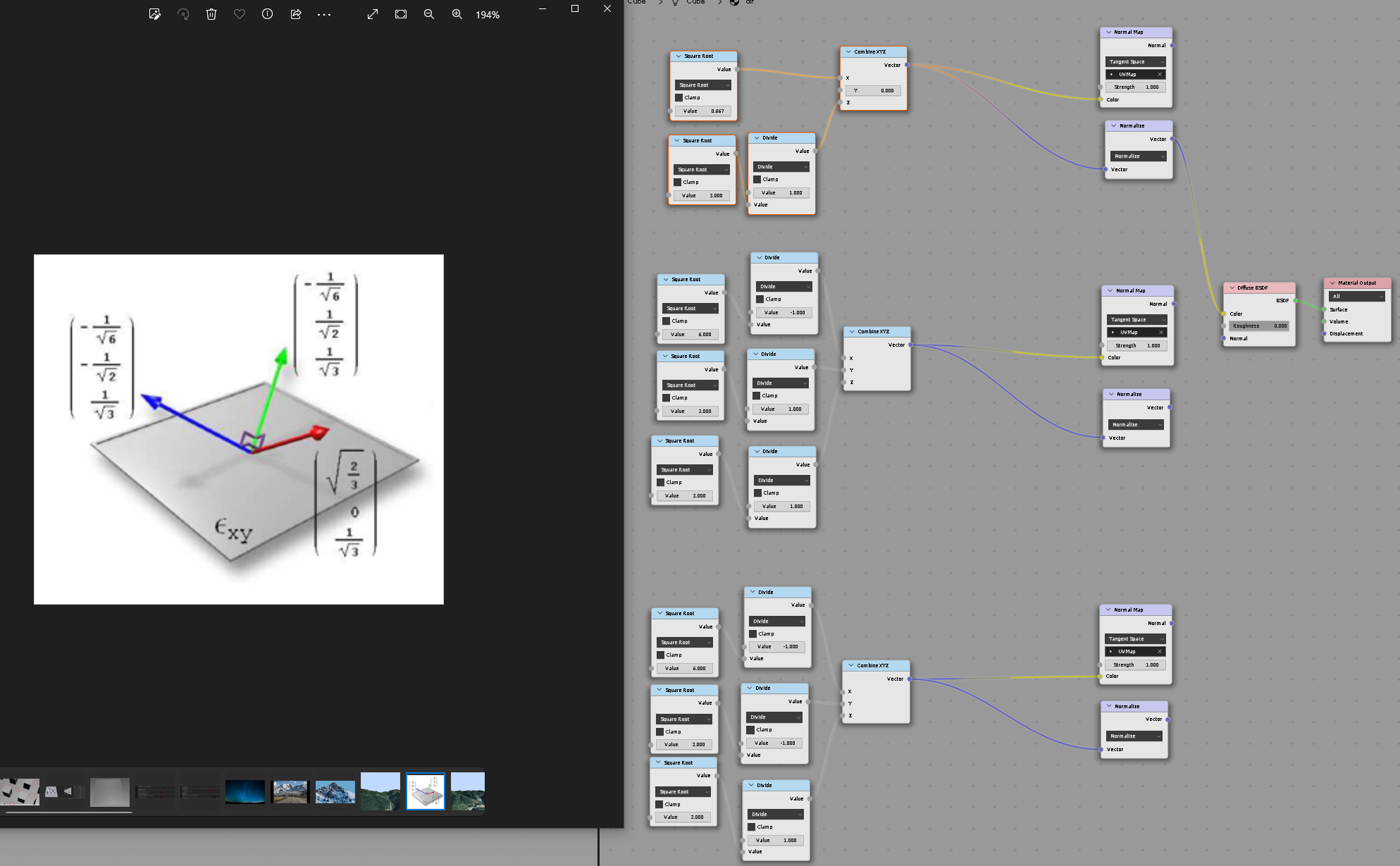 Hi folks I was trying to make a Directionality Lightmaps (Radiosity Normal Mapping) Find whis topic, but unfortunately its outdated and all the images are gone :/ : https://polycount.com/discussion/71538/how-to-directional-lightmaps-with-3dsmax-vray Currently this is what im doing: Here's my 3 basis which i use to bake GI…
 -
Re: [MAXSCRIPT] render:#bakeSelected Crashes when using VRAY.
 Solved my own issue. Vray has a VrayExtraTexMap in the Bake to Texture options, which lets you plug in any 3DSMAX Map. I guess they did it this way because VRAY bypasses the default render system. Confirmed working with Vray Dirt, Vertex Color, Material ID
 -
Re: Maya transformation tool doesn't work as expected.
 That thing's broken and seems to be related to non-default cameras. I know I run into this when using orthographic cams at an angle, it just uses the view space as if you had used the center of the widget. I could never find a fix.
 -
Re: Exporting opacity map out of substance painter 2
So using PBR Metal Rough defaults, I add the RGB+A, drag the opacity channel into either slots and select all the options (I've had multiple attempts at it). Then I've tried exporting everything and no opacity map comes out at all. -
Re: [WIP] [UE4] Snow Siege
 @icegodofhungary It's just the UE4 default material on the trees leaves at the moment, but you make a very good point about bringing out the browns in the trees, I can probably boost the values and achieve some variation with the speedtree colour node. Cheers!
>10219 results