Search
-
Re: [blender] a question about geometry...
 Oeh this is an interesting topic question :) . I think it also depends on the kind of object that you are creating. If It's a small prop I should do it the lazy and fast way like the first one. If it's a big(important) prop I should use the second method.
 -
Re: WIP: Space Corner
 here is the start i wish i could get away with not having to make a ton of props but now looking at this im sure i will. some of these meshes are just place holders till i can get some new props made up.
 -
Re: A Greenhorn (me) looking to start his portfolio
 Quite frankly nothing in here is portfolio ready. I would suggest starting fresh stuff, focusing on small props for now to get your texturing skills up. The thing about art is that after so much time working on a single piece, the speed at which your skill increases actually diminishes rapidly, which is why I think you…
 -
Re: ever feel like changing direction?
 thanks for the feedback guys, yeah its an interesting one. I feel as though my character work is not really progressing and that i am only going to be judged how well I can do zbrush cloth lol. I started out as a texture artist and i really enjoyed that, but the sculpting thing just irks me at times. I mean jeez all that…
 -
Re: WIP Sky Pirate Outpost
@Khalamea - Ya that cliff wall is something that has been bugging me for awhile, and seeing how its as obvious to others as it is to me im definitely gonna redo it with a bit more love. Ill also add some wear and tear to the other portions of the ship, thanks for the crit :D @Douxan - Glad your liking it, and yup ill be… -
Re: Sketchbook: Tiff
 3D Prop (concept by Caroline Choi) Leaned heavy into stylization for this, I made a post processing outline material in Unreal to really push the look even more :D The right lighting really helped it A LOT, it was definitely one of those projects I was iffy about up until I played around with it in engine
 -
Sketchbook: LordSebbington
 Hi all. I'm quite new to 3D, I stumbled into 3D in about September 2012 after finding a University of Reddit course on Game Art. So far I've bloody loved it and, without going into too much detail right off the bat, I'd like to try pursue it as a career. so I'm looking to progress and crits are greatly appreciated! To give…
 -
Watchtower - UDK
 I've messed around with Marmoset's Toolbag and am really impressed with how easy it was in Toolbag to get pretty good results. Sure, I imagine that a real fine knowledge of Toolbag's capabilities can make utter magic, but even if the artist's knowledge of Toolbag's functionality is only 'so-so', the results can be really…
 -
Smart Viewer Pro - Preview assets and mesh stats without scene clutter

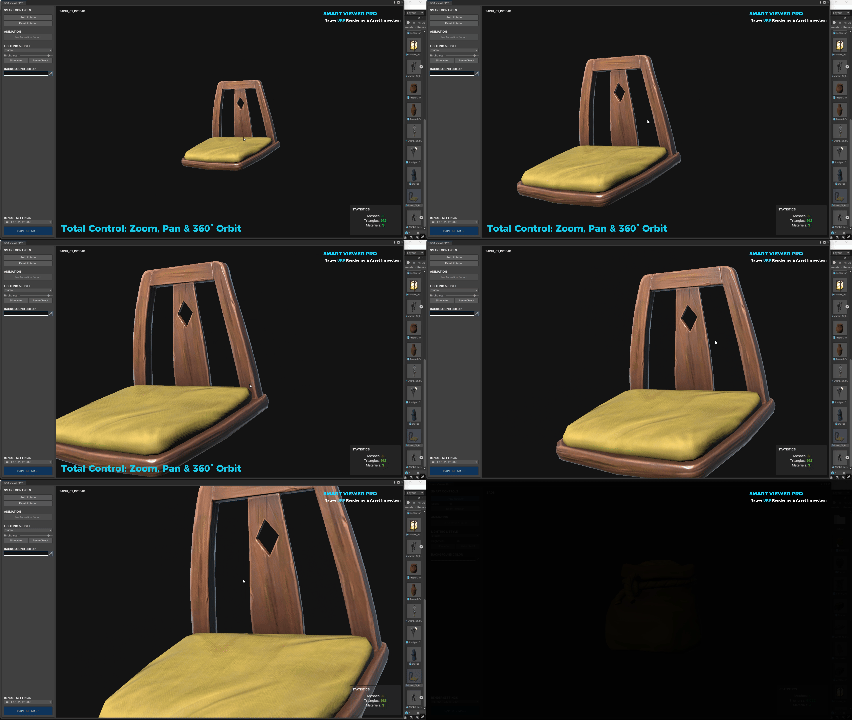 Hi everyone! My name is Marwan, I’m an Environment Artist and Co-founder of Remesh Games. As an Environment Artist, I’ve always found it annoying to "pollute" my scene just to check an asset. Dragging a mesh into the hierarchy just to see its stats or animations—and then having to clean it up—is a waste of time. To fix…
 -
Re: Tiling Stone Texture in Zbrush
 To remove the black line you do this * Render your canvas on "Best" (without shadows) * Choose the tool called "MRGBZGrabber", un-select auto crop and drag a selection accros your canvas. * Voila! Now you got a height and whatever you choose to render in your texture and alpha slot. * Pro tip: If you want to render out…
>49392 results