Search
-
Re: Normal map for an engine
 Lol I'm not scared the normal map was just a test, when it was done I knew what the problem was... Just posted it in the IRC though and then made this thread anyways. The reason I even did it with such a low poly object is because in GTA4 like on the underbody and engine and stuff I thought that's what they did but because…
 -
Can i get much more good results on normal maps.

 i tried to create a kiosk and painted some height details at first but in the normal map the lines are too jagged and not smooth. can i get much more good results by tweaking setting or anything. thanks.
 -
Strange normal map errors
Hi all, I've been getting on quite well with normal mapping to a point. I still get strange missed rays and other errors which I cannot seem to fix or figure out why they are happening. Here is my latest map: As you see there are some missed rays on a small number of areas. Its weird because these areas are coompletely… -
Normal bake trouble (monster truck tire)

 I get some odd artifacting and shading on my normal map bake and I am at a dead end figuring why. The highpoly is fairly aligned to the lowpoly as far I can tell + the two floaters (text+wheel nuts) are all covered by the projection cage. I used the Loop uvw tool to flatten the tracks and and rims. In some places it seems…
 -
Re: Maya Normal Not baking High Poly. Please Help!!!
 Yes, I have also smoothed the high poly mesh. These "normal baking problems" seem to happen to a handful of models I make, and it's always frustrating; sometimes Maya bakes normals perfectly, and sometimes craziness like this happens.
 -
Re: Strange normal maps with Mental Ray
 MR renders normal maps pretty well for me in max. Id say maya and mental ray are not using the rendering method for their normal maps. have you tried flipping the green channel? Why are you using a scanline renderer to render your game assets, surely a viewport shader, unreal, or marmoset model viewer would be much better…
 -
Maya Transfer Map error - Normal Map with no information
Hi everyone, I've been trying to get some maps rendered out from a mesh I did in Zbrush, it's a set of floor tiles and I've brought them into Maya to use the Transfer Map feature. I was trying to create an AO, Diffuse, Normal and Height Map. The only map that's coming out with any information is the AO map. What am I doing… -
Merging Specular Mask into Normal Map tutorial for Source

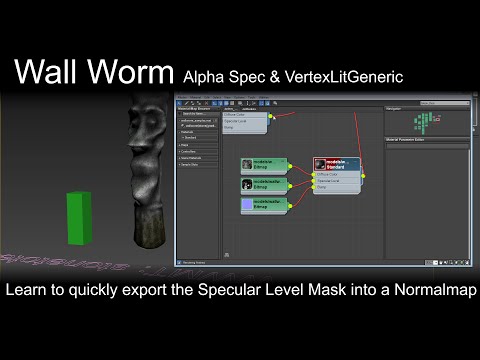 As you probably know, the VertexLitGeneric shader in Source doesn't allow a specular map when there is a normal map. Instead, you must dump the specular mask into another map's alpha. Here is a new video showing you how to do that quickly inside Max without having to open up a bitmap editor. You can automate this with the…
 -
difference between baking a AO map and a normal map?
Helo guys This is kinda a Noob question but I just wanted to know what is the difference between these two. As far as I know, the AO map doesn't need high poly but is it suitable for games and can I free hand texture on it? Say in substance painter? And for normal maps, all I know is it needs a high poly. What are the… -
[Maya] Quad Draw Adds Polygons w/Flipped Normals
 This GIF shows the issue. I have tried nearly everything I can think of. I can flip the normals after I draw the quads, but it still happens after, so it is really frustrating. I even exported my model into a new scene.. Any help would be great. https://gyazo.com/8bbe68a4f8c9f5da5e6c9086df4edca8
>37656 results