Search
-
Re: Learning Blender and Texturing
 No worries ^_^ I've actually read of people complaining about that because it messes a whole bunch of other keys, making it harder to use in the long run... but I've just learned you could also right-click on the Move/Rotate/Scale icons here: to assign a shortcut only to those, and to me that's enough to feel home, without…
 -
Re: How do I get random rotational gradients per tile ?
 oke it seems the problem is still there. When I use the "random rotation" it rotates the bricks themselves, NOT the gradients. Still searching for a solution haha
 -
Maya's Muscle System - capsules rotation are wrong?

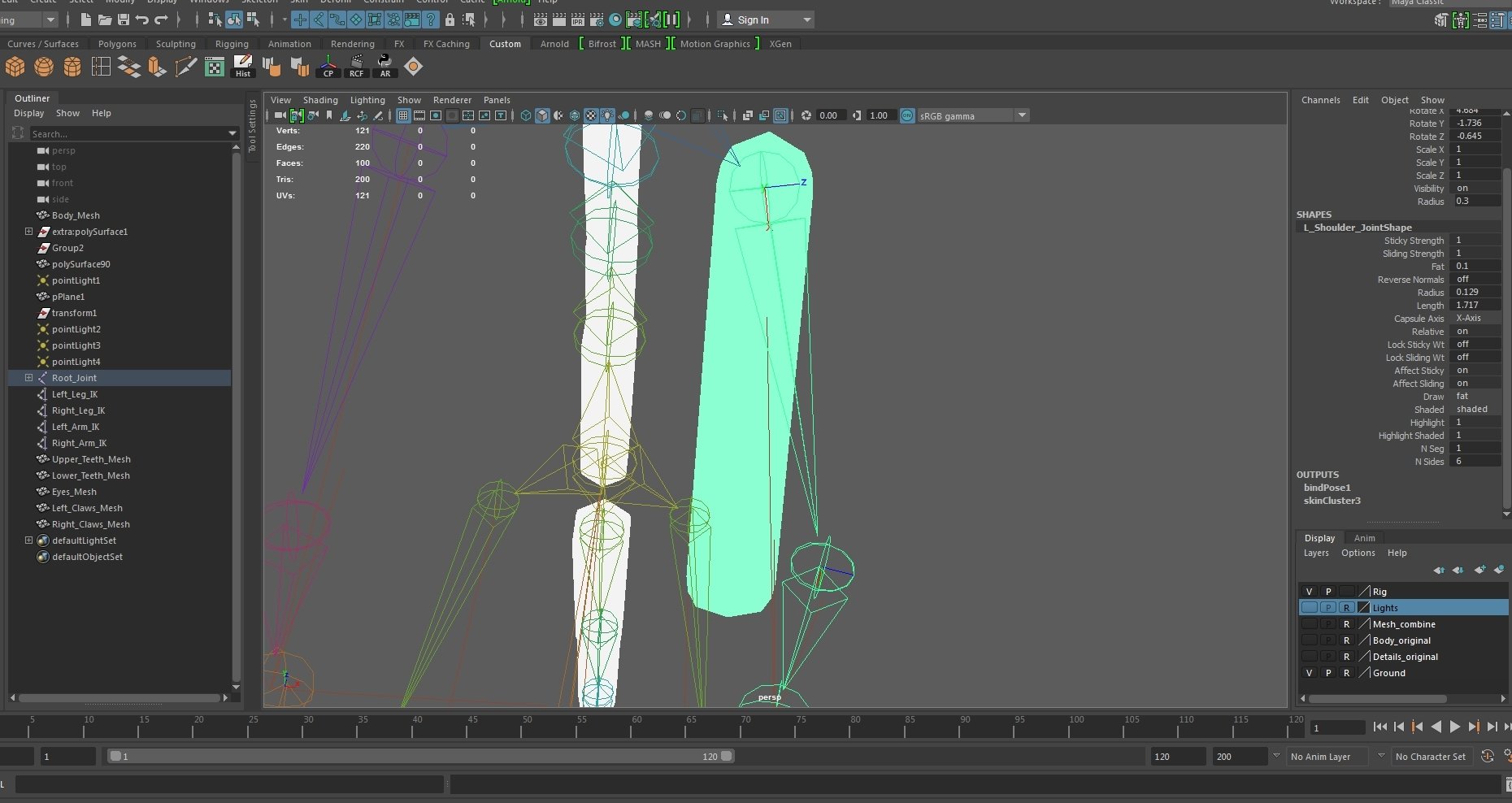 Hi everyone, I'm currently trying to learn rigging and creating muscles in Maya. Right now I'm trying to set up my rig for muscles by creating capsules for each joint, but now my problem is that the capsule doesn't point toward the child joint, even though I made sure that the x-axis of each joint is rotated correctly…
 -
Advanced Skeleton--how do I unlock rotation and movement?
 Hello! I'm a sophomore 3D animation major at Pratt. In Advanced Skeleton, I'm working on a character rig. I want to get rotation and movement working, but it seems to be locked. Anyone know why it would be locked and how to unlock it? I definitely have the latest version of Advanced Skeleton. Thank you in advance for any…
 -
Rotate wooden wall panels/wall molding/frames transitions in corners

 Hi! The screenshots tells the best whats my problem. I want to merge the corners. If I I will rotate panels in the corner by the 45 degrees they will narrow. I was looking for some solutions in architect visualization tutorials but couldn't find any (solutions, not films :P).
 -
Re: Question about axis rotation in a max rigging
 In the video, it's done so that the rotations on one side are 'mirrored' when applied to the other side - when the axis you are rotating around points in the opposite direction, you get a reversed motion. Of course, there are many ways to skin a cat, the best way to find out the shortcomings and advantages is to experiment…
 -
Rotating Multiple Verts without pulling them down...
Kinda hard to explain, but it's something I used to do all the time in 3ds max and probably a common thing done when modelling. Lets say there are my vertical verts: 0 0 0 I need to select them all, and rotate them in a way that they are still aligned but on an angle, like so:0 ---0 0 Best way of doing this? -
Zbrush : Made a insert mesh brush but it's rotated awkwardly when using
 My insert brush is rotated awkwardly. I pressed on unify and made sure it was aligning to the floor grid before creating it. What else could I be doing wrong?
 -
Character only plays idle anim, can't rotate cam

 Hey, For some reason, my character stays in an idle state and won't blend to the other anims. Also, I can't rotate the camera at all. I've been following this tut: https://docs.unrealengine.com/latest/INT/Videos/PLZlv_N0_O1ga0IoRrpI4xkX4qmCrhGu56/hRO82u1phyw/index.html Here are some pics: State Machine: "Idle" to…
 -
Maya 2018 Broken rotate Gizmo Help needed
 Hey everyone so I have been using maya at home and at work, however been moved to a new room and the computer I have been provided should be fine works with unreal and 3DS max 2018. However maya when animating has an issue with the rotate gizmo not working at all and all the controls moving around at random. Tried…
>8345 results