Search
-
"Group" equivalence in Zbrush?
 Hello everybody, this might be a very stupid question, but I am looking for a "group" equivalence in Zbrush. Kinda like in Max where you can create groups without losing the modifiers that belong to one of the grouped meshes. The reason why I am asking is because I am currently creating my first "really" detailed character…
 -
Re: How much money?
 so valve wont tell us how many set we sold ? o.o and pior i saw the stuff that you created for spring 2014 :D storm ,earth, ember spirit ,awesome :D Ya haha i think this thread should be renamed haha :D
 -
Re: Quick question Maya - Rotate Tool?
 Hold D and click on the edge you want, now hold D and Ctrl and click once on the face, holding D and Ctrl and clicking on a component changes the aim Z direction to that component. * it might be a modeling toolkit feature, I'm not sure. I hope this is what you're trying to achieve.
 -
Re: Importer Hub for CRYENGINE
 Great to see more Crydevvers around here. I want to congratulate you on your dedication and improvising a method to allow us using our fbx's :D Also we won't have anymore exporting nonsense from max :D God bless you man :D
 -
Re: WIP -Stylized Katana Sword
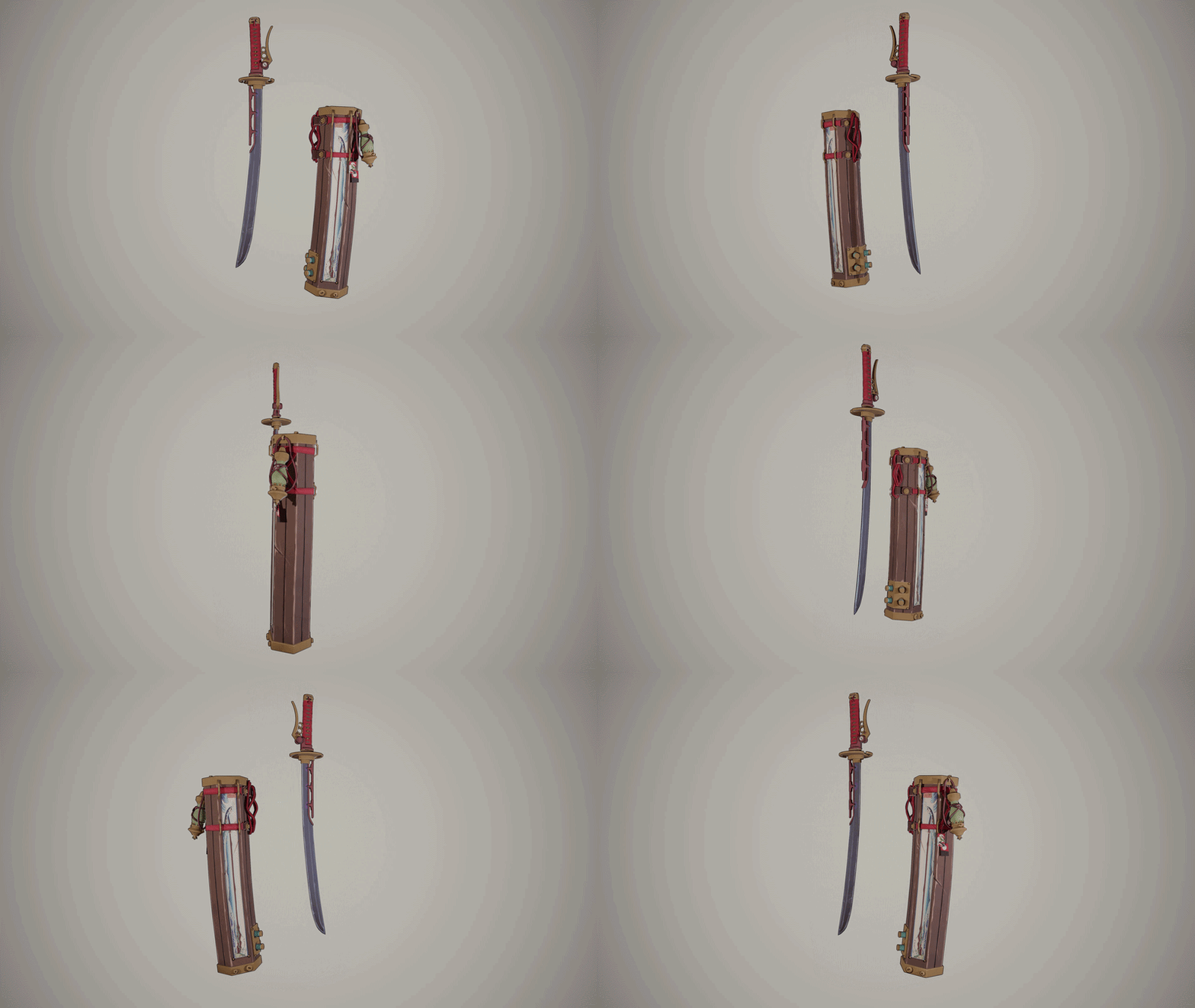 I did some renders for today's deadline. The texturing is not finished, I still need to do more work on the gold parts, and add more wood details and maybe play around with roughness more, because at the moment it is too uniform for the whole model, and I want to see how it is going to look if I add more variations…
 -
Photogrammetry alignment issue

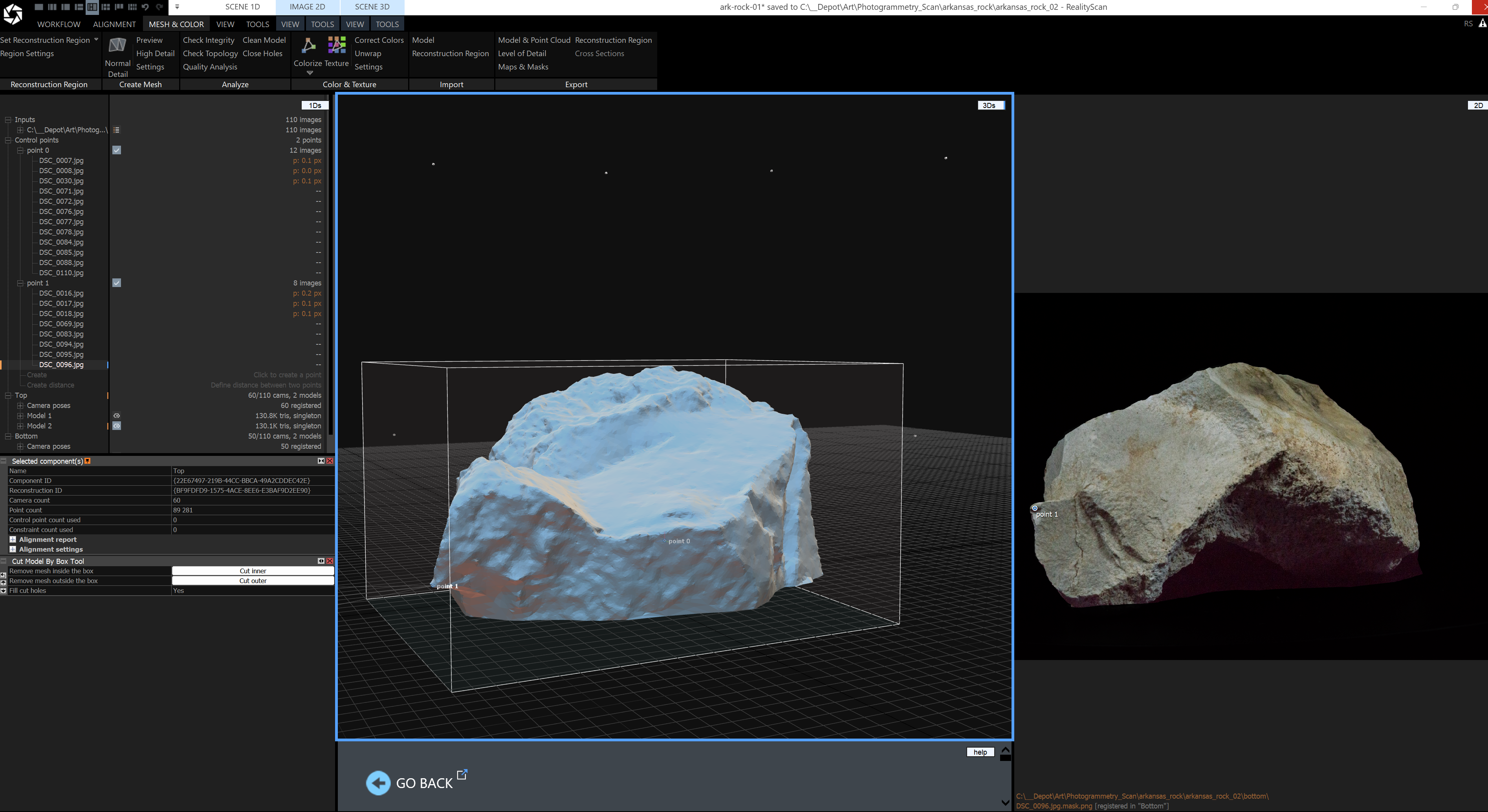 Hey everyone! Thanks in advance for your help. Doing my first photogrammetry scan of a rock. What if my control points do not capture all camera angles? Do I have to keep adding more control points until it encapsulates every jpg and mask? I have a total of 110 images for top and bottom. Only about 20 of the images are…
 -
Re: Help with university Final Year Project
 i gotta do somthing similar soon for my dissertation so here we go Section 1 1. A 2. A 3. A=6, B=7, C=8, D=7 Section 2 1. D 2. B 3. A=5, B=7, C=4, D=7
 -
40k Darktide Lasgun fan art (critique please)
 Hey y'all, new to the forums and trying to reach out to as many people as possible to get feedback, thanks in advance! Link to a drive folder with the rest of the renders and alt skins: https://drive.google.com/file/d/18s5BoGDerQUtil-cUu5zgd60LPu3JJVQ/view?usp=sharing
 -
Re: *Finished* UE4 - Hand painted - Fantasy abandoned building diorama!
 @Gannon Thankyou! And thanks for watching the video! :D @Steampoweredman483 Thankssss! @Ged I did try it against a softer background and I was soooo indecisive! I think it's pretty much 50/50 in my mind but I decided to go for black because it looks a lot more striking/contrasty, but I really liked a light background too.…
 -
Re: Crash Bandicoot N.Sanity Beach
 @William21984 - Thanks I will get it done eventually :P I will use morph targets to create the warp animation blended with some particle effects. :D Im glad you liked my entry =D @HDaniel999 - Thanks yeh we are pretty happy with it :D Started a new texture.
>159331 results