Search
-
Re: A good real time renderer for a low-spec PC
 CE3 probably. UDK is too slow when baking lightmass or working with materials.
 -
Maya Glow Map
 Heey girls, iam looking for a glowmap-way in maya. The model is handpainted and has only a diffuse map + AO shader. The object is prerendered in mental ray - so i only need a rendering solution ;) /btw. why is marmoset toolsbag in 1.06 only making the glow white but not shine ? Here is a Maya image - thanks for helping ;)…
 -
showing spec and bump mapping in viewports
 title pretty much says it all. I was wondering if there is a way to show spec and bump maps in viewports. I've tried looking but can't seem to find any way to show them.
 -
Polycount Snow Trip 2010
 I'll be heading over the United States on Saturday 6th Feb (less than a week) with hopes to re-locate to the country. But this isn't my blog so I'll leave it at that. The purpose of this thread is to see if there any of you that would be keen to meet up for a snow trip before the snow season ends. I'll be primarily on the…
 -
Joe Blow: Skin 01 - Real-time Fan Art

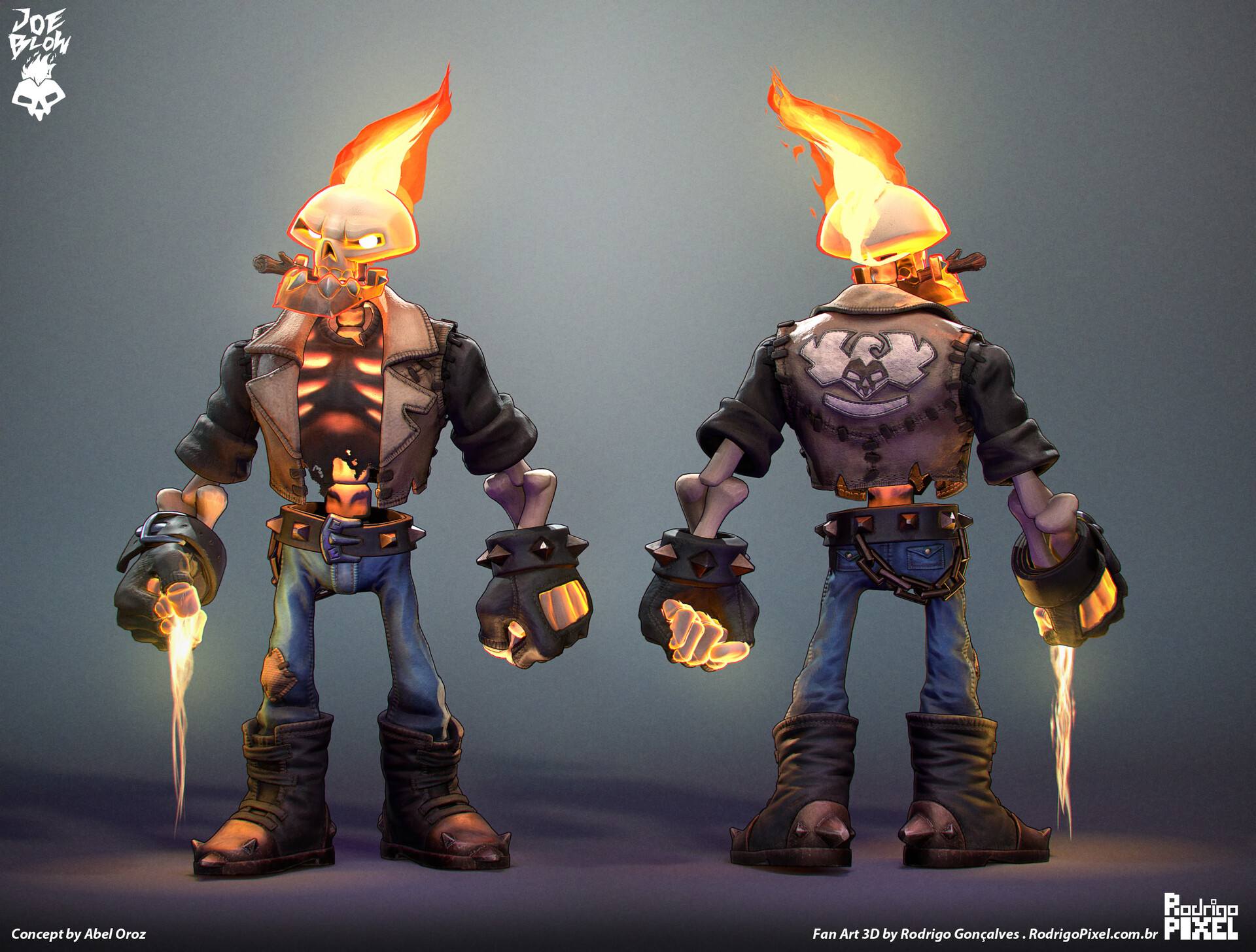 Joe Blow: Skin 01 - Real-time Fan Art Fan Art project done to study 3D Characters for games. * Concept Art by Abel Oroz: https://www.artstation.com/artwork/0l6J8 * More images at: https://www.artstation.com/artwork/yD36Xn https://rodrigopixel.com.br/project/joeblow-skin01/ https://vimeo.com/898236683
 -
Rocky Horror Picture Show
 Curious to see who else went to one of these showings. second time for me, but with some girl behind me screaming half the time and cramped seats I had trouble enjoying it. I prefer to go for the show not all the retarded comments and such which probably was the creation of some guy stoned.
 -
Re: How to rig and animate cloth/hair in games??
I think in this case bones are used for Rigid Body simulation, something like this: [ame] http://www.youtube.com/watch?v=PpwF_30aeyI&feature=related[/ame] Advantage of this method is simplicity and speed, which is priority for making game rigs (and this pictures is exactly game rig, i think). Disadvantage is low-quality… -
Re: Maya - How to make this things ? Low poly
 The way I would do it is make the general shape I want, and subdivide it until it's very smooth. Then I'd use the reduce tool (with preserve quads set to 0, and all "feature preservation" turned off), to reduce it to a very low poly count. Then I'd harden all the normals, to give it the faceted look. Here's something I did…
 -
Re: SHIFT - Final Year Game Cinematic Trailer Project

 Here are some lighting updates! Shot 1 I keyframed some blocks to balance out the foreground and midground. Feel free to check them out in our next animation update! Shot 2 Shot 7, made the lighting darker to show more neon colours. Shot 8, made a node-based material for the background Shot 14a lighting and setdress, faked…
 -
Re: High to Low Poly Workflow?
a quick way to downgrade a high res model is to use polyboost ''dot loop'' options for selection and removal. Polycruncher is not clean for downgrades. I find polydraw and border tool very slow and most of the time unworkable when the mesh is too dense.
>68796 results