Search
-
Re: How to join mirror borders in Maya?
 It's best to scrub the scale handle in a few times to get them close. Merge vertices (by default) will always merge if only two verts are selected. The default merge tolerance is too high for my tastes, so echoing what BARDLER says. Smooth mesh preview will let you know pretty quick if there's any issues in your topology,…
 -
Re: misc. maxscript UV scripts/tools
 no,- I started vertical changing everything to horizontal would be a big deal. My idea was to have a toolbar that fits aside to the uv-editor, since already quite a few toolbars are horizonzal (even more in max 2010 and its ribbon interface) I thought it would be a good idea to have it vertical. You can however if you want…
 -
Re: moving from Maya to Max.
 Cut is the same as Maya's Split Polygon tool. Connect just makes new edges between any contiguous selected edges (if they share a face, they will be "connected" by a new edge across the face). Connect also works on vertices - select 2 vertices that share a face and Connect will make an edge between the 2 verts. A fast use…
 -
Re: Max 2008 Rigging question: Joint angle deformers copy/paste
 Yeah, there is a function inside the Skin modifier (not Skin morph) that allows you to attach a Gizmo to a set of vertices which would then deform depending on the angle of a bone. The function then sets a lattice around the vertices and you would move the bone as needed, then adjust the lattice at that state to "correct"…
 -
Re: Tweak in 3ds max?
 For moving things quickly around in screenspase switch to Screen Coordinate System, (I set it to a hotkey ), and press X in order to hide the transformation gizmo. This won't deselect after you release the mouse button, but it will directly select and move a new vertice when you drag on it. Not too sure about the…
 -
Re: Phantom Manor Environment WIP
 yep rework your poly placement, its very high considering you have quite rough sillohettes on the roof etc, id put more into the big shapes and let the normals do the rest, much cleaner and cheaper, all those tiny hard edges would be much more suited to normal map detail. then you could add some loops to the big shapes.…
 -
Re: Cintiq and Carpal Tunnel
 Anything that keeps your hand in a vertical position will take a lot of stress off your wrist. Adapting to using a tablet in your 3d app will help and is something that shouldn't take more than a day to get used to. I also had a Evoluent vertical mouse while I was working. That was great for general computer usage and had…
 -
Trimsheet normals inverted when rotating UV islands

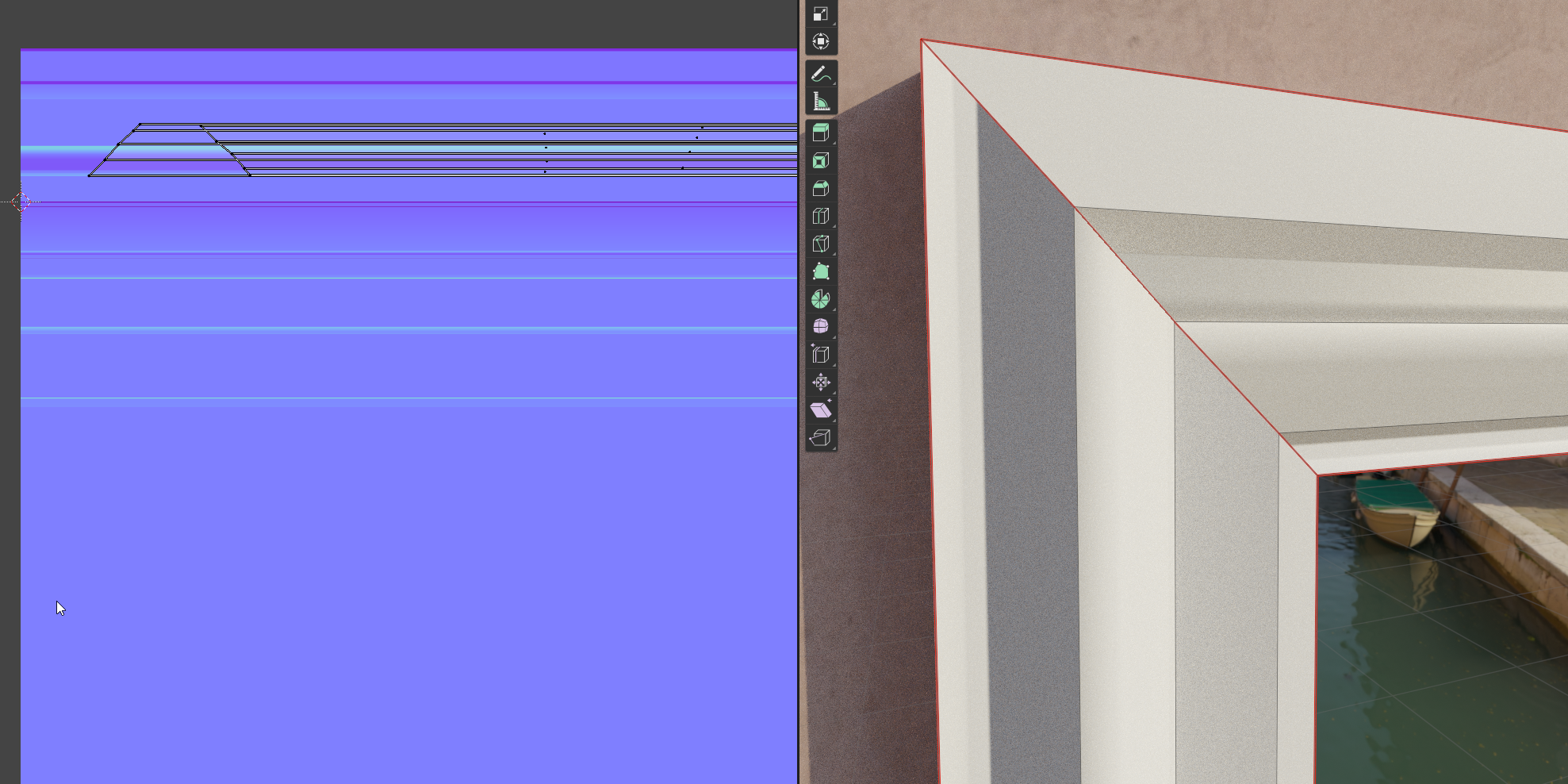 I find myself stuck with a mistery that is making me loose hours of work without any progress whatsoever figuring it out. I'm making a modular environment and I'm making some trimsheet textures. In this specific case let's take a door frame made of three pieces (two vertical, one horizontal on top. Everyting is cool and…
 -
The Artist, a personal character art project

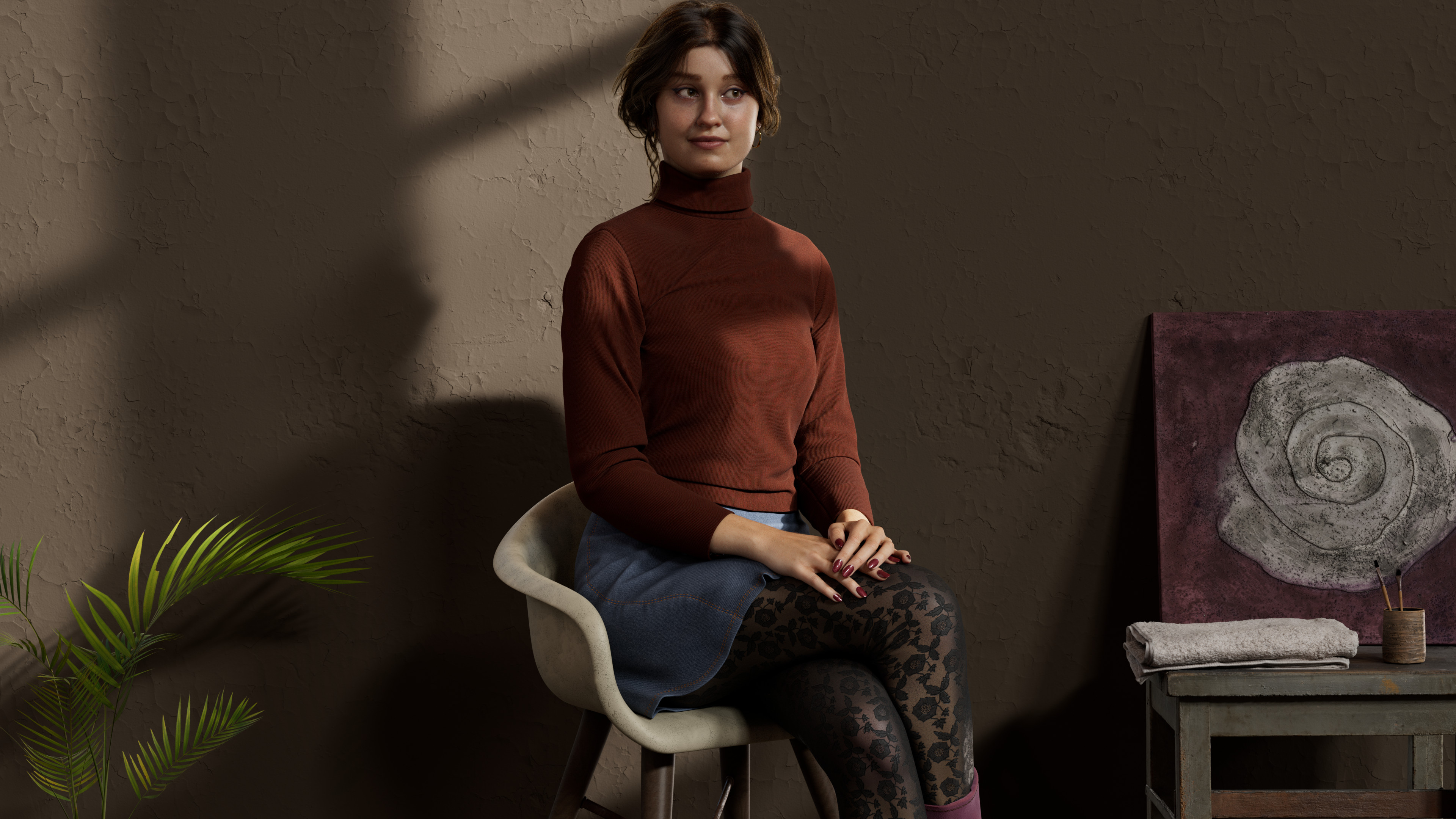 The Artist is a personal practice work where I explore a woman sitting with a playful expression near her artwork. The room is lit by sunlight coming through the window. I did this project, and went back to the basics of 3D art after 2 years of only technical work. The lighting consist of one HDRI and several area lights…
 -
Moving sub-object pivot points whilst having sub-objects selected in 3DS Max
 Hey guys, I'm just wondering how you can move the pivot point in Max to an edge or vertex whilst having an edge or number of vertices selected. Used Maya for about 6/7 years now and the way to do it in that is to hold 'D' and 'V' to snap to vertices. Just wondered if there's an equivalent in Max? I've seen on YouTube that…
>7635 results