Search
-
Re: [Blender] DECALmachine: surface detailing using mesh decals

 v2.0.0 is out! | Gumroad| Blender Market https://www.youtube.com/watch?v=FjeJl5aS5xM See what’s new. Changelog * add Create/Import Atlas tools * add Use Atlas tool * add Join Atlased Decals and Split Atlased Decals tools * add Export tool * add Init/Import/Duplicate Trim Sheet tools * add InitTrimSheetMaterial tool * add…
 -
[Blender] DECALmachine: surface detailing using mesh decals
DECALmachine is a blender addon, which through mesh Decals, allows for surface detailing in a very non-committal, non-destructive, UV-less way. As such it represents an alternative approach to hard surface texturing. In addition DECALmachine has deep Trim Sheet support, and supports Atlasing, as well as Baking to… -
Re: [Blender] DECALmachine: surface detailing using mesh decals
 v1.9 is out | Gumroad | Blender Market What’s new? Changelog * Add Bake tool * Add PanelCutting + RemoveMeshCuts tools * Add RemoveAllInstantDecals tool * Add new Example blend files * Select tool* support selecting all decals of the selected type * RemoveMeshCuts tool* add ALT selection(instead of removal) mode * Epanel…
 -
Re: [Blender] DECALmachine: surface detailing using mesh decals
 HiWin10Machin3tools installed and working fine in Blender 4.2. Cleanup worked for a while but now in edit mode pressing 3 just changes elements (to poly). Any ideas. Cant install tools in Blender 4.1 which is odd.
 -
Re: [Blender] DECALmachine: surface detailing using mesh decals
 The new Epanel creation method combined with baking really makes for an incredibly powerful workflow. And interestingly enough, even if the baking results will always be lower res than the infinite detail provided by the regular bump decals I find that the AO pass really adds a lot of depth and ties it all nicely together.…
 -
Re: [Blender] DECALmachine: surface detailing using mesh decals
Hi guys, Win10 Bought and downloaded new MeshMachine .16. Installed in Blender 4.2. Hardops and Boxcutter also installed. Machin3 ‘Y’ menu works. The Mode change while using Machin3 by pressing Tab does not work, nor does pressing the ‘3’ key for cleanup. Seems you used to be able to determine what pie menus opened from… -
Re: [Blender] DECALmachine: surface detailing using mesh decals
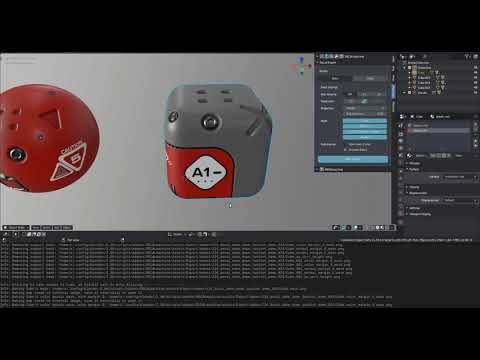 Preview of Baking Decals https://www.youtube.com/watch?v=snuEYdOTHEQ All you have to do is pick one or multiple objects with UVs and Decals and hit Bake.There is an option to automatically preview any or all of the main texture maps (Color, Normal, AO, Subset Mask) directly on your objects.You can then also easily restore…
7 results