Search
-
Basic topology exercises Giz

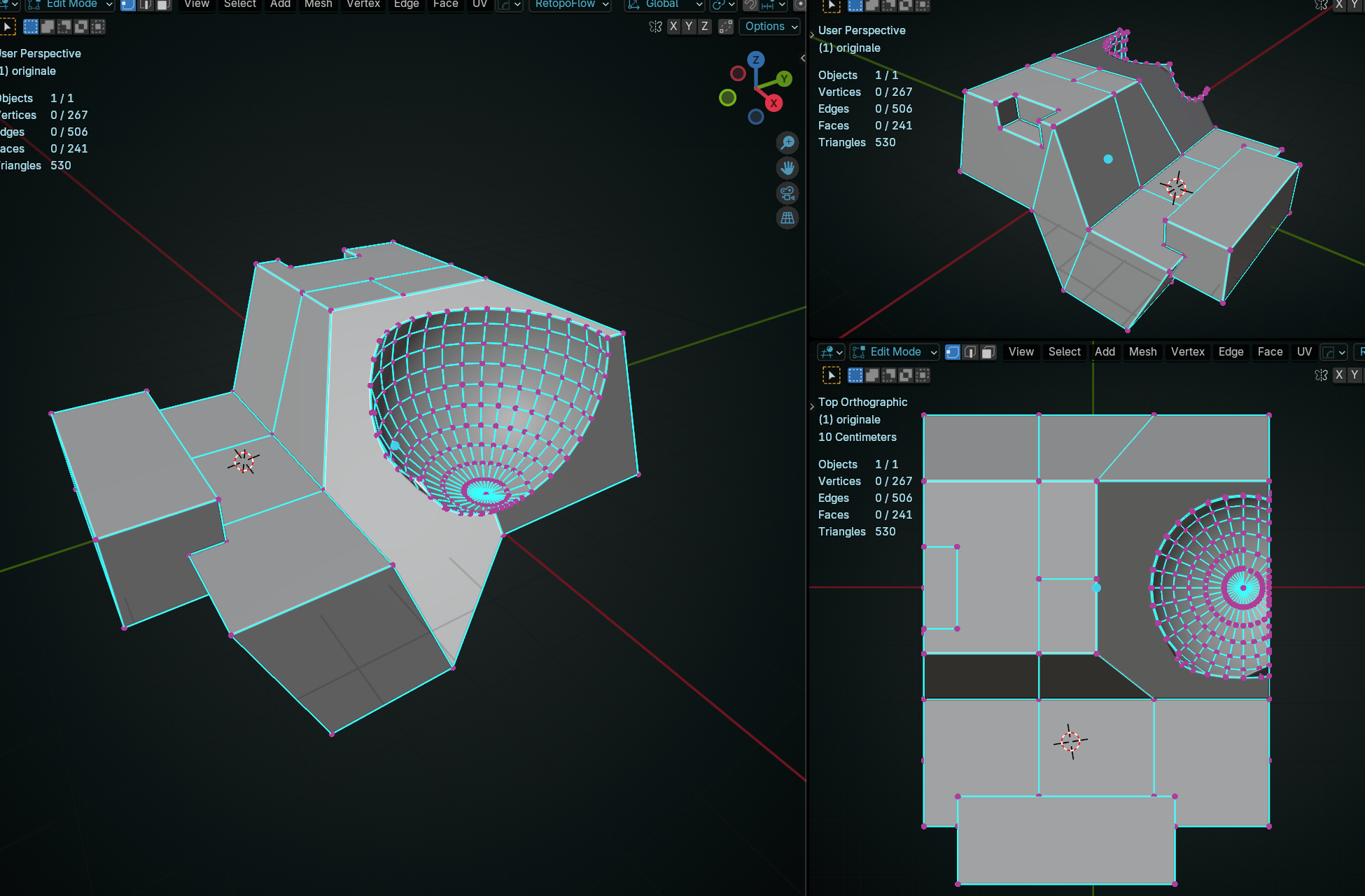 So this is my study diary. Hello, I apologize for not having a sketchbook. Since I'm not very good at it, it didn't seem like the right thing to do. I've recently started learning about 3D modeling topology. To truly understand it, I've created a personal exercise Inspired by Frank's posts on this forum :) , The idea is to…
 -
Re: can't rescale animated model - 3ds max 2013
 You can use skin utilities, in the Utilities panel. SkinUtilities>Extract Skin Data To Mesh. This will copy your skinned mesh and saved the skinned data inside of the skin data mesh now. Then you will need to right click and copy the skin modifier on the old mesh and then delete the skin modifier on the original mesh. This…
 -
Using concepts for 3D work
 With the increasing amount of art theft threads showing up, it has gotten me a little worried over what would and what wouldn't be considered art theft now. Let me explain my situation. I'm currently working on expanding my portfolio, and I plan on using a concept to form up the general idea of my environment. So I found a…
 -
Looking to rig some characters!
 I'm a professional rigger in the industry atm - working in AAA games. Looking for some fun rigs to do in my spare time to boost my skills. Work will be free and I'll make no profit off it - but I must be able to share/showcase the model online. I have a very good animator (also in the industry) handy too so we'll hopefully…
 -
Re: Baking problems :/
 You have to hide the Lowpoly if you bake with MRay...nit the Objrct, but the Geometry...simply add a edit Poly Modifier beneath the Projection Modifier and there select all Polygons and Hide them...you cann then turn off/delet the Modifier after/between baking...(you have to turn it off if you want to edit the…
 -
Re: Knight WIP
The engraving is mostly worked out (at least the technique, not sure if Im in love with the design yet). Blender does not have the skin modifier that Squirrely used, but I believe I was able to get the desired effect using the shrinkwrap modifier on three levels of vertex groups. Ive included a picture of the modifier… -
Re: [3DsMax] Multiple circles with the same diameter ?
The most flexible/best practice method is to use the sweep modifier and instance it onto each circle. (Right click copy the modifier and paste-instanced onto the other objects modifier stacks) Possibly a bit on the advanced max usage side but a really good habit to get into -
3ds Max 2012 Unwrap UVW Deselect Problem
 Anybody else having problems getting out of the Unwrap UVW modifier? ctrl-b doesn't seem to be doing the trick, and neither does clicking the Select Object icon. If I have a modifier below it I can click that and get out, but I seem to be stuck when I apply the modifier to multiple objects. I've already installed the…
 -
Re: Blender convert hair particles to mesh problem.
 I tried hitting Alt + C to bring up the "Convert to" popup and selected "Mesh from Curve/Meta/Surf/Text", and got the same as you. Then I remembered that Particles also exist as a modifier. If you go to the modifiers tab you can find the modifier(s) for your hair particles with a Convert button, it does what you're after.
 -
Re: Baking selection masks in xnormal?
 1. apply a vertex paint modifier paint the object. 2. export with sbm and check export vertexcolors 3. uncheck ignore vertexcolor thingy at the highpoly in xnormal. 3. bake the vertex colors! should work atleast does for me! edit: vertex color modifier should always be applied before any other modifiers like turbosmooth…
>11676 results