Search
-
Re: [SOLVED] How does one fake lighting hair strands on a surface?

 What you're asking for is a specular map. First make one good Alpha map for masking the hair. Then figure out your materials as solid colors and mask them off with the same alpha. Here's a few tips for you: Straighten your UV shells so they're mostly going along one axis. The way you have them at a 45° angle creates choppy…
 -
Re: Subtance works
 I really like your workflow of combining base materials with masks and getting the finished textured mesh. If I may ask, how do you make those greyscale masks? Cheers!
 -
Struggling with edge/rim highlight control in Toolbag (hard surface)

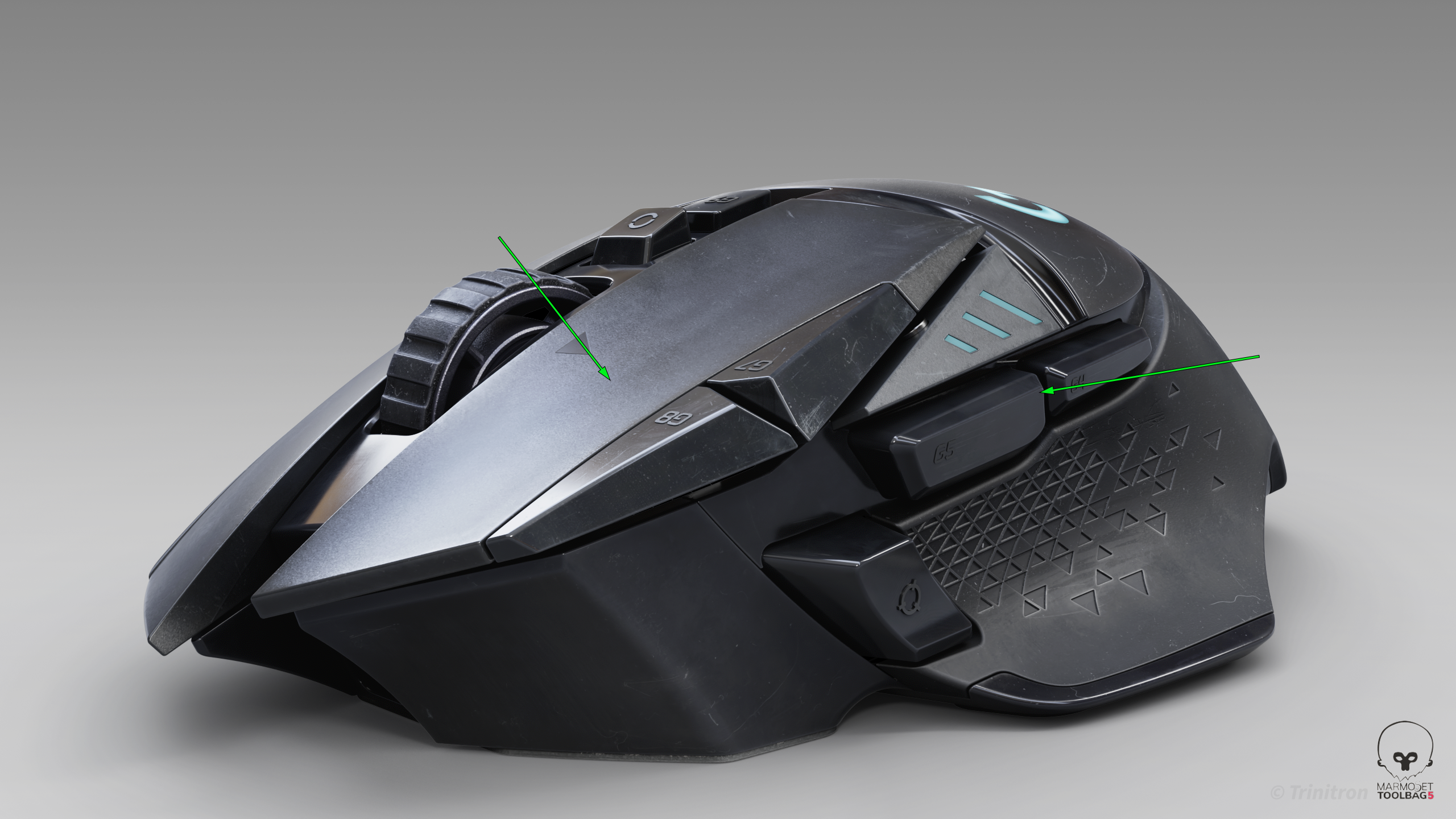 I’ve been trying to get cleaner highlight flow on this model, but I keep running into issues where the highlights feel muddy or break abruptly — especially on larger surfaces and edges. I’m working in Toolbag using HDRI + a few lights. From a modeling standpoint the surfaces should be clean, but the highlight flow still…
 -
Zbrush Extract spacing
 Hello all. I would like to ask if there is a option to add spacing to extraction in zbrush? Let mew explain. There is mask of human chest. Out of this mask I will get this. But I would like to have an effect of spacing between two objects, I know I can use gizmo to kind a fix it but is there any other option than gizmo?…
 -
Re: How do I unify my color temperature in non-analogous scenes?

 No, I forgot to change the brightness. I didn't even know you could do that in color.adobe.com, but it's possible. Changing brightness (so you have a cool dark end and a warm bright end), you can get this: But to get back on what you were talking about, when you ask "how to unify the temperature (or the physical location…
 -
Re: How much time does it take for you?
 Still other questions need to be answered first. 1. What time period was this made? Medieval times? WW2, Modern Day, Future? 2. What is it made out of? Wood, Concrete, Metal... 3. Do you go inside? 4. How close do you get to it? 5. How damaged is the structure? 6. Is it abandoned or upkept All important questions to be…
 -
Re: [Substance painter] Using ambient occlusion for dirt
 You could also use your ambient occlusion ask a mask in it self, though you may want to invert it first, if you'd like to paint the dirt manually. Cavity also works well for this, or even a hand painted mask period using alphas.
 -
SuperPNG broken these days, any alternatives?
 I think we are back to square one with photohop and PNGs alpha channels being oil and water. It's just mangling the RGB channels and adding white again. I can get it to work correctly if I make the RGB 1 solid color. As soon as I add in a load of color, the exported PNGs RGBs are fubar. these were all exported with…
 -
Re: What made you feel crap today?
 What made me feel like crap: Wanting to say, what i want to say & the rest of "you" preventing me, you as in website "mods" & the like because reading the truth (or you claim my truth) will ruin your day if other people get to read it, they might agree. Wanting to say a lot of you claim to be adults & show a lack of spinal…
 -
Re: How do maek modal?
 dont wory u can fix it in post just use UNSHARP MASK
>40569 results