Search
-
REQUEST: Making your own custom made Mega scan materials
 I am doing a lot of photogrametry work, mainly archeological sites and historical visualizations. If Quixel could give some work flow tips for this maybe i could contribute with some high quality photo scans. Is there any interest for user created materials? Octane render has a lot f user made materials in their Live data…
 -
Answered: AO maps blank/missing for megascan materials
I noticed that when adding new materials (like brick, for ex) after adding an AO channel, they will no longer import their proper, specific AO maps... they are just blank gray overlays. In 1.8 as I recall, all of the megascan materials had their own unique AO maps that would multiply on top of your base AO. This also… -
Importing Meshes with emissive materials
 I am trying to import a mesh into unreal so that the default material is an emssive material. Is there a way to do that?
 -
[RELEASED] UE4 - Useful Master Materials v1.1

 Hi everyone, Are you starting off with materials creation and want to learn how to create them? or maybe you are looking for some usual Master Materials that you need to create every time you start a new project and don’t want to spend time on it? Well, I’ve just updated my previous set of master materials with additional…
 -
Rig Light Tent - V-Ray Materials
Hi everyone, I have little problem, how setup materials for Rig Light Tent in V-Ray. As you can see on image, my Light Tent is simple box with front window. Grey part in inner box has front-side faced normals and black part outside box has back-sided normals. Light Tent Shape has properities at default state. Around Light… -
Bed Room [need help and advice on materials]
 Hey folks, a few of you might recognize me, i have posted a little here and there, but am a little fish. I'm trying to improve myself in using the Max and VRay combo, but am kinda stuck with the materials. For my life (i am working way too long on this one already) i cant make it look nice. Everything looks like plastic.…
 -
Re: material editor not showing up....max8
 For the material editor window, its most likely off the screen due to switching from 2 monitors to 1 and then back to 2. To bring a missing window back; 1) Push "M" (or whatever hotkey your material editor is) to bring up material editor 2) Push alt to select the window 3) Push space to bring up the "window-move" menu (you…
 -
Re: What is this texture called and where should it be connected in my material ?
 When I import the mesh inside 3DS Max, it comes with the materials and textures linked to them that you can see in screenshot 2. For some reason, texture "M" (cf screenshot 3) does not seem to be used when the mesh is exported. Truth be told, I have no way to be sure the current textures are in their correct places in the…
 -
[WIP] Stylized Japanese bamboo forest (UE5) — looking for feedback
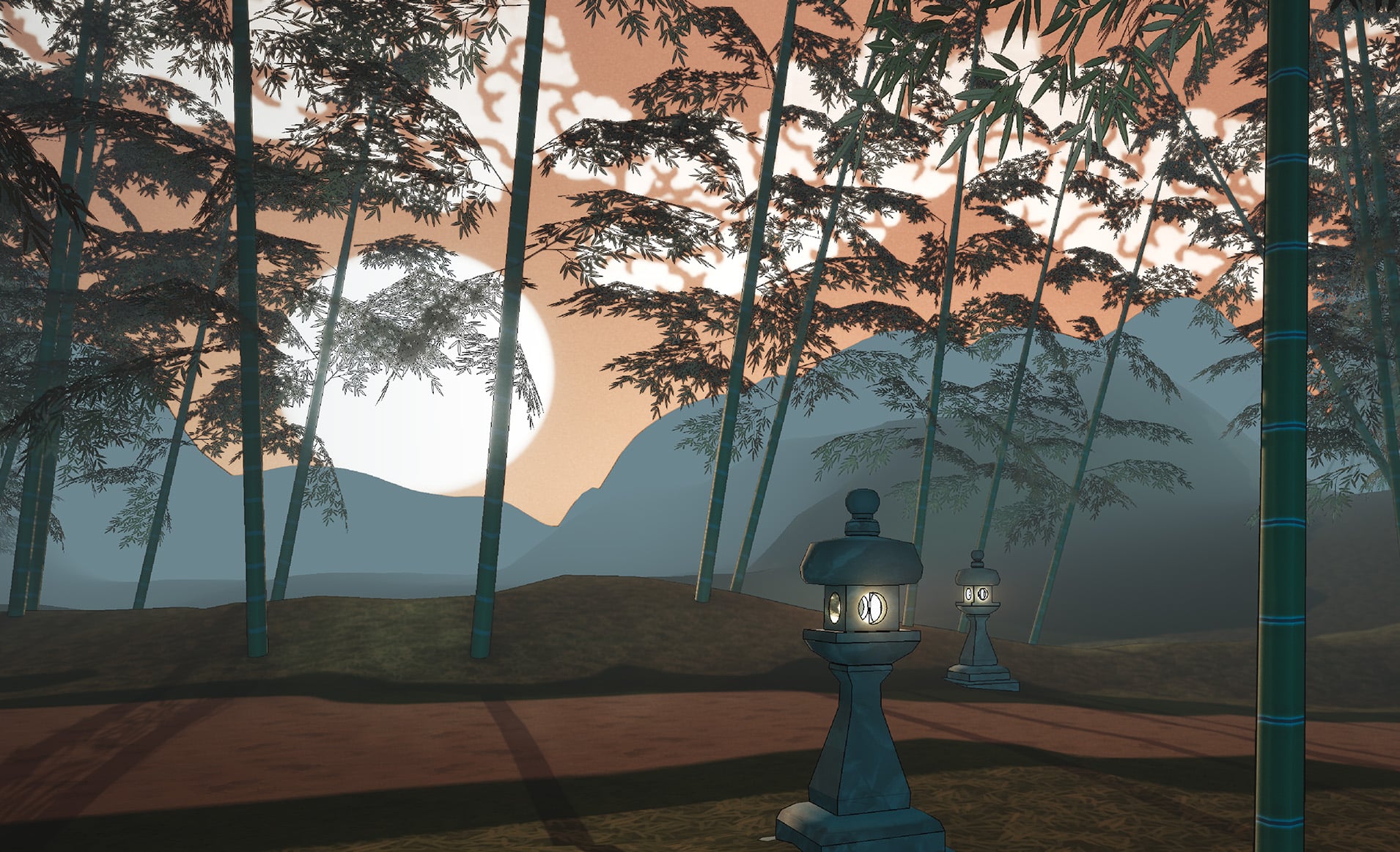 Hi everyone, first time posting here. I'm working on a stylized Japanese bamboo forest in UE5, inspired by traditional Japanese art (ukiyo-e and Japanese painting). I'm going for a soft, painterly look with a lot of atmospheric haze — distant elements fading into the mist. 24-hour lighting (GIF): one Blueprint slider takes…
 -
3ds black material bug?
 For some reason my leaf materials are black...but as you can see the material editor shows they should be coloured?
>32851 results