Search
-
Re: [MaxScript] miauu's Script Pack

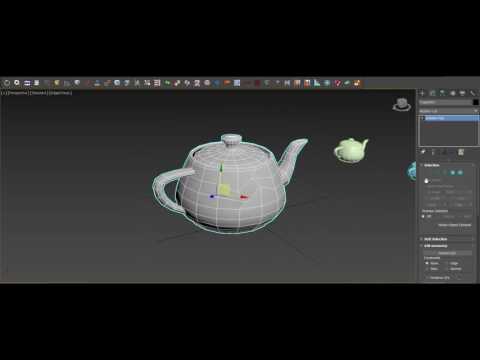 @cptSwing, thank you. miauu's Script Pack vol.1 is updated to version 3.4 Changelog: New Scripts: - Align WP to OP - alligns the Working Pivot to the pivot of the selected object. - Aliogn OP to WP - alligns the pivot of the selected object to the Working Pivot - Turn Off WP - will turn off the Working Pivot. It is…
 -
Re: [MAYA] Creating straight uvs in maya for pixel art texture , cant get straighten uvs to work
 Generally ive found straighten uv's to be only helpfull at bringing into alignment a selection thats almost aligned but just slightly off (ex: unfolding a pipe usually has some distortion that can easily be fixed this way) Id recommend using the allign tools instead since they allow you to select a boundary uv to align…
 -
Re: Sketchbook: RobZero

 Lady Death Fanart Collectible: Part 7 Cuts and keys Hello guys, this is the final entry of this process, it’s a long post but maybe you can find some useful information. Cuts and keys Before explaining my process to create the separated pieces I must say that it’s mandatory to understand how scale works in Zbrush. For this…
 -
Re: Ni'ah - Final Year Game Dev Project
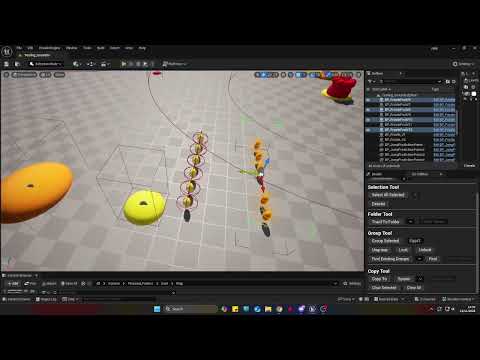 Here is a tool made by Dan to improve the workflow of the game building With this tool you can: - Cap FPS - Show Performance Graph - Transfer thing into folders - Control and Find Groups - Select all similar deselect - Copy and paste things -Take Screenshots https://youtu.be/Ub94EcNfGwA
 -
Re: Favorite Hotkeys and Preferences?
 Here are some of my favorite Maya hotkeys. Most stuff is crammed around QWER so I don't have to move my hand very far, very often: * Alt + D : Delete history (on selected object only) * Shift + Q : Toggle Wireframe on Shaded * Ctrl + Q : Toggle Selection Highlighting * Alt + Q : Delete most recent construction history…
 -
"Uncanny" effect more resolution and details we put in a frame .
I'd like to hear opinions on what I somehow noticed maybe not in every but many recent games as a trend. I mean not an exactly same "uncanny valley " people discussed decade ago about Beowoolf and Polar express and imo related mostly to animation but rather more subtle, more general thing a picture get after crossing… -
Max & Maya -Familiar Help-
 I'm a 3dsMax user but my company is using Maya for the project~ I'm not much familiar with Maya due to this sudden but I try to research as much as I can~ After discuss with my friend (Maya user), here's the different between both software~ Please inform me if something was wrong or had a better solution, thank you~ ^^…
 -
Re: [MAYA] why there is no "parent" constraint?
I do agree the way Maya does it is not good as Max or Blender. I'm currently working on automating this: I'm trying to make a script that does this: Specify what the child object is Parent constraint the target to the object's offset(locator) Set the keyframes either with S shortcut or the UI Parent constraint the target… -
Re: Animation plugin/scripts. Do you use any?
 I use Alt+w/e/r to reset values to 0 in my controllers. Inspired by Blender's alt+transform shortcuts. This works either by selection or current character set (which is default with no selection). This is very helpful when moving things around and to reset things back to default. Very useful for both rigging and animation.…
 -
Re: learning maya for max users
 I know theirs a few, I'll see if I can dig them up later. till then here's some of my notes from when I was learning it, some of it may be off but I've tried to update it to some degree (incoming wall of text): MAYA Notes Basics Menu names: 1st down (menu type) = Status line 2nd down (Tabs) = Shelf Left = Toolbox Spacebar…
>15392 results