Search
-
SOLVED: My Ddo Rendering is broken
 Hello guys, Do you have any idea why my Ddo rendering is looking like that ? My mesh is super clean [xformed, no face flip, no spike, no manyfolded face, etc ...] This bug happen only with a custom mesh ... With the plane it's looking fine ... Thanks in advance.
 -
dDo Legacy custom layer question
 I just want to ask why dDo legacy have max limit for 6 custom layer textures per material group? Is there any way to use more than 6? I would like to move on to this software which is cool, but this limit is annoying for me. @edit Come on ... anyone?
 -
IN PROGRESS: DDO not compatible with CC (2015)?
 I just upgraded to Adobe Creative Cloud 2015, and now a good portion of DDO is broken. Mainly doing ANYTHING in the mask leads to an error message stating that this feature is "unsupported" in Above, so just a heads up people. Im downgrading to CS6 and thankfully Creative Cloud allows this. Gibbage
 -
Re: how do you think Ashley Did this?
 If I did it one by one like she did and was in Maya not using 3rd party scripts/plugs, I would use a fairly evenly distributed medium-high res mesh and use Live as a starting point for each scale. Snap to the verts and edges once I modified the pivot of the original scale to the best location to yeild the best end result,…
 -
Re: Sketchbook: stray
 I've applied the rig to the actual model, changed some anatomy and did clothes retopo. ...Now I think the arms proportions are broken :o Everything about them just looks WEIRD. Did I misplace the elbow or the wrist joint? What's going on? I can't tell anymore... If someone with a pair of fresh eyes sees it, I could really…
 -
Luger (my first outing with ddo & marmoset)
 Hey Polypeeps I've recently had my first stab at texturing with ddo & rendering in marmoset. any thoughts or comments would be greatly appreciated. thx
 -
Frazetta's son busted stealin his dad's work
 http://www.boingboing.net/2009/12/10/frazettas-son-busted.html "But... dad told me to!" :poly142:
 -
Answered: Please Add RMA to Unreal Export in Bridge
Feature Request - Please add a packed RMA export option to the Unreal export in bridge. Thank you :-) -
Current DDO+3D0 to UE4 Workflow
 Hey guys. I was reading that if you turn greyscale textures in UE4 to TC_Mask and have sRGB off, the result would look close to what you see in 3DO. The threads I saw this in are pretty old, so I was wondering if this was still the common practice or if DDO > UE4 is a straight export now with no tweaking?
 -
[MAYA] can't add new blendshapes

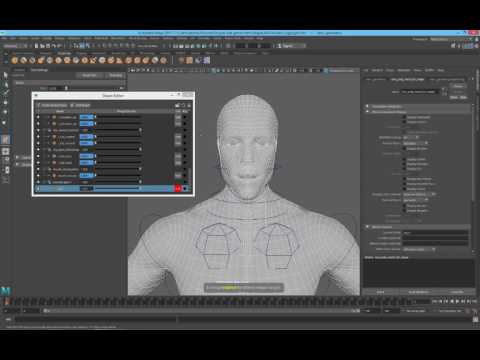 Hi, I've been learning Maya for a month and came across a problem — I cannot add new blendshapes to my model. However, I can edit old blendshapes that I already have. Perhaps this issue is not related, but my manipulator and wireframe also changed color from white to green. Please see the video that shows the problem:…
>68007 results